

High-level overview: what a Rollout looks like
- A Rollout is similar to a Kubernetes Deployment manifest but uses the
Rolloutkind and extra strategy fields. - Strategy steps let you incrementally shift traffic (weights) and pause at steps either for a duration or indefinitely for manual promotion.
- A Rollout will create ReplicaSets and Pods — you will not see a Deployment object for that app.
Useful links:
Canary rollout — simple example
A basic Canary Rollout that controls traffic by weight and pauses between steps:Blue/Green (excerpt)
For comparison, here is an excerpt showing Blue/Green-related fields supported by Rollouts:Walkthrough: applying a Canary rollout
- Repository layout (example)
- patterns/canary contains
rollout.ymlandservice.yml.
- Example canary Rollout manifest for an application (app-rollout)
- Shorter demo pauses (use seconds) If you prefer fast demos, shorten pauses to seconds:
- Create namespace, apply manifests, and verify
rollout.yml and service.yml are located):
kind: Rollout.
- Access the application and observe versions
30797. Poll the /app endpoint to observe which version responds as the canary progresses.
Polling script (bash) — polls every second and prints the version returned:
- Promote a rollout to the next step
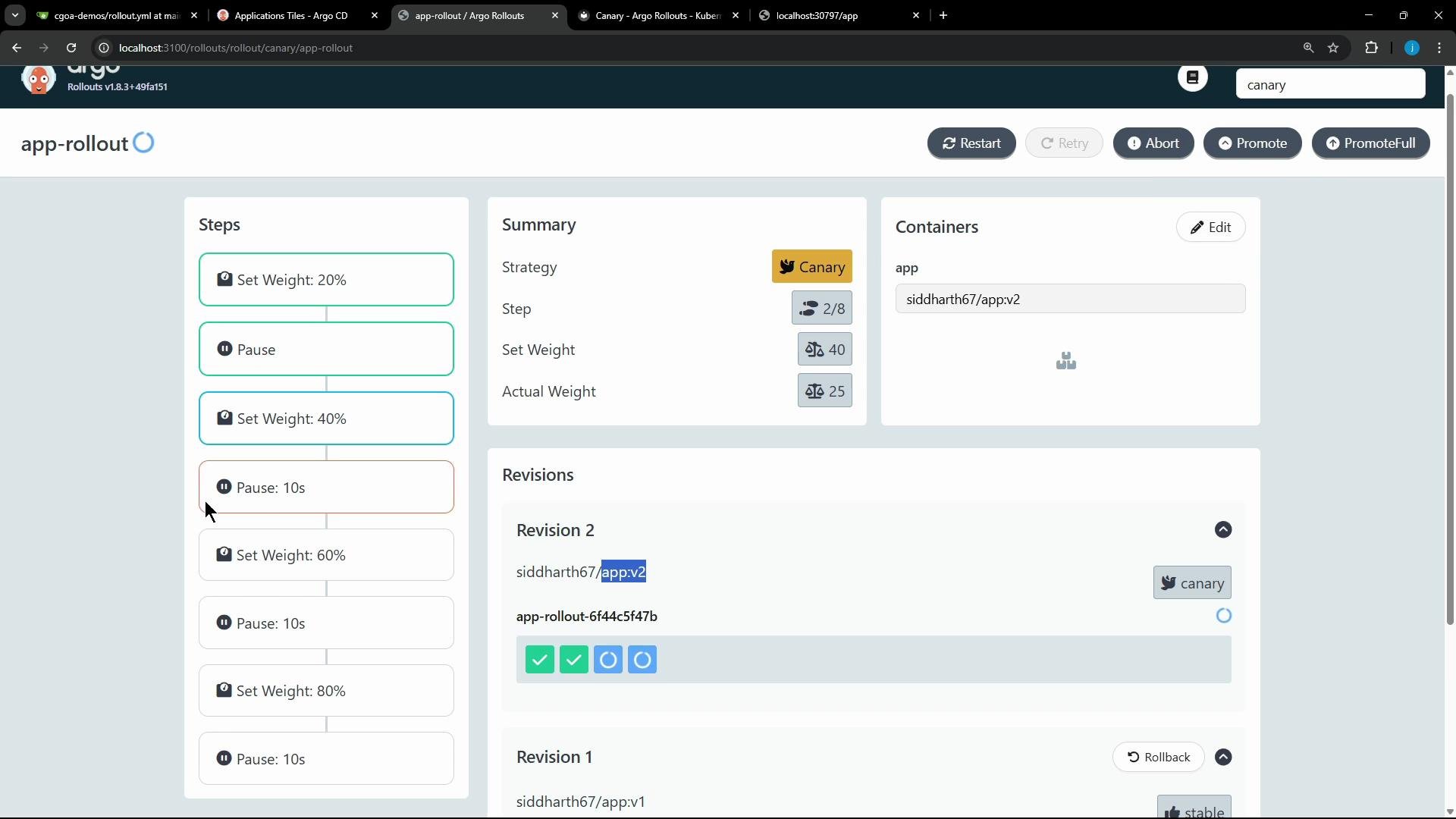
What happens during promotion
- If a canary step sets weight to 20% and you have 10 replicas, Argo Rollouts will direct ~2 replicas (20% of 10) to the new ReplicaSet.
- Subsequent promotions increase the percentage according to configured weights (40%, 60%, 80%, etc.).
- Pauses are opportunities to run tests, observe metrics, or require manual approval before advancing.
Observing traffic during the rollout
- While partially promoted, traffic is split based on weights. Your polling script should show intermittent responses from the new version (e.g., v2) until the rollout reaches 100% and all traffic flows to the new revision.
Rollback and automation
- Argo Rollouts supports automated analysis and rollbacks via pre/post-promotion analysis templates.
- Combine Rollouts with GitOps (for example, Argo CD) to let manifests in a Git repo drive the rollout state and history.
- See the Argo Rollouts docs for configuring analysis templates and automated rollbacks.
Quick reference: common commands
To promote a rollout from the CLI, use: kubectl argo rollouts promote <rollout-name> -n <namespace>. If a step is paused indefinitely (pause: ), you must promote it manually.
Pause durations must include a time unit suffix (for example ”10s”, “1m”, “1h”) or be specified as an empty object (pause: ) to pause indefinitely.