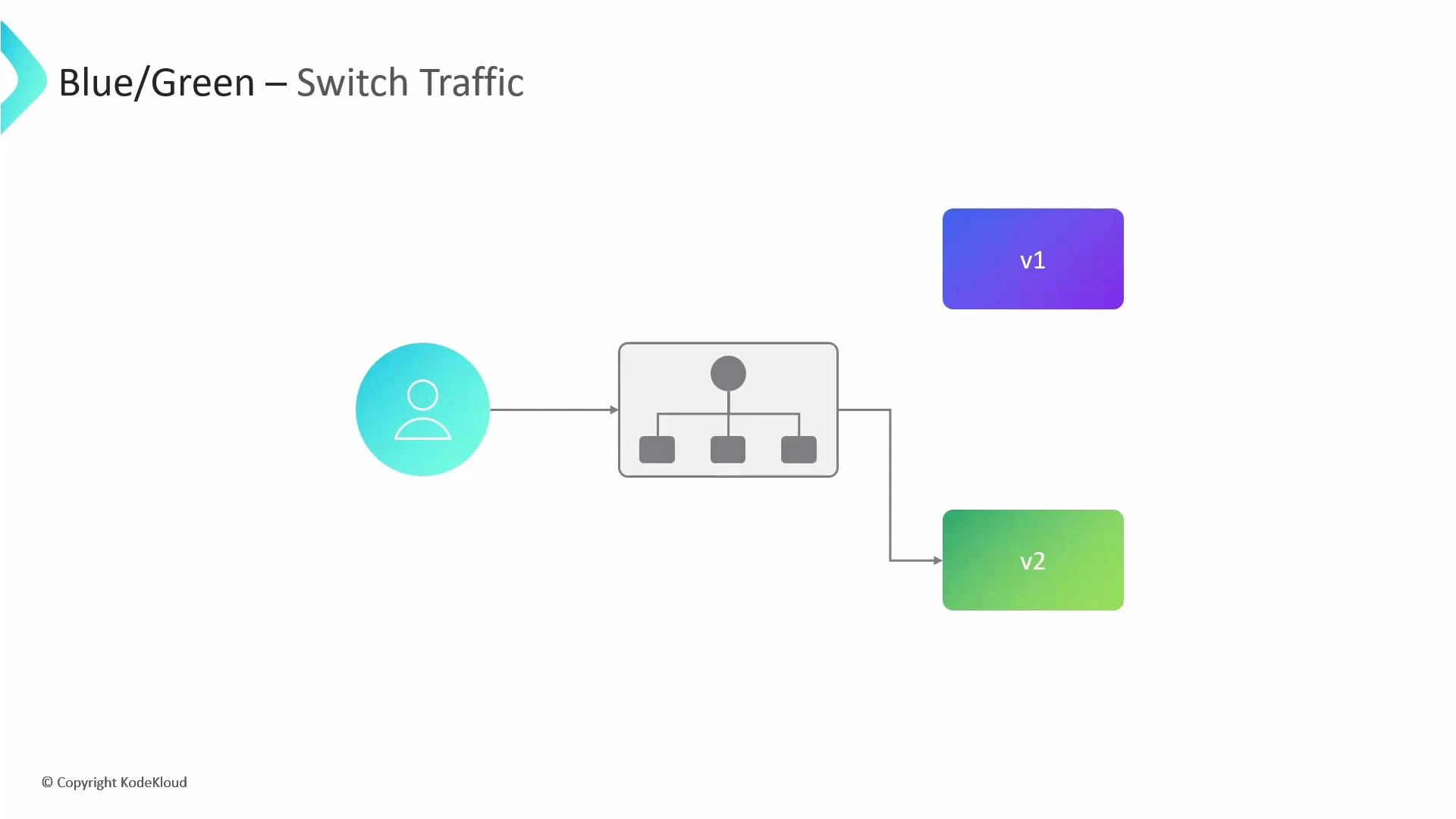
This guide explains the Blue-Green deployment strategy as implemented by Argo Rollouts. Blue-Green deployments use two identical production environments—Blue (current live) and Green (standby). At any time, only one environment receives user traffic. When a new version is ready, deploy it to Green, verify it, and then switch traffic from Blue to Green. This enables zero-downtime releases and instant rollbacks by routing traffic back to the previous environment if issues occur.
A slide titled "Blue/Green — Switch Traffic" showing a user sending requests to a load balancer/router that can route to two service versions. The diagram shows v1 (blue/purple) and v2 (green) with the router currently directing traffic to v2.
Benefits
  • Zero-downtime deployments: the live environment remains unchanged until verification completes.
  • Fast, safe rollbacks: switch traffic back to the previous environment instantly.
  • Safe testing surface: preview endpoints enable QA and automated checks without affecting users.
High-level Blue-Green rollout configuration
ParameterPurposeExample / Notes
activeServiceKubernetes Service that routes live production traffic to the currently active ReplicaSet.Required.
previewServiceOptional internal Service that points to the Green ReplicaSet during preview. Useful for tests and QA.web-api-preview-svc
previewReplicaCountNumber of replicas the Green ReplicaSet runs during the preview phase to conserve resources while allowing verification.1 or small number.
autoPromotionEnabledIf true, the rollout auto-promotes Green to receive live traffic when health checks pass. If false, manual promotion is required.Defaults to true if not specified.
postPromotionAnalysisAutomated analysis to run after Green receives 100% traffic (e.g., Prometheus queries to validate SLOs).Can reference analysis templates.
scaleDownDelaySecondsDelay before scaling down old Blue pods after traffic is switched to Green; provides a rollback window.e.g., 30
abortScaleDownDelaySecondsDelay before terminating faulty Green pods after a manual abort so you can collect diagnostics.e.g., 10
Example Rollout manifest
apiVersion: argoproj.io/v1alpha1
kind: Rollout
metadata:
  name: web-api-rollout
spec:
  replicas: 4
  selector:
    matchLabels:
      app: web-api
  template:
    metadata:
      labels:
        app: web-api
    spec:
      containers:
        - name: web-api-container
          image: my-repo/web-api:v1
          ports:
            - containerPort: 8080
  strategy:
    blueGreen:
      activeService: web-api-active-svc
      previewService: web-api-preview-svc
      previewReplicaCount: 1
      autoPromotionEnabled: false
      postPromotionAnalysis:
        templates:
          - templateName: check-error-rate
      scaleDownDelaySeconds: 30
      abortScaleDownDelaySeconds: 10
When autoPromotionEnabled is set to false, you must manually promote the rollout once verification succeeds:
kubectl argo rollouts promote web-api-rollout
Note: If autoPromotionEnabled is omitted, Argo Rollouts defaults it to true (automatic promotion). For controlled releases or manual QA gates, explicitly set it to false.
Post-promotion analysis
  • Runs after the Green ReplicaSet receives 100% of traffic.
  • Use it to validate error rates, latency, throughput, and other SLOs.
  • Common integrations: Prometheus queries, synthetic checks, or custom analysis templates.
Best practices and operational tips
  • Use a small previewReplicaCount (1–2) to save resources while allowing meaningful verification.
  • Set scaleDownDelaySeconds long enough to allow rollback but short enough to avoid resource waste.
  • Configure abortScaleDownDelaySeconds to give developers time to fetch logs and metrics if you abort a rollout.
  • Automate post-promotion checks to catch regressions quickly and reduce manual intervention.
Warning: If you set scaleDownDelaySeconds or abortScaleDownDelaySeconds too low, you may not have sufficient time to collect logs or metrics for debugging. Choose values that balance fast cleanup with operational troubleshooting needs.
Links and references

Watch Video