This guide continues the Sync Hooks demo and shows how to enforce ordering between jobs and deployments in Argo CD using hook annotations (PreSync, Sync, PostSync), sync waves, and hook-delete-policy. This prevents jobs such as database migrations from running in parallel with deployments and ensures predictable lifecycle and cleanup of hook resources. Why use hooks?
  • Ensure a DB migration runs before application Deployments.
  • Run notifications or cleanup only after a successful sync.
  • Control whether hook resources are retained or removed.
Key annotation keys (Argo CD hooks)
AnnotationPurposeExample
argocd.argoproj.io/hookDefines hook phase: PreSync, Sync, PostSyncargocd.argoproj.io/hook: PreSync
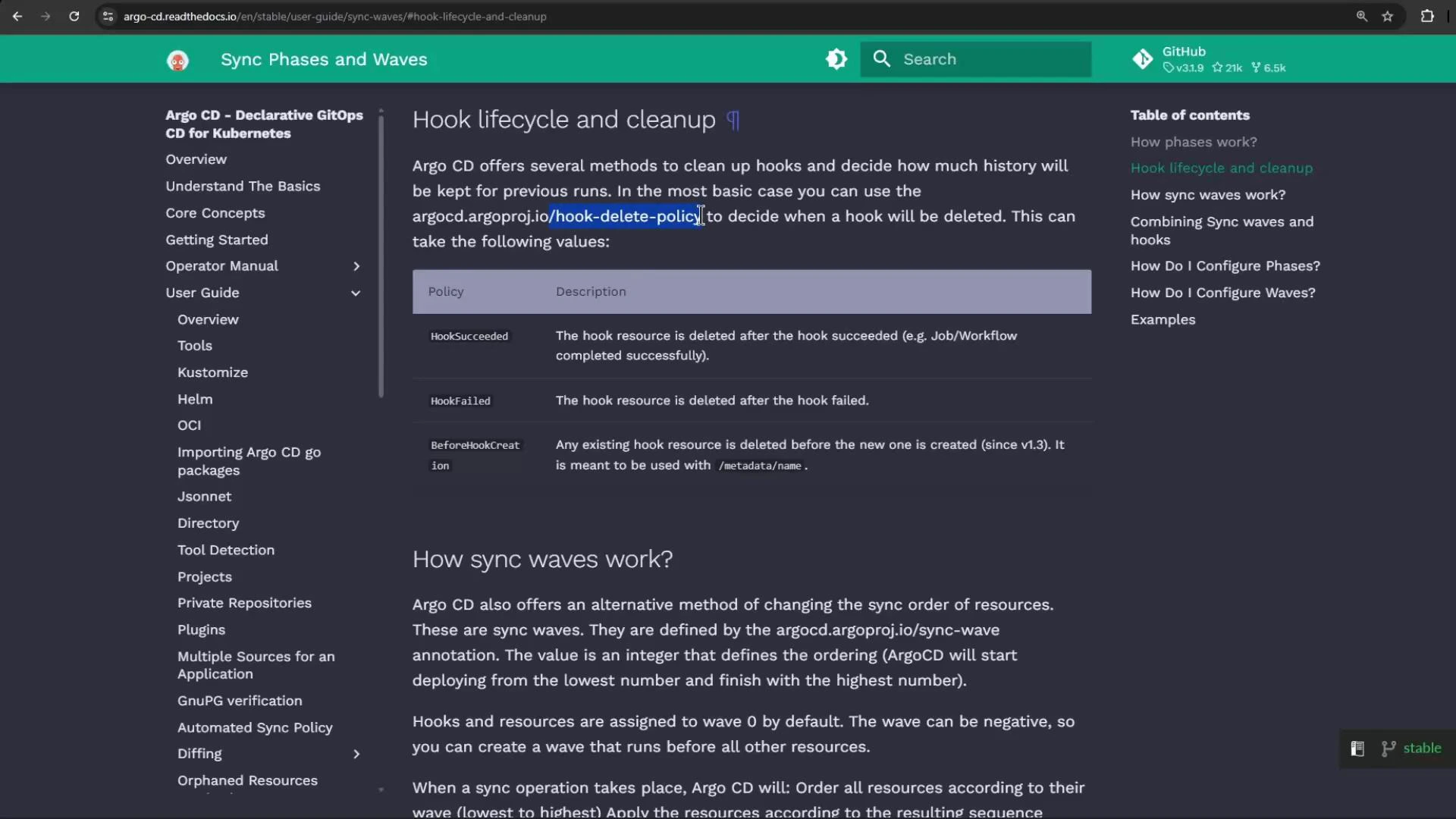
argocd.argoproj.io/hook-delete-policyControls cleanup: HookSucceeded, HookFailed, BeforeHookCreationargocd.argoproj.io/hook-delete-policy: HookSucceeded
argocd.argoproj.io/sync-waveNumeric ordering when using sync wavesargocd.argoproj.io/sync-wave: "5"
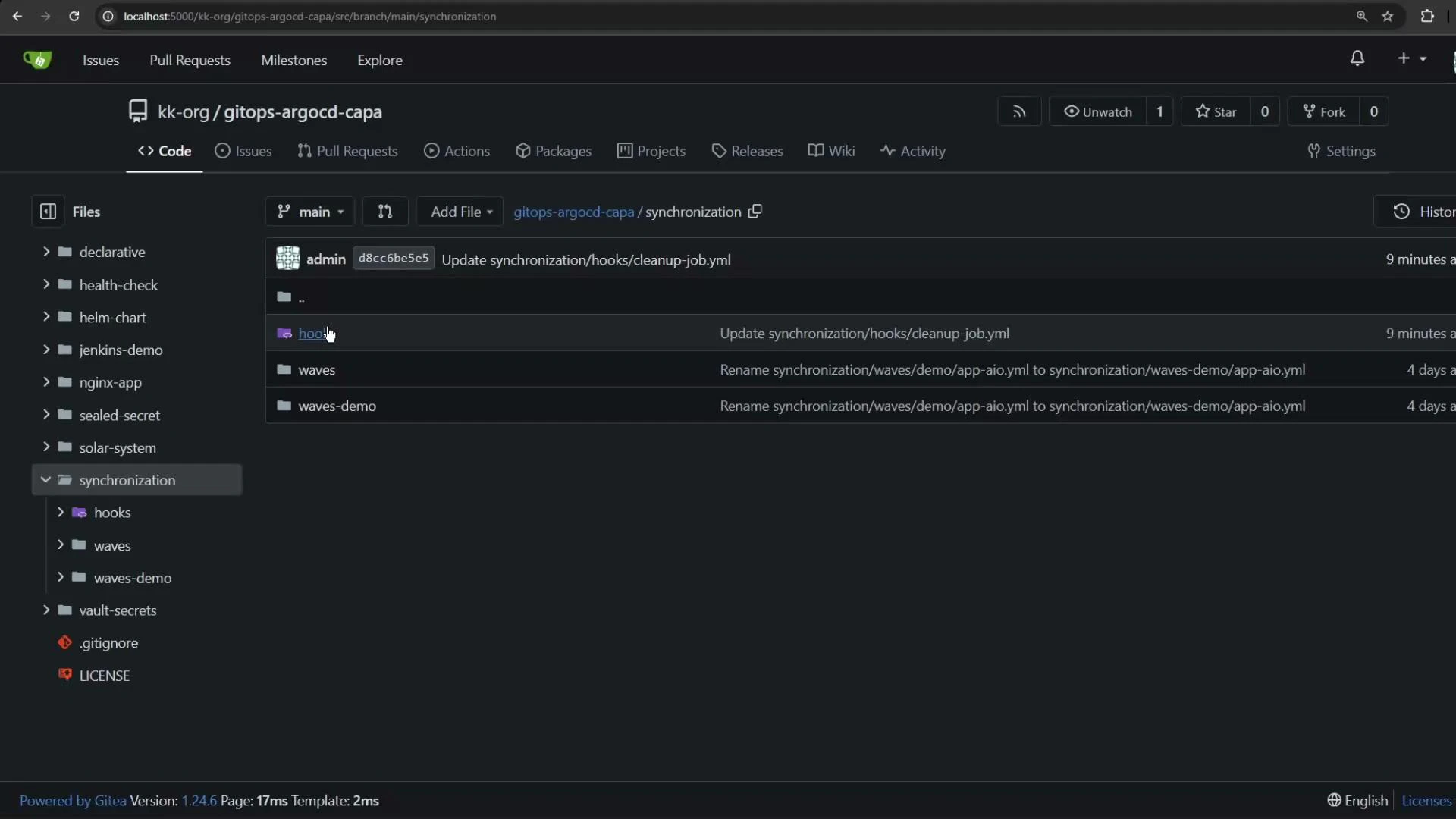
For more details see the Argo CD hooks docs: Open the Git repository and navigate to the synchronization/hooks folder to add the manifests and annotations.
A dark-themed Gitea repository page showing the kk-org/gitops-argocd-capa project with the "synchronization" folder open, listing subfolders like hooks, waves, and waves-demo. The left sidebar shows the repo file tree and the main pane shows recent file commits.
Step 1 — Add a PreSync DB migration Job
  • Purpose: run a migration before any application resources are created.
  • Desired lifecycle: the job should be removed after it succeeds.
Example manifest (db-migration-job.yaml):
# db-migration-job.yaml
apiVersion: batch/v1
kind: Job
metadata:
  name: db-migration-job
  annotations:
    argocd.argoproj.io/hook: PreSync
    argocd.argoproj.io/hook-delete-policy: HookSucceeded
spec:
  template:
    spec:
      containers:
        - name: db-migration
          image: alpine:3.12
          command: ["/bin/sh", "-c", "echo 'Running Database Migration...' && sleep 15 && echo 'Database Migration Complete.'"]
      restartPolicy: Never
  backoffLimit: 2
Step 2 — Add a PostSync notification Job (optional)
  • Purpose: send a notification after a successful sync.
  • Recommended cleanup: delete after success so notifications don’t persist.
Example manifest (slack-notification-job.yaml):
# slack-notification-job.yaml
apiVersion: batch/v1
kind: Job
metadata:
  generateName: app-slack-notification-
  annotations:
    argocd.argoproj.io/hook: PostSync
    argocd.argoproj.io/hook-delete-policy: HookSucceeded
spec:
  template:
    spec:
      containers:
        - name: slack-notification
          image: curlimages/curl
          command:
            - /bin/sh
            - -c
            - >
              curl -X POST --data-urlencode 'payload={"channel":"#somechannel","username":"hello","text":"App Sync succeeded","icon_emoji":":ghost:","attachments":[{"text":"https://hooks.slack.com/services/..."}]}' https://hooks.slack.com/services/...
      restartPolicy: Never
  backoffLimit: 2
A screenshot of an Argo CD documentation page titled "Hook lifecycle and cleanup," showing a table of hook-delete policies and a section called "How sync waves work?" with left-side navigation and a right-hand table of contents.
Step 3 — Optional PostSync cleanup job
  • Purpose: run remedial cleanup when a sync completes (e.g., remove temp resources).
  • Example policy: delete only on failure to preserve artifacts for troubleshooting.
Example manifest (cleanup-job.yaml):
# cleanup-job.yaml
apiVersion: batch/v1
kind: Job
metadata:
  name: cleanup-job
  annotations:
    argocd.argoproj.io/hook: PostSync
    argocd.argoproj.io/hook-delete-policy: HookFailed
spec:
  template:
    spec:
      containers:
        - name: cleanup
          image: alpine:3.12
          command: ["/bin/sh", "-c", "echo 'Running Cleanup Job...' && sleep 10 && echo 'Cleanup Complete.'"]
      restartPolicy: Never
  backoffLimit: 2
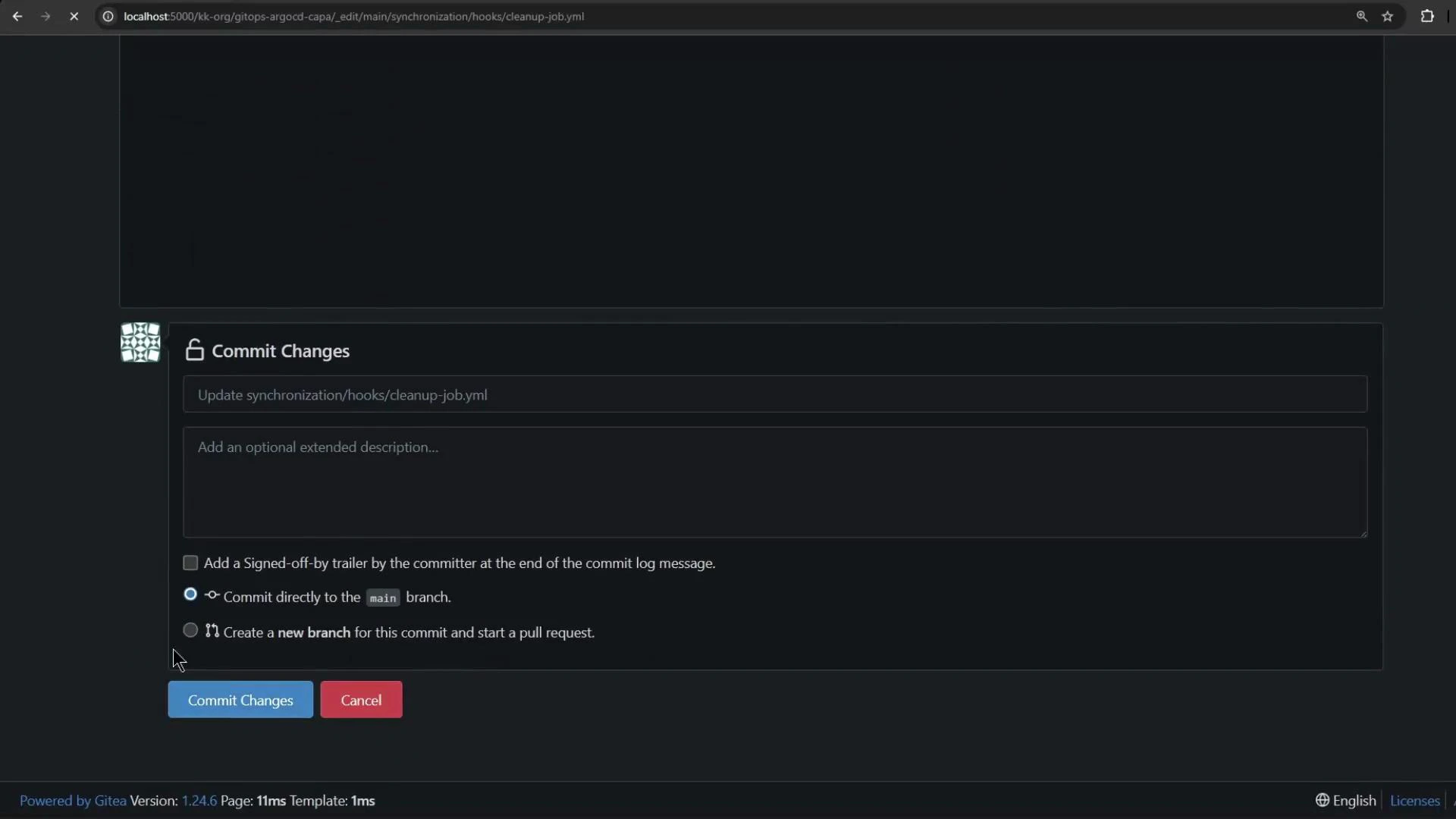
Commit and push these manifests to your Git repo.
A dark-themed Gitea web interface showing a "Commit Changes" form with fields for a commit message and description, options to commit to the main branch or create a new branch, and blue "Commit Changes" and red "Cancel" buttons. The footer displays "Powered by Gitea" and version information.
Hook phases act like guardrails: a PreSync hook must succeed before Sync proceeds; a failing PreSync stops the synchronization and prevents deployments.
How phases work
  • Happy path: PreSync → Sync → PostSync
  • If Sync fails, PostSync is typically not executed unless you configure alternative lifecycle behaviors.
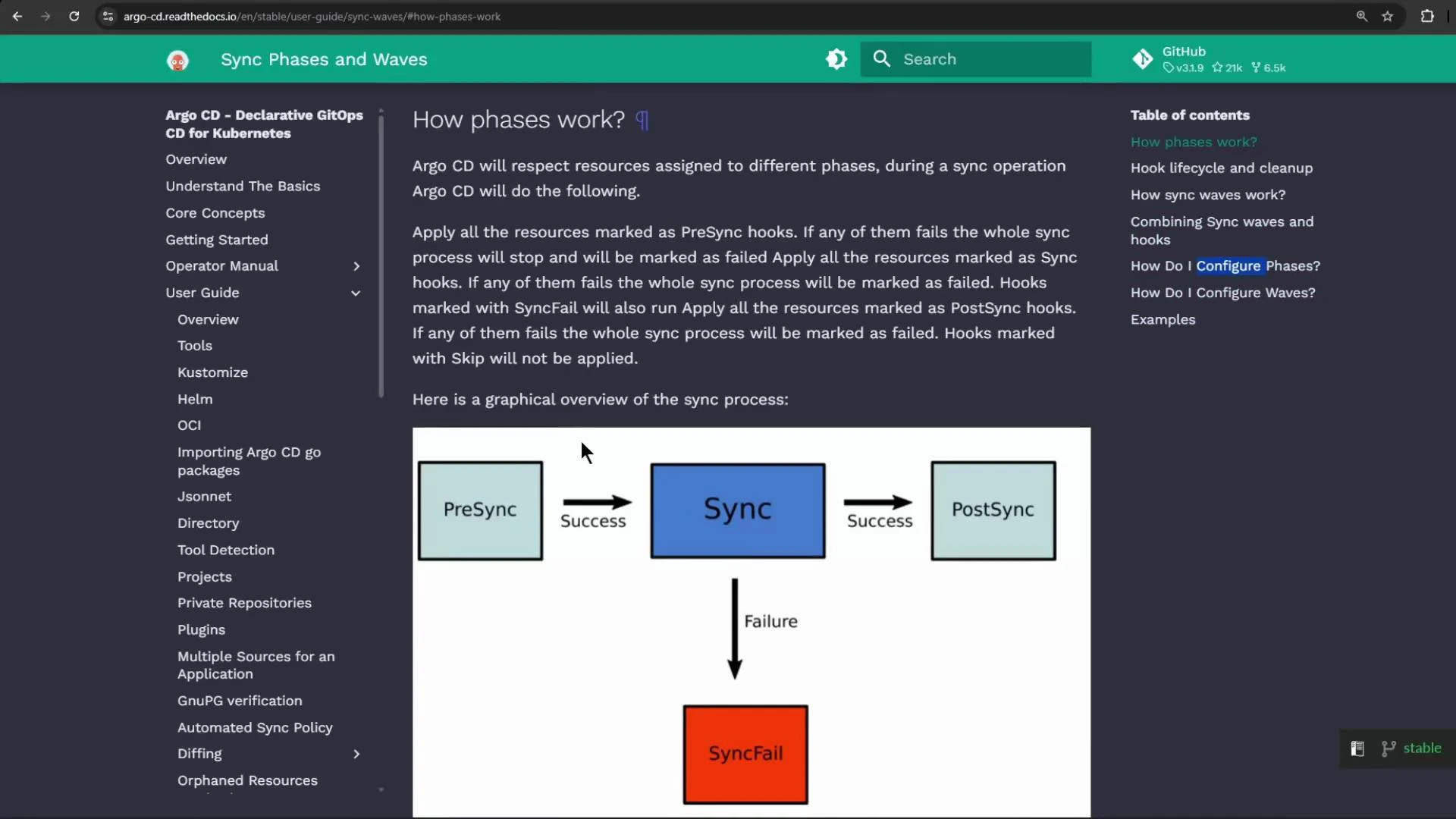
A screenshot of the Argo CD documentation page "How phases work" with a left navigation pane and table of contents. It includes a flowchart showing PreSync → Sync → PostSync on success, with a failure path from Sync down to a red "SyncFail" box.
Step 4 — Create the Argo CD Application Create the application pointing to the folder with your hooks:
argocd app create sync-hooks-2 \
  --repo http://host.docker.internal:5000/kk-org/gitops-argocd-capa \
  --path ./synchronization/hooks \
  --dest-server https://kubernetes.default.svc \
  --dest-namespace sync-hooks-2 \
  --project default \
  --revision HEAD \
  --sync-policy auto
If the destination namespace does not exist, create it:
kubectl create namespace sync-hooks-2
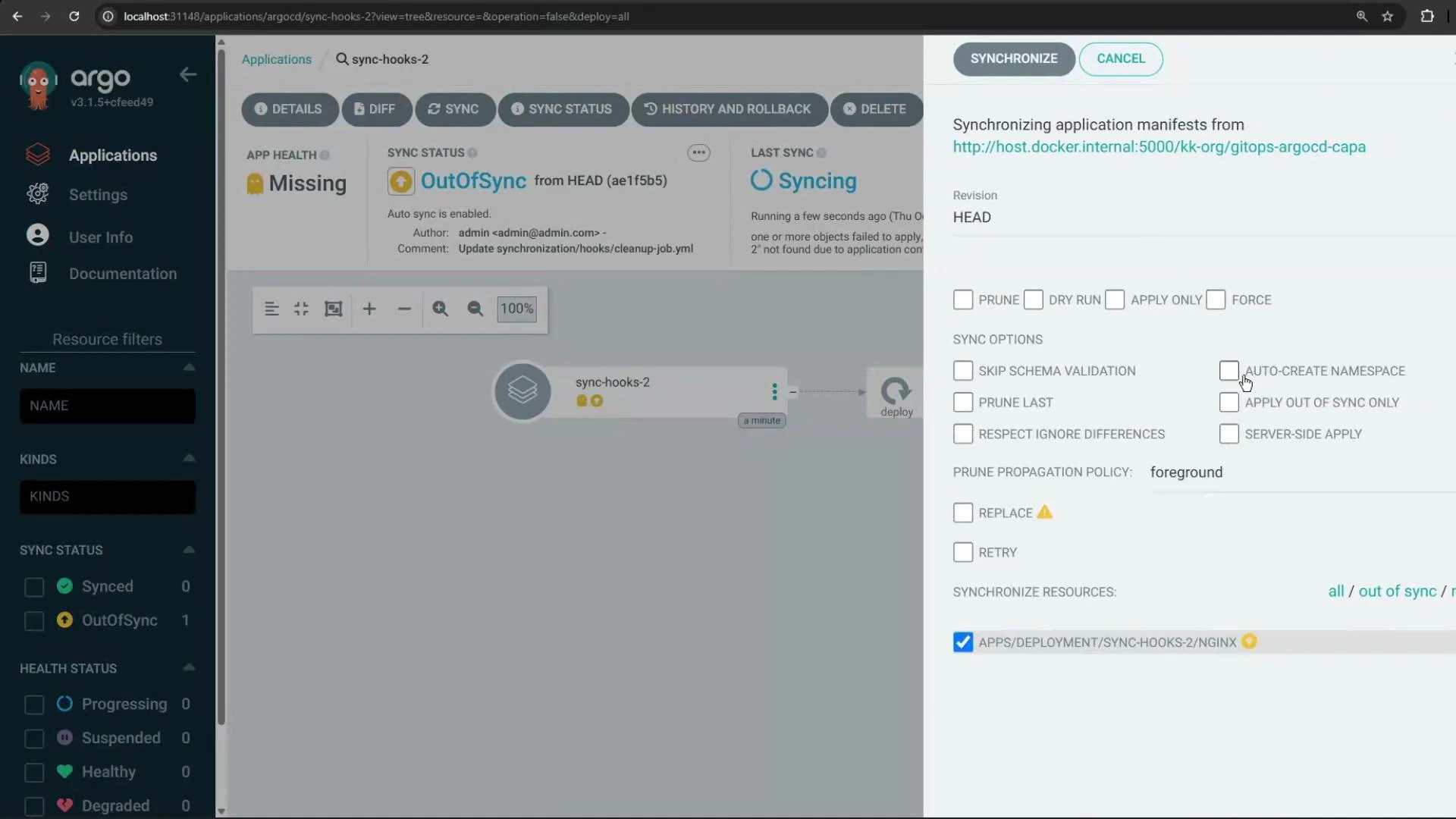
If the app shows OutOfSync or Missing, it may indicate the namespace was absent or a previous sync is in progress. You can terminate a stuck sync and start a fresh manual sync.
A screenshot of the Argo CD web UI showing the "sync-hooks-2" application marked OutOfSync and Missing, with a right-hand synchronize panel displaying sync options and checkboxes.
What to expect during a sync
  • Argo CD creates the PreSync DB migration Job (hook icon shown).
  • Argo CD waits for the Job to finish successfully.
  • If the Job succeeds, Argo CD proceeds to create normal resources (Deployment, Service, etc.) — the Sync phase.
  • If the Sync succeeds, PostSync hooks (cleanup, notifications) execute as configured.
  • hook-delete-policy determines whether Jobs remain after success/failure.
During the demo:
  • The migration job was created and completed.
  • Deployments were created in the Sync phase.
  • A cleanup job ran afterwards and, due to the delete policy, the DB migration job was deleted.
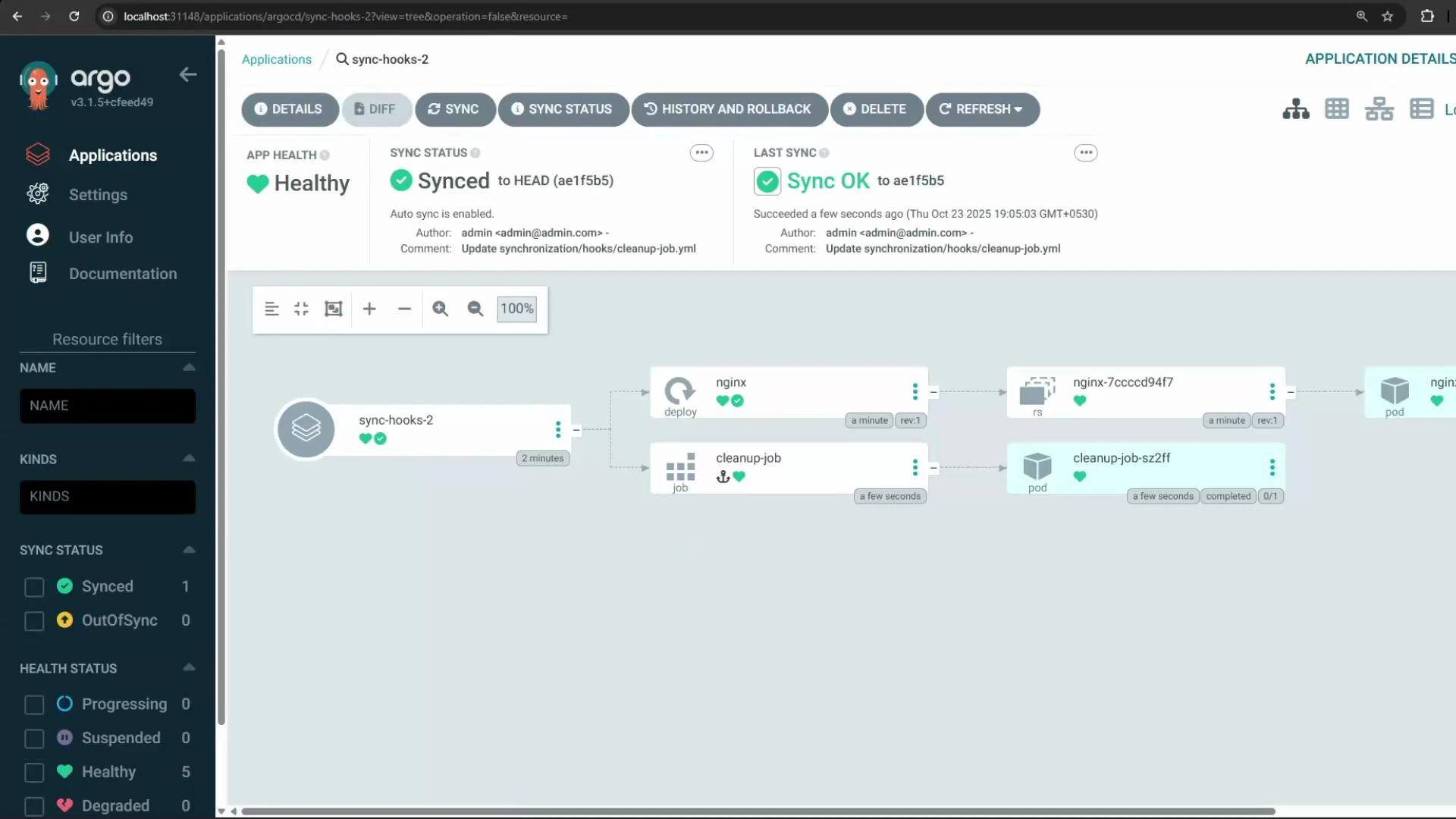
A screenshot of the Argo CD web UI showing the "sync-hooks-2" application with a Healthy app health and Synced status. The main pane displays a resource tree/diagram with deployable resources like nginx and a cleanup-job and their pods.
Recommended patterns
PatternWhen to useNotes
PreSync job + HookSucceededDB migrations or schema changes that must happen before deploymentsClean up after success to avoid clutter
PostSync job + HookSucceededNotifications (Slack, PagerDuty)Use generateName for unique jobs
PostSync job + HookFailedCleanup only when sync failsPreserve logs for debugging by keeping failed hooks
Summary
  • Use argocd.argoproj.io/hook: PreSync to force jobs to run before your main sync.
  • Use argocd.argoproj.io/hook: PostSync for notifications/cleanup after successful syncs.
  • Use argocd.argoproj.io/hook-delete-policy to control retention of hook resources.
  • Optionally use argocd.argoproj.io/sync-wave for finer-grained numeric ordering across many resources.
Links and References

Watch Video