

- Deploy the new version alongside the stable version.
- Route a small percentage (for example 5–10%) of traffic to the canary.
- Monitor metrics and optionally run automated analysis.
- If metrics look good, increase canary traffic in steps (for example: 25%, 50%) with observation pauses between steps.
- If an issue is detected, rollback by routing traffic back to the stable version.
setWeight: 10— Start by sending 10% of traffic to the canary (version 1.1.0).pause: {}— Manual pause requiring human approval; useful for dashboards and smoke checks with real traffic.setWeight: 25— Increase traffic to 25%.analysis— Run automated analysis (e.g., Prometheus queries) using a predefined analysis template namedcheck-api-error-rate. If the analysis fails, the rollout can be aborted and traffic reverted.setWeight: 50— Increase traffic to 50% if checks pass.pause: { duration: 5m }— Let the canary run under heavier load to detect slow-developing issues such as memory leaks or downstream timeouts.
Manual pauses require a human decision. Ensure monitoring dashboards and
alerting are available during these pauses so reviewers can approve or abort
the rollout quickly.
- stableService (web-api-stable-svc) points to the older ReplicaSet (v1.0.0).
- canaryService (web-api-canary-svc) points to the new ReplicaSet (v1.1.0).
- Ingress controller annotations (Kubernetes Ingress controllers)
- Service mesh integrations (e.g., Istio)
- External load balancer/traffic manager configurations
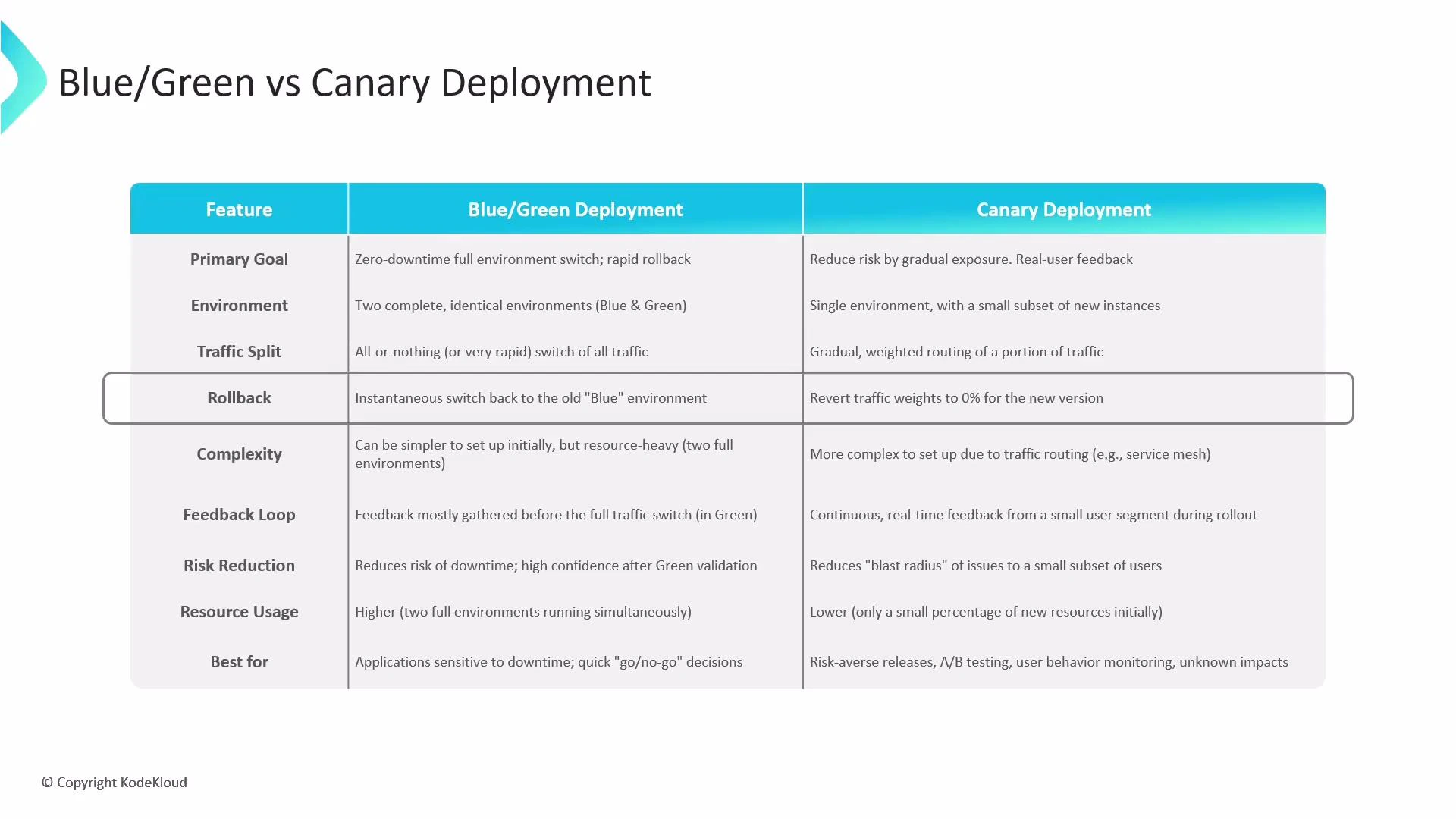
- Primary goal: Blue/Green focuses on a fast, zero-downtime switch; Canary focuses on gradually exposing changes to reduce risk.
- Environment: Blue/Green uses two full environments (Blue and Green); Canary uses one environment with a subset of new instances.
- Traffic split: Blue/Green performs an immediate switch; Canary increments traffic gradually (e.g., 5% → 25% → 50% → 100%).
- Rollback: Blue/Green switches back to the previous environment instantly; Canary reduces canary weight to 0% to revert traffic.
- Complexity & resources: Blue/Green is simpler operationally but more resource-intensive. Canary requires more routing and analysis logic but is more resource-efficient initially.
- Feedback: Blue/Green validates before the final switch; Canary provides continuous real-time feedback from a subset of users during rollout.
Progressive delivery
Progressive delivery is an umbrella strategy that incrementally exposes changes while minimizing risk through automated validations and feature control. It combines canary rollouts with complementary techniques like feature flags, A/B testing, and traffic mirroring.
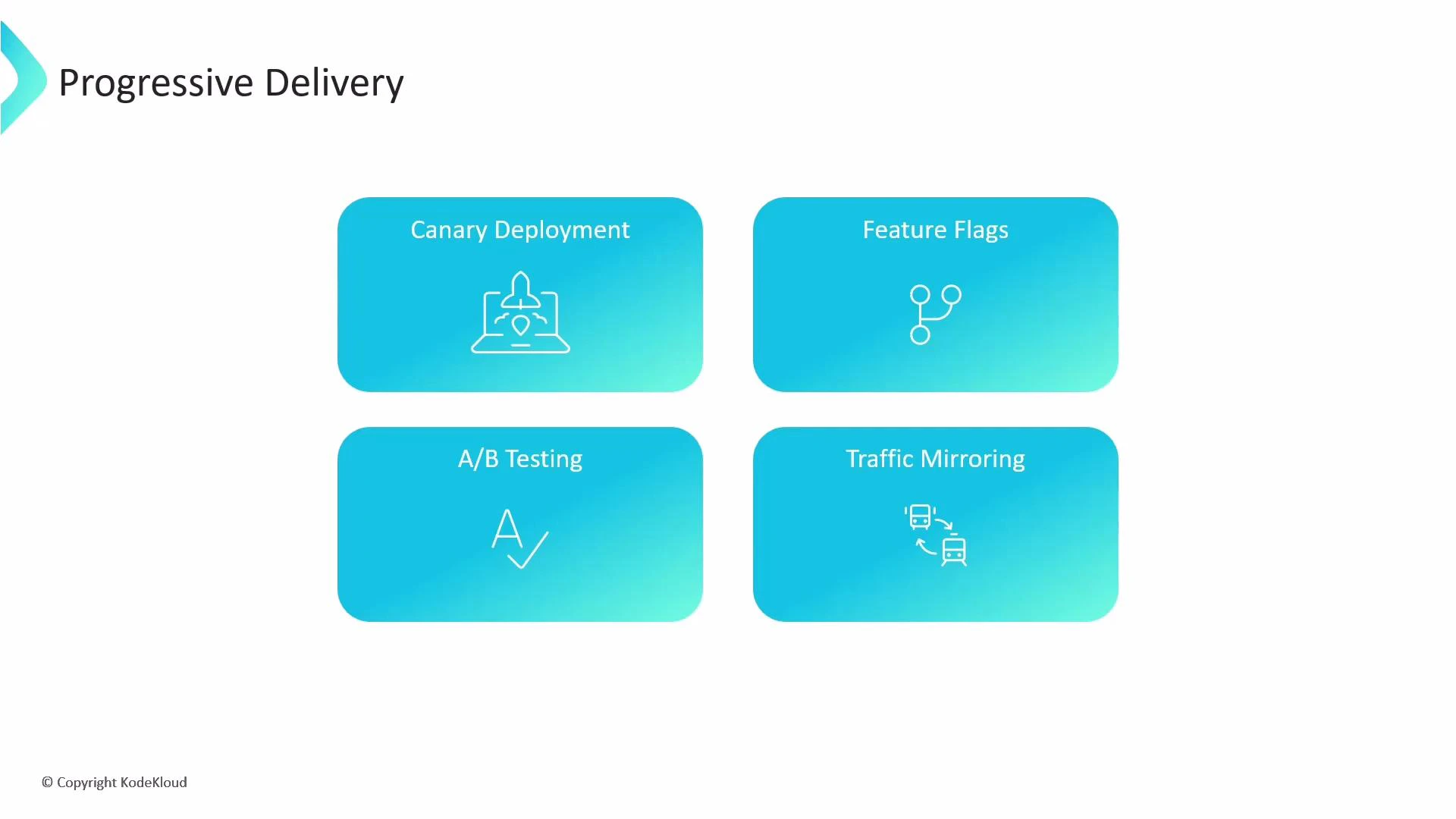
Progressive delivery techniques include canaries (gradual traffic shifts),
feature flags (runtime toggles), A/B testing (compare variants), and traffic
mirroring (shadow production traffic for safe performance testing).
- Canary deployments: Incremental traffic shifts with monitoring and automated analysis.
- Feature flags: Turn features on/off at runtime without redeploying; ideal for fine-grained rollouts and immediate rollback.
- A/B testing: Split traffic to collect behavioral and performance data for data-driven decisions.
- Traffic mirroring (shadowing): Send a copy of production traffic to a test instance so you can validate under real load without affecting users.
- Reduce blast radius for new releases
- Rapidly iterate while maintaining safety
- Gather meaningful production feedback before a full rollout
- Argo Rollouts: https://argoproj.github.io/argo-rollouts/
- Prometheus: https://prometheus.io/
- Kubernetes Ingress controllers: https://kubernetes.io/docs/concepts/services-networking/ingress-controllers/
- Feature flag patterns: https://martinfowler.com/articles/feature-toggles.html
- Add an automated analysis template (Prometheus or external) to the Rollout manifest to validate key SLOs.
- Configure alerting and dashboards for manual pause decisions.
- Integrate a service mesh or ingress traffic manager if you need advanced traffic splitting features.