In this lesson, we explore how Argo Workflows enables scalable, container-based data processing pipelines on Kubernetes. Argo Workflows lets you define complex, fault-tolerant pipelines where each step runs as a container. This makes it easy to mix tools and languages — for example, using Bash for downloads, Python/pandas for transformations, and Spark for heavy compute — and orchestrate them as a single reproducible workflow. A typical Argo data pipeline may:
  • Ingest data (e.g., curl/wget in a small container).
  • Fan out to multiple transformers in parallel (Python for cleaning, Spark for heavy processing, Python for feature engineering).
  • Merge parallel outputs into one dataset.
  • Aggregate results and load into a SQL database (PostgreSQL/MySQL).
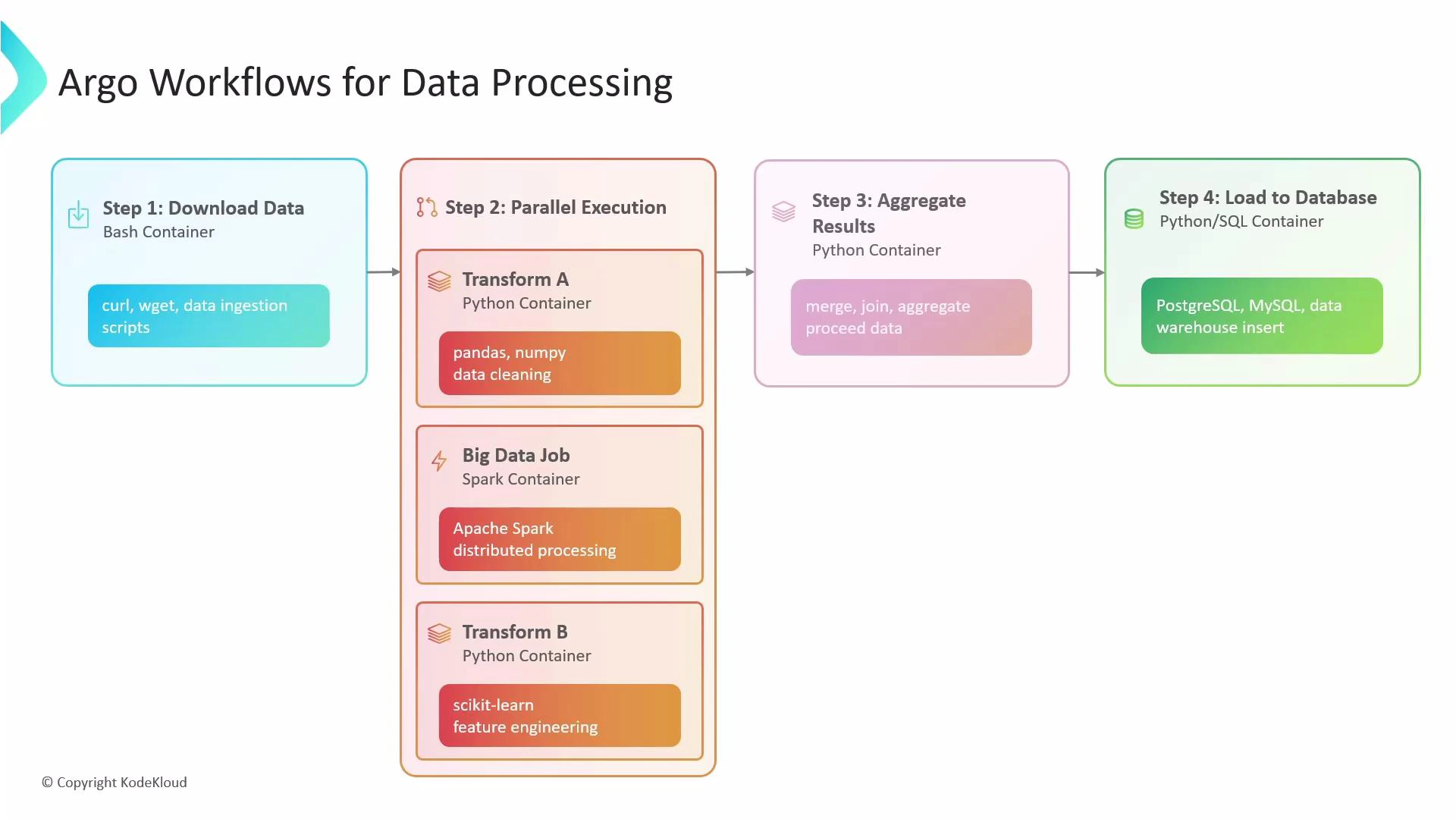
This single workflow can download data, run parallel processing, aggregate the outputs, and load results into a database — all orchestrated by Argo Workflows.
A diagram titled "Argo Workflows for Data Processing" showing a four-step pipeline. It outlines downloading data, parallel transforms and a big-data job, aggregating results, and loading the output into databases like PostgreSQL/MySQL.

What Argo does behind the scenes

Argo Workflows orchestrates execution of containerized tasks according to your workflow definition. It:
  • Executes tasks in the order you define.
  • Tracks and enforces dependencies (e.g., a merge step waits for all transformers).
  • Scales by running multiple container instances in parallel.
  • Handles failures with retries, alerts, and cleanup options.
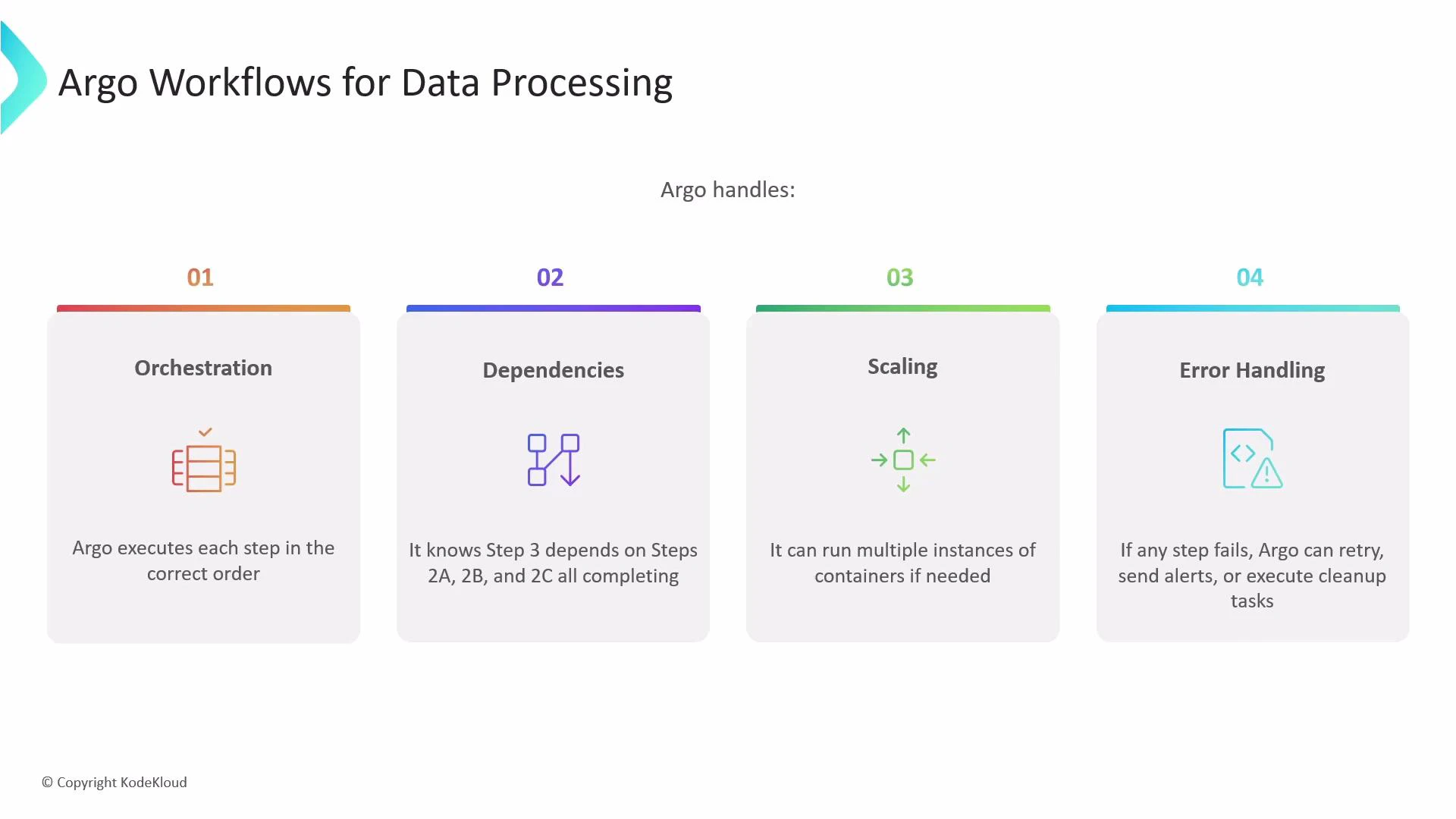
A presentation slide titled "Argo Workflows for Data Processing" showing four panels — Orchestration, Dependencies, Scaling, and Error Handling — each with an icon and brief description. It notes Argo executes steps in order, tracks step dependencies, can run multiple container instances for scaling, and handles retries/cleanup on failures.
Because every step is a container, you are not locked into any single runtime: Python, Spark, Bash, and other tools can be combined seamlessly in one workflow.
Note: Argo Workflows is the Argo project focused on running containerized workflows. Argo CD is a separate Argo project that provides GitOps for Kubernetes deployments (see GitOps with ArgoCD). This article focuses on Argo Workflows for pipeline orchestration.

Key features at a glance

FeatureUse caseExample
OrchestrationExecute container steps in orderDownload → Transform → Aggregate
DependenciesEnsure merge waits for all parallel tasksStep waits on 2a, 2b, 2c
ScalingRun many container instances concurrentlyFan-out file processing
Error handlingRetries, backoff, cleanup hooksRetry failed step 3 times

withItems: parallel fan-out for batch processing

withItems lets you fan out over a static list (file names, table names, endpoints) and run multiple instances of a template — effectively a for-each loop that executes in parallel by default. How it works: given items A, B, and C, Argo creates three independent instances of the referenced template (three pods). Each instance receives its item value via the placeholder. Example: process multiple files in parallel This workflow demonstrates a top-level template that fans out over S3 file paths and invokes a processing template for each item.
apiVersion: argoproj.io/v1alpha1
kind: Workflow
metadata:
  generateName: process-files-
spec:
  entrypoint: process-all-files
  templates:
  - name: process-all-files
    withItems:
      - "s3://my-bucket/raw/data-file-A.csv"
      - "s3://my-bucket/raw/data-file-B.csv"
      - "s3://my-bucket/raw/data-file-C.csv"
    template: process-file

  - name: process-file
    container:
      image: my-data-processing-image:v1.0
      command: ["python", "/app/process.py", "--input-file", "{{item}}"]
Tips:
  • Use inside the referenced template to access the value.
  • Each withItems iteration starts a separate pod (unless limited by parallelism).
Example: a playful “cosmic” loop using cowsay This example demonstrates withItems with a steps template. Argo will start a pod for each list item, substituting accordingly.
apiVersion: argoproj.io/v1alpha1
kind: Workflow
metadata:
  generateName: cosmic-moo-loop-
spec:
  entrypoint: moo-madness
  templates:
  - name: moo-madness
    steps:
    - - name: cosmic-cow
        template: moo-wisdom
        withItems:
        - "Galaxy"
        - "Universe"
        - "Cosmos"
        - "Nebula"
        - "Orbit"

  - name: moo-wisdom
    container:
      image: rancher/cowsay
      command: ["sh", "-c"]
      args:
      - "cowsay 'Greetings from the {{item}} System!' && sleep 8"
The parent step is considered complete only after all parallel pods finish successfully.

Controlling concurrency with parallelism

Uncontrolled parallelism can overload cluster resources or downstream systems (databases, APIs). Use the workflow-level spec.parallelism field to throttle how many tasks run concurrently across the entire workflow. Example: limit the cosmic loop to 2 concurrent pods
apiVersion: argoproj.io/v1alpha1
kind: Workflow
metadata:
  generateName: cosmic-moo-loop-
spec:
  entrypoint: moo-madness
  parallelism: 2
  templates:
  - name: moo-madness
    steps:
    - - name: cosmic-cow
        template: moo-wisdom
        withItems:
        - "Galaxy"
        - "Universe"
        - "Cosmos"
        - "Nebula"
        - "Orbit"

  - name: moo-wisdom
    container:
      image: rancher/cowsay
      command: ["sh", "-c"]
      args:
      - "cowsay 'Greetings from the {{item}} System!' && sleep 8"
This throttling ensures only two loop iterations are active at any time while the rest queue. Adjust parallelism to match your cluster capacity and downstream rate limits.
Warning: Setting parallelism too high can exhaust node CPU/memory or overwhelm downstream services. Use resource requests/limits on containers and test with smaller parallelism before scaling up.

Best practices for data processing pipelines

  • Use small, focused containers for each step (single responsibility).
  • Define resource requests and limits for heavy workloads (Spark, large Python jobs).
  • Use artifact storage (S3/GCS) or persistent volumes to pass large data between steps instead of base64-encoded outputs.
  • Use retry/backoff strategies and timeouts for unreliable external systems.
  • Monitor and log at each step; consider sidecar log aggregators or central observability.

References and further reading

For GitOps workflows and Kubernetes app delivery, see GitOps with ArgoCD.

Watch Video