

- templates.main: defines two parallel steps:
start-database(launches the daemon) andrun-tests(executes the tests). - templates.mock-database: sets
daemon: true. Argo starts this container and does not wait for it to finish—so the container runs in the background for the workflow’s lifetime. ThereadinessProbelets other steps know when Redis is accepting connections. - templates.test-step: an example step that prints a message and sleeps for 60 seconds. While this step runs, the Redis daemon remains available so tests can connect to it.
Daemon containers are intended for short-lived supporting services used only during a workflow run. Use
daemon: true for ephemeral helpers; for long-lived or production-facing services, use Kubernetes Deployments or StatefulSets instead.- While the workflow is running, you will see a pod for the mock-database in the Running state.
- When the workflow completes (or is terminated), Argo transitions the daemon pod to Completed and cleans it up automatically.
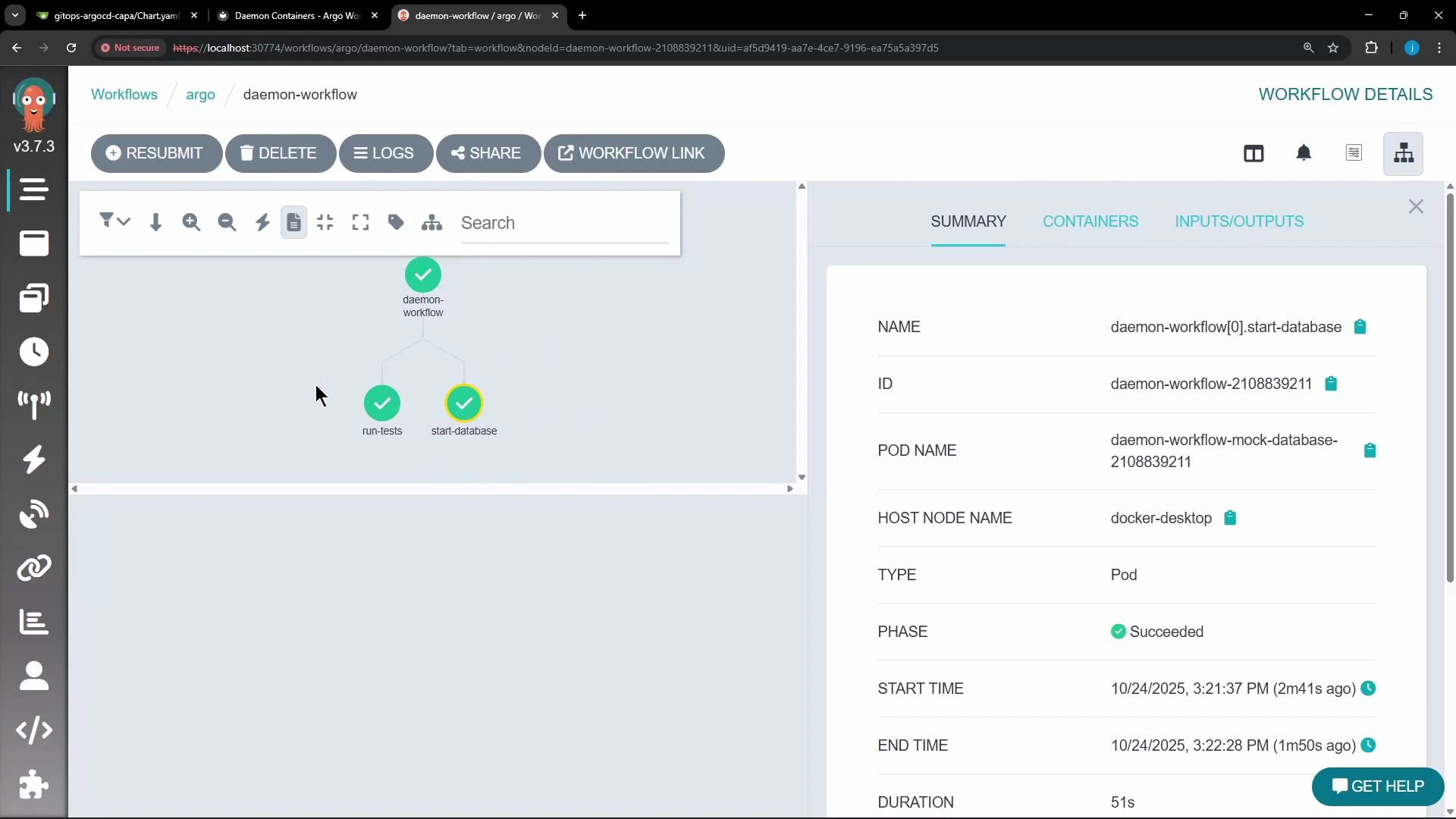
argo):
daemon: true ensures a specific container remains available to other steps for the workflow’s lifetime.
Additional resources and references
- Argo Workflows documentation: https://argoproj.github.io/argo-workflows/
- Redis: https://redis.io/
- kubectl CLI reference: https://kubernetes.io/docs/reference/kubectl/overview/
Do not rely on daemon containers for production services or long-lived state. Daemon containers are cleaned up when the workflow exits; for persistent, scalable services use Kubernetes Deployments, StatefulSets, or external managed services.