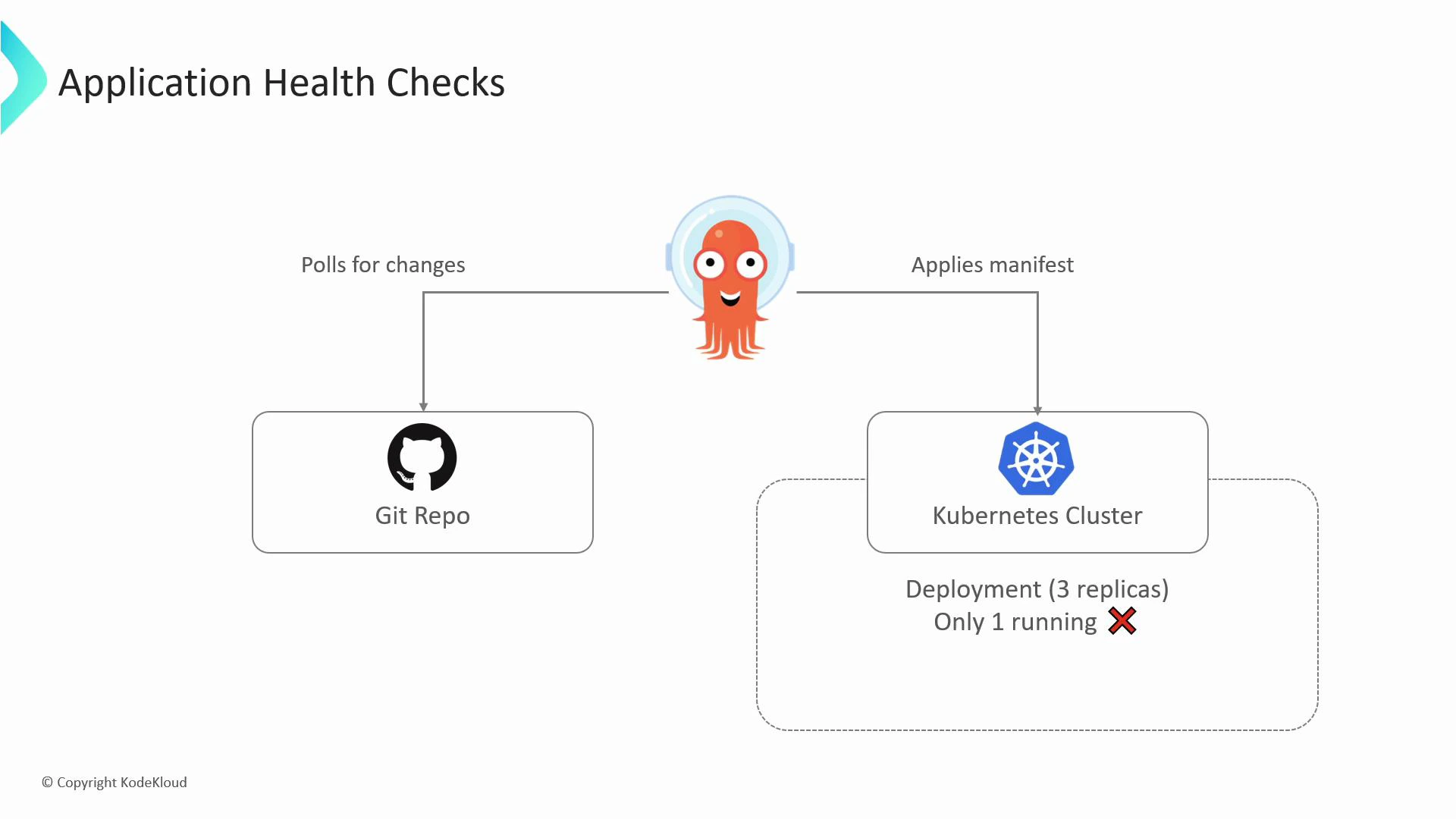
Let’s look at how ArgoCD performs application health checks. ArgoCD continuously monitors the Kubernetes resources it manages and surfaces a single health status per Application by aggregating checks across those resources.
A diagram titled "Application Health Checks" showing an agent that polls a Git repo and applies manifests to a Kubernetes cluster. The cluster box shows a deployment expecting 3 replicas but only 1 is running (marked with a red X).
If a resource fails — for example, a Deployment that cannot reach its desired replica count — ArgoCD will mark that resource (and potentially the overall Application) as Unhealthy or Degraded depending on the observed condition.

Built-in health statuses

ArgoCD exposes a concise set of health states describing resource condition:
StatusMeaning
HealthyThe resource is functioning as expected.
ProgressingThe resource is not yet healthy but is in the process of being created or updated.
DegradedThe resource has failed or cannot reach a healthy state.
MissingThe resource is defined in Git but not found in the cluster.
SuspendedThe resource is intentionally paused (for example, a suspended CronJob).
UnknownArgoCD could not determine the health (health assessment failed).

What ArgoCD checks by default

ArgoCD includes built-in checks for many common Kubernetes resources. The following table summarizes typical checks:
Resource TypeWhat ArgoCD verifies
Deployment, StatefulSet, DaemonSetObserved replicas match the desired replica count; rollout status for readiness.
Service (type=LoadBalancer)A LoadBalancer service has an assigned external IP/hostname.
IngressBacking service endpoints exist and Ingress status is populated (where applicable).
PersistentVolumeClaimThe PVC is bound to a PV.
CronJob (suspended)Suspended CronJobs are reported as Suspended.
These defaults cover many use cases, but sometimes you need checks tailored to application semantics.
Custom health Lua scripts run inside ArgoCD and should defensively handle missing fields to avoid runtime errors. Place these customizations in the argocd-cm ConfigMap (in the argocd namespace).

Custom health checks with Lua

When default checks are insufficient—for example, you want to validate the content of a ConfigMap or enforce an application-specific invariant—ArgoCD supports custom health checks written in Lua. Customizations live in the argocd-cm ConfigMap under keys like: resource.customizations.health.<Kind> Below is a simple, practical example that flags a ConfigMap as Degraded if it contains an invalid color choice. color-cm.yaml
apiVersion: v1
kind: ConfigMap
metadata:
  name: php-color-cm
data:
  TRIANGLE_COLOR: "white"
argocd-cm.yaml (adds a custom health check for ConfigMap)
apiVersion: v1
kind: ConfigMap
metadata:
  name: argocd-cm
data:
  resource.customizations.health.ConfigMap: |
    -- hs is the health status object returned to ArgoCD
    hs = {}
    hs.status = "Healthy"

    -- Guard against nil to avoid runtime errors when fields are missing
    if obj ~= nil and obj.data ~= nil and obj.data.TRIANGLE_COLOR == "white" then
      hs.status = "Degraded"
      hs.message = "Use a different COLOR"
    end

    return hs
  timeout.reconciliation: "300s"
How this works:
  • ArgoCD executes the Lua function for each ConfigMap evaluated by the Application because ConfigMap health was customized.
  • The Lua script checks obj.data.TRIANGLE_COLOR; if it equals “white”, the script returns a Degraded status and a message.
  • ArgoCD surfaces the Degraded state in the Application view, making the misconfiguration visible immediately and simplifying troubleshooting.

Best practices for custom health checks

  • Validate inputs: always check for nil/missing fields to prevent runtime errors in Lua.
  • Keep checks focused: prefer small, targeted checks that reflect a single application invariant.
  • Limit side effects: health checks should be read-only and deterministic.
  • Use meaningful messages: return hs.message so operators can quickly understand what to fix.
  • Test locally: iterate on Lua scripts in a development ArgoCD instance before applying in production.
By combining ArgoCD’s built-in checks with focused custom Lua health checks, you can build precise, application-aware health assessments that help teams detect and fix configuration problems faster.

Watch Video