

- What an ArgoCD Project is and why it matters
- How to restrict source repositories, cluster destinations, and Kubernetes kinds
- How to create project roles and short-lived tokens
- How to test a restricted project by creating and syncing an application
What is a Project?
A Project is a logical grouping of applications in ArgoCD. Projects scope what applications in that group are allowed to use — including which Git repos they can pull from, which cluster destinations and namespaces they can deploy to, and which Kubernetes API kinds they may create. Use projects to enforce team boundaries and reduce blast radius (for example, disallow non-operator teams from creating cluster-scoped resources like ClusterRole).ArgoCD ships with a
default project that is highly permissive (it can pull from any repository, deploy to any destination, and create cluster-level resources). You can modify the default project but you cannot delete it.Default / Permissive Project Behavior
A very permissive project specification (the typical default after fresh install):Key Project Fields (at a glance)
Controlling Allowed and Denied Repositories
You control repository access withsourceRepos. Patterns may be negated using a leading ! to explicitly deny matches.
CLI examples to add/remove repository patterns:
Controlling Destinations and Namespaces
Destination entries define allowed (or denied) server/namespace pairs. You can negatenamespace or server with a ! prefix:
Project Roles and Tokens
Projects can define roles and issue short-lived tokens bound to those roles. Tokens are useful for automation or cross-team access with limited scope. Typical workflow:Sync Windows and Global Project Mapping
Projects can be referenced by selectors and sync windows can be applied globally by mapping applications (by label selectors) to a project. Example that matches apps labeledopt: prod and maps them to proj-global-test:
UI: Viewing and Editing Projects
In the ArgoCD UI navigate to Settings → Projects to view and edit projects. The UI shows project fields such as allowed source repositories, destinations, cluster resource allow/deny lists, roles, and sync windows.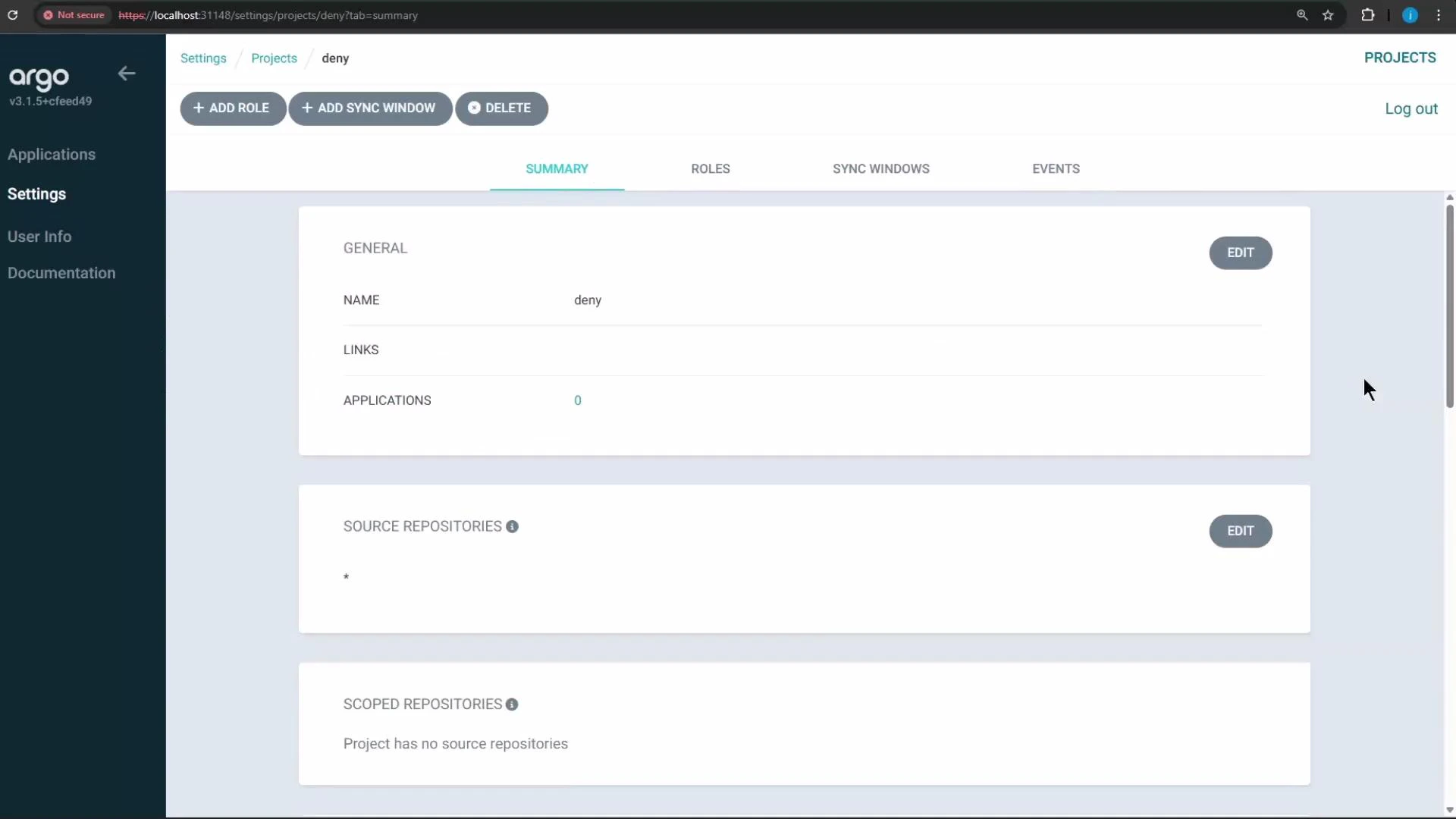
The UI in this environment auto-saves project edits, so you may not see an explicit “Save” button after changes.
Creating a Restricted Project (example)
We’ll create a project nameddeny and restrict it so users in that project cannot create ClusterRole resources. This is achieved by adding an entry to the project’s cluster resource denial list for kind ClusterRole in the rbac.authorization.k8s.io API group.
Testing approach
- Create or update the
denyproject to include a rule that denies ClusterRole. - Create an application in the
denyproject whose repository includes a Deployment, Service, and a ClusterRole manifest. - Attempt to sync the application and observe the sync failure caused by the denied ClusterRole.
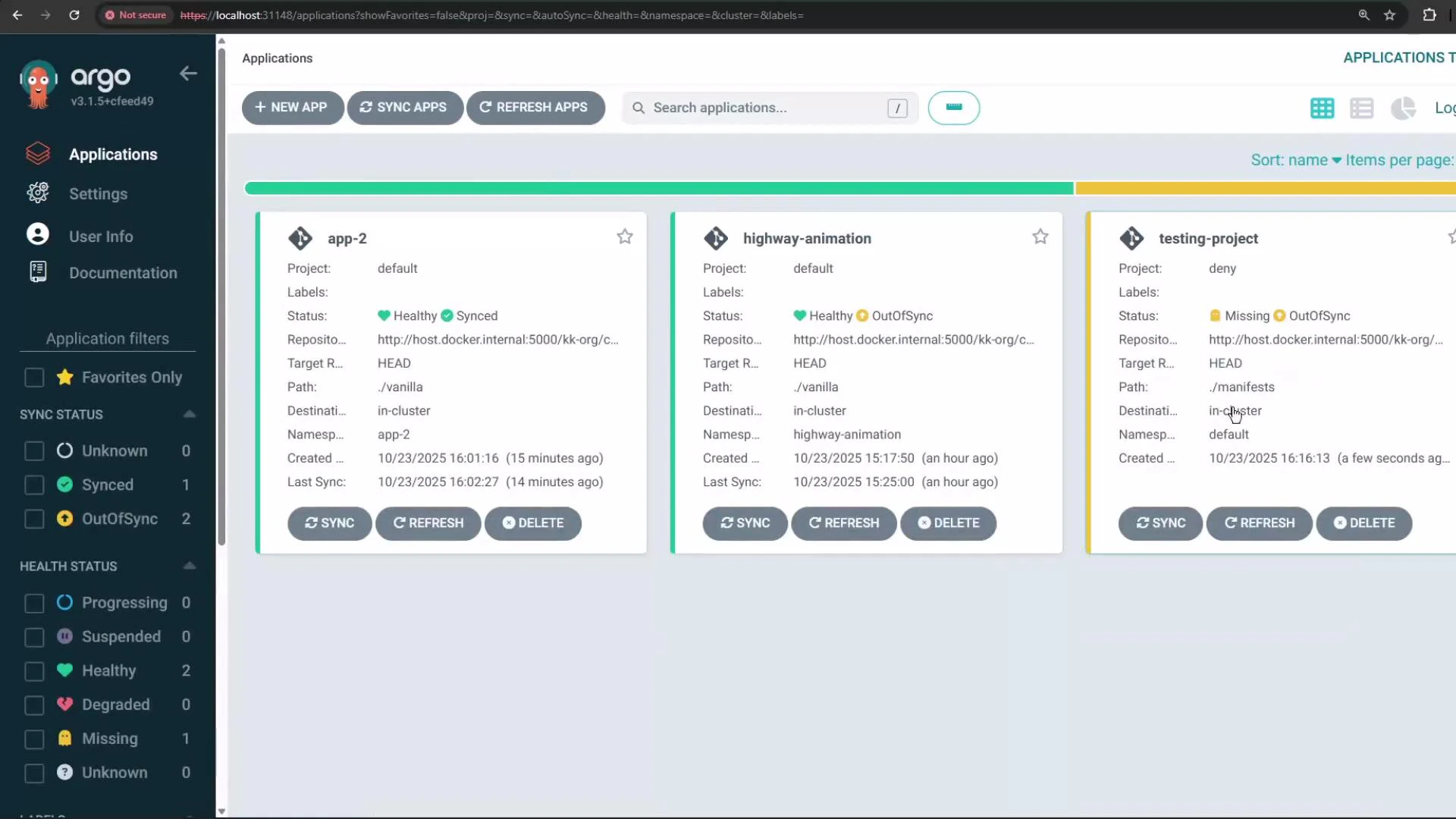
Create the application (CLI example)
deny project (for testing you can allow the cluster/namespace you intend to use) and re-run the argocd app create command.
Once the app is created, it will appear in the ArgoCD UI with its sync and health status.
Attempting to Synchronize the Application
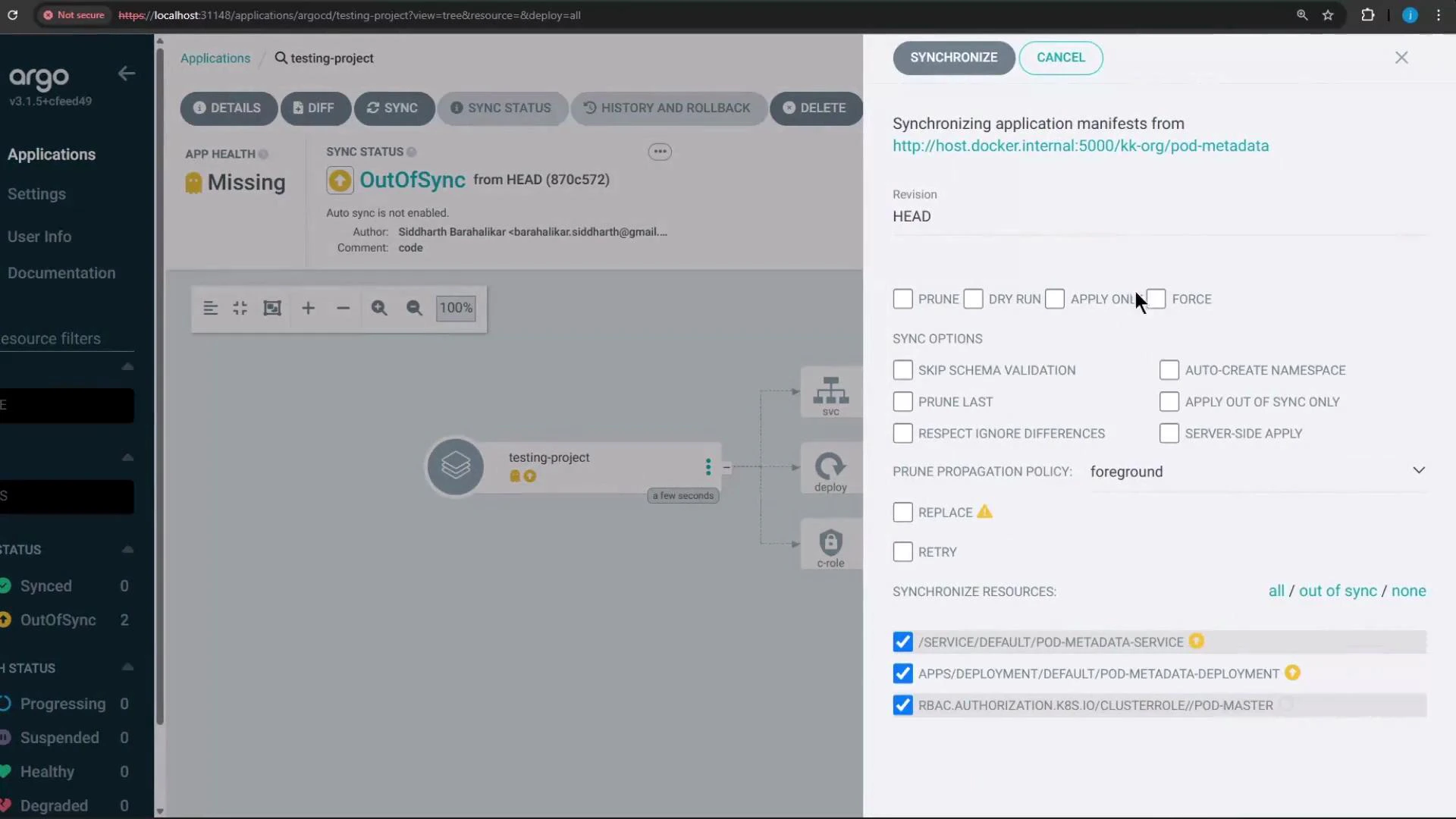
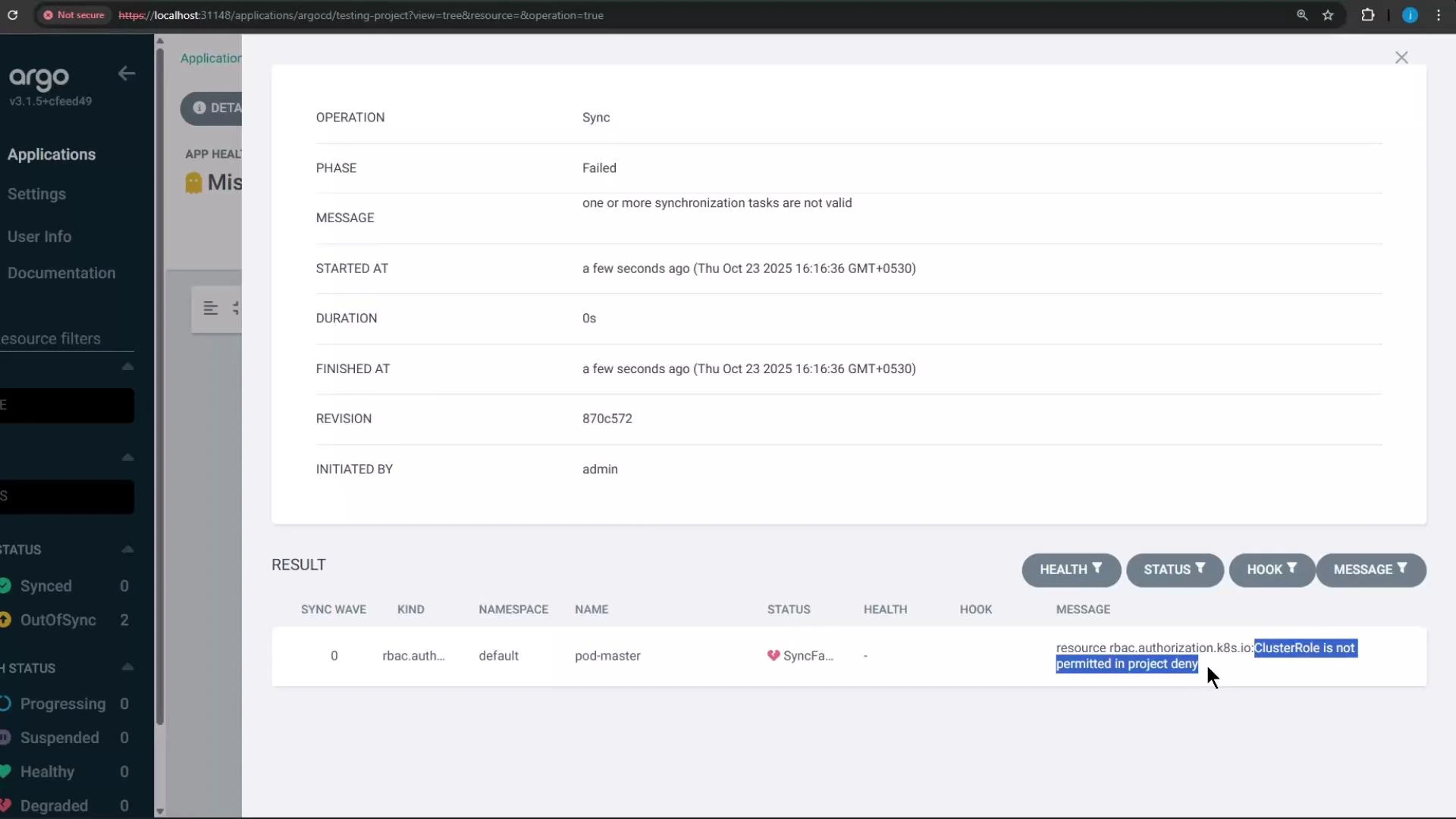
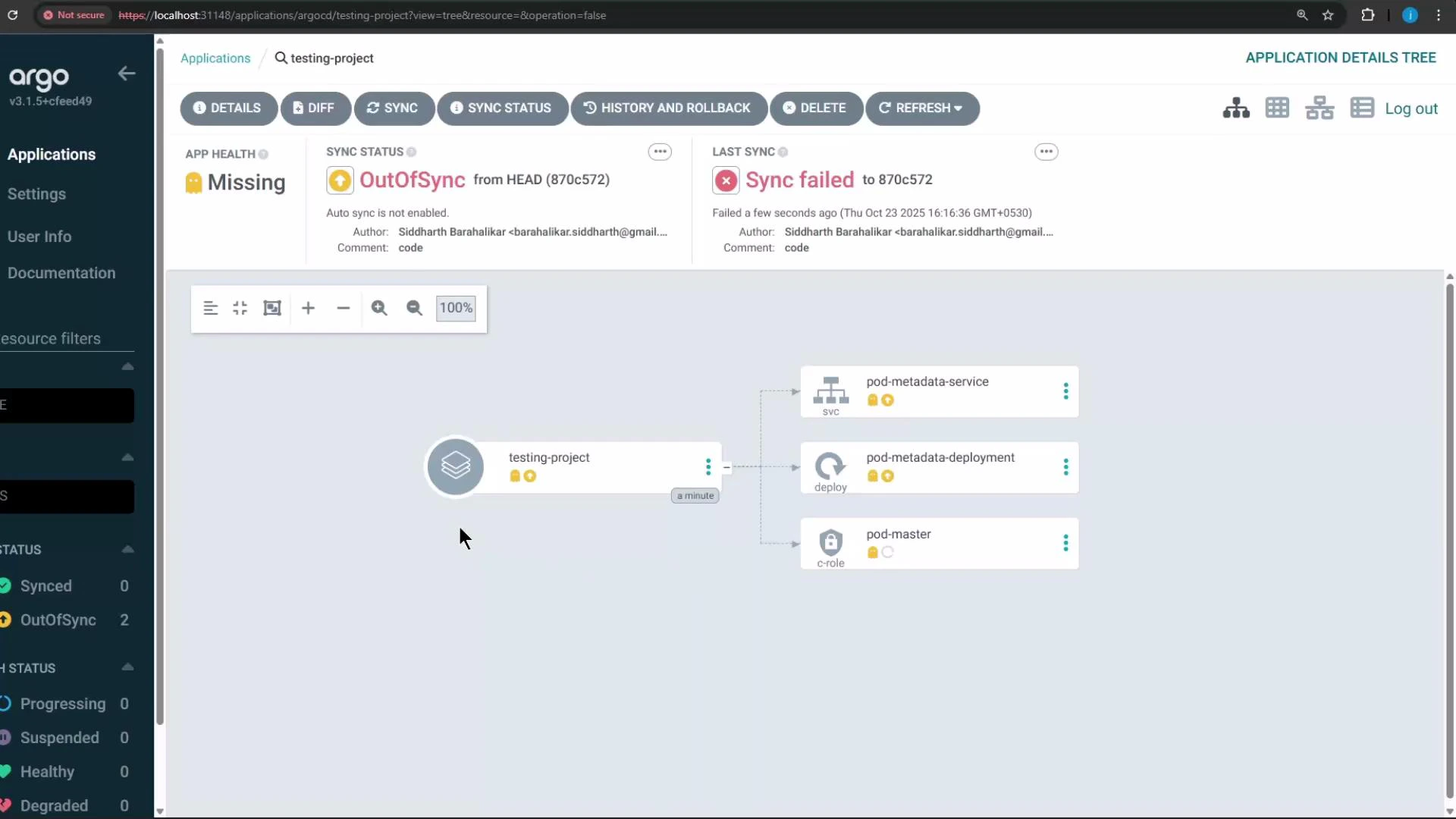
Try synchronizing thetesting-project application. Because the repository contains a ClusterRole manifest and the deny project blocks ClusterRole creation, synchronization will fail and the UI will indicate the blocked resource(s).
When you click Synchronize in the UI, the operation will fail and report that the ClusterRole (rbac.authorization.k8s.io) is not permitted by the project’s rules.
Troubleshooting Tips
- If application creation fails with InvalidSpecError, confirm the project’s
destinationsinclude the requestedserverandnamespace. - If sync fails and the UI shows a blocked resource, check the project’s clusterResourceWhitelist/clusterResourceBlacklist for the resource’s API group/kind.
- Use
argocd proj role listandargocd proj role getto debug role and policy settings when tokens fail.
Summary
- Projects let you scope repositories, cluster destinations, and permitted Kubernetes kinds for applications.
- Use projects to enforce team boundaries and reduce blast radius (e.g., prevent non-operators from creating ClusterRole).
- Manage projects via the CLI or UI, create project-level roles and tokens, and define sync windows and selectors for global project mapping.