

Overview
- Argo Workflows are Kubernetes custom resources. You submit a Workflow manifest and the Argo controller creates pods to execute the defined steps.
- Workflows are easily submitted from:
- The Argo Web UI — great for exploring templates and visual debugging.
- The Argo CLI — useful for automation and CI/CD pipelines.
Workflow YAML
Below is a minimal example Workflow. Key fields:apiVersion/kind: identifies the resource as an Argo Workflow.metadata.generateName: generates a unique name for each run, preventing collisions when rerunning workflows.spec.entrypoint: the name of the template that should run first.templates: one or more templates. Each template can be acontainertemplate and takes the same options a Kubernetes Pod container supports (image, command, args, env, volumeMounts, etc.).
generateName is helpful when running the same workflow repeatedly: it appends a unique suffix so each workflow run gets a distinct name and avoids resource-name collisions.Submit from the UI
- Open the Argo Workflows web UI and click “Submit New Workflow”.
- Paste the YAML above (or select a saved template) into the submission form.
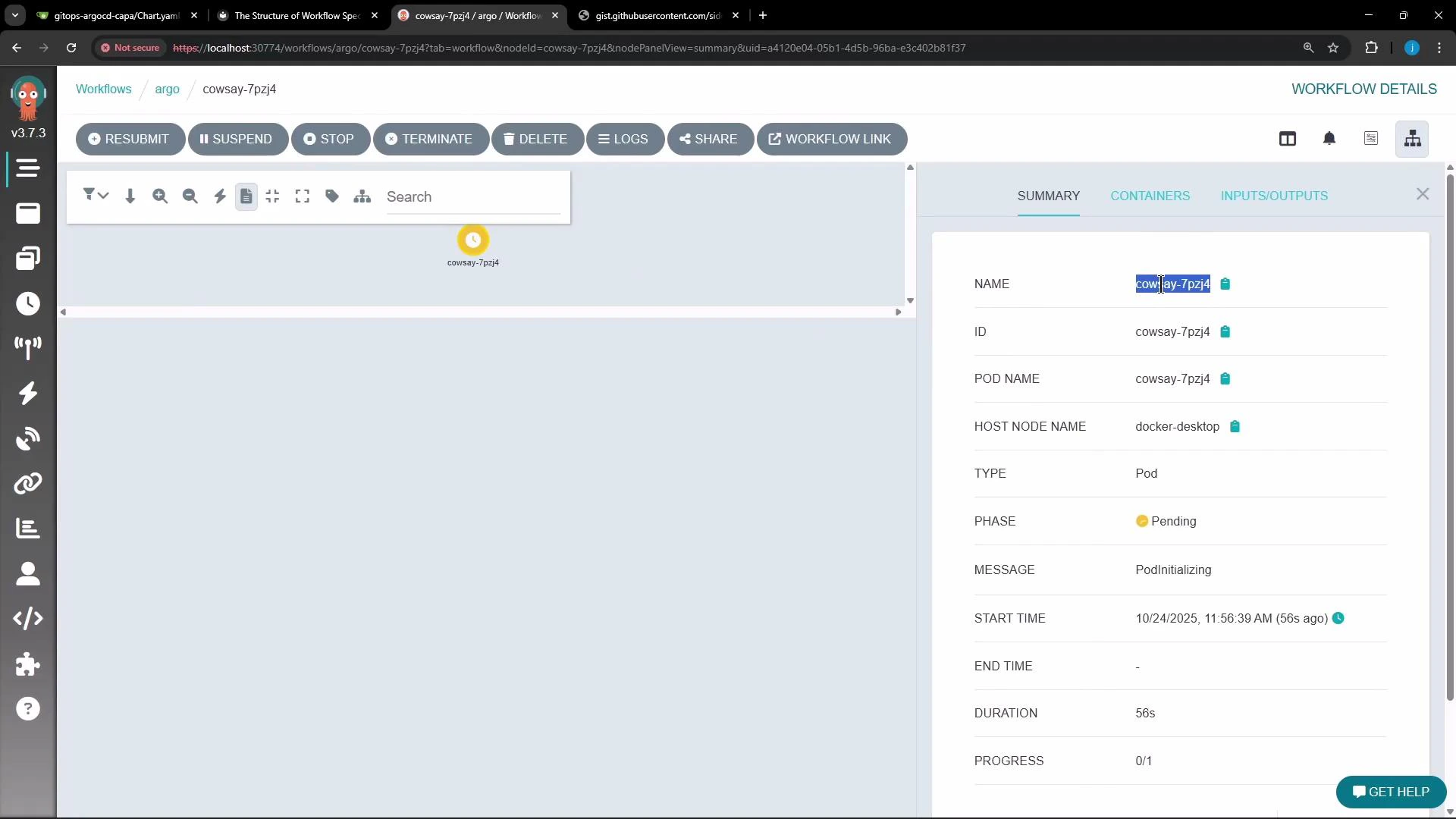
- Create the workflow. The UI will show a summary (name, pod name, host node, phase, and action buttons like Resubmit, Suspend, Stop, Terminate, Delete).
- Click into the workflow to view templates, inputs/outputs, and logs.
Submit from the CLI
The Argo CLI supports many flags for connecting and authenticating to the Argo Server. Below is a concise table of common flags and their purpose:
A more complete (version-dependent) list of flags is available from
argo --help.
Check the Argo components and other pods in your cluster (example using kubectl):
--watch:
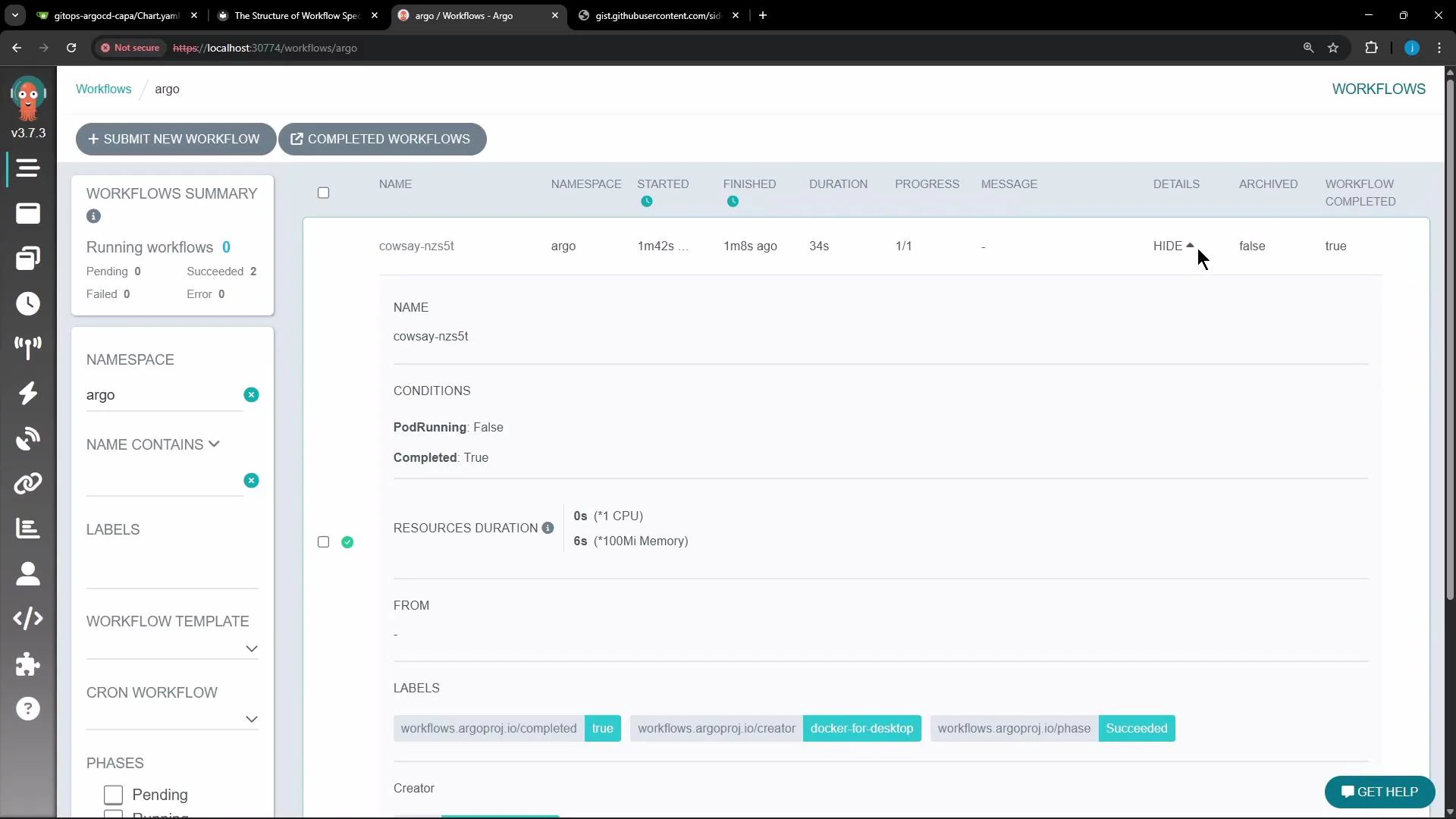
generateName, Argo assigns a unique name (for example, cowsay-nzs5t). The CLI will stream the workflow progress and show the final status.
Inspecting the workflow
You can get a concise workflow summary from the CLI (or inspect via the UI). Exampleargo get output (abridged):
Viewing logs
You can retrieve logs using eitherkubectl or the Argo CLI:
kubectl logs (pod):
Links and references
- Argo Workflows documentation: https://argoproj.github.io/argo-workflows/
- Kubernetes documentation: https://kubernetes.io/docs/
- Argo CLI reference: https://argoproj.github.io/argo-workflows/argo/commands/argo/
- Example workflow used above (gist): https://gist.githubusercontent.com/sidd-harth/54c1c6e16682ae281650a7d67bf0bf01/raw/7cae878eaad64b84a486841bb9ee484cea83ca45/workflow-1.yml