Sync Hooks let you control the order and lifecycle of Kubernetes resources ArgoCD creates during an application sync. Instead of letting kubectl apply (or ArgoCD’s default sync) create everything at once—potentially starting your app before its database or ConfigMap exist—you annotate specific resources in your manifests so ArgoCD runs them at well-defined moments in the sync lifecycle. Use cases for Sync Hooks:
  • Run database migrations before deploying the application.
  • Create or restore backups prior to changes.
  • Run integration tests or notify systems after a successful deployment.
  • Clean up temporary resources after syncs.
Sync hooks are defined with annotations in your Kubernetes manifests (for example, argocd.argoproj.io/hook: PreSync). ArgoCD will create the hook resource (a Job, Pod, etc.) and wait for its completion where applicable, before proceeding to the next phase.

Sync phases

ArgoCD processes hooks in these primary phases:
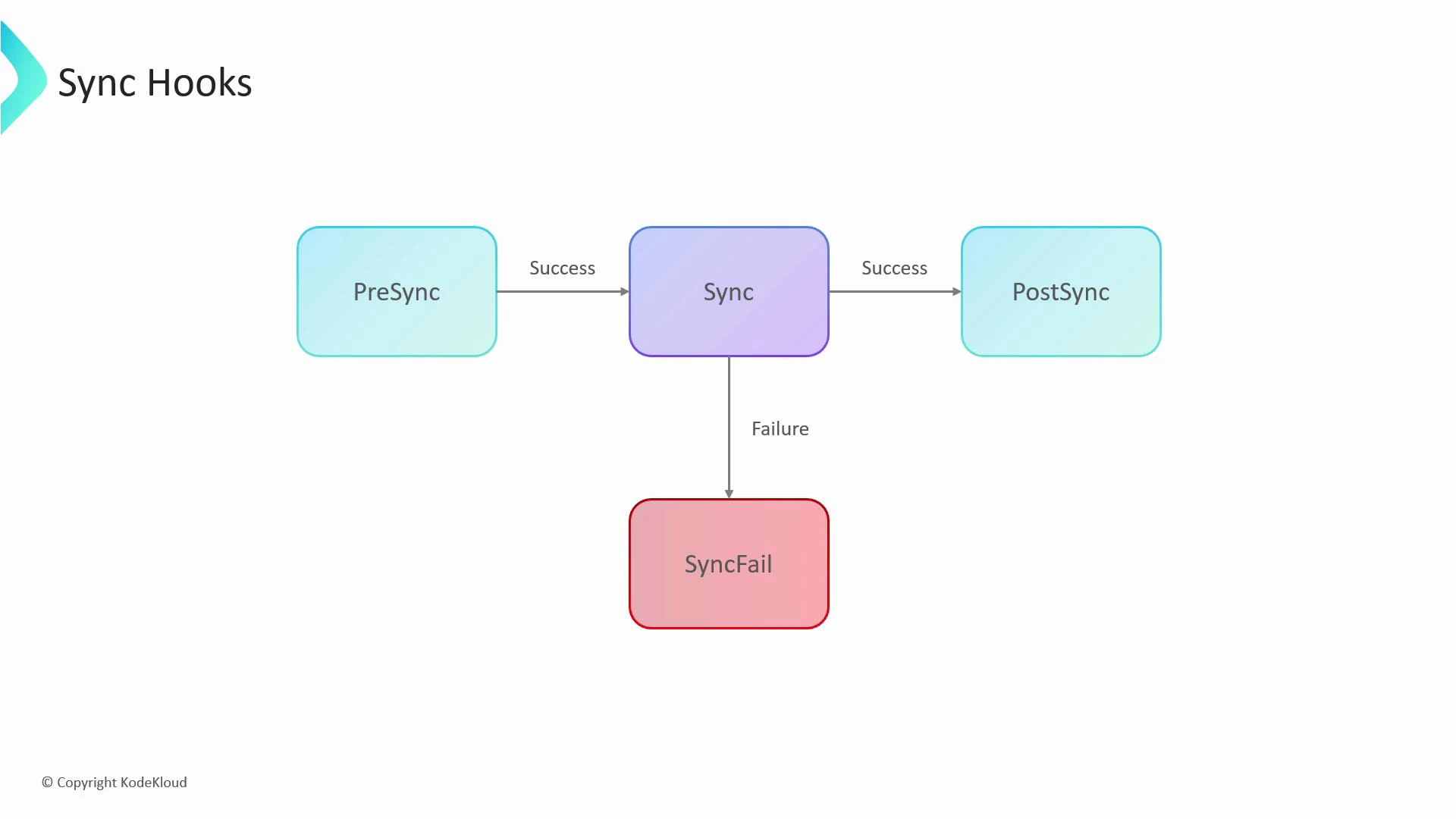
PhaseWhen it runsTypical use cases
PreSyncBefore the main sync is applieddb migrations, secrets creation, backups
Sync (default)Apply main resources (Deployments, Services, ConfigMaps, etc.)Primary application rollout; ArgoCD waits for health checks
PostSyncAfter main sync succeeds and resources are healthyIntegration tests, notifications, cleanup tasks
SyncFailTriggered when main sync failsRollbacks, notifications, remedial tasks
A simple flowchart titled "Sync Hooks" showing three main steps—PreSync -> Sync -> PostSync on success—with a downward arrow from Sync to SyncFail on failure. The arrows between steps are labeled "Success" and the failure path is labeled "Failure."

Example: run DB migration before deployment

Imagine these files in your repo:
Synchronization
├─ cleanup-job.yml
├─ deployment.yml
├─ migration-job.yml
├─ configmap.yaml
├─ frontend-deployment.yaml
├─ frontend-service.yml
├─ postgresql-deployment.yaml
└─ postgresql-service.yml

$ kubectl apply -f
You want db-migration to run first (and succeed) before ArgoCD creates the my-app Deployment. Annotate the migration Job with argocd.argoproj.io/hook: PreSync. ArgoCD will:
  1. Create the Job and wait for it to finish successfully.
  2. If the Job succeeds, proceed to apply the main resources (Deployment, Service), waiting for them to become healthy.
  3. After the main sync completes and resources are healthy, run any PostSync hooks.
Example manifests:
apiVersion: batch/v1
kind: Job
metadata:
  name: db-migration
  annotations:
    argocd.argoproj.io/hook: PreSync
spec:
  template:
    spec:
      containers:
      - name: migrator
        image: alpine
        command: ["sh", "-c", "echo 'database migration...'"]
      restartPolicy: Never
  backoffLimit: 1
apiVersion: batch/v1
kind: Job
metadata:
  name: clean-up
  annotations:
    argocd.argoproj.io/hook: PostSync
spec:
  template:
    spec:
      containers:
      - name: cleanup
        image: alpine
        command: ["sh", "-c", "echo 'cleaning...'"]
      restartPolicy: Never
  backoffLimit: 1
apiVersion: apps/v1
kind: Deployment
metadata:
  name: my-app
spec:
  replicas: 1
  template:
    spec:
      containers:
      - name: webserver
        image: nginx
If the migration Job fails, the sync is marked as failed and ArgoCD will not proceed to the main Deployment step. You can use SyncFail hooks to run remediation tasks when this happens.
Hooks create real Kubernetes resources (Jobs, Pods, etc.). Without a cleanup strategy, completed or failed hook resources accumulate in the cluster and can cause:
  • Cluster clutter — harder to inspect and manage.
  • Sync failures — a future sync may fail if it attempts to create a resource with the same name as an existing completed hook.
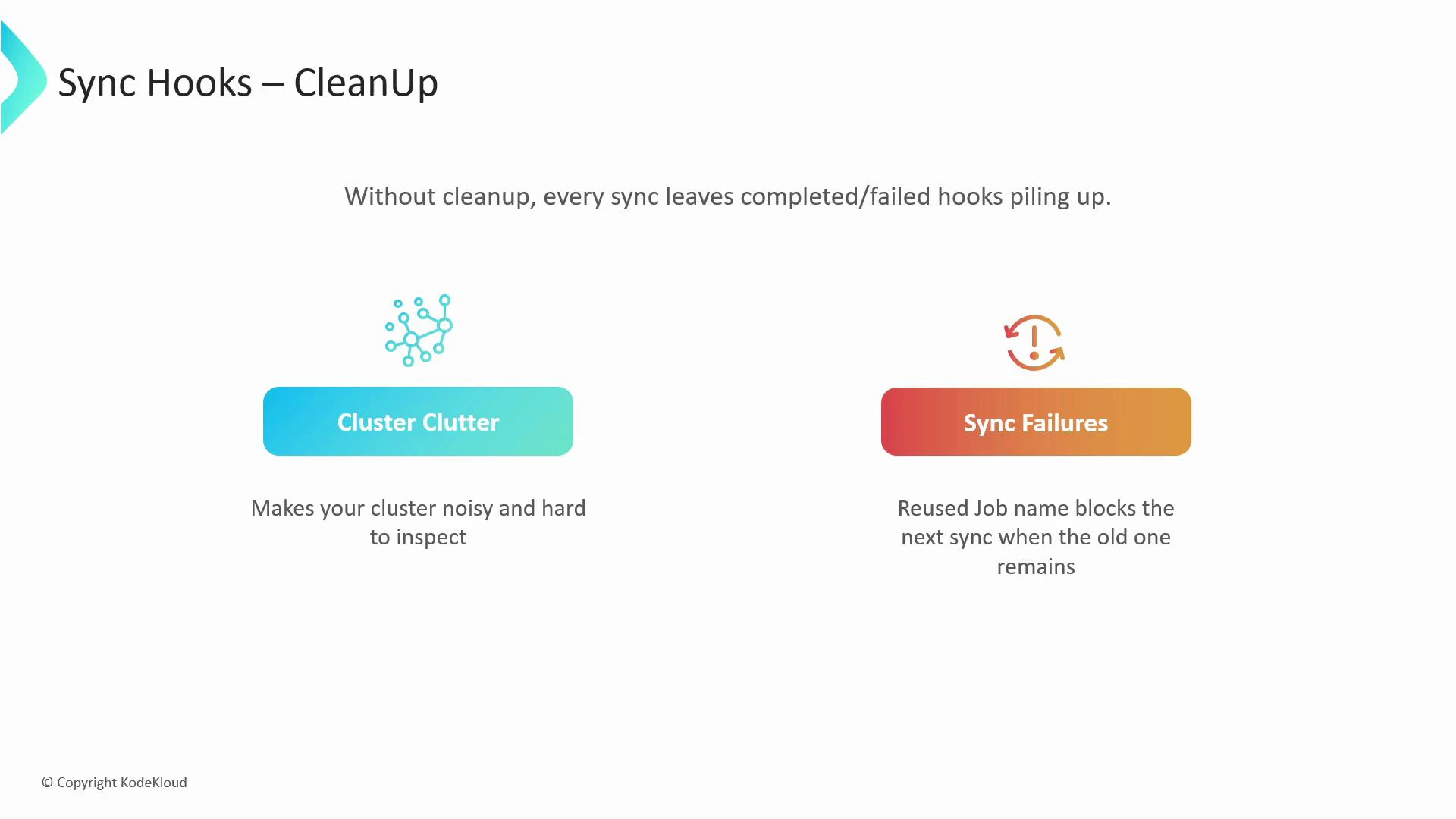
A slide titled "Sync Hooks – CleanUp" explaining that without cleanup completed/failed sync hooks pile up, causing "Cluster Clutter" (making the cluster noisy and hard to inspect) and "Sync Failures" (reused job names blocking subsequent syncs).

Cleaning up hook resources: hook-delete-policy

ArgoCD provides the argocd.argoproj.io/hook-delete-policy annotation to automatically remove hook resources according to chosen policies. Two practical policies:
PolicyBehaviorTypical reason
HookSucceededDelete the hook resource only if it completed successfullyKeep cluster clean while preserving failed runs for debugging
HookFailedDelete the hook resource only if it failedKeep successful runs as audit evidence; discard failed ones
Example: delete the migration Job if it succeeds, but only retain successful runs of the cleanup job (or invert policy depending on your needs):
apiVersion: batch/v1
kind: Job
metadata:
  name: db-migration
  annotations:
    argocd.argoproj.io/hook: PreSync
    argocd.argoproj.io/hook-delete-policy: HookSucceeded
spec:
  template:
    spec:
      containers:
      - name: migrator
        image: alpine
        command: ["sh", "-c", "echo 'database migration...'"]
      restartPolicy: Never
  backoffLimit: 1
apiVersion: batch/v1
kind: Job
metadata:
  name: clean-up
  annotations:
    argocd.argoproj.io/hook: PostSync
    argocd.argoproj.io/hook-delete-policy: HookFailed
spec:
  template:
    spec:
      containers:
      - name: cleanup
        image: alpine
        command: ["sh", "-c", "echo 'cleaning...'"]
      restartPolicy: Never
  backoffLimit: 1
In this setup:
  • The db-migration job will be deleted after a successful run (keeps the cluster tidy).
  • The clean-up job will be retained if it succeeded, or deleted if it failed (useful if you want success records kept for auditing).

Quick best practices

  • Use unique names when necessary, or apply delete policies to avoid collisions.
  • Keep prolonged-running hook Jobs to a minimum; they block the sync progress until completion.
  • Use PreSync for anything that must exist before the main app; use PostSync for tasks that depend on the full app being healthy.
  • Retain failed hook resources (default HookSucceeded behavior) to help with debugging.

Watch Video