

when condition in Argo Workflows to run steps conditionally based on workflow parameters or the outputs of other steps. Conditional execution helps you skip unnecessary work (for example, skipping tests for production-only runs) and keep your pipelines efficient.
Overview
- The workflow below uses a
mainentrypoint with three sequential steps:build,test, anddeploy. - The
teststep contains awhenexpression that only allows it to run when theenvironmentparameter is notproduction. - The
environmentparameter is declared at the workflow level and defaults to"production".
- The
whenexpression on theteststep evaluates the value of{{workflow.parameters.environment}}. - With the default value
"production", the expressionproduction != productionevaluates to false; therefore theteststep is skipped. - When a
whencondition evaluates to false the UI and logs show the step as “skipped” and provide the evaluation result.
test step
- In the Argo Workflows web UI you can resubmit a workflow and change parameters in the resubmit panel before clicking RESUBMIT.
- From the CLI you can override parameters when submitting a workflow. Example:
when expression to evaluate as test != production (true), so the test step will execute alongside build and deploy.
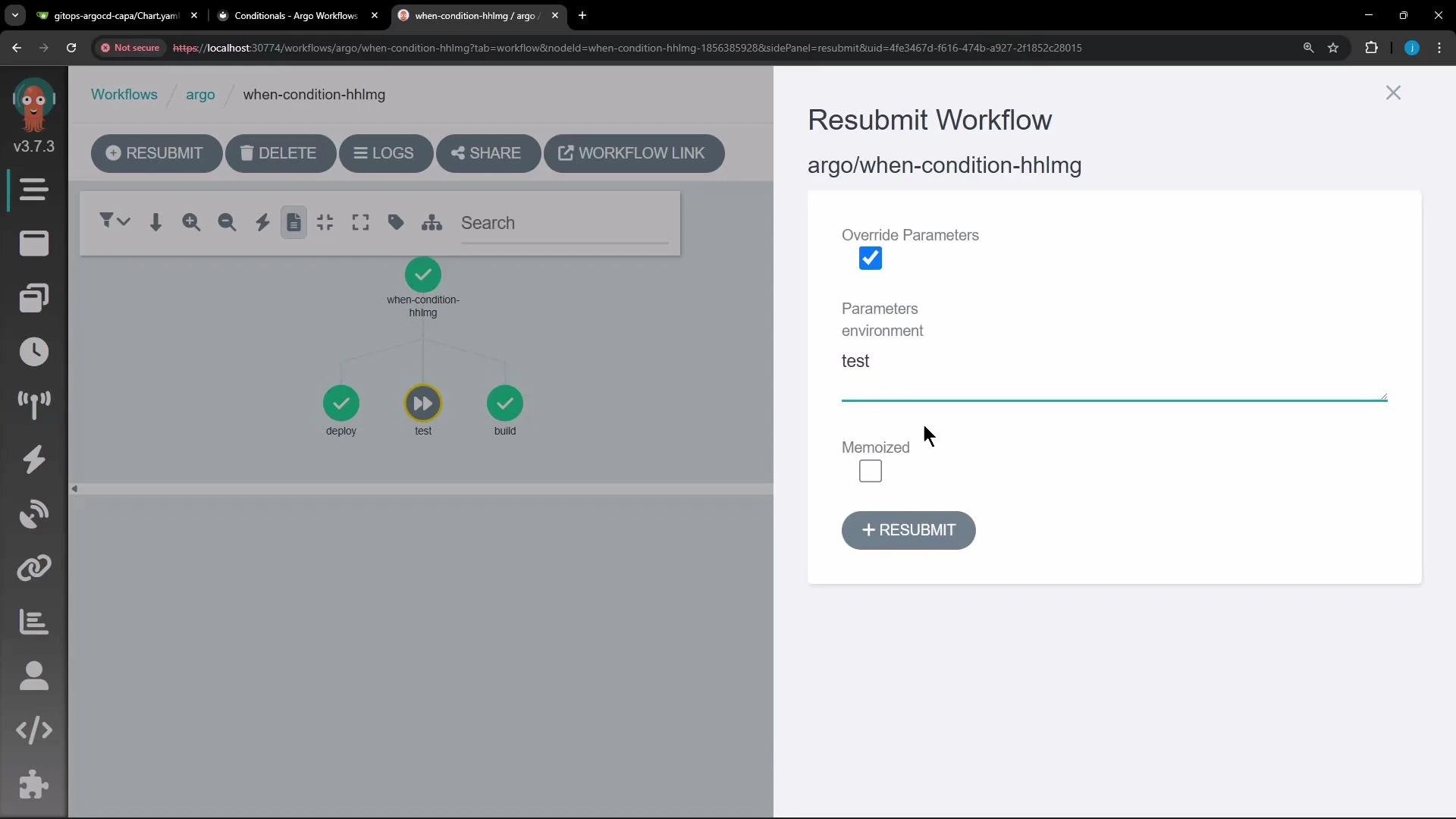
- After resubmitting with
environmentset to a non-productionvalue (for example,test), thewhenexpression evaluates to true. - The workflow graph then shows all three steps (
build,test,deploy) as completed.
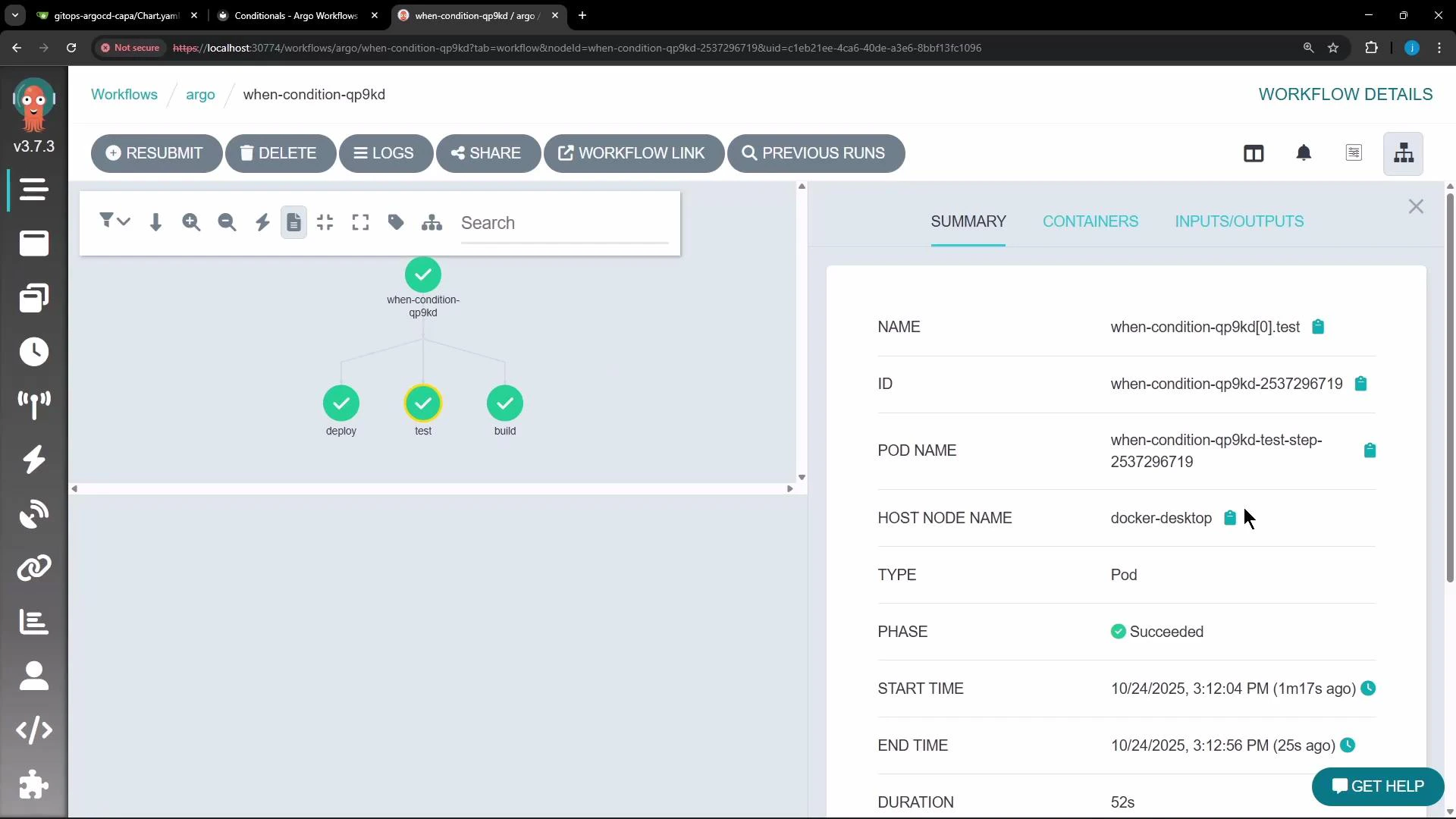
environment value
Best practices and tips
Use
when to make pipelines declarative and efficient: reference workflow parameters and the outputs of previous steps to implement conditional logic. Expressions must evaluate to a boolean-like result (true/false). For more details, see the Argo Workflows documentation: Argo Workflows – Conditional Execution.Be careful with quoting and whitespace in
when expressions. If your parameter values contain spaces or special characters, quote them appropriately in the expression or ensure values are pre-normalized to avoid unexpected evaluation results.when condition in Argo Workflows to control step execution based on parameters or outputs.