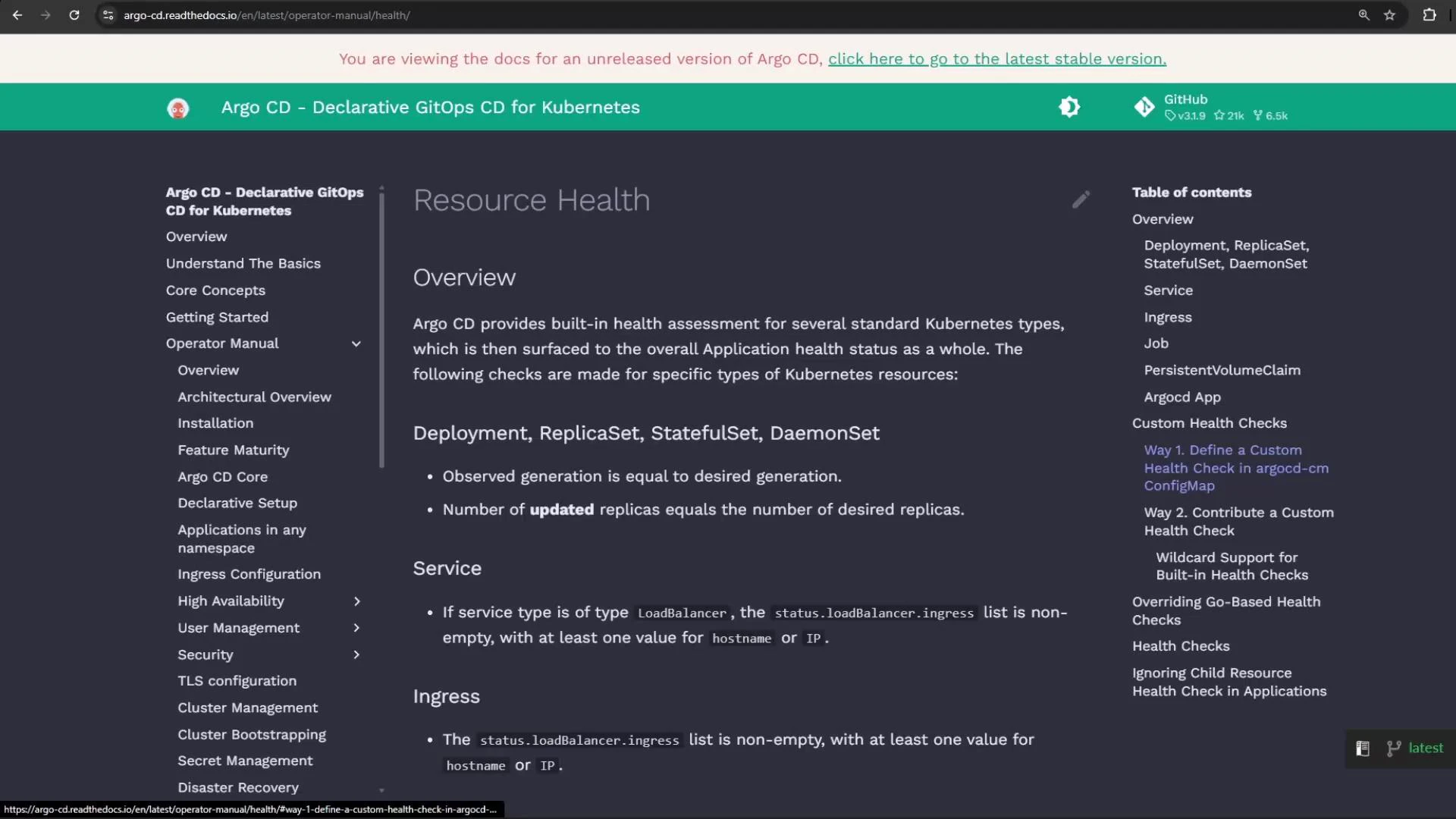
This guide shows how to add a custom health check in Argo CD that validates a ConfigMap and influences the health status of an Argo CD Application. Argo CD includes many built-in health assessments for standard Kubernetes resources, but you can extend these checks by adding small Lua scripts to the Argo CD config (argocd-cm ConfigMap).
A screenshot of the Argo CD documentation web page showing the "Resource Health" section with an overview and checks for Kubernetes resources. The page includes a left navigation menu and a right-side table of contents.

How Argo CD custom health checks work

Custom health checks are Lua snippets stored in the argocd-cm ConfigMap under keys following a naming convention. Argo CD executes these scripts for matching resources and expects a table with at least a status field (e.g., “Healthy”, “Degraded”, “Progressing”) and an optional message. Key naming examples:
Key formatApplies toExample
resource.customizations.health.<apiGroup>_<Kind>Resources in an API groupresource.customizations.health.argoproj.io_Application
resource.customizations.health.<Kind>Core group resourcesresource.customizations.health.ConfigMap
Example: a Lua health script for the Argo CD Application resource that reads the Application status if present:
apiVersion: v1
kind: ConfigMap
metadata:
  name: argocd-cm
  namespace: argocd
  labels:
    app.kubernetes.io/name: argocd-cm
    app.kubernetes.io/part-of: argocd
data:
  resource.customizations.health.argoproj.io_Application: |
    hs = {}
    hs.status = "Progressing"
    hs.message = ""
    if obj.status ~= nil then
      if obj.status.health ~= nil then
        hs.status = obj.status.health.status
        if obj.status.health.message ~= nil then
          hs.message = obj.status.health.message
        end
      end
    end
    return hs

Demo application overview

This demo repository contains an application named health-check that demonstrates a ConfigMap-driven scenario:
  • ConfigMap: moving-shapes-colors — defines color values for shapes.
  • Deployment: random-shapes — loads the ConfigMap via envFrom.
  • Service: exposes the application.
Example ConfigMap used by the application (note the TRIANGLE_COLOR intentionally set to “white”, which we use to trigger a Degraded health state):
apiVersion: v1
kind: ConfigMap
metadata:
  name: moving-shapes-colors
data:
  CIRCLE_COLOR: "pink"
  OVAL_COLOR: "lightgreen"
  SQUARE_COLOR: "orange"
  TRIANGLE_COLOR: "white"  # using white will produce a Degraded message in Argo CD
  RECTANGLE_COLOR: "blue"
Deployment that consumes the ConfigMap via envFrom:
apiVersion: apps/v1
kind: Deployment
metadata:
  name: random-shapes
spec:
  selector:
    matchLabels:
      app: random-shapes
  replicas: 1
  template:
    metadata:
      labels:
        app: random-shapes
    spec:
      containers:
      - name: random-shapes
        image: siddharth67/php-random-shapes:v1
        imagePullPolicy: Always
        envFrom:
        - configMapRef:
            name: moving-shapes-colors

Create the Argo CD Application

Create an Argo CD Application that points to the health-check path in the git repo, targets the namespace health-check, and asks Argo CD to create the namespace. If you are not logged in to the argocd server the create command can fail — log in first if necessary. Attempt to create the app (may fail if not logged in):
argocd app create health-check-app \
  --repo http://host.docker.internal:5000/kk-org/gitops-argocd-capa \
  --path ./health-check \
  --dest-server https://kubernetes.default.svc \
  --dest-namespace health-check \
  --project default \
  --revision HEAD \
  --sync-policy none \
  --sync-option CreateNamespace=true
If it fails due to authentication, log in to Argo CD (example):
argocd login localhost:31148 --plaintext --insecure
# Enter Username: admin
# Enter Password: <your-admin-password>
Re-run the create command after successful login:
argocd app create health-check-app \
  --repo http://host.docker.internal:5000/kk-org/gitops-argocd-capa \
  --path ./health-check \
  --dest-server https://kubernetes.default.svc \
  --dest-namespace health-check \
  --project default \
  --revision HEAD \
  --sync-policy none \
  --sync-option CreateNamespace=true
# application 'health-check-app' created
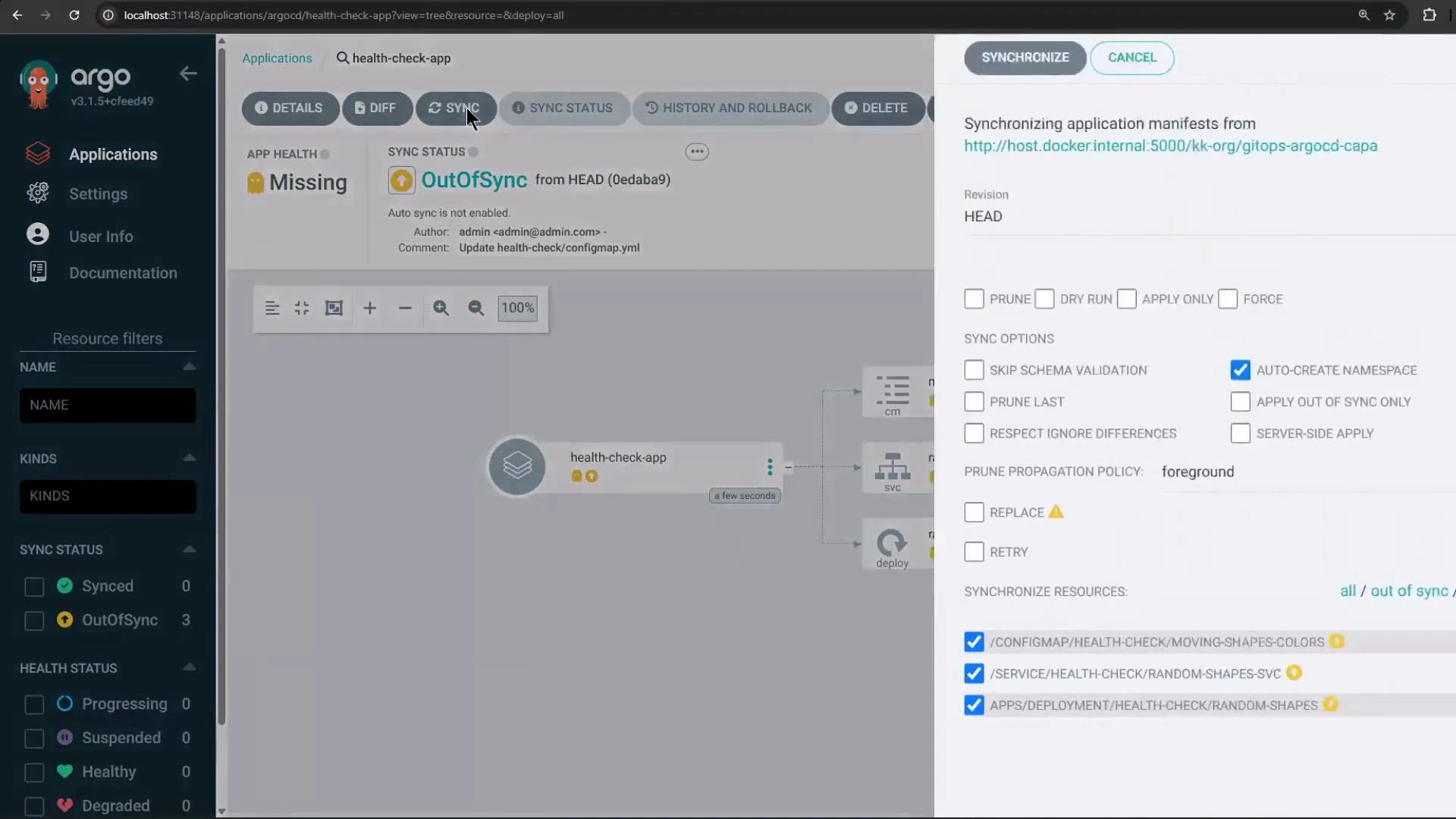
Back in the Argo CD UI you should now see the new application in OutOfSync / Missing state (before sync):
Screenshot of the Argo CD web UI showing the "health-check-app" application marked OutOfSync and Missing. A synchronization panel is open on the right with sync options (Auto-create Namespace checked) and three resources selected for sync.

Sync the application and verify resources

Sync the application. Argo CD will create the namespace, then the ConfigMap, the Service, and finally the Deployment. The pod will initially show states like ContainerCreating / Progressing in the UI:
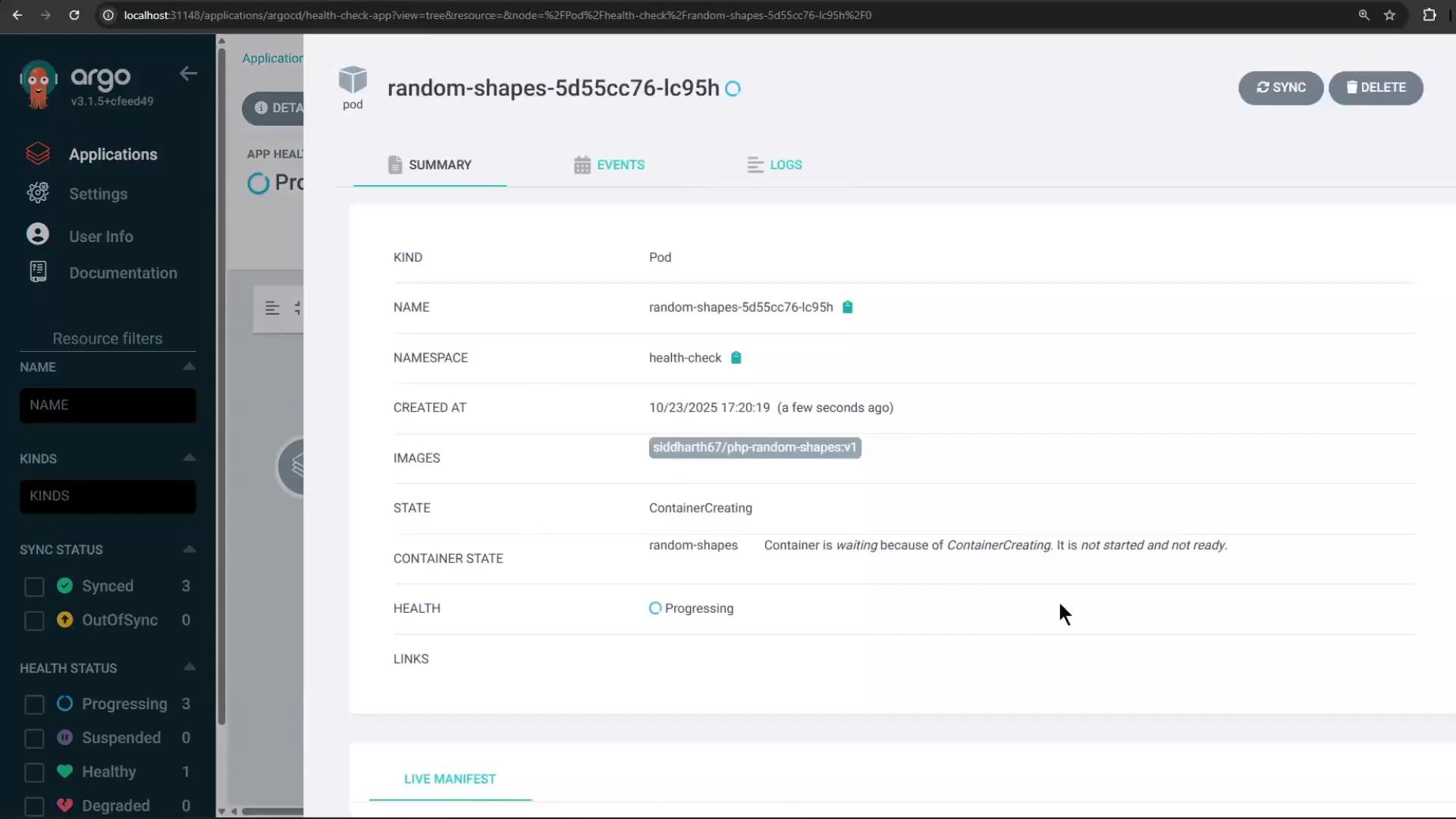
A screenshot of the Argo CD web UI showing details for the pod "random-shapes-5d55cc76-lc95h" in the health-check namespace. The pod is in state "ContainerCreating" with health "Progressing," and the left sidebar shows application navigation and resource filters.
You can also verify namespace and pod status with kubectl:
kubectl get namespaces
# Example output:
# NAME                STATUS    AGE
# default             Active    16h
# argocd              Active    4h47m
# health-check        Active    27s
kubectl -n health-check get pods
# Example output:
# NAME                           READY   STATUS    RESTARTS   AGE
# random-shapes-5d55cc76-lc95h   1/1     Running   0          34s

Add a custom health check for ConfigMap

In this demo the triangle becomes invisible when TRIANGLE_COLOR is white. We’ll use that condition to mark the application as Degraded by adding a custom health check. Edit the argocd-cm ConfigMap in the argocd namespace and add a Lua snippet under the key resource.customizations.health.ConfigMap. The script below sets Degraded when TRIANGLE_COLOR equals white and returns a helpful message.
apiVersion: v1
kind: ConfigMap
metadata:
  name: argocd-cm
  namespace: argocd
data:
  resource.customizations.health.ConfigMap: |
    hs = {}
    hs.status = "Healthy"
    hs.message = ""
    -- If the triangle color is white, mark as Degraded
    if obj.data ~= nil and obj.data.TRIANGLE_COLOR == "white" then
      hs.status = "Degraded"
      hs.message = "Use any color other than white for TRIANGLE_COLOR"
    end
    return hs
Custom health checks are Lua scripts executed by Argo CD. Be careful with Lua equality operators: == tests equality, ~= tests inequality.
Apply the change by editing the ConfigMap:
kubectl -n argocd edit configmap argocd-cm
# paste the resource.customizations.health.ConfigMap entry and save
After saving the ConfigMap, refresh the Application in the Argo CD UI. Because the deployed ConfigMap moving-shapes-colors has TRIANGLE_COLOR set to white, Argo CD will evaluate the health hook and mark the ConfigMap (and the Application) as Degraded with the message you supplied (“Use any color other than white for TRIANGLE_COLOR”).

Resolve the degraded state

To resolve the degraded state, change the TRIANGLE_COLOR value either in the Git repo and sync, or edit the deployed ConfigMap directly and then restart pods if necessary so they pick up the change. Example: edit the deployed ConfigMap in the health-check namespace:
kubectl -n health-check edit configmap moving-shapes-colors
# change TRIANGLE_COLOR: white -> TRIANGLE_COLOR: red
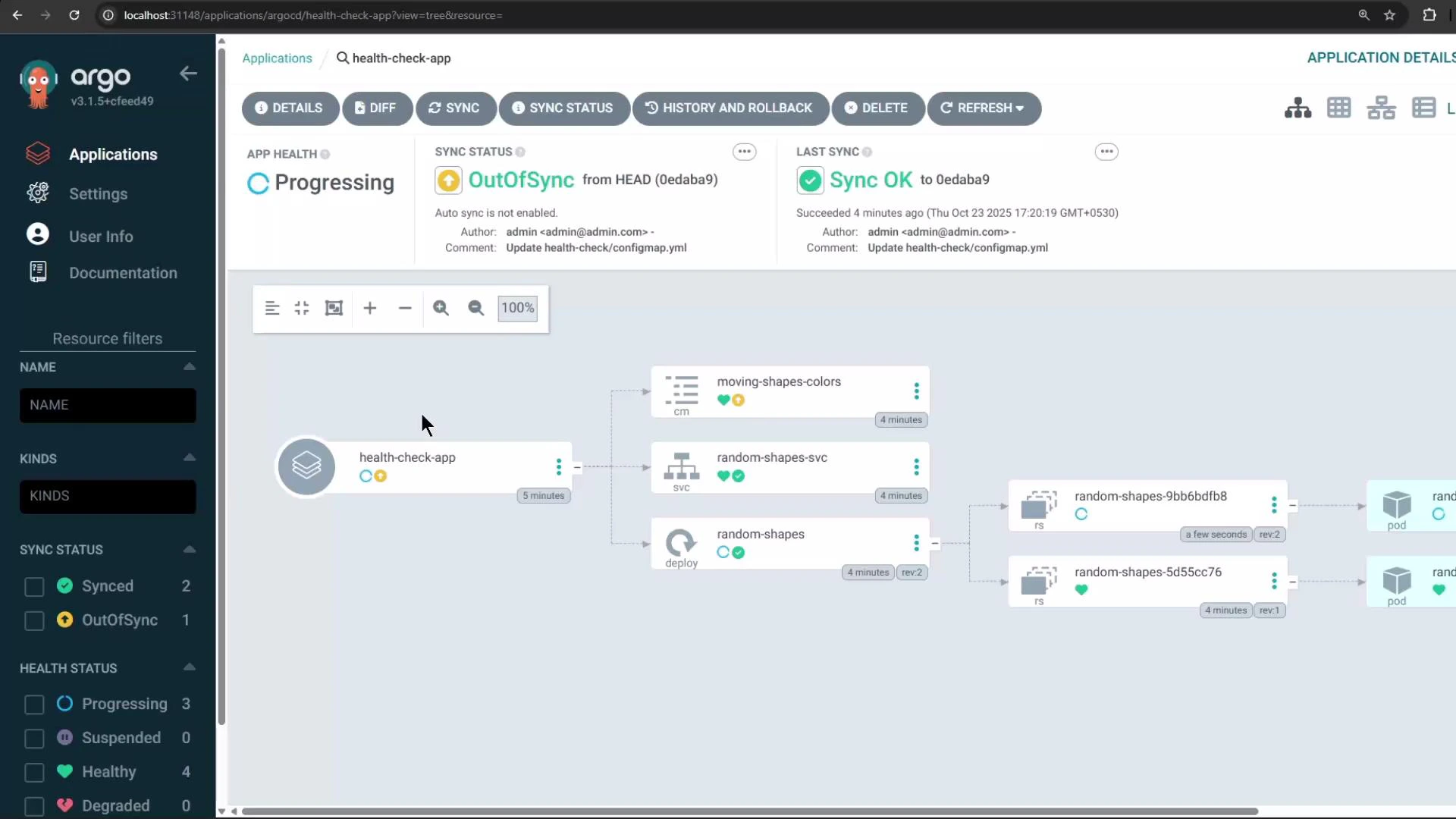
Once the ConfigMap no longer matches the Degraded condition, Argo CD’s custom health check will evaluate to Healthy and the application health will return to Healthy. The Argo CD UI resource tree will then display the ConfigMap, Service, Deployment/pods, and overall application health:
A screenshot of the Argo CD web UI showing the "health-check-app" application with sync and health status panels at the top and a resource tree diagram on the right listing components like moving-shapes-colors, random-shapes-svc, and pods. The left sidebar shows navigation and resource filters.

Summary

  • Add custom health checks by editing argocd-cm and providing Lua scripts under resource.customizations.health.*.
  • Use resource.customizations.health.ConfigMap to apply checks for core ConfigMap resources.
  • Argo CD executes these Lua checks and surfaces any custom status and message in the UI for the resource and its parent Application.

Watch Video