Explains how to declare, pass, and override workflow level parameters in Argo Workflows with examples for template inputs and CLI or web UI submission
In this lesson you’ll learn how to define and use workflow-level (global) parameters in Argo Workflows. Parameters declared under spec.arguments.parameters are available to the entire workflow and can be consumed by one or more templates. This pattern enables reusing a single workflow manifest while supplying different inputs at submit time.Example: a minimal workflow that declares a global message parameter and passes it into a template to be used as the container argument:
Declare workflow-global parameters under spec.arguments.parameters.
Inside a template, declare the same parameter name under inputs.parameters and reference it with {{inputs.parameters.<name>}}.
Some fields also support direct workflow-level references using {{workflow.parameters.<name>}}.
A common way to reference a workflow parameter inside a template is to declare the parameter under the template’s inputs.parameters and then use the expression {{inputs.parameters.<name>}} in container args or other fields that accept template expressions. You can also reference workflow-level parameters directly using {{workflow.parameters.<name>}} in fields that accept template expressions.
Submit the workflow and watch the run (example using a public manifest URL):
Name: cowsay-tptglNamespace: argoServiceAccount: unset (will run with the default ServiceAccount)Status: RunningCreated: Fri Oct 24 06:35:15 +0000 (4 seconds ago)Started: Fri Oct 24 06:35:15 +0000 (4 seconds ago)Duration: 4 secondsProgress: 0/1Parameters: message: a message from the workflow arguments sectionSTEP TEMPLATE PODNAME DURATION MESSAGE⟳ cowsay-tptgl cowsay cowsay-tptgl 4s
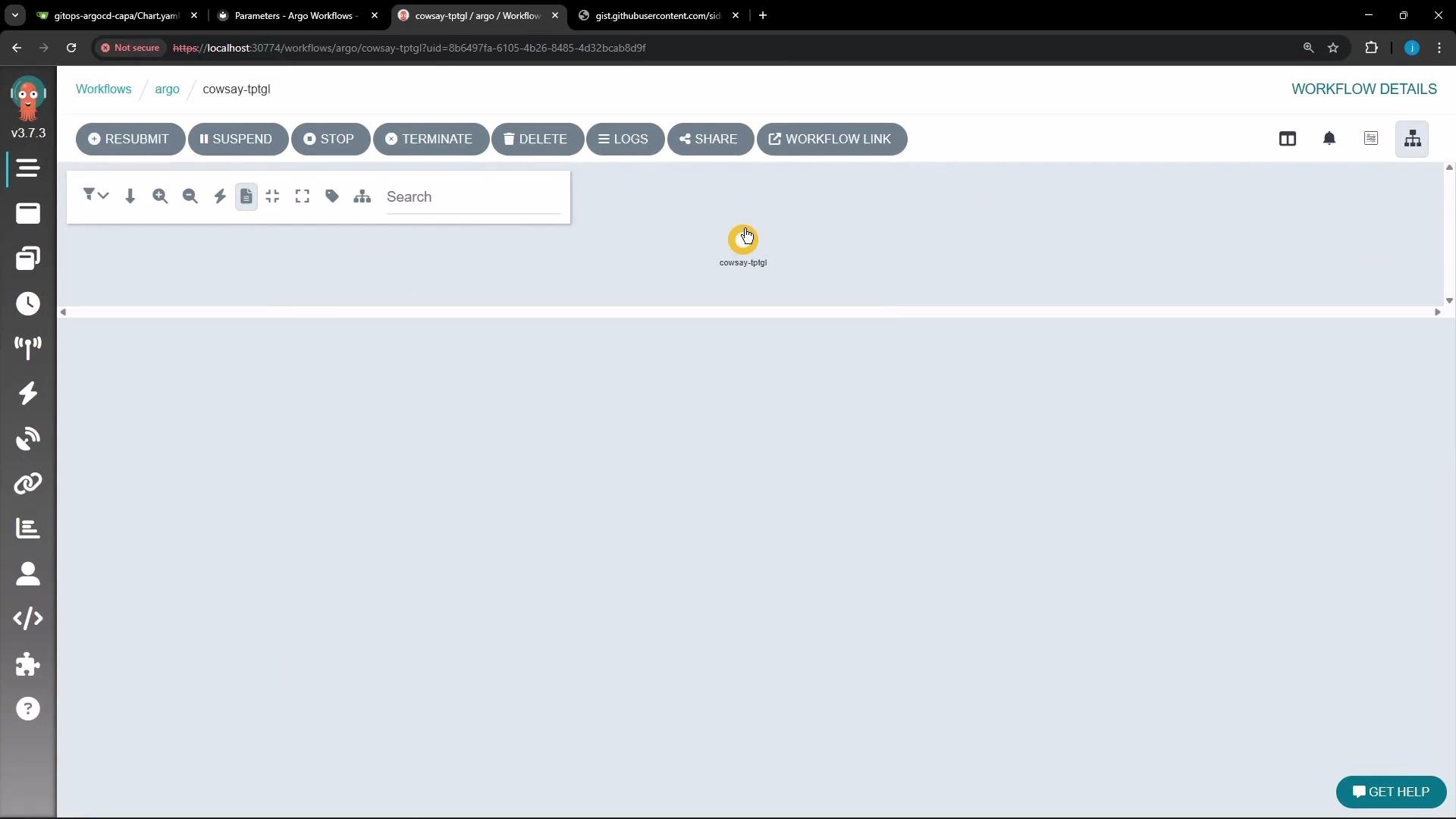
You can also inspect and interact with the run in the Argo Workflows web UI. The workflow graph shows the single cowsay node for this run:
When the run finishes successfully, the workflow parameters are shown in the completed status and the container logs include the parameter value:
Copy
Name: cowsay-tptglNamespace: argoServiceAccount: unset (will run with the default ServiceAccount)Status: SucceededConditions: PodRunning False Completed TrueCreated: Fri Oct 24 06:35:15 +0000 (38 seconds ago)Started: Fri Oct 24 06:35:15 +0000 (38 seconds ago)Finished: Fri Oct 24 06:35:52 +0000 (1 second ago)Duration: 37 secondsProgress: 1/1Parameters: message: a message from the workflow arguments sectionSTEP TEMPLATE PODNAME DURATION MESSAGE✔ cowsay-tptgl cowsay cowsay-tptgl 26s
Logs from the cowsay container:
Copy
/ a message from the workflow arguments \\ section /------------------------------------------ ^ ^ (oo)\_______ (__) \ )\/\ ||----w | || ||
Overriding the global parameter at submit time
UI: Click Resubmit in the web UI and edit parameter values before resubmitting.
CLI: Pass parameters inline with -p (or --parameter).
Example — override message via CLI:
Copy
argo -n argo submit arguments-parameters.yaml -p message="with great power comes great responsibility" --watch
Submitting with an overridden parameter produces a run using the new message. Example running status after overriding via CLI:
Copy
Name: cowsay-ljb54Namespace: argoServiceAccount: unset (will run with the default ServiceAccount)Status: RunningCreated: Fri Oct 24 06:37:10 +0000 (3 seconds ago)Started: Fri Oct 24 06:37:10 +0000 (3 seconds ago)Duration: 3 secondsProgress: 0/1Parameters: message: with great power comes great responsibilitySTEP TEMPLATE PODNAME DURATION MESSAGE◉ cowsay-ljb54 cowsay cowsay-ljb54 3s
Logs showing the overridden text:
Copy
cowsay-ljb54: time="2025-10-24T06:37:33 UTC" level=info msg="capturing logs" argo=truecowsay-ljb54:cowsay-ljb54: / with great power comes great \cowsay-ljb54: \ responsibility /cowsay-ljb54: ------------------------------cowsay-ljb54:cowsay-ljb54: \ ^__^cowsay-ljb54: \ (oo)\_______cowsay-ljb54: (__)\ )\/\cowsay-ljb54: ||----w |cowsay-ljb54: || ||cowsay-ljb54:cowsay-ljb54: time="2025-10-24T06:37:34 UTC" level=info msg="sub-process exited" argo=true error="<nil>"
Parameter passing options at a glance
Method
CLI example
Notes
Inline single parameter
-p message="goodbye world"
Quick override for one or few values
Parameters file (YAML/JSON)
--parameter-file params.yaml
params.yaml can be a YAML or JSON map of key/value pairs
Reuse the same manifest by changing inputs and entrypoints at submit time—no need to edit the YAML file.
For nested workflows or complex templates, prefer declaring template inputs.parameters and passing values via spec.arguments.parameters to keep intent explicit.