

Problem summary
- autosync + selfHeal cause Argo CD to continuously enforce the declared desired state.
- If an HPA or an operator modifies fields (for example, /spec/replicas), Argo CD may detect it as drift and revert the change back to the manifest.
- To avoid this loop, add an ignoreDifferences entry in the Application spec and ensure RespectIgnoreDifferences is enabled in syncOptions.
- Use ignoreDifferences when a field is managed by an external controller (HPA, operator) and you want Argo CD to ignore changes to that field during diff and sync.
- Common use cases: replica counts managed by HPA, operator-updated status fields, or dynamic ConfigMap values.
Reproducing the issue
Suppose your Deployment manifest declaresreplicas: 2 but an HPA or a manual action scales it up. If autosync/selfHeal are enabled and ignoreDifferences is not respected, Argo CD will reconcile the Deployment back to 2 replicas.
Example: manually scale a Deployment
How ignoreDifferences works
ignoreDifferences is a top-level field in the Application spec that tells Argo CD which differences to ignore when computing resource diffs. To ensure those ignored differences are honored during synchronization, enable the RespectIgnoreDifferences sync option. You can specify the following in ignoreDifferences:- jsonPointers: JSON Pointer(s) to fields to ignore (e.g.,
/spec/replicas). - jqPathExpressions: JQ-style expressions to ignore fields (useful for ConfigMap
.datakeys). - managedFieldsManagers: ignore changes that originate from specified object managers (e.g.,
kube-controller-manager). - Optional
nameandnamespaceto scope the rule to a single resource.
ignoreDifferences only affects how Argo CD computes diffs and whether it treats a difference as actionable during sync. It does not change the live Kubernetes resource or stop other controllers (HPA, operators) from managing those fields.
Example ignoreDifferences entries
Here are trimmed, relevant examples for common scenarios:Enable RespectIgnoreDifferences
To ensure Argo CD honors ignoreDifferences during synchronization, either:
- Add “RespectIgnoreDifferences=true” to syncPolicy.syncOptions in your Application manifest, or
- Select the “Respect differences” checkbox in the Argo CD UI sync dialog when performing a manual sync.
Example: Application manifest snippet for this demo
This manifest shows automated sync withselfHeal: true and an ignoreDifferences entry that targets the random-shapes Deployment’s /spec/replicas field. RespectIgnoreDifferences is included in syncOptions so automated syncs will honor the ignore rule.
UI option: Respect differences
When performing a manual synchronization from the Argo CD UI, you can enable “Respect differences” in the sync panel so Argo CD will honor ignoreDifferences rules during that sync.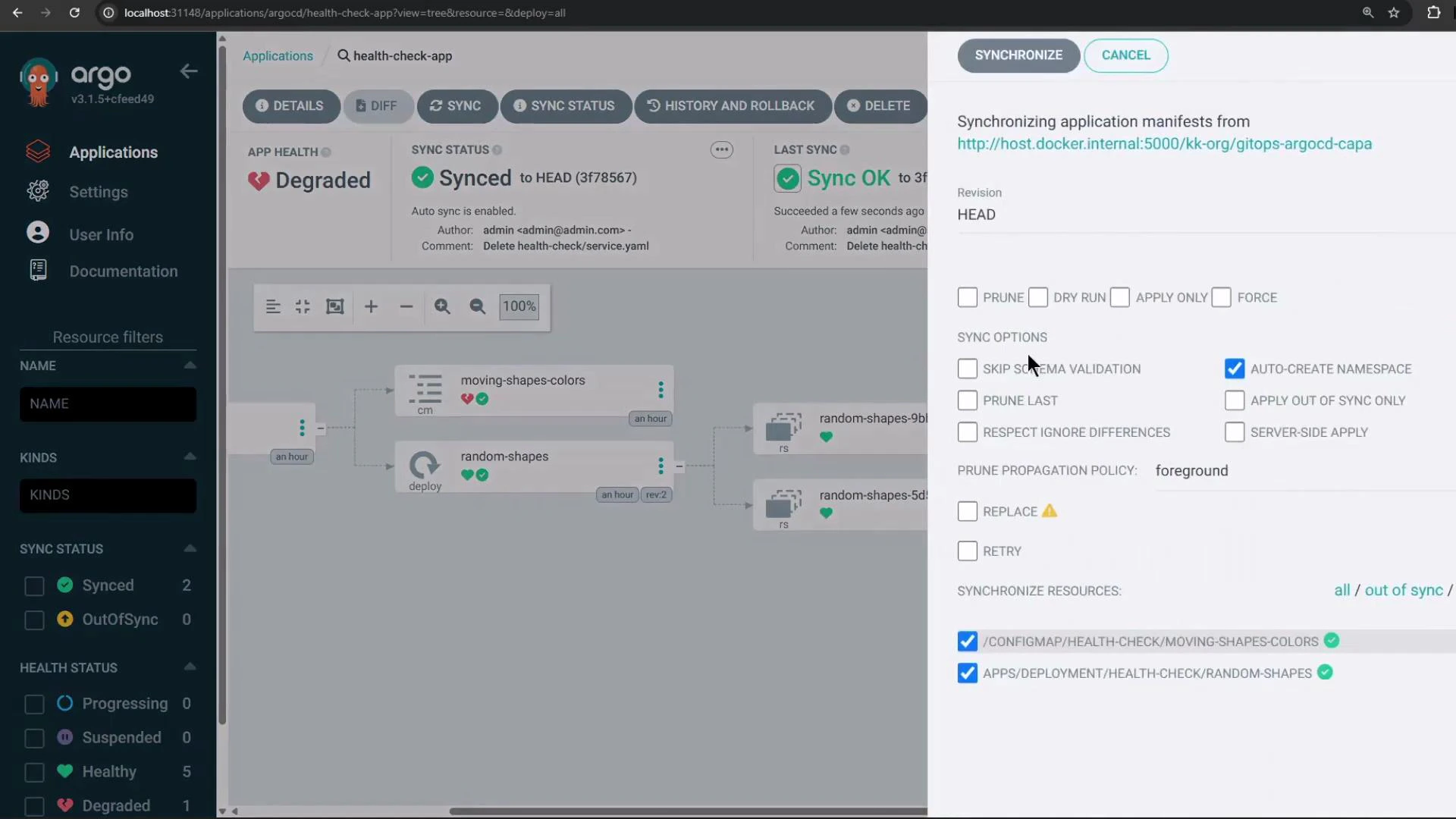
Demonstration: scale after configuring ignoreDifferences
- Ensure the Application contains the ignoreDifferences entry (as shown above) and RespectIgnoreDifferences is enabled.
- Scale the Deployment again:
- After scaling and either manually syncing (with Respect differences enabled) or after an automated sync completes, Argo CD will not revert the replica count for the targeted Deployment because
/spec/replicasis ignored for that resource. The pods created by the scale action will remain running.
Summary
- Use ignoreDifferences to tell Argo CD to ignore specific fields, JQ expressions, or managed-field managers when computing diffs and deciding whether to sync.
- To make Argo CD actually honor those ignore rules during synchronization, enable RespectIgnoreDifferences in syncPolicy.syncOptions or enable “Respect differences” in the UI sync dialog.
- This pattern is useful for fields controlled externally by HPA or operators (replica counts, dynamic config keys, etc.), preventing Argo CD from continuously reverting externally-managed changes.
Links and references
- Argo CD Application spec — ignoreDifferences
- Kubernetes Horizontal Pod Autoscaler (HPA) documentation
- Argo CD docs — Sync Options