

waves-demo under the synchronization path. That YAML contains multiple resources in a single manifest: two migration jobs (schema and data), a Namespace, frontend and PostgreSQL deployments and services, and a cleanup job.
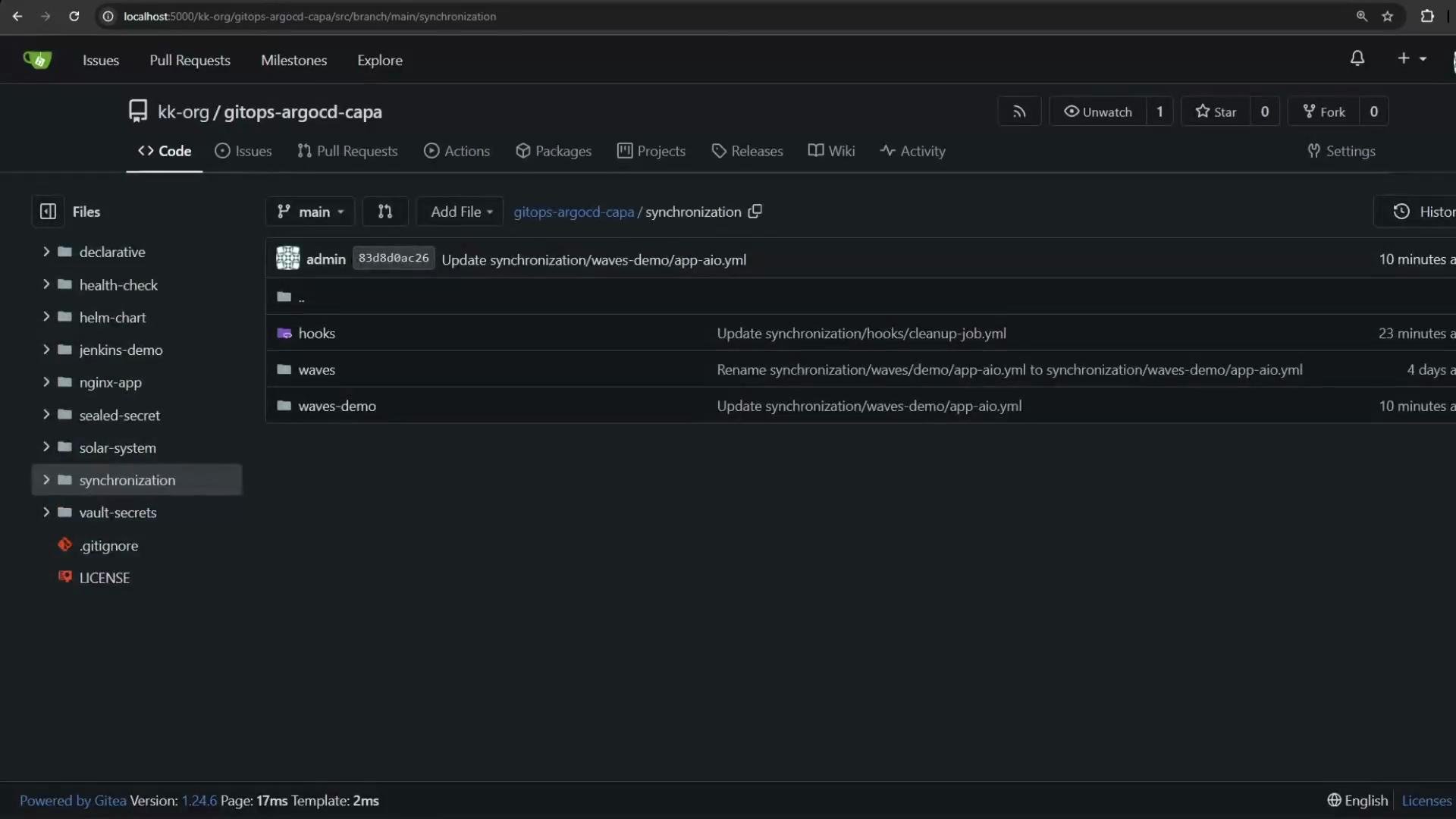
- Schema migration job — currently annotated as a PreSync hook.
- Namespace
app-namespace. - Data migration job — also a PreSync hook.
- Frontend deployment + frontend service.
- PostgreSQL deployment + PostgreSQL service.
- Cleanup job — annotated as a PostSync hook.
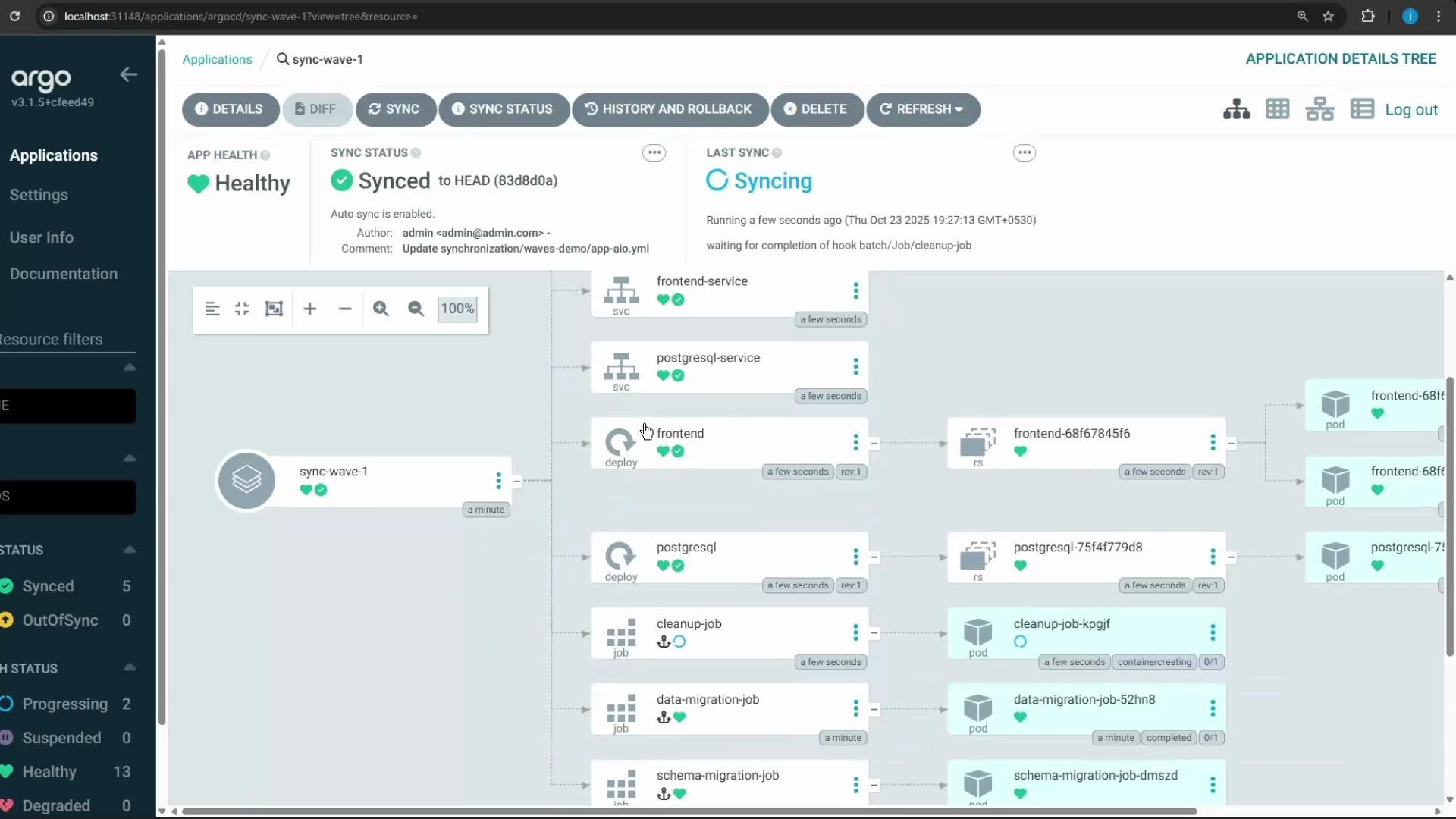
argocd.argoproj.io/sync-wave (string value) that defines relative ordering. Argo CD processes resources by increasing wave number (lowest first). The default wave is "0". Negative values run earlier than zero (for example, "-2" → "-1" → "0"). See the Argo CD sync waves documentation for details: https://argo-cd.readthedocs.io/en/stable/user-guide/sync-waves/
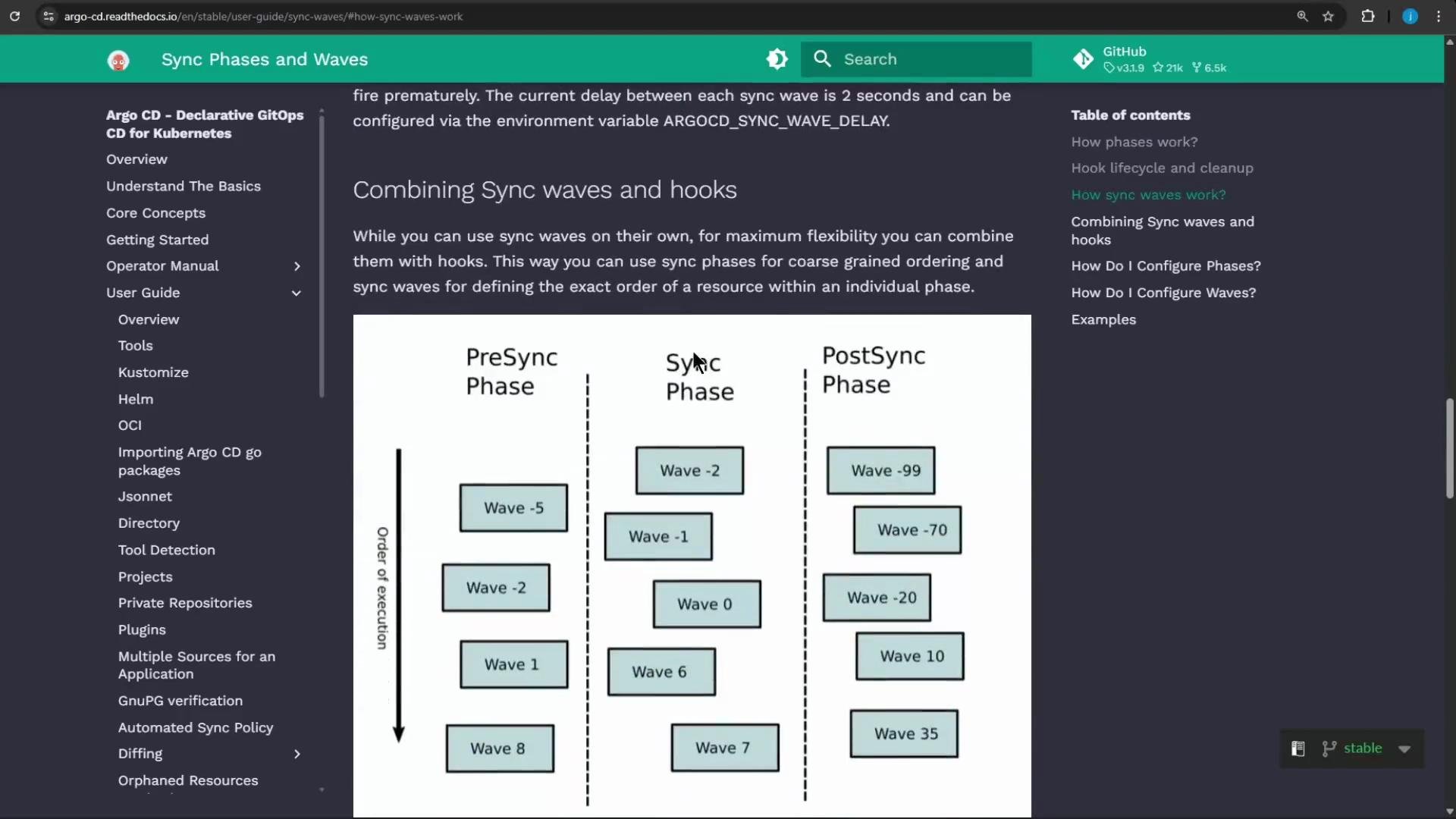
Sync waves and hook phases (PreSync/Sync/PostSync) are combinable: Argo CD groups resources by hook phase and wave, then processes groups in increasing wave order within each phase. Use this to implement precise, deterministic sync sequences.
- schema migration job: PreSync, sync-wave “-2” (first)
- data migration job: PreSync, sync-wave “-1” (after schema)
- Namespace: sync-wave “0” (create namespace before sync-phase resources)
- PostgreSQL deployment & service: sync-wave “1”
- Frontend deployment & service: sync-wave “2”
- Cleanup job: PostSync hook (runs after the sync phase finishes)
- Commit the updated manifest (with sync-wave annotations) to Git before Argo CD can apply the new ordering.
- If any PreSync hooks target the Namespace (i.e., run jobs in
app-namespace), ensure the Namespace exists before the PreSync phase. Options:- Use —sync-option CreateNamespace=true when creating the Argo CD app, or
- Make the Namespace a PreSync resource with an earlier wave value than the jobs.
Remember: multiple resources with the same hook phase and the same sync-wave value will be synced in parallel. Assign distinct sync-wave numbers to achieve strict, sequential ordering.
- Hooks (PreSync/PostSync) control when resources run relative to the main sync phase, but resources sharing the same hook run concurrently.
- Sync waves (argocd.argoproj.io/sync-wave) provide an ordered sequence within each hook phase and the sync phase.
- Combine hooks and sync waves to implement complex GitOps workflows: migrations, namespace creation, database-first deployments, followed by frontend, and finishing with cleanup.
Links and references
- Argo CD sync waves: https://argo-cd.readthedocs.io/en/stable/user-guide/sync-waves/
- Argo CD hooks and sync options: https://argo-cd.readthedocs.io/en/stable/operations/notifications/ (see hooks and app options)
- Argo CD CLI guide: https://argo-cd.readthedocs.io/en/stable/cli_installation/