

values, valuesObject, and Helm parameters. The examples use a simple Helm chart that renders a ConfigMap and a Deployment from chart defaults in values.yaml. You’ll also see how Argo CD merges and applies overrides and the defined order of precedence.
Argo CD Application spec (Helm)
A typical Argo CD Application that references a Helm chart includes Helm-specific fields underspec.source.helm. The minimal Application spec looks like this:
spec.source.helm to configure Helm-specific behavior. Argo CD accepts multiple ways to pass Helm values and options:
valueFiles: list of values files (relative tospec.source.path)values: inline YAML blockvaluesObject: native key/value map (preferred overvalues)parameters: Helm name/value list (highest precedence)
Example: valueFiles / values / valuesObject
UsevalueFiles to reference files in the chart directory (relative to spec.source.path). You can also provide values as an inline YAML document or valuesObject as a native map. valuesObject takes precedence over values.
Other Helm options
Argo CD supports additional Helm options that affect templating and installation:Example Helm chart (repo) — values and templates
The demo repository contains a simple Helm chart (v1.0.0) with avalues.yaml and templates that render a ConfigMap and a Deployment.
Default values.yaml (chart defaults):
templates/configmap.yaml (reads color values from chart values):
templates/deployment.yaml (uses values for replicas, image, envFrom configmap):
values.yaml. If you don’t provide any overrides, Argo CD will deploy using those chart defaults.
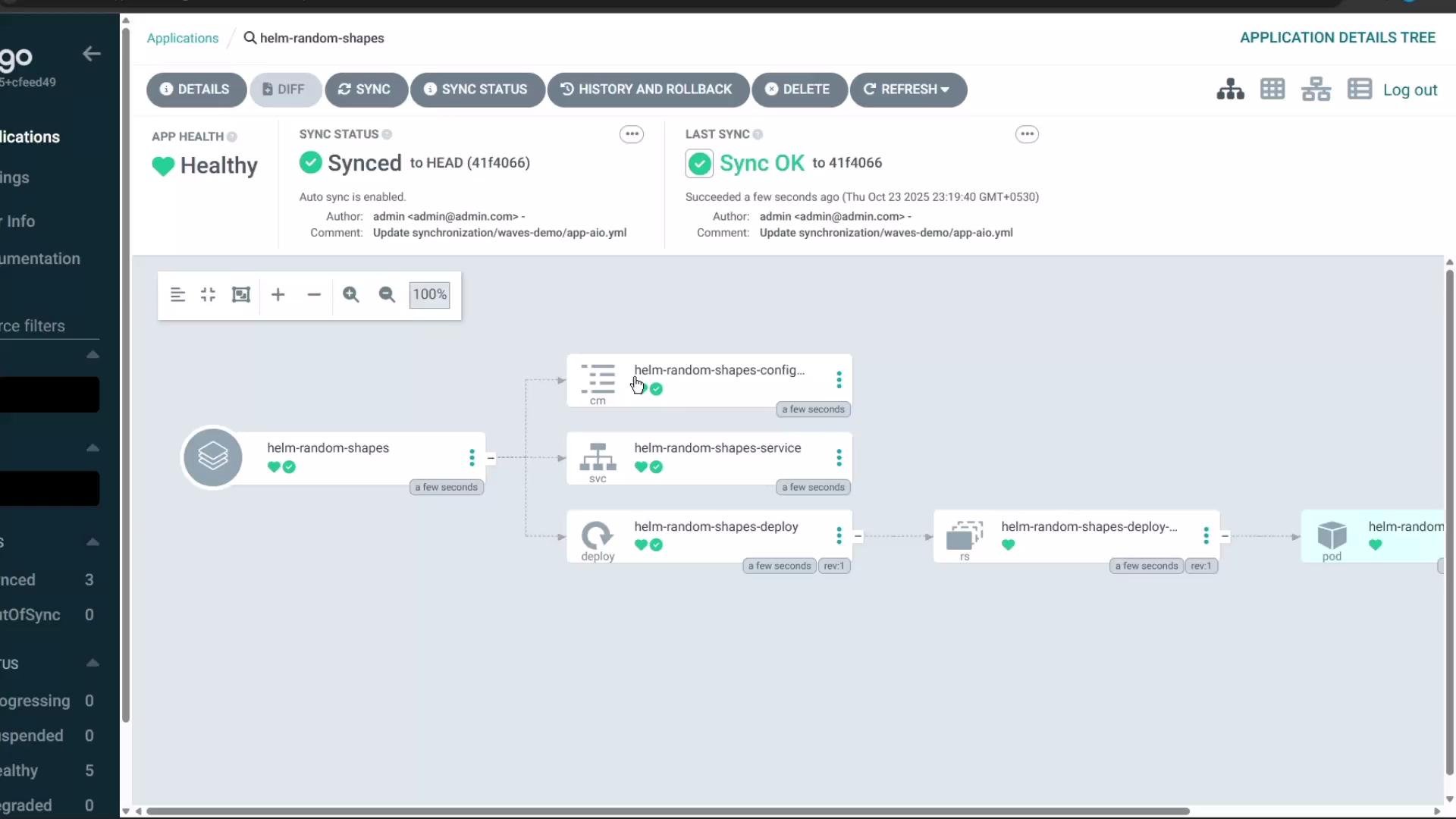
values.yaml). The Deployment and Pod should appear in the target namespace (for example, helm-chart).
Here is the Application resource tree showing the deployed resources:
Updating values from the Argo CD UI
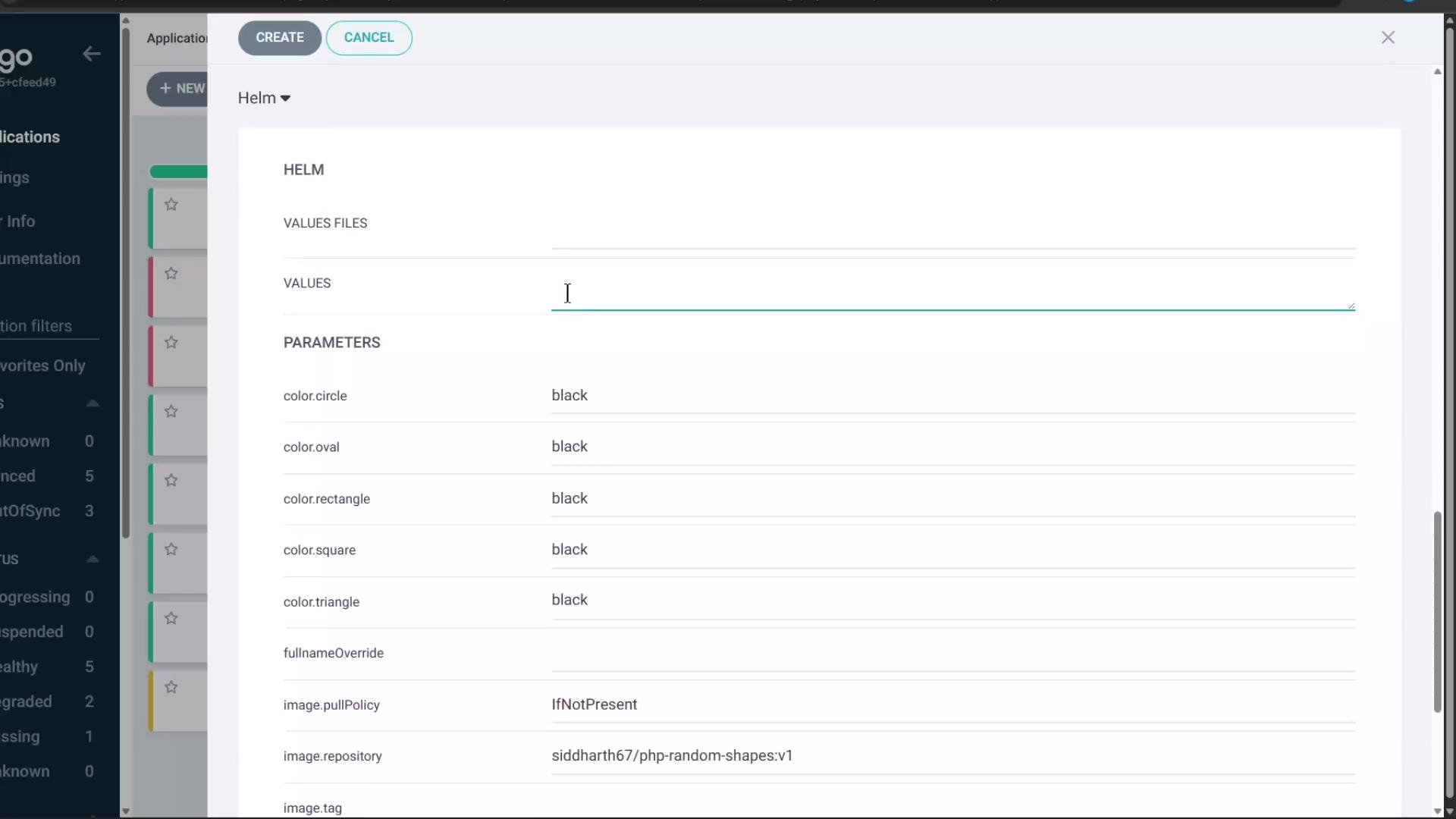
Argo CD offers multiple ways to change Helm values after the Application has been created:- Upload a
values.yamlfile to the Application - Edit
values(YAML block) - Edit
valuesObject(map form) - Edit
parameters(name/value list — highest precedence)
values override added in the UI or to the Application manifest:
Updating a ConfigMap consumed by a Deployment (via envFrom) does not automatically restart running pods. To make pods pick up the new environment variables, perform a rollout restart on the Deployment, or use Argo CD reconciliation policies to trigger pod replacement.
Overriding using Parameters (highest precedence)
Argo CD exposes Helmparameters (a list of name/value pairs) that take the highest precedence when templating. Parameters are useful for single-value overrides or when you prefer a flat list.
Example parameters entry:
values (or valuesObject) and parameters, the value from parameters will be used. For example:
valuessetscolor.circle: redparameterssetscolor.circle: green- Result in rendered manifests:
CIRCLE_COLOR: green
Precedence summary: when multiple Helm override mechanisms are used, Argo CD applies them in a defined order — last overrides win. Use the precedence table below to decide where to place your overrides.
Helm values precedence (Argo CD ordering)
From lowest to highest precedence:
Additional notes on duplicates and ordering:
- If the same parameter is supplied multiple times, the last occurrence wins.
- If
valueFilesincludes multiple files, the last file in the list has the highest priority among them. - If a single values file contains duplicate keys, the last occurrence in the file wins.
valuesObjectoverridesvalueswhen both are present.parametersoverride everything else.
values-file-1.yaml contains param1: value1 and values-file-2.yaml contains param1: value2, the effective value is value2.
parameters duplicate example:
param1=value1 (last parameter entry wins).
values block duplicate example:
param1=value5 (last value in the block wins).
Additional example — Helm chart from a Helm repo
When using a Helm repository asrepoURL, set spec.source.chart and spec.source.targetRevision (chart version). Example Application:
repoURL, targetRevision is a Git revision (branch/tag/commit), and path points to the chart inside the repository.
References and further reading
- Argo CD Official Docs: https://argo-cd.readthedocs.io/
- Helm Documentation: https://helm.sh/docs/
- Kubernetes Concepts: https://kubernetes.io/docs/concepts/