

This guide covers core concepts you’ll see on the job and in certification exams: users vs. teams, permission scopes, the Owners team, team visibility, and team tokens. Read each section to understand where to assign roles for least-privilege access.
Users and organizations
- A user is an individual account tied to an email address.
- One user can belong to multiple organizations (for example: personal, training, and work orgs).
- Organizations are isolated: workspaces, projects, teams, and permissions in one organization do not affect another.
Teams, Projects, and Workspaces
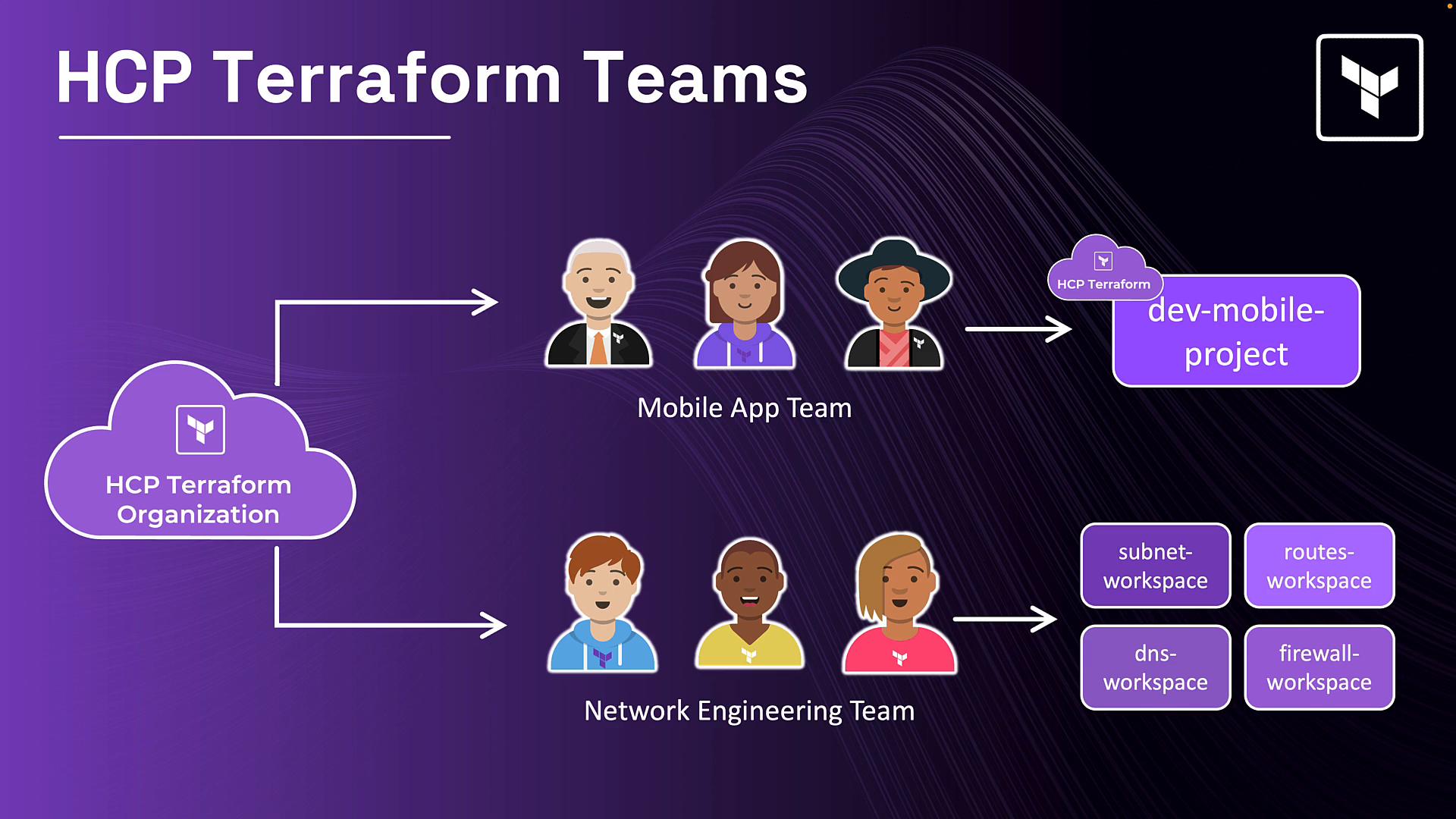
Teams group users within an organization. Assigning permissions to teams (rather than individual users) simplifies access management and enforces consistent role-based access control. In the diagram below, the Mobile App Team is granted access at the project level (dev-mobile-project), which automatically covers every workspace in that project — including any future workspaces. The Network Engineering Team is granted permissions on individual workspaces (subnet, routes, DNS, firewall), which is useful for cross-project responsibilities or sensitive resources.
Access control hierarchy
At a high level, HCP Terraform structures access using three primary constructs:- Users — individual identities that may belong to multiple teams and organizations.
- Teams — groups of users within a single organization; this is the primary place where permissions are assigned.
- Permissions — roles assigned to teams at various scopes (organization, project, workspace).
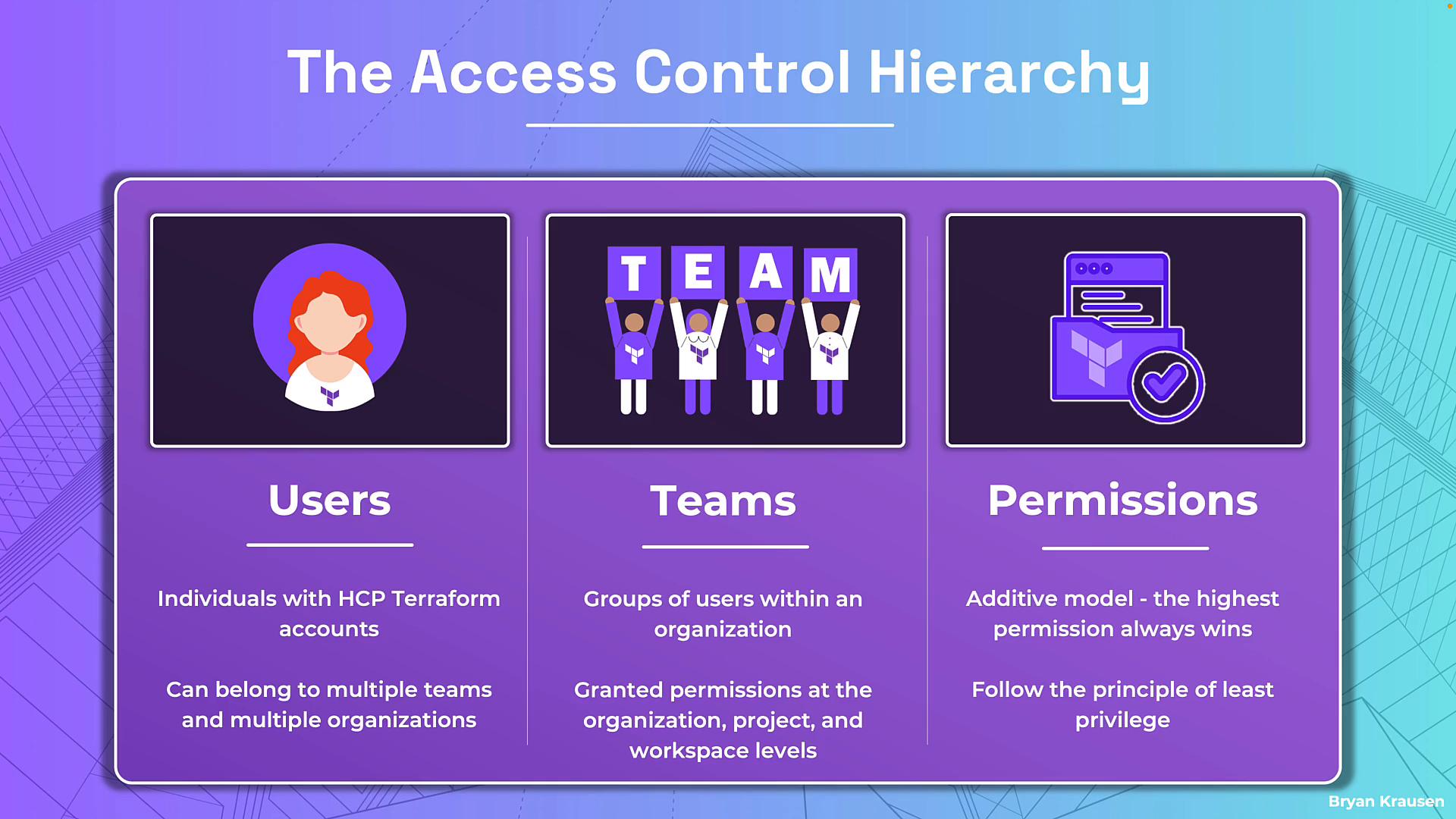
- Permissions are additive. If a user belongs to multiple teams, HCP Terraform evaluates the highest effective permission across those teams for a given resource.
- Follow least privilege: grant teams only the permissions they need. The more teams a user belongs to, the more permissions will accumulate.
The Owners team
Every organization includes a built-in Owners team that has full administrative access across the organization (workspaces, projects, policies, VCS settings, private registry, run tasks, and more). Because Owners have unrestricted control, membership should be tightly controlled and audited.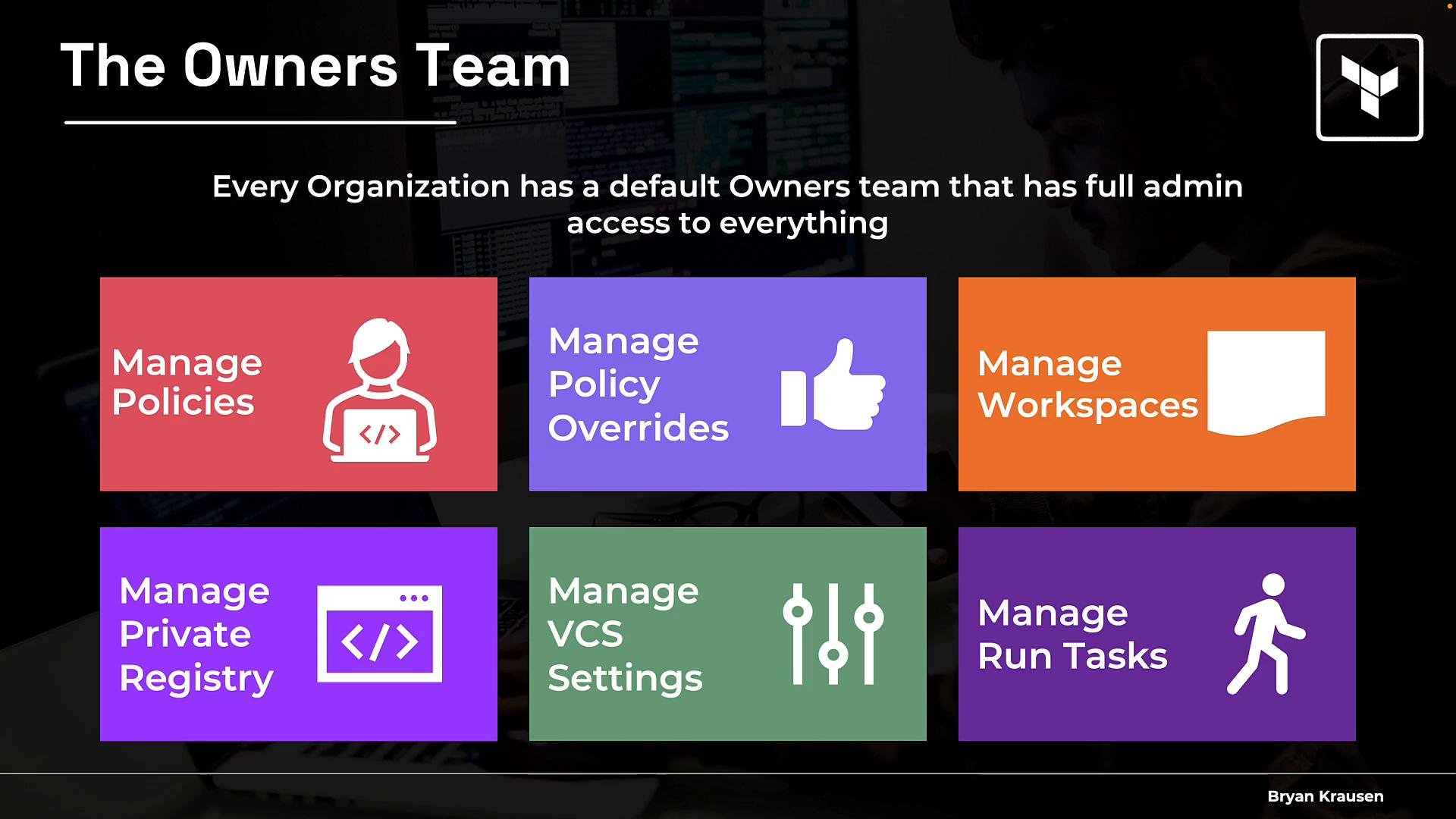
The Owners team is built into the organization and cannot be deleted. Limit membership and enforce SSO or strong authentication for Owners to reduce risk.
- The Owners team cannot be deleted.
- Authentication for Owners depends on your org’s SSO configuration. If SSO is not enforced, Owners may still be able to sign in with local credentials — review and enforce SSO settings if required.
- Some trial/free plans limit the ability to create additional teams. Upgrade to a paid plan to enable full team-based access control.
Team settings: visibility and tokens
Two important team-level settings:- Team visibility
- Visible team: any organization member can see the team and its membership.
- Secret team: visible only to members and organization owners. Use secret teams if you must hide membership from the broader organization.
- Team tokens
- Teams can create API tokens for automation (CI/CD or scripts). A team token inherits exactly the permissions of the team.
- HCP Terraform now supports multiple team tokens per team, enabling separate tokens per automation pipeline or integration.
Permission levels (scopes)
Permissions are assigned at three scopes. Use the table below to compare scope, typical use cases, and examples of role behavior.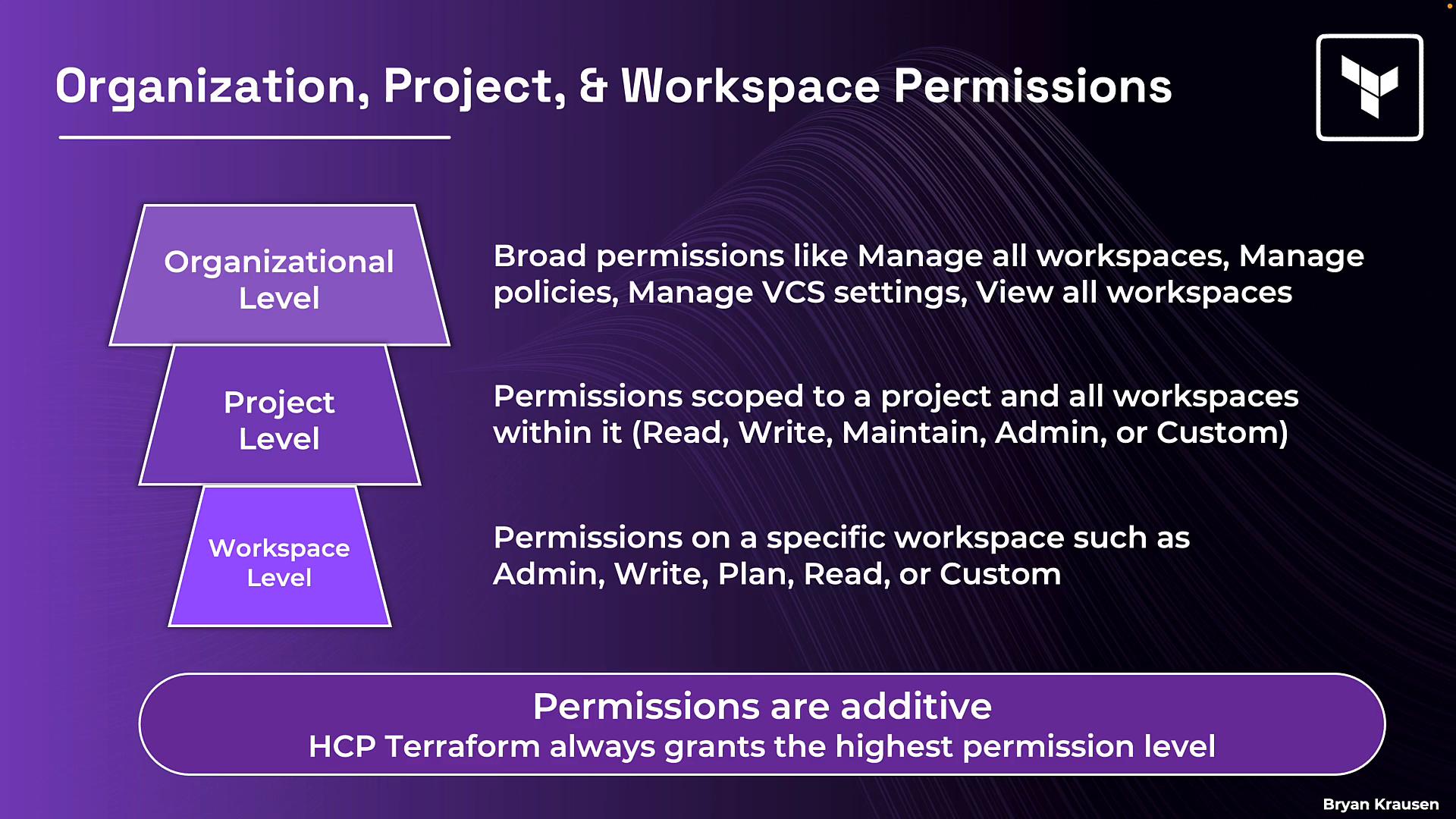
Permissions are additive — HCP Terraform grants the highest effective permission a user has from any team membership or scope.
Practical example
Consider this realistic distribution of permissions in an organization that enforces least privilege:- AppOne team
planon production workspaces (can create plans but not apply).writeon dev workspaces (can plan and apply).
- Mobile team
writeon dev workspaces (direct changes allowed in dev).planon mobile production workspaces (requires approval to apply).
Exam tips / key points to remember
- Users belong to teams; teams receive permissions. Avoid granting many direct permissions to individual users.
- The Owners team exists by default and has full access; it cannot be deleted.
- Understand three permission scopes: organization, project, and workspace — and when to use each.
- Permissions are additive: the highest permission from any team or scope applies to the user for a resource.
- Team tokens inherit the team’s permissions — treat them like credentials and rotate them regularly.
Related topics & references
A related topic to study next is the private registry for sharing reusable Terraform modules and providers within your organization.