

- Developers may need quick command-line overrides while testing locally.
- CI/CD pipelines often inject values via environment variables or secret stores.
- Production teams typically keep environment-specific values in version-controlled
.tfvarsfiles (or secure secret backends).
- Variable defaults (in the
variableblock) - Environment variables (prefixed with
TF_VAR_) - Terraform variable files (
.tfvars,.auto.tfvars,.tfvars.json) - Command-line flags (
-var/-var-file)
1) Variable defaults
Default values in thevariable block provide a baseline or sensible factory setting. They ensure variables have valid values when no other source supplies them.
Example:
- For safe development or demo values.
- To document expected inputs and types.
- For optional settings where a reasonable fallback exists.
- Avoid placing secrets (API keys, passwords) in defaults.
- Use defaults for non-sensitive convenience values only.
- Remember defaults have the lowest priority and are easily overridden.
2) Environment variables
Terraform maps environment variables prefixed withTF_VAR_ to Terraform variables of the same name (after removing the prefix). Environment variables are a common pattern for CI/CD and secret injection.
Unix shell examples:
- Not checked into version control when set in the environment or CI secret stores.
- Easy to rotate and scope to sessions or pipeline runs.
- Integrates well with secret managers and pipeline-level secrets.
Avoid committing secrets into configuration files. Use environment variables, secure secret stores, or dedicated secret backends for credentials and API keys.
3) Terraform variable files (.tfvars)
.tfvars files provide a simple place to declare multiple variable values in one file. Terraform automatically loads terraform.tfvars, terraform.tfvars.json, and any *.auto.tfvars (or *.auto.tfvars.json) files in the working directory. Other .tfvars files must be specified explicitly with -var-file.
Example terraform.tfvars / dev.tfvars:
- Organize variables by purpose and add comments for clarity.
- Maintain environment-specific files (for example:
dev.tfvars,staging.tfvars,prod.tfvars) and pass them with-var-file. - Add any
.tfvarsthat contain secrets to.gitignore, or use a secrets manager instead. - Use
*.auto.tfvarsfiles cautiously — they auto-load, which may be helpful in simple projects but can surprise in complex workspaces.
4) Command-line flags (-var and -var-file)
Command-line -var and -var-file provide the highest precedence. Use them for quick overrides, temporary testing, or when automation passes values explicitly.
Examples:
-varand-var-fileoverride values from.tfvars, environment variables, and defaults.- These flags are ideal for ephemeral changes or diagnostics.
- For reproducible runs, capture the exact
-var-fileused in deployment scripts or CI definitions.
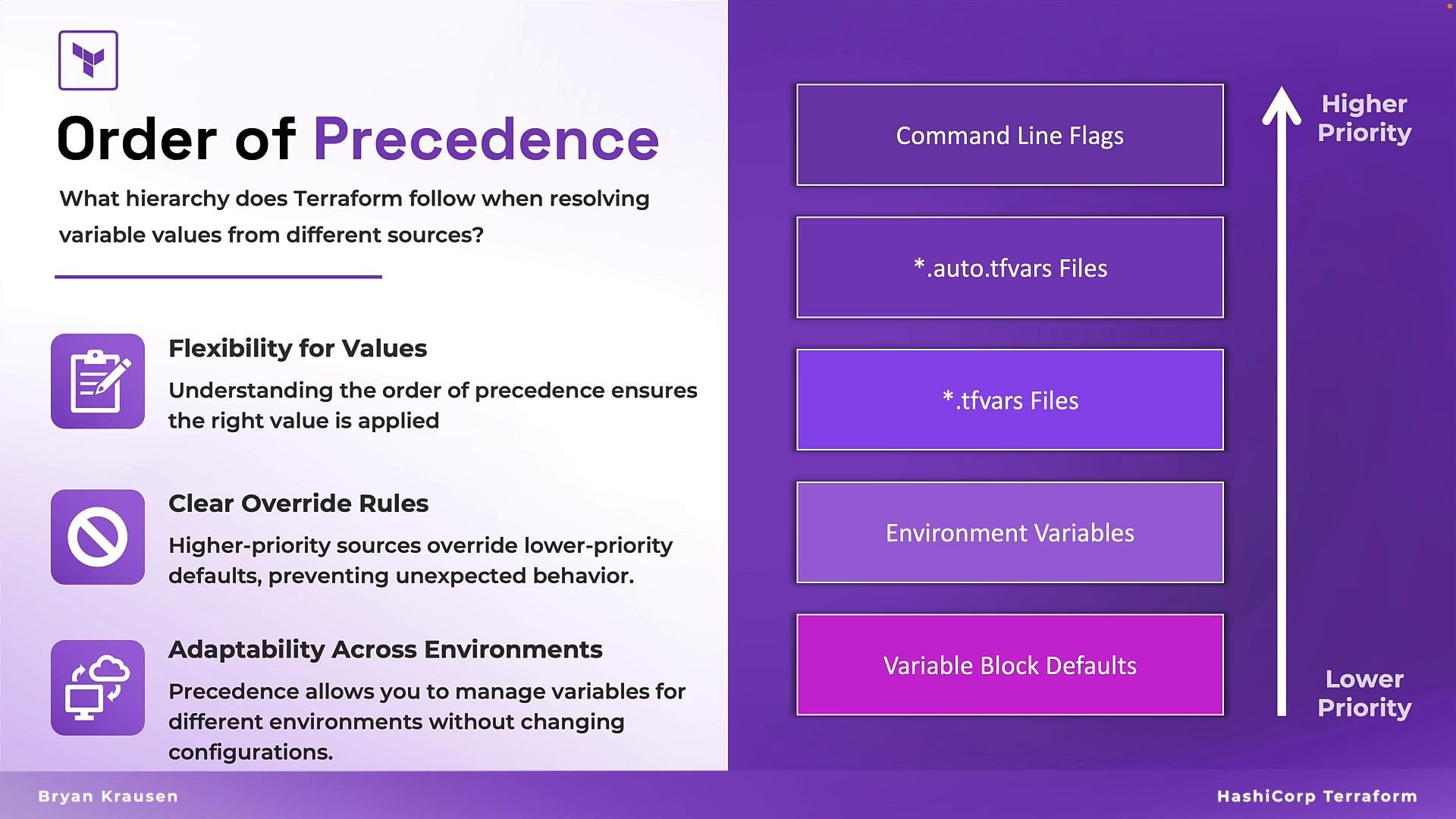
Order of precedence
Terraform resolves values with a defined priority. From highest to lowest precedence:- Command-line flags (
-varand-var-file) - Environment variables (prefixed with
TF_VAR_) terraform.tfvarsand other*.tfvarsfiles (including*.auto.tfvars)- Variable block defaults
Design a strategy: keep secrets out of version control, use
.tfvars for environment configuration, inject secrets via environment variables or a secret backend, and use -var for ad-hoc overrides. Document which method your team uses so deployments remain predictable and auditable.Links and references
- Terraform Input Variables — HashiCorp Documentation
- Terraform CLI Flags — HashiCorp Documentation
- Manage Secrets — best practices with CI/CD and secret stores