All right, welcome. In this lesson we’ll dive into HashiCorp Terraform. Whether you’re new to infrastructure automation or expanding your DevOps skills, this article introduces Terraform’s core concepts and explains why it is an industry-standard tool for managing infrastructure as code (IaC). Let’s start with Terraform’s foundations and what makes it different from manual provisioning. Terraform was created by HashiCorp as part of their suite of infrastructure tools and has transformed how teams provision and manage infrastructure. What sets Terraform apart is its declarative model: instead of scripting step-by-step imperative actions, you declare the desired end state of infrastructure and Terraform computes the required changes to reach that state.
The image provides a brief introduction to Terraform, mentioning its creation by HashiCorp and its use of a declarative approach. It also displays various logos of HashiCorp tools.
Core ideas: HCL and Infrastructure as Code You describe resources and relationships using HCL — the HashiCorp Configuration Language. HCL is readable, expressive, and intended to be both human-friendly and machine-friendly. Think of HCL as the blueprint for your infrastructure: structured, reusable, and versionable. Infrastructure as Code (IaC) means defining your infrastructure with text files instead of manual clicks in cloud consoles. IaC files are version-controlled, reviewable, and reproducible, which enables safer automation and better collaboration. Three core Terraform capabilities:
  • Codify infrastructure: Capture manual cloud steps in maintainable, repeatable code that can be applied or destroyed on demand.
  • Standardize workflows: Reuse patterns and modules to enforce consistent infrastructure practices across teams.
  • Platform-agnostic execution: Apply the same workflow across providers—AWS, Azure, Google Cloud, Kubernetes, and many API-backed services.
The image explains Terraform as an industry-standard Infrastructure as Code (IaC) tool that automates provisioning, management, and versioning of infrastructure. It highlights benefits such as codifying infrastructure and standardizing workflows.
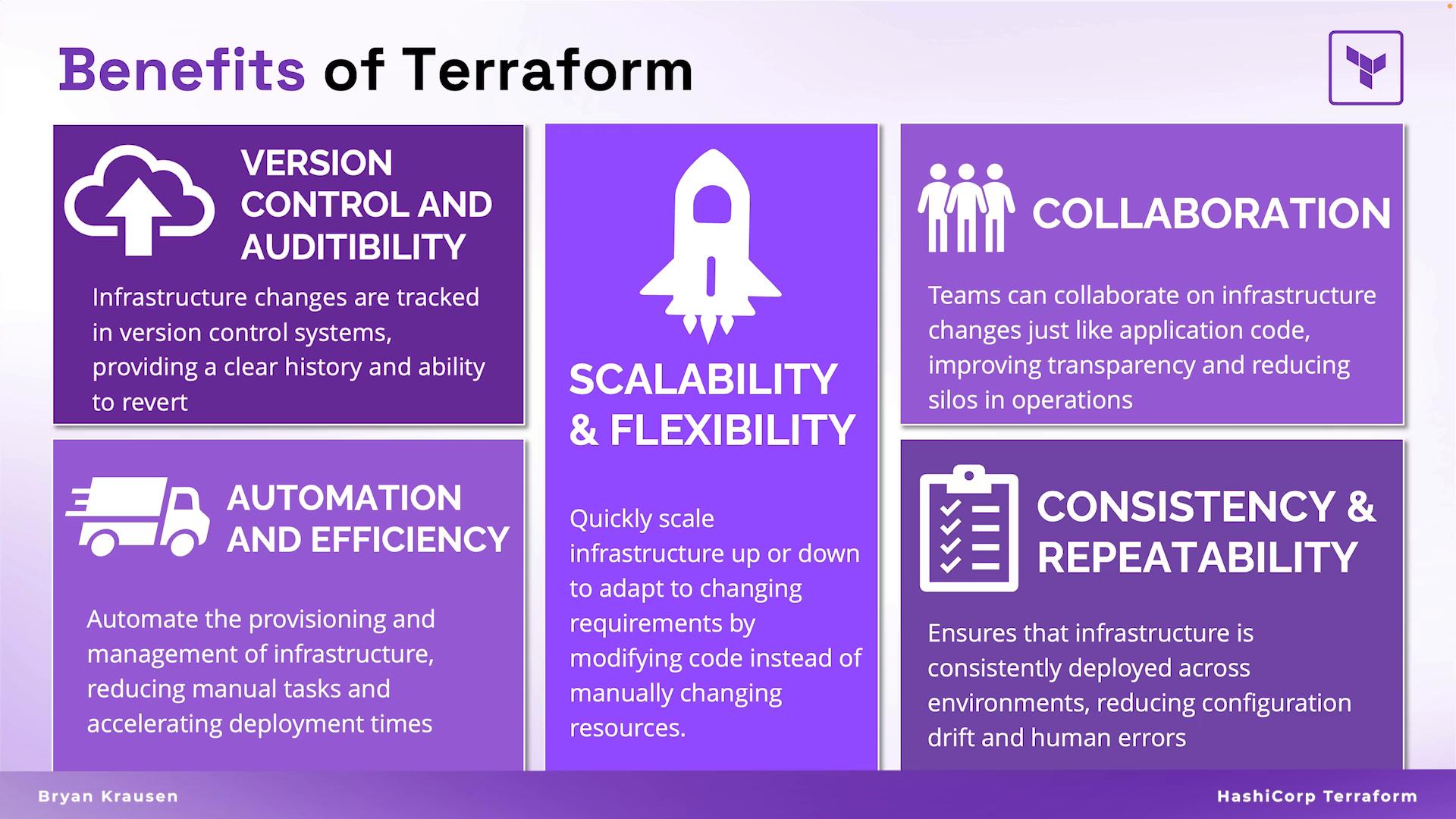
Key benefits of using Terraform Version control and auditability
  • Treat infrastructure like application code. Changes are tracked in a VCS, producing an auditable history that simplifies troubleshooting and rollbacks.
Automation and efficiency
  • Terraform removes repetitive manual provisioning, reduces human error, and accelerates deployments. Once codified, configurations are consistently reproducible.
Scalability and flexibility
  • Scale by changing code (instance counts, sizes, subnets). Manage multiple environments from a single codebase using variables, workspaces, or backend configurations.
Collaboration
  • Teams collaborate using pull requests, code reviews, and shared modules, bringing software engineering practices to infrastructure management.
Consistency and repeatability
  • Infrastructure manifests produce identical environments every time, closing the gap between testing and production.
Summary table — What Terraform gives you
BenefitWhy it mattersExample
Version controlFull history and rollbackUse git to track .tf files
ConsistencyRepeatable environmentsSame HCL yields identical infra
ReuseReduce duplicationPublish modules for common patterns
ParallelismFaster provisioningTerraform creates independent resources in parallel
Cost controlEphemeral environmentsSpin up tests and destroy to avoid charges
The image outlines the benefits of Terraform, highlighting version control, scalability, collaboration, automation, and consistency. It includes explanations for each feature, emphasizing efficiency and transparency in infrastructure management.
Platform-agnostic design Terraform’s provider system enables management of resources across many platforms using the same declarative approach. Providers translate HCL into API calls for services like AWS, Azure, Google Cloud, Kubernetes, GitHub, and Infoblox. This single control plane is powerful for multi-cloud deployments and migrations because you can reuse knowledge and patterns across providers.
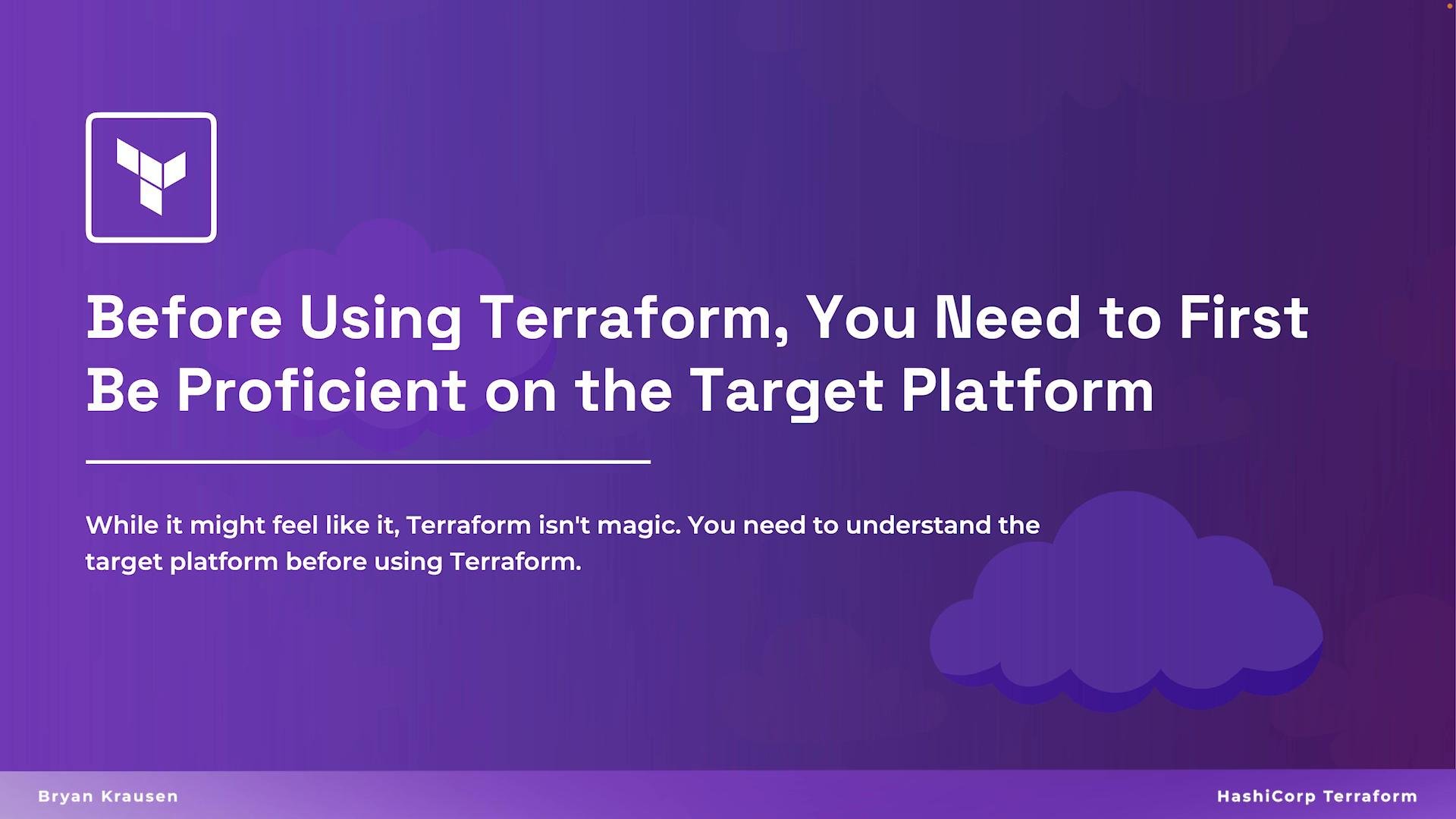
Terraform automates provisioning but does not replace domain knowledge. Be familiar with the platform you’re targeting (networking, compute, identities) before automating it with Terraform.
The image illustrates Terraform's platform agnostic nature, showing its compatibility with various cloud platforms like Kubernetes, AWS, Azure, Google Cloud, and other services such as GitHub and Infoblox.
Provisioning: console vs. Terraform Traditional/manual provisioning
  • Typically done by clicking through cloud consoles or running ad-hoc commands. This approach is error-prone, slow, and hard to reproduce across environments.
The image illustrates the traditional process of provisioning resources using Microsoft Azure, highlighting the creation of virtual machines, containers, and networks.
Terraform provisioning
  • With Terraform, you declare resources, attributes, and relationships in HCL files. Terraform reads those files, computes a change plan, and executes the actions required to match the declared state.
Example resource (EC2 instance) in HCL:
resource "aws_instance" "ubuntu_server" {
  ami                         = data.aws_ami.ubuntu.id
  instance_type               = "t3.micro"
  subnet_id                   = aws_subnet.public_subnets["public_subnet_1"].id
  vpc_security_group_ids      = [aws_security_group.vpc_ping.id]
  associate_public_ip_address = true
  key_name                    = aws_key_pair.generated.key_name

  connection {
    user        = "ubuntu"
    private_key = tls_private_key.generated.private_key_pem
    host        = self.public_ip
  }
}
Apply this same HCL definition whenever you need the same resource; Terraform manages lifecycle and reduces configuration drift. Code reusability and variables Terraform encourages modular design. You can write a generic resource or module and change its inputs using variables to produce different outcomes for different environments or roles. Example using variables:
resource "aws_instance" "basic_server" {
  ami                         = data.aws_ami.image.id
  instance_type               = var.instance_size
  subnet_id                   = aws_subnet.public_subnets.id
  vpc_security_group_ids      = [aws_security_group.ingress_ssh.id]
  associate_public_ip_address = true
  key_name                    = aws_key_pair.generated.key_name
}
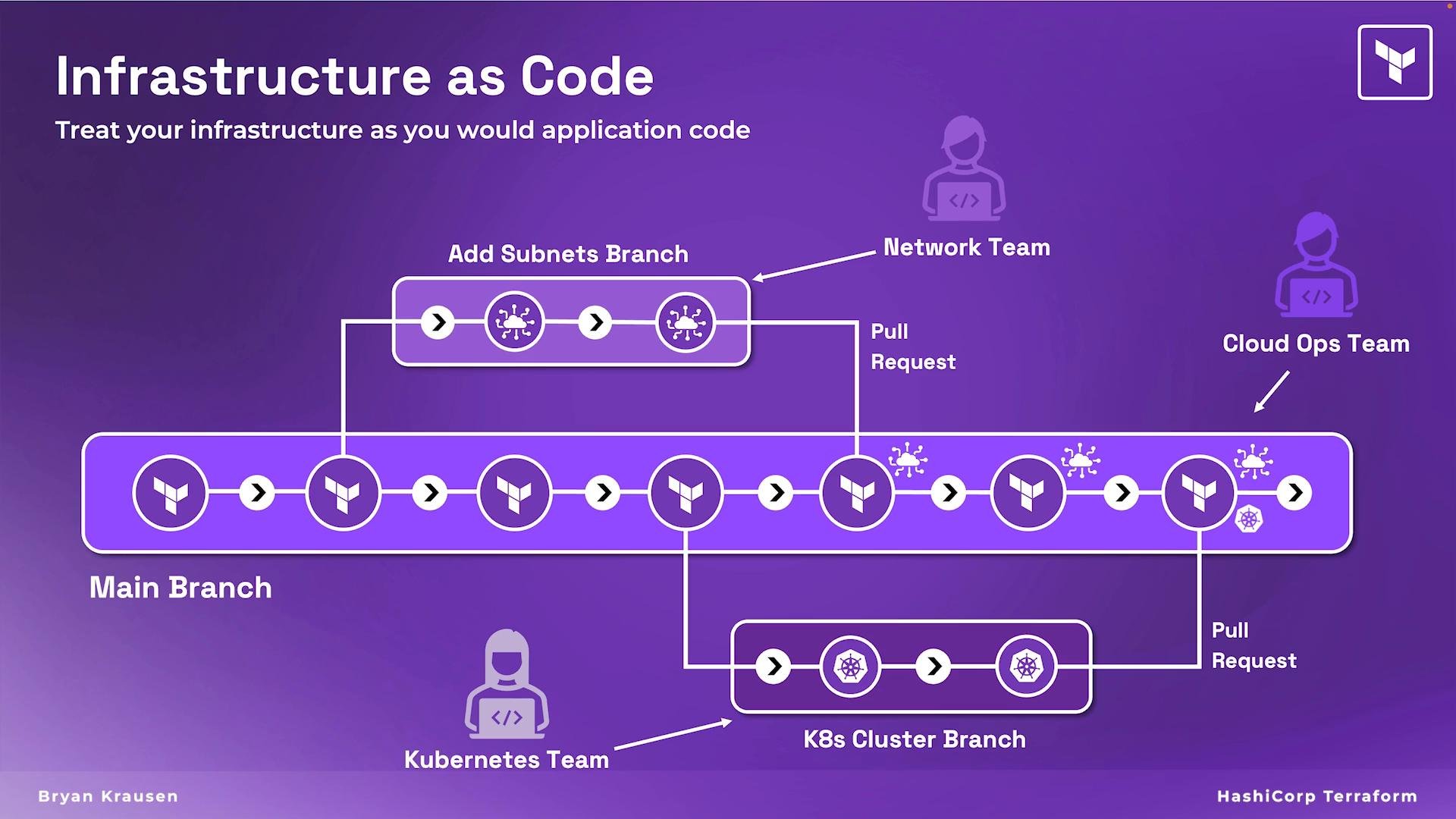
By adjusting var.instance_size, ami, or subnet inputs, the same tested codebase can deploy different server types. Collaboration with IaC and Git workflows Terraform integrates well with Git-based workflows. Teams work in feature branches, submit pull requests for infrastructure changes, and use CI to run terraform fmt, terraform validate, and terraform plan before applying to production. This enforces peer review and reduces configuration mistakes.
The image is a visual representation of "Infrastructure as Code" with a progression diagram labeled "Main Branch," featuring Terraform logos on a purple background.
Why organizations adopt IaC with Terraform
  • Speed and parallelism: Terraform creates independent resources in parallel (respecting dependencies), reducing overall provisioning time.
  • Standardized, shareable components: Reusable modules increase consistency across teams and products.
  • Ephemeral environments and cost control: Quickly spin up test environments, run validations, and tear them down to avoid unnecessary charges.
  • Predictability and observability: Plans and state enable predictable updates and easier reasoning about changes.
Practical next steps
  • Learn HCL syntax and Terraform core commands: terraform init, terraform plan, terraform apply, terraform destroy.
  • Practice with a cloud provider account and small modules.
  • Integrate Terraform into your Git workflows and CI pipelines.
Protect Terraform state and secrets: state files can contain sensitive information. Use secure remote backends (e.g., s3 with encryption or HashiCorp Cloud) and enable state locking to prevent concurrent modifications.
Links and References Overall, Infrastructure as Code with Terraform drives speed, consistency, and collaboration across teams—making infrastructure provisioning more predictable and maintainable. As you continue learning Terraform, apply these concepts in small, repeatable projects to see these benefits realized in real deployments.

Watch Video