

- Homebrew (recommended for macOS and available on Linux)
- Your distribution’s package manager (apt for Debian/Ubuntu, yum/dnf for RHEL/CentOS/Amazon Linux)
- Manual download of a specific binary from HashiCorp releases
Quick comparison
Homebrew (recommended for macOS)
If you use macOS and already have Homebrew installed, use HashiCorp’s Homebrew tap to install and upgrade Terraform easily:Downloading a specific version from the HashiCorp site
On the HashiCorp downloads page you can choose a specific Terraform version and the correct binary for your OS / CPU architecture (for exampledarwin_arm64, darwin_amd64, linux_amd64, linux_arm64).
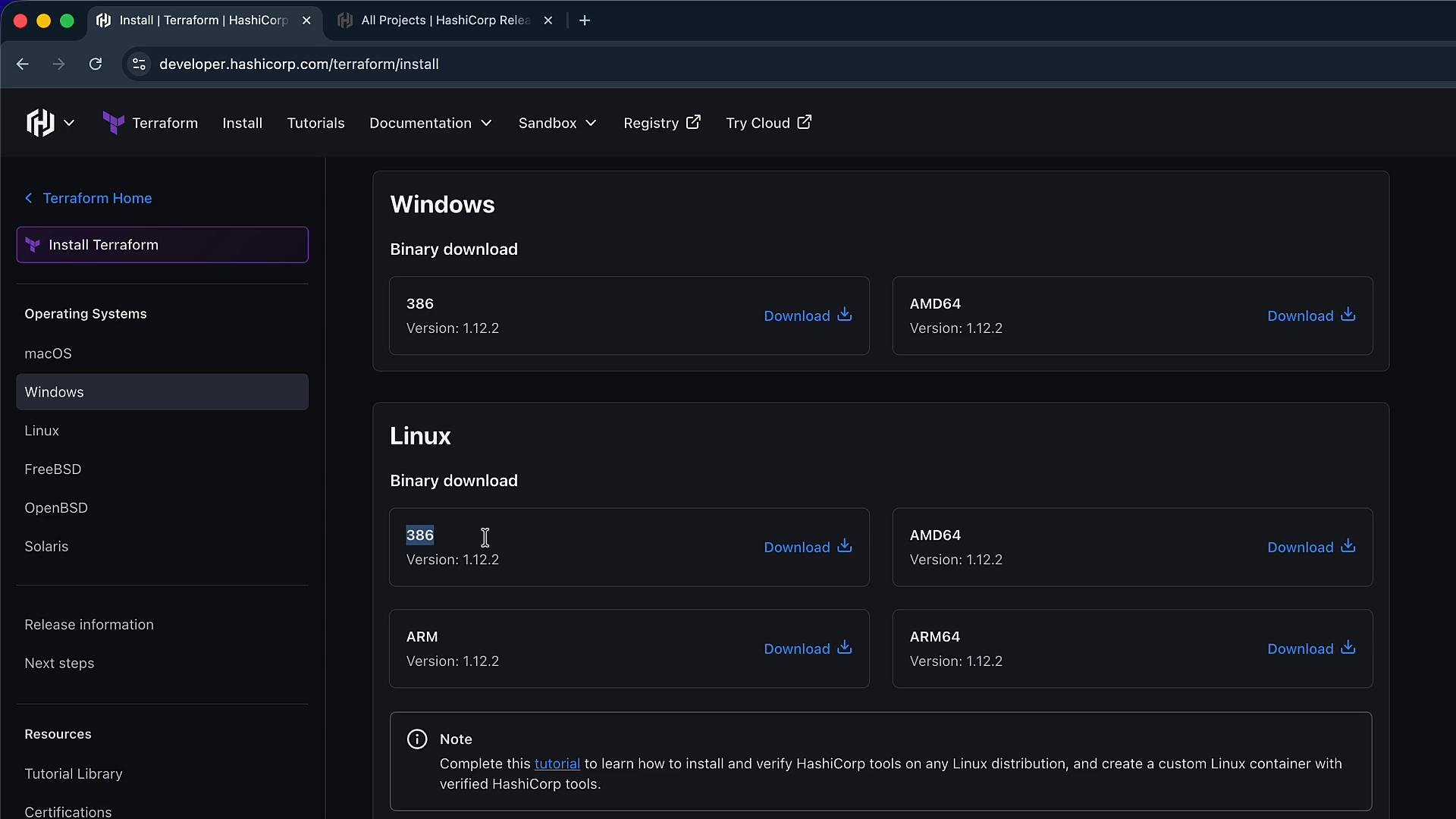
Choose the correct platform and CPU architecture (for example, darwin_arm64 for Apple Silicon or darwin_amd64 for Intel). Installing the wrong architecture will result in an executable that won’t run.
Using apt on Debian / Ubuntu
HashiCorp publishes an apt repository for Debian-based systems. Add the repository key and source, then install Terraform:Using yum / dnf on RHEL / CentOS / Amazon Linux
For RPM-based distributions, add HashiCorp’s repository and install Terraform:Manual download and installing the binary on your PATH
If you prefer to download a ZIP and install Terraform manually, follow these steps:- Download the correct ZIP for your OS and architecture from the downloads or releases page.
- Unzip the archive — it contains a single
terraformexecutable. - Move the
terraformexecutable to a directory that is included in yourPATH, for example/usr/local/binor/opt/homebrew/bin.
terraform executable inside the extracted folder:
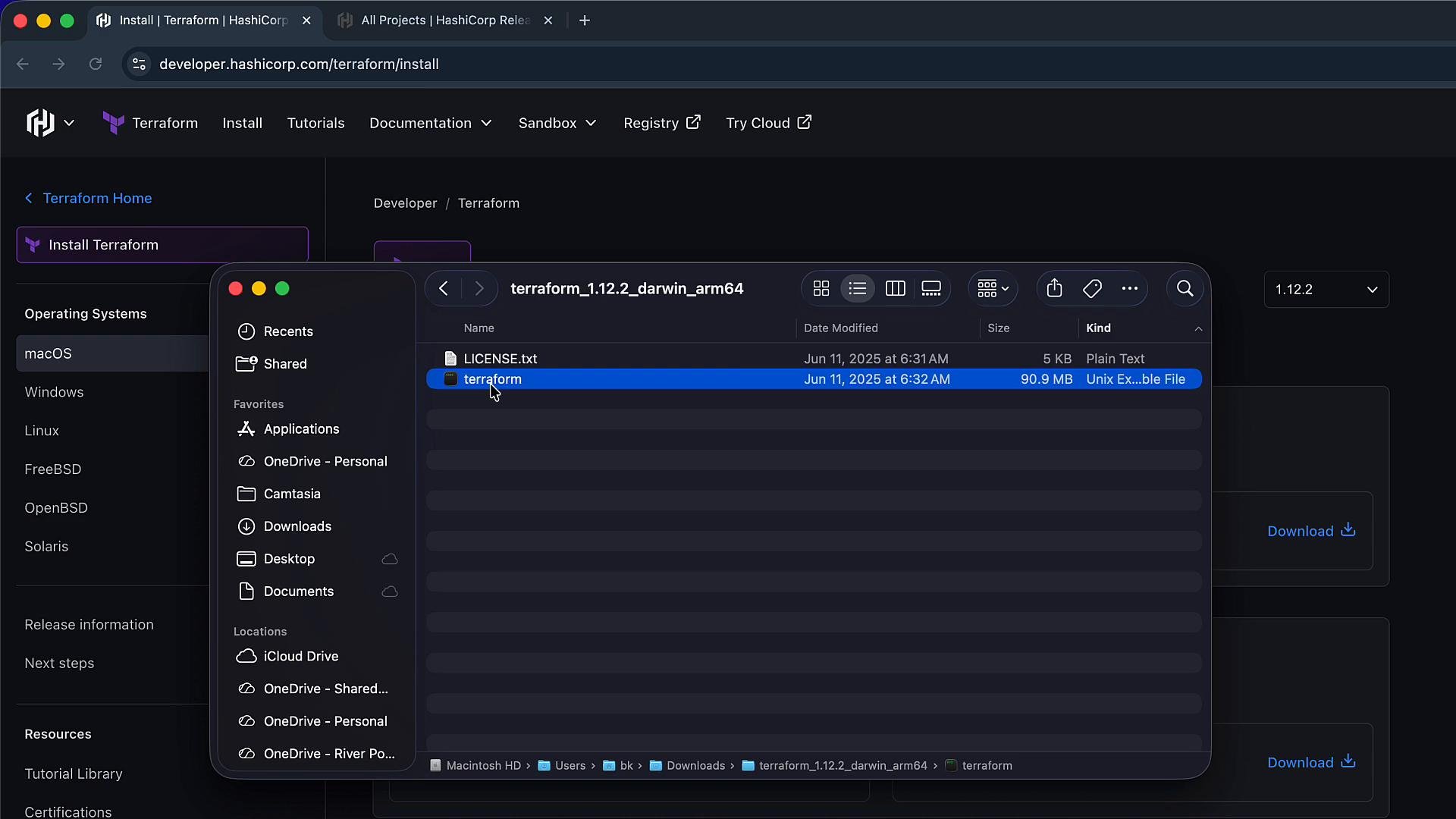
When moving the
terraform binary into system directories such as /usr/local/bin, you may need sudo (for example, sudo mv terraform /usr/local/bin/). On Apple Silicon, Homebrew typically installs to /opt/homebrew/bin — ensure you move the binary to the correct location for your system.Example: macOS Apple Silicon, Terraform 1.2.2
Assuming you downloaded and extractedterraform_1.2.2_darwin_arm64:
terraform version:
Determining your PATH and locating an existing Terraform binary
To view the directories in yourPATH:
/usr/local/bin/usr/bin/usr/sbin/opt/homebrew/bin(Homebrew on Apple Silicon)
HashiCorp releases site (releases.hashicorp.com)
For scripting or CI pipelines, or to obtain direct links to specific versions, use the releases site: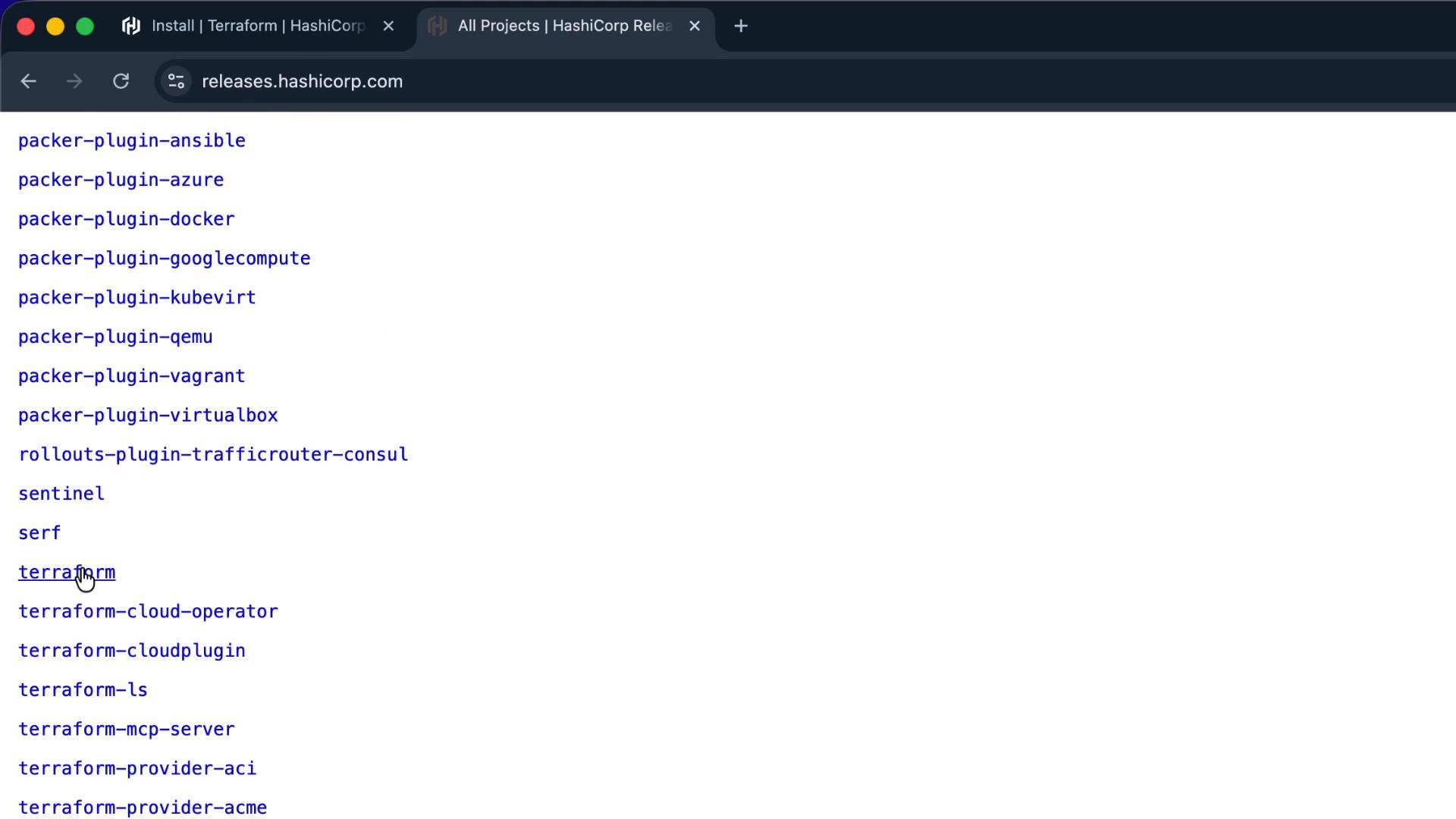
terraform directory, pick the version you need (for example terraform_1.2.2), and download the matching ZIP for your platform. Each release ZIP contains a single terraform executable. Example listing you may find in a release folder:
Validation and troubleshooting
- Confirm installation and view the installed version:
- If a command is not found:
- To locate which binary will be executed:
PATH is being used. Use echo $PATH to inspect search order.
Summary
- For macOS, Homebrew is the simplest:
brew tap hashicorp/tap && brew install hashicorp/tap/terraform. - For Debian/Ubuntu and RPM-based distros, use HashiCorp’s apt or yum/dnf repositories for system-managed installs and upgrades.
- To pin a specific version (for exams, CI, or reproducible environments), download the release ZIP from HashiCorp, extract the
terraformbinary, and move it into aPATHdirectory. - Use
which terraform,command -v terraform, andterraform versionto verify the installation and locate the executable.