

main.tfvariables.tfproviders.tf(or include provider config inmain.tf)outputs.tf(create when prompted below)
- Find and inspect a VPC module on the Registry.
- Add variables and call the VPC module.
- Initialize, plan, and apply to create the VPC.
- Export the VPC ID via an output.
- Consume that output in another module (security group).
- Export the security group ID.
Browsing modules on the Terraform Registry
Head to the Terraform Registry and search for modules for your provider. Reusing community or vendor modules speeds up provisioning and reduces boilerplate.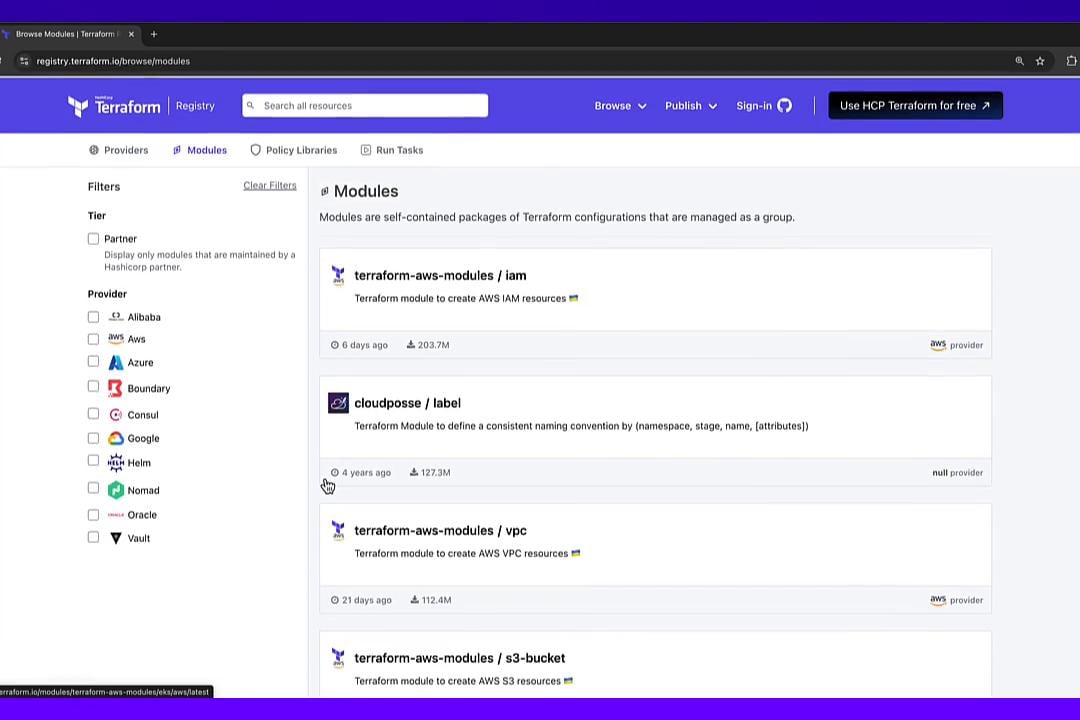
terraform-aws-modules/vpc/aws. The Registry README includes usage examples; a minimal module block looks like:
cidr and name) and useful outputs like vpc_id.
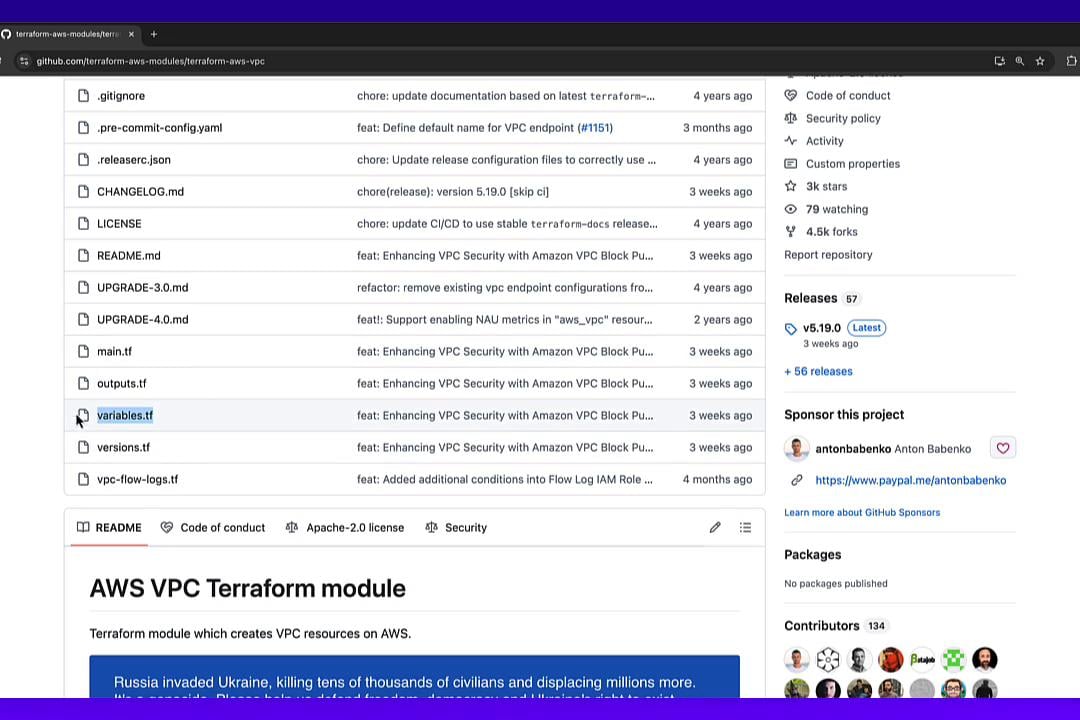
See the module source code
If you want to inspect implementation details, the Registry usually links to the module’s source repository (commonly GitHub). Look formain.tf, variables.tf, and outputs.tf to understand the variables and outputs the module exposes.
Define variables and call the VPC module
Createvariables.tf to hold configurable values for the VPC name and CIDR. Note the corrected CIDR default below:
main.tf. This example pins the aws provider and passes the variables into the VPC module:
Initialize, plan, and apply
Set your AWS credentials via environment variables or your preferred method, then run:yes when prompted. Example outputs:
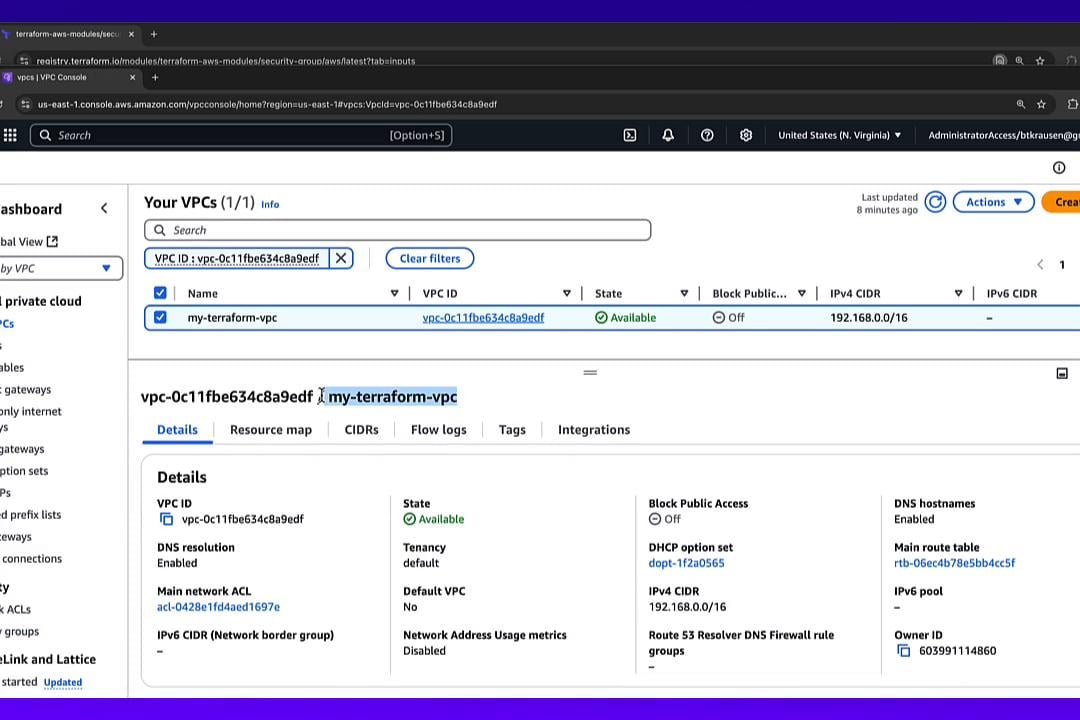
Verify state and the created VPC
List resources managed by Terraform:us-east-1) you should see the VPC with the CIDR you supplied (192.168.0.0/16).
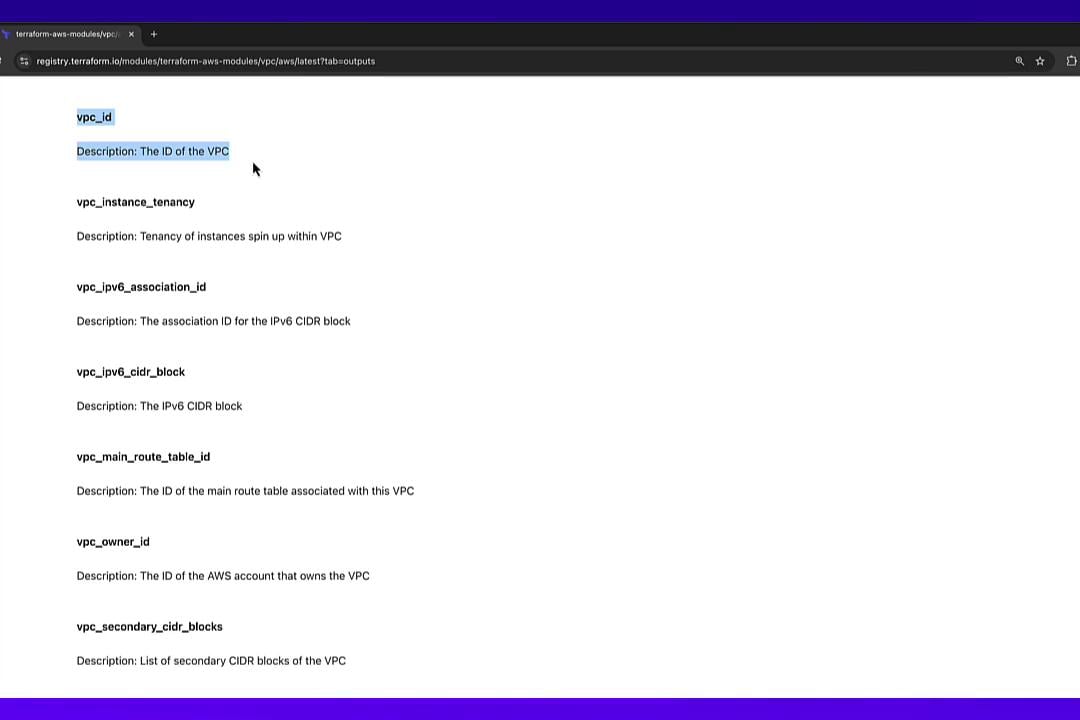
Add an output to expose the VPC ID
Create or updateoutputs.tf to export the VPC ID from your root module:
terraform apply again — this typically reports no resource changes and adds the output:
vpc_id that are intended for consumption by other modules or the root module.
Consume the VPC output in another module (security group)
Now consumemodule.vpc.vpc_id as input to a security group module. Add a module block (choose an identifier-safe name like security_group) to main.tf:
terraform init so Terraform can download any new modules.
Any time you add or change module sources, rerun
terraform init so Terraform can install the newly referenced modules locally.terraform plan before terraform init after adding a module, you’ll see:
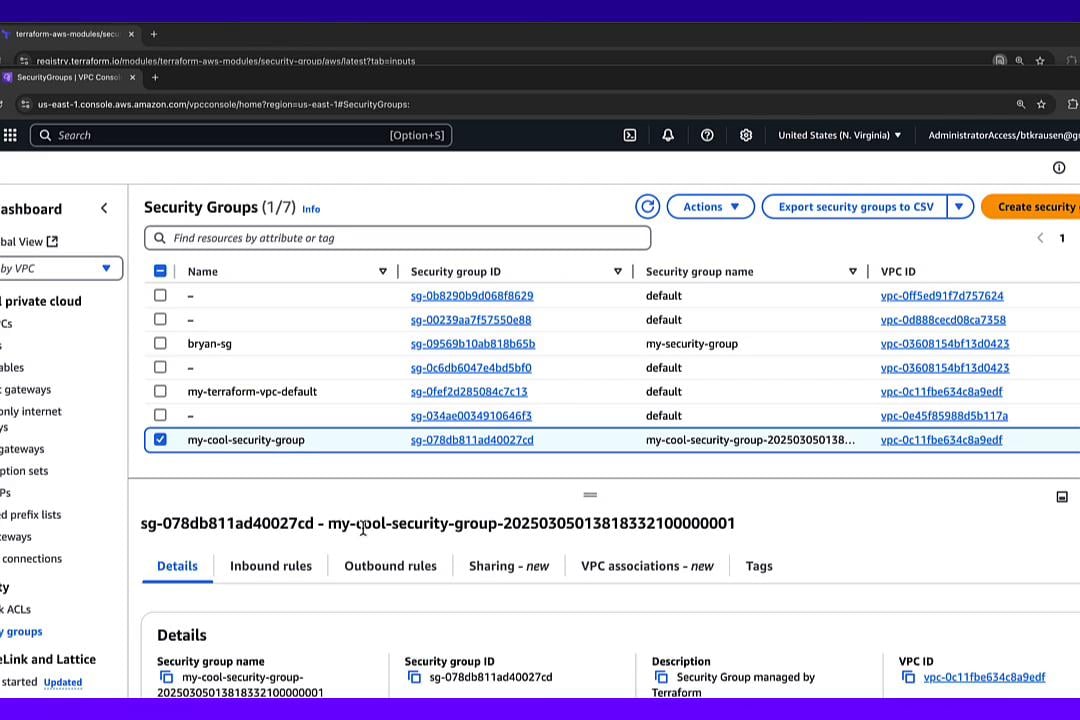
my-cool-security-group exists and is associated with the VPC created earlier.
Output the security group ID
To expose the security group ID from the root module, add this tooutputs.tf:
terraform apply once more (no infra changes expected) to add the output. Example final outputs:
Summary and best practices
- The Terraform Registry is a primary source for reusable modules — search by provider and use well-reviewed modules.
- Always inspect a module’s README and source to learn variable names, defaults, and available outputs.
- Pass values from the root module into child modules with variables; get values back through module outputs.
- Re-run
terraform initwhenever you add or modify module sources so Terraform can download them. - Pin provider and module versions to achieve reproducible configurations.
- Terraform Registry — https://registry.terraform.io
- Terraform Documentation — https://www.terraform.io/docs
- terraform-aws-modules/vpc/aws — https://registry.terraform.io/modules/terraform-aws-modules/vpc/aws
- terraform-aws-modules/security-group/aws — https://registry.terraform.io/modules/terraform-aws-modules/security-group/aws