

sensitive = true on variables and outputs. It preserves the original examples and diagrams while improving clarity, flow, and searchability for terms like “Terraform sensitive variable”, “redact secrets in terraform plan”, and “protect secrets in terraform state”.
The problem
When you pass secrets (for example, an RDS password) into a resource via a plain string variable, Terraform will render that value in the console output forterraform plan and terraform apply. Those outputs are commonly stored in CI/CD logs, build artifacts, or screenshots — a frequent source of accidental credential exposure.
Example (plain, non-sensitive variable and resource):
The solution: mark variables as sensitive
Terraform supports a sensitive = true attribute on both variables and outputs. When set, Terraform redacts the value in the CLI output and logs. The provider still receives the actual secret — sensitive only suppresses printing/echoing.
Updated variable with the one-line change:
Marking a value as
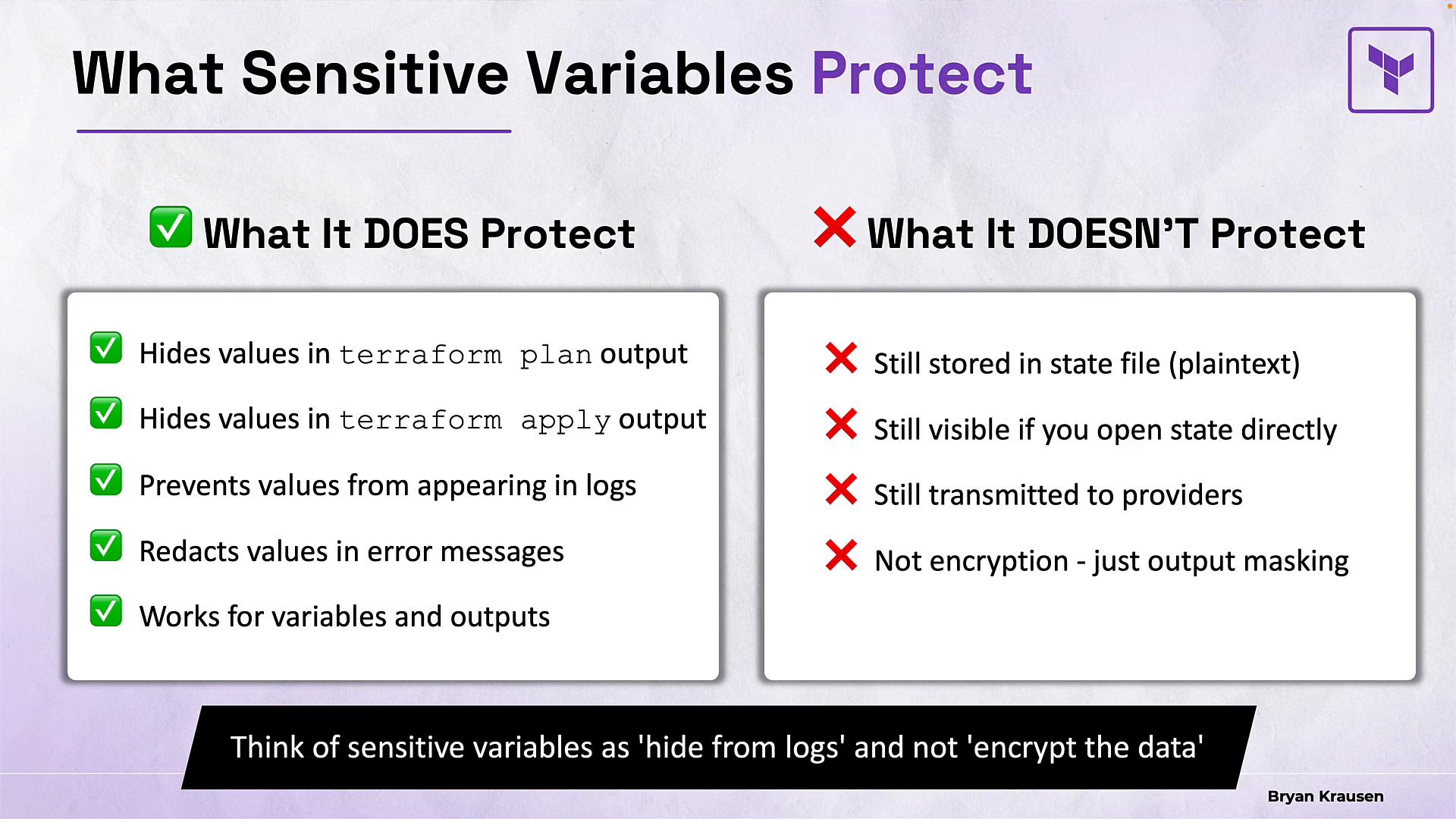
sensitive redacts it from output and logs, but does not encrypt it in the state file. To protect secrets at rest, use an encrypted backend (for example, Amazon Simple Storage Service (Amazon S3) with server-side encryption and proper access controls) and state locking.Use
sensitive = true as a fast, low-effort layer of defense to stop accidental exposure in CLI output and CI logs. Always combine it with encrypted backends and strict access controls for robust secret protection.What sensitive = true protects — and what it doesn’t
Use this table for a quick decision matrix:
Why you should still use sensitive
- CLI output and CI logs are common leak vectors (screenshots, archived logs, shared consoles). Redacting values there eliminates many accidental exposures.
sensitiveis a very low-friction control that prevents casual leaks during routine work.- For defense in depth, combine
sensitivewith secure backend configuration (encrypted S3 buckets, proper IAM, state locking) and secret management tooling (e.g., AWS Secrets Manager, HashiCorp Vault).
Sensitive outputs
You can mark outputs as sensitive to prevent values from being printed to the console or logs by default. Sensitive outputs remain accessible programmatically for automation, but they are redacted in human-facing output. Example outputs:- After
terraform apply, non-sensitive outputs (likedatabase_endpoint) are printed to the console. - Sensitive outputs are redacted in human-facing CLI output and logs: they display as
(sensitive value). - Sensitive outputs can still be retrieved programmatically (for example, via
terraform output -jsonif tooling has appropriate access) or by reading the state if you have access.sensitivereduces accidental display; it does not prevent retrieval by authorized processes.
Recommendations and best practices
- Always mark secrets as
sensitive = truefor immediate reduction of accidental exposure in CLI output and logs. - Use secure, encrypted backends for state storage (for example, S3 with SSE + KMS and state locking via DynamoDB).
- Limit IAM access to the state storage and Terraform execution environments.
- Consider integrating a secret manager (AWS Secrets Manager, HashiCorp Vault) and pass secrets via secure providers or data sources rather than embedding them inline.
- Rotate credentials regularly and audit who can access state and CI logs.
Quick reference commands and links
- Terraform docs: https://www.terraform.io/docs
- State backend encryption: use
backend "s3"with server-side encryption andkms_key_id(for AWS S3 + KMS). - CI/CD secrets: use your CI provider’s secret storage (GitHub Actions Secrets, GitLab CI/CD variables, Jenkins credentials).
Summary
- Use
sensitive = trueon variables and outputs to redact secrets from Terraform prints and logs. - This masking reduces accidental exposure but does not encrypt secrets in the Terraform state file.
- For robust protection, layer controls: mark secrets as sensitive, encrypt and lock the state backend, enforce IAM restrictions, and use secret management tools.
Links and references
- Terraform CLI and language documentation
- Terraform best practices for state
- AWS: Protecting data at rest in S3 (server-side encryption)