Welcome to the Introduction to Terraform Modules. This lesson explains how Terraform modules let you package related infrastructure-as-code into reusable, logical components. Organizing configurations into modules reduces repetition, enforces consistency across environments, and makes it easier to share well‑tested patterns across teams. We’ll cover core concepts including module structure, usage, sources, and versioning so you can build, consume, and maintain reusable Terraform modules. Let’s dive into why modules are essential for scalable, maintainable infrastructure.

What is a module?

A module is a container for related Terraform resources that are commonly used together — for example, the resources that make up a subnet, a VPC, or an application stack. Modules are the recommended way to package and reuse configurations. When you run Terraform, the configuration in the working directory is the root (or parent) module. Any other module called from the root module is a child (reusable) module. Using modules helps encapsulate complexity and standardize patterns.
The root module is the directory where you run Terraform commands. Child modules live in other directories, remote registries, or version control and are referenced via module blocks.

Benefits of using modules

Using modules delivers several operational and organizational advantages:
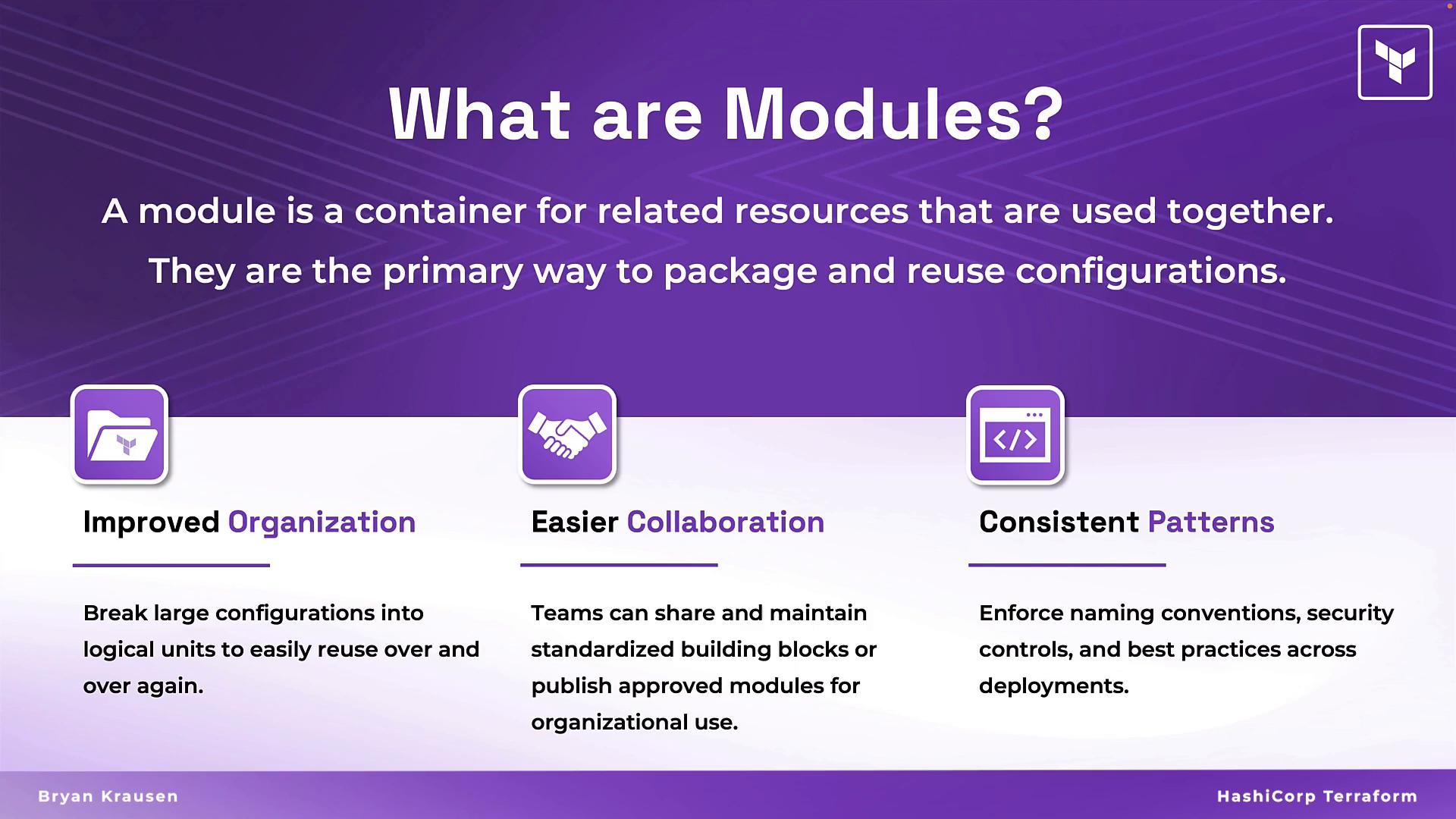
  • Improved organization: Break large configurations into smaller, easier-to-reason units.
  • Easier collaboration: Publish vetted modules to a registry or shared repo so teams consume standardized building blocks.
  • Consistent patterns: Centralize naming, tagging, sizing, and security controls in modules to enforce best practices.
The image explains modules as containers for related resources, highlighting their benefits: improved organization, easier collaboration, and consistent patterns.
When platform or security teams review and approve modules, your organization can ensure deployments follow standards without each consumer needing to implement the same checks.

Modules as building blocks

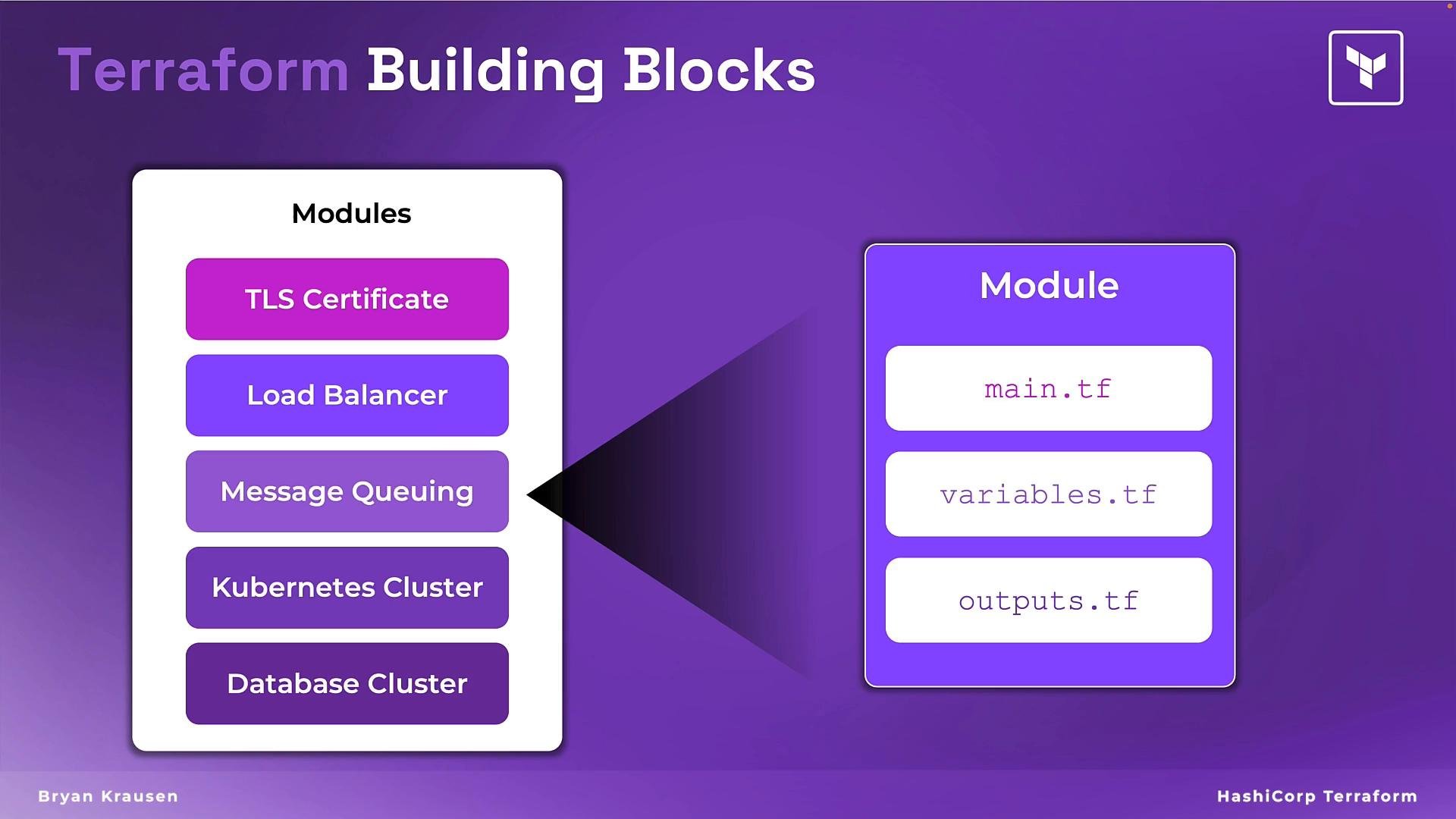
Instead of placing many resource blocks (TLS certificate, load balancer, message queue, Kubernetes cluster, database, etc.) into a single configuration, define each piece once as a module and reuse it across multiple root modules. For example:
  • A Marketing Application might reference the TLS and Load Balancer modules.
  • A GenAI service might reference those plus GPU-backed cluster and specialized queue modules.
Root modules declare only the modules they need and configure them via inputs. This makes code DRY (Don’t Repeat Yourself), easier to test, and simpler to maintain.
The image illustrates Terraform building blocks, showing the connection between modules such as TLS Certificate and Load Balancer and applications like Marketing Application and GenAI Service.

What does a module look like?

A module is simply a directory containing standard Terraform files. The most common layout is:
  • main.tf — resources and core configuration
  • variables.tf — input variables the module accepts
  • outputs.tf — outputs the module exposes to callers
  • (optional) versions.tf — provider and Terraform version constraints
  • (optional) examples/ — example usage to help consumers
Example filesystem layout:
modules/
  tls/
    main.tf
    variables.tf
    outputs.tf
  load_balancer/
    main.tf
    variables.tf
    outputs.tf
Common module file types and purpose
FilePurposeExample
main.tfDefine resources and compositionresource "aws_acm_certificate" "example" { ... }
variables.tfDeclare input variables and defaultshcl variable "domain_name" { type = string }
outputs.tfExpose values to calling modulehcl output "certificate_arn" { value = aws_acm_certificate.example.arn }
versions.tfLock Terraform and provider versionshcl terraform { required_version = ">= 1.0.0" }
examples/Example root module demonstrating usageexamples/complete/main.tf
Example: calling a local child module from a root module
module "tls" {
  source = "./modules/tls"

  domain_name = "example.com"
  cert_tags   = {
    environment = "prod"
  }
}
Minimal variables.tf inside the module:
variable "domain_name" {
  type        = string
  description = "Domain name for the TLS certificate"
}

variable "cert_tags" {
  type        = map(string)
  description = "Tags to apply to the certificate"
  default     = {}
}
Minimal outputs.tf inside the module:
output "certificate_arn" {
  description = "The ARN of the TLS certificate"
  value       = aws_acm_certificate.example.arn
}

Module sources and versioning

Modules can be sourced from several places: local paths, Git repositories, Terraform Registry, or other VCS. Always prefer versioned sources for reproducible builds when pulling remote modules. Examples of module sources
Source typeExample
Local pathsource = "./modules/network"
Git (with ref)source = "git::https://github.com/example-org/terraform-modules.git//modules/postgres?ref=v1.2.0"
Registrysource = "app.terraform.io/example-org/mysql/aws"
Archive URLsource = "https://example.com/terraform-modules.tar.gz"
When referencing remote modules, pin to a specific tag, branch, or commit using ?ref= to avoid accidental changes.

Declaring and using module blocks

To reuse a module, declare a module block in your root module and set the source and any required inputs. The root module receives outputs from the child module as attributes. Example with multiple modules:
module "network" {
  source = "./modules/network"
  vpc_cidr = "10.0.0.0/16"
}

module "db" {
  source = "git::https://github.com/example-org/terraform-modules.git//modules/postgres?ref=v1.2.0"
  db_name      = "appdb"
  instance_tier = "db.t3.medium"
}
Best practices for module authorship
  • Keep modules focused and single-purpose.
  • Use clear, descriptive variable names and document defaults.
  • Provide outputs that callers need without exposing internal resource IDs unnecessarily.
  • Include examples and tests (e.g., Terratest or Kitchen-Terraform) where feasible.
  • Apply provider and Terraform version constraints in versions.tf.
  • Use semantic versioning and tag releases for remote modules.

Summary

Modules are the primary mechanism in Terraform for packaging, sharing, and enforcing infrastructure patterns. Use them to:
  • Reduce duplication
  • Improve maintainability
  • Standardize security and operational controls
By organizing infrastructure as reusable modules and versioning them responsibly, teams gain scalability and governance while keeping root modules concise and readable.

Watch Video