

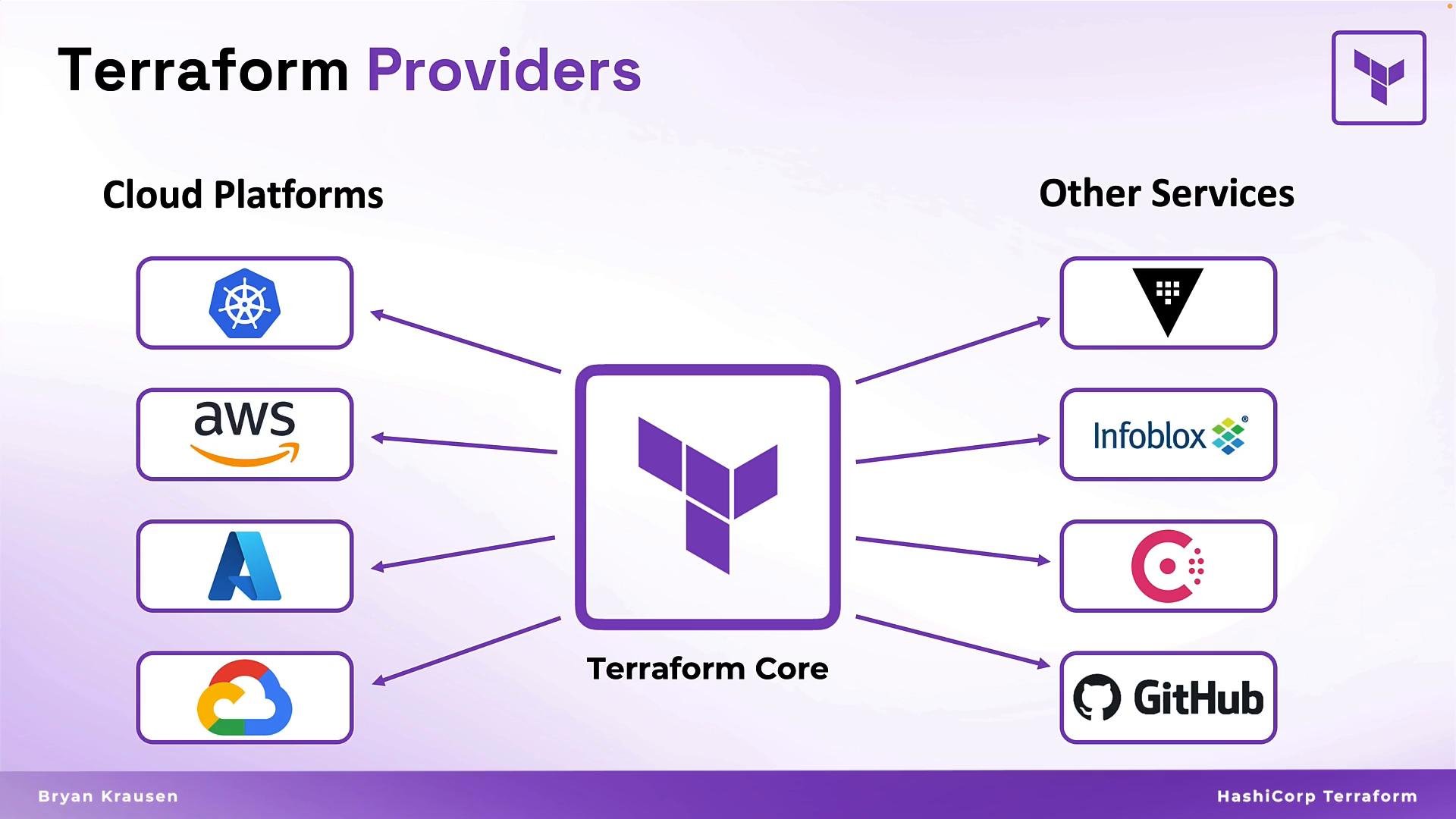
- Providers extend Terraform Core so it can interact with real platforms.
- They expose resource types and data sources (for example,
aws_instanceoraws_s3_bucketfrom the AWS provider). - Provider blocks define connection and authentication information and therefore the scope of resources your configuration may create, modify, or delete.
- Providers are developed and versioned independently of Terraform Core; they may be maintained by HashiCorp, vendors, or community contributors. That’s why managing provider versions is important.
providers.tf, though Terraform loads any *.tf files in the working directory. A provider block begins with the provider keyword and a provider name that matches the Terraform Registry identifier (for example, aws, azurerm, github).
Provider arguments are provider-specific; consult the Terraform Registry for exact details. Below are common provider examples for AWS and Azure.
Example: AWS provider (simple)
features {}) and multiple authentication options. For production use, avoid embedding secrets in your configuration — prefer environment variables, shared credential files, IAM roles/managed identities, or a secret manager such as HashiCorp Vault.
Never hard-code credentials in provider blocks. Use environment variables, shared credential files, IAM roles, managed identities, or secret managers (for example, HashiCorp Vault) to keep secrets out of version control and reduce risk.
Treat provider credentials as sensitive: apply least privilege, rotate credentials frequently, and store secrets securely.
Multiple provider configurations and aliases
A single provider block can manage many resource types on the same platform (EC2, S3, RDS, etc.). You only need multiple provider blocks when you must target different accounts, regions, or credentials. Use
alias to create additional provider configurations and reference them per resource.
Example: multiple provider configurations with alias
https://registry.terraform.io). When you run terraform init, Terraform manages provider plugins automatically:
- Reads provider requirements from your configuration.
- Checks for locally cached provider plugins.
- Downloads provider plugins from the Registry if not cached.
- Verifies downloads using cryptographic checksums.
- Initializes providers with your configuration.
Locking provider versions
Pin provider versions to guarantee reproducible builds and prevent unexpected upgrades. Use the
terraform block with required_providers and required_version to constrain provider releases and the Terraform CLI version.
Example: required provider constraints
Find provider documentation, resource reference, examples, and versioning details on the Terraform Registry:
https://registry.terraform.io.- Providers are plugins that allow Terraform Core to manage resources on specific platforms.
- Provider blocks contain connection, authentication, and provider-specific options; the provider name must match the Terraform Registry identifier.
- Never hard-code credentials in provider blocks — use secure secret management and platform-native credential mechanisms.
- Use
terraform>required_providersto pin provider versions for reproducible deployments. - Terraform downloads, verifies, and initializes providers during
terraform init.
required_providers. Additional lessons will build on these fundamentals.