

terraform is the base command, plan is the action that generates an execution plan, and -out=plan.tfplan saves that plan to a file for later application.
This guide breaks down the most important commands, the typical workflow, and useful environment variables so you can start using the Terraform CLI effectively.
CLI command structure and workflow
Terraform commands are intentionally descriptive and map directly to the common infrastructure lifecycle: write, initialize, plan, apply, and (optionally) destroy.init— initialize a working directory and download provider pluginsplan— preview changes without applying themapply— apply changes to real infrastructuredestroy— remove resources managed by Terraform
1. Write (authoring configurations)
- Define infrastructure as code in
.tffiles using HCL (HashiCorp Configuration Language). - Resources can include VMs, networks, databases, Kubernetes clusters, AI apps, and more.
terraform fmt— format configuration files to a canonical styleterraform validate— detect basic configuration issues
terraform fmt and terraform validate before planning or applying.
Example:
2. Init (initialize the working directory)
Run:init does:
- Downloads provider plugins (AWS, Azure, GCP, etc.).
- Configures the backend for storing Terraform state.
- Verifies the working directory is ready for operations.
init as preparing the project environment before making changes.
3. Plan (preview changes)
Run:planshows what Terraform will create, update, or destroy without modifying real resources.- You can save a plan to a file for review or automated workflows:
4. Apply (provision resources)
Run interactively:apply updates the state file to reflect the current state of managed resources.
5. Destroy (tear down infrastructure)
Run:destroyremoves resources defined in your configuration and updates state as resources are removed.- It prompts for confirmation to prevent accidental deletions.
Use
terraform destroy with care. Double-check the plan and only confirm if you are sure you want all managed infrastructure removed.Quick reference table — core Terraform CLI commands
Other useful subcommands
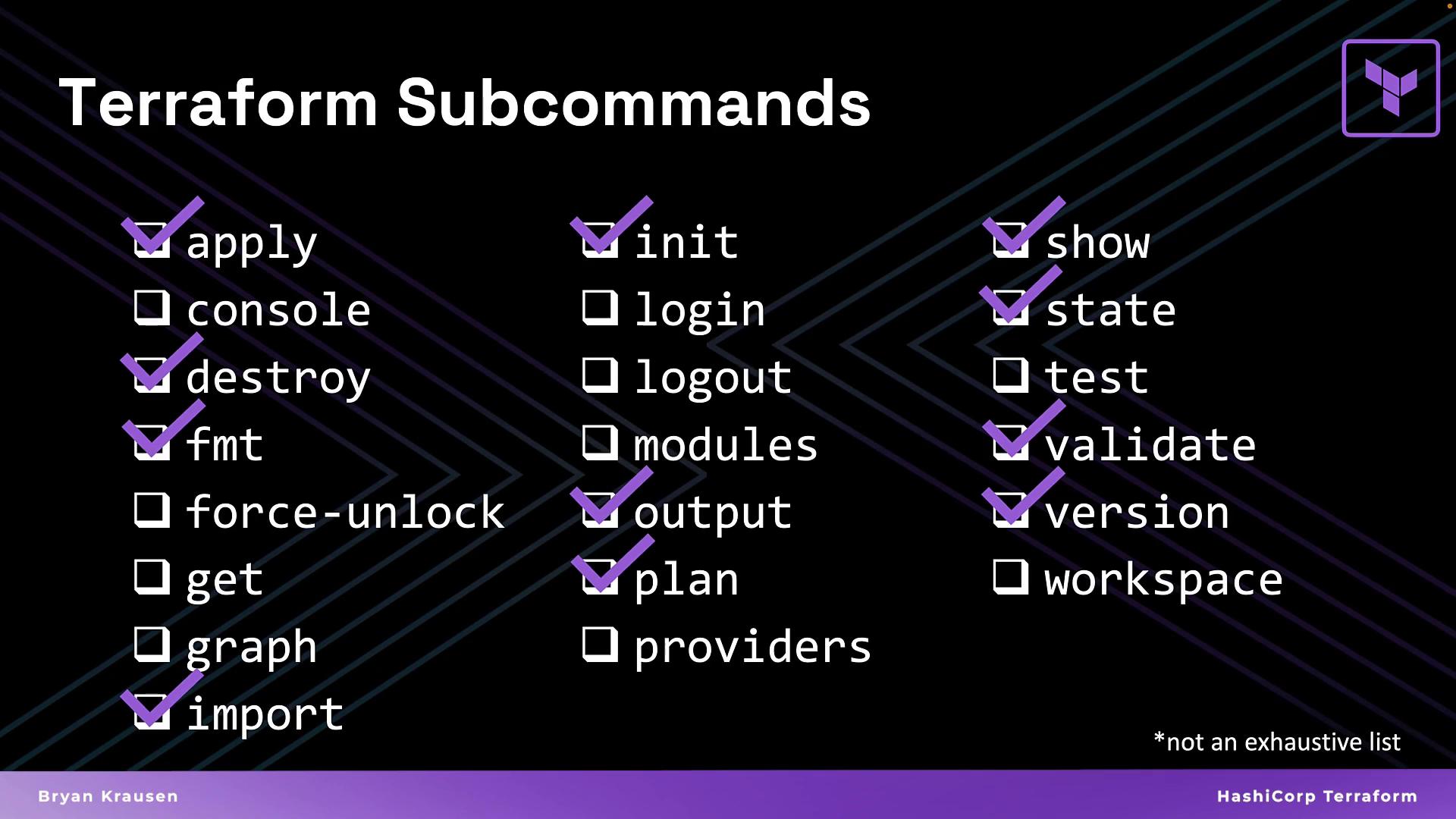
Terraform includes many additional subcommands for state management, debugging, and importing existing resources:terraform validate— validate configuration syntax and internal consistency.terraform state— inspect and modify the Terraform state (list, mv, rm, show, replace-provider, etc.).terraform show— display the contents of a plan or state in a human-readable format.terraform import— bring existing resources under Terraform management.terraform output— read output values from the state.terraform taint/terraform untaint— mark resources for recreation or clear that mark.terraform fmt— format configuration files (already noted in the main workflow).terraform graph— generate a dependency graph of resources (useful for visualization).
Environment variables and secure configuration
Environment variables help configure Terraform behavior and provide credentials without hardcoding sensitive values in.tf files or passing them on the command line.
Why use environment variables?
- Keep secrets and credentials out of versioned configuration files.
- Set defaults for CLI behavior and logging.
- Provide variable values in CI/CD pipelines or ephemeral environments.
TF_LOG— controls Terraform logging level (TRACE,DEBUG,INFO,WARN,ERROR).TF_VAR_<variable_name>— set Terraform input variables via environment. For a Terraform variable namedserver_name, setTF_VAR_server_name.- Provider credentials — Terraform will read provider-specific environment variables if credentials aren’t provided in configuration (for example,
AWS_ACCESS_KEY_ID,AWS_SECRET_ACCESS_KEY,AZURE_CLIENT_ID,AZURE_CLIENT_SECRET, etc.).
Environment variables prefixed with
TF_VAR_ map directly to Terraform input variables. For a variable named my_var in your Terraform config, set TF_VAR_my_var in your environment..tf files or committing them to source control. Use environment variables, secrets managers, or provider-specific authentication mechanisms (like IAM roles, managed identities, or Vault).
Next steps and references
Now that you understand the core Terraform CLI commands, the standard workflow (write → init → plan → apply → destroy), and how environment variables can simplify and secure usage, you can explore advanced topics:- Remote backends and state locking (e.g., S3 + DynamoDB, Terraform Cloud)
- Workspaces and multi-environment strategies
- Modules for reusable components
- CI/CD integration and automation for plan/apply workflows
- Terraform documentation — https://www.terraform.io/docs
- Terraform CLI reference — https://www.terraform.io/docs/cli/index.html