

- Create dynamic configurations that adapt when underlying resources change.
- Let Terraform infer ordering via its dependency graph instead of manually sequencing operations.
- Reference resources unambiguously using their addresses (for example,
aws_vpc.my_vpc).
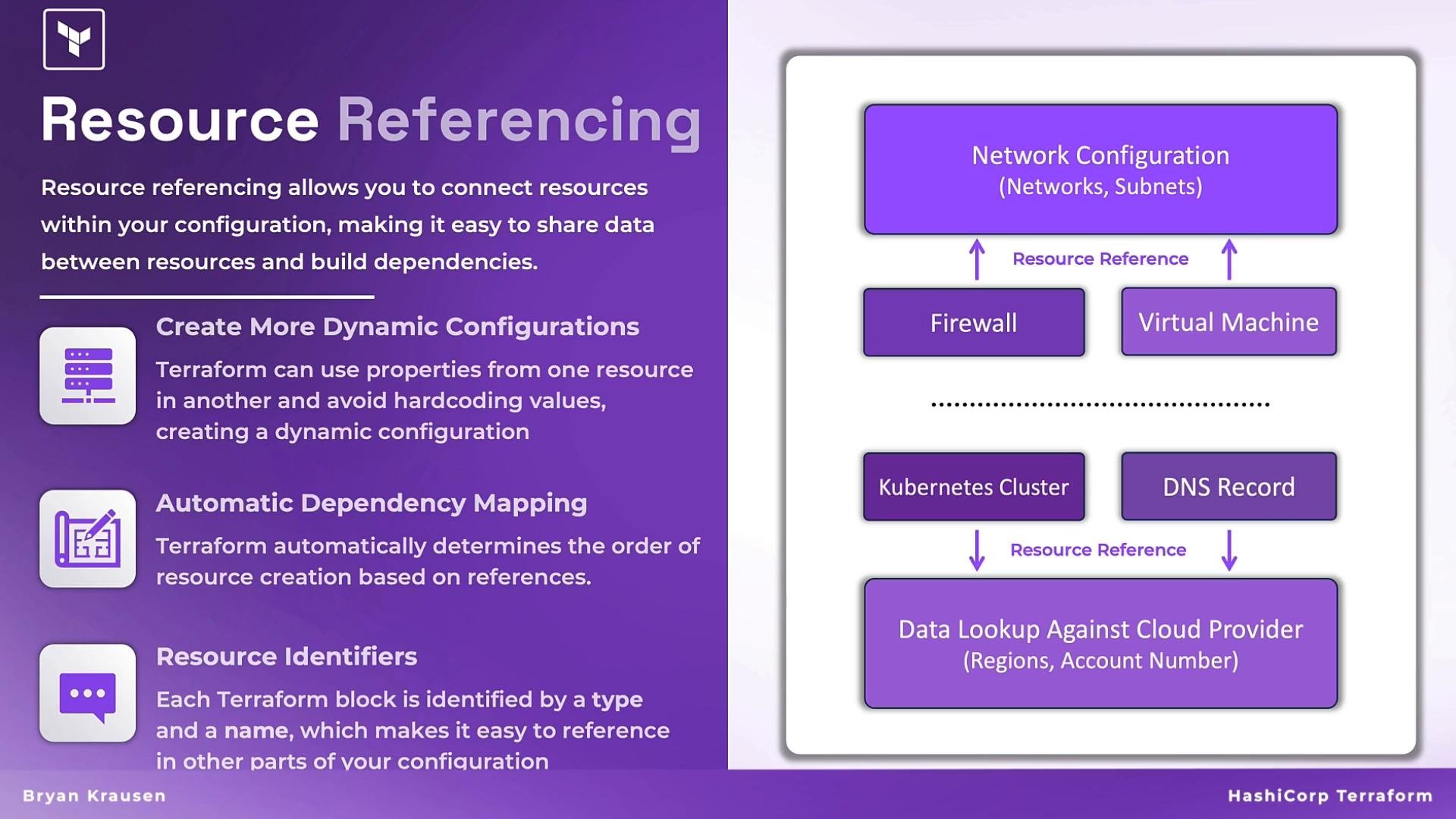
- Use
datablocks to read existing resources (for example, an existing DNS zone or VPC). - Use attributes from
dataorresourceblocks as inputs to other resources. - Terraform ensures data lookups occur before resources that depend on them, so the correct values are available during planning and apply.
zone_id into a record:
- Data source fetches current state (account, region, external network).
- Resources use those attributes to create or manage dependent objects.
- Changes ripple through the dependency graph so Terraform knows what to plan and apply.
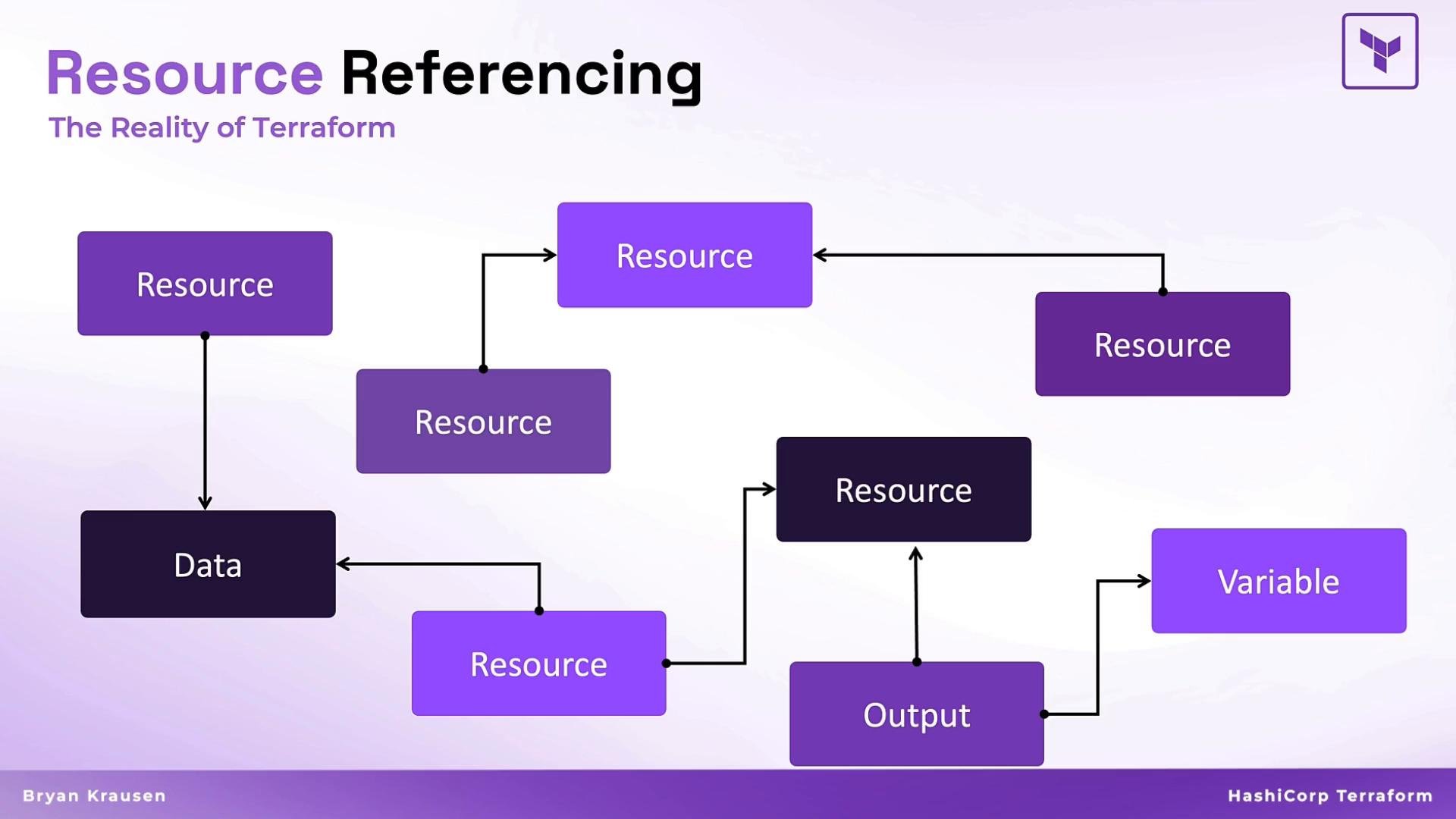
resource, data, variable, output, provider, etc. The diagram below summarizes these relationships and how they form Terraform’s internal dependency graph.
- File extensions:
.tf. - Format consistently with
terraform fmtto follow the canonical HCL style. - Resource addresses follow
<type>.<name>(for example,github_repository.production-repo). - Use an editor with HCL support (for example, VS Code with the HashiCorp Terraform extension) to get block scaffolding and syntax highlighting.
- Scaffolding often suggests
providerandresourceblocks. - Run
terraform fmtafter editing to align equals signs and standardize layout across all.tffiles in the working directory.
<type>.<local_name>. Within the same resource type, local names must be unique.
Invalid (duplicate local names):
github_user.production-repo vs github_repository.production-repo).
Do not use the same local name for multiple resources of the same type. Terraform will raise a duplicate address error during planning. Use descriptive, unique local names to avoid ambiguity in large configurations.
.tf files in a single working directory as one combined configuration. Splitting resources into logical files improves readability and maintainability.
Example layout:
github.tf
- Running
terraform fmtin the working directory formats all.tffiles there. - If files are already formatted,
terraform fmtonly reports the files it changed.
github.tf needed formatting:
- Terraform data sources: https://developer.hashicorp.com/terraform/language/data-sources
terraform fmtcommand: https://developer.hashicorp.com/terraform/cli/commands/fmt- GitHub provider: https://registry.terraform.io/providers/integrations/github/latest
- HCL extension for VS Code: https://marketplace.visualstudio.com/items?itemName=HashiCorp.terraform
Summary
- Use resource referencing to avoid hard-coded values and to let Terraform compute dependencies automatically.
- Give each resource a unique local name within its type to avoid address collisions.
- Organize resources into multiple
.tffiles for clarity; Terraform evaluates them as a single configuration. - Enforce consistent formatting with
terraform fmt.
Use resource references to create clear, maintainable relationships between blocks, and rely on Terraform’s dependency graph instead of manual ordering.