

Why modules matter
Modules let your organization capture repeatable infrastructure patterns as reusable, tested components. Instead of reimplementing common infrastructure for every project, you publish modules for things like TLS certificates, load balancers, message queues, Kubernetes clusters, and database clusters. Teams then compose these building blocks by referencing module blocks and supplying only the application-specific inputs. This model reduces duplication, improves security and compliance by centralizing approved patterns, and accelerates delivery: write the module once, reuse it everywhere.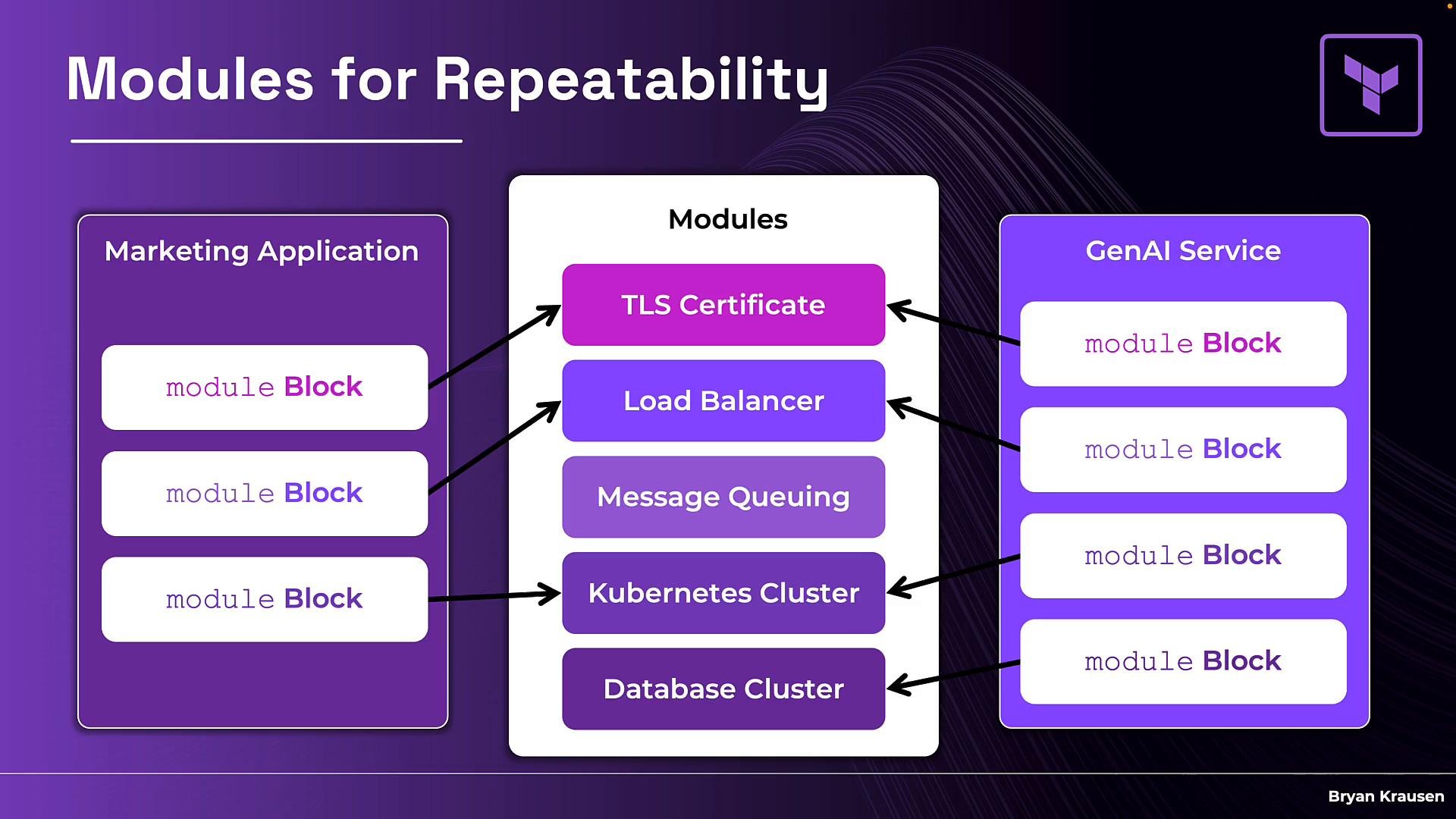
Versioning modules
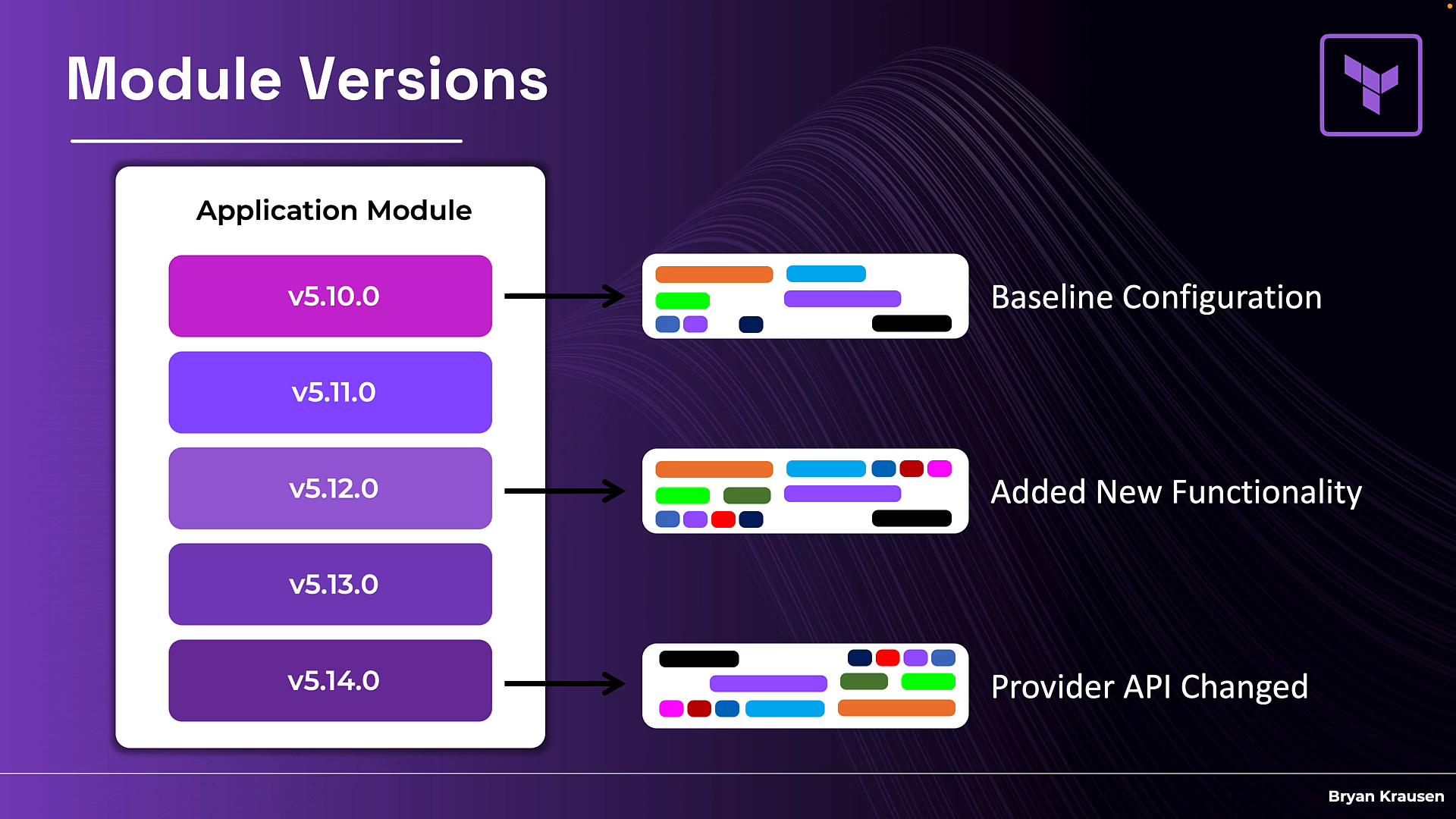
Modules change over time. A module might start atv5.10.0, gain features in v5.11.0 and v5.12.0, and later require breaking updates in v5.14.0 due to provider API changes. When many teams consume the same module, semantic versioning and the ability to pin module versions are essential to avoid unexpected breakages.
The public Terraform Registry provides browsable versions, version constraints, and docs for community modules. For company-specific modules that capture internal patterns, security controls, and compliance requirements, you typically want to keep them private.
What the private registry provides
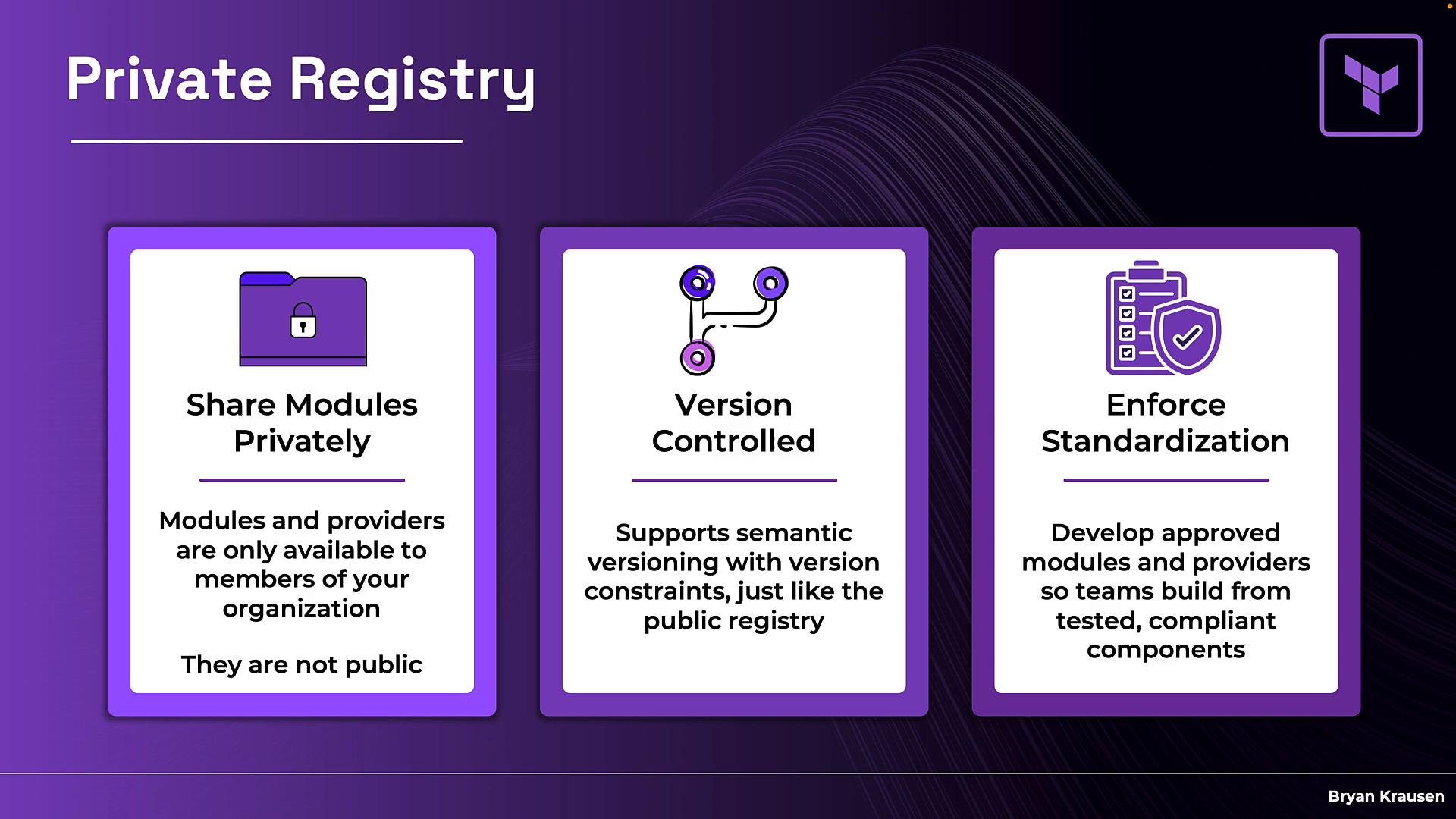
The HCP Terraform Private Registry lets you host a private catalog of modules and providers that only members of your HCP Terraform organization can see and consume. Key benefits include:- Share modules privately: Published modules and providers are visible only to organization members.
- Version controlled: Supports semantic versioning and version constraints so teams can pin versions and upgrade on their own schedule.
- Enforce standardization: Publish vetted, tested modules to ensure teams consume secure and compliant building blocks.
Public vs Private Registry — side-by-side
The private registry intentionally mirrors the public registry experience (browsable, searchable, versioned) while restricting publishing control and audience. Use the table below to compare the two.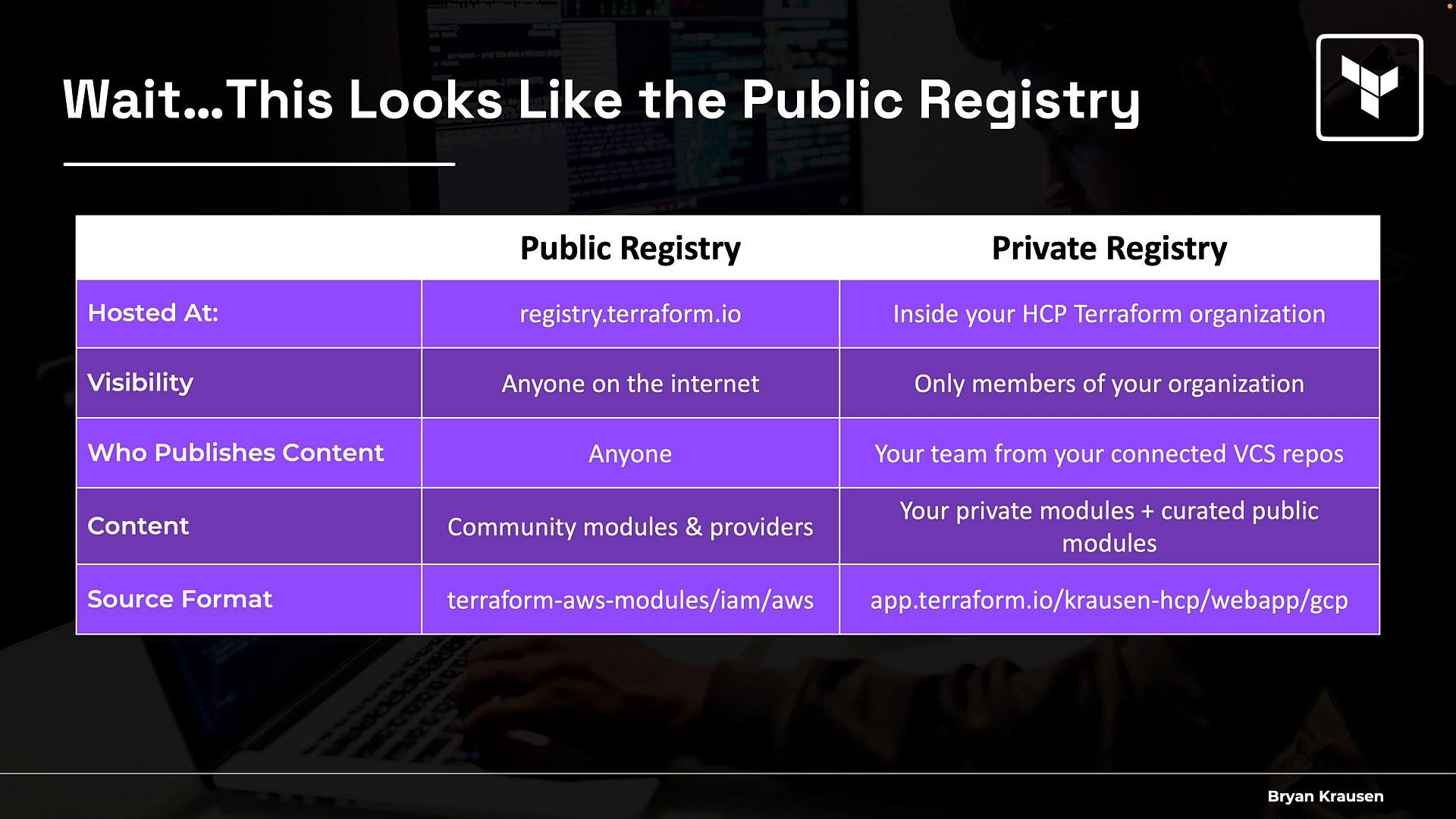
What lives inside a private registry
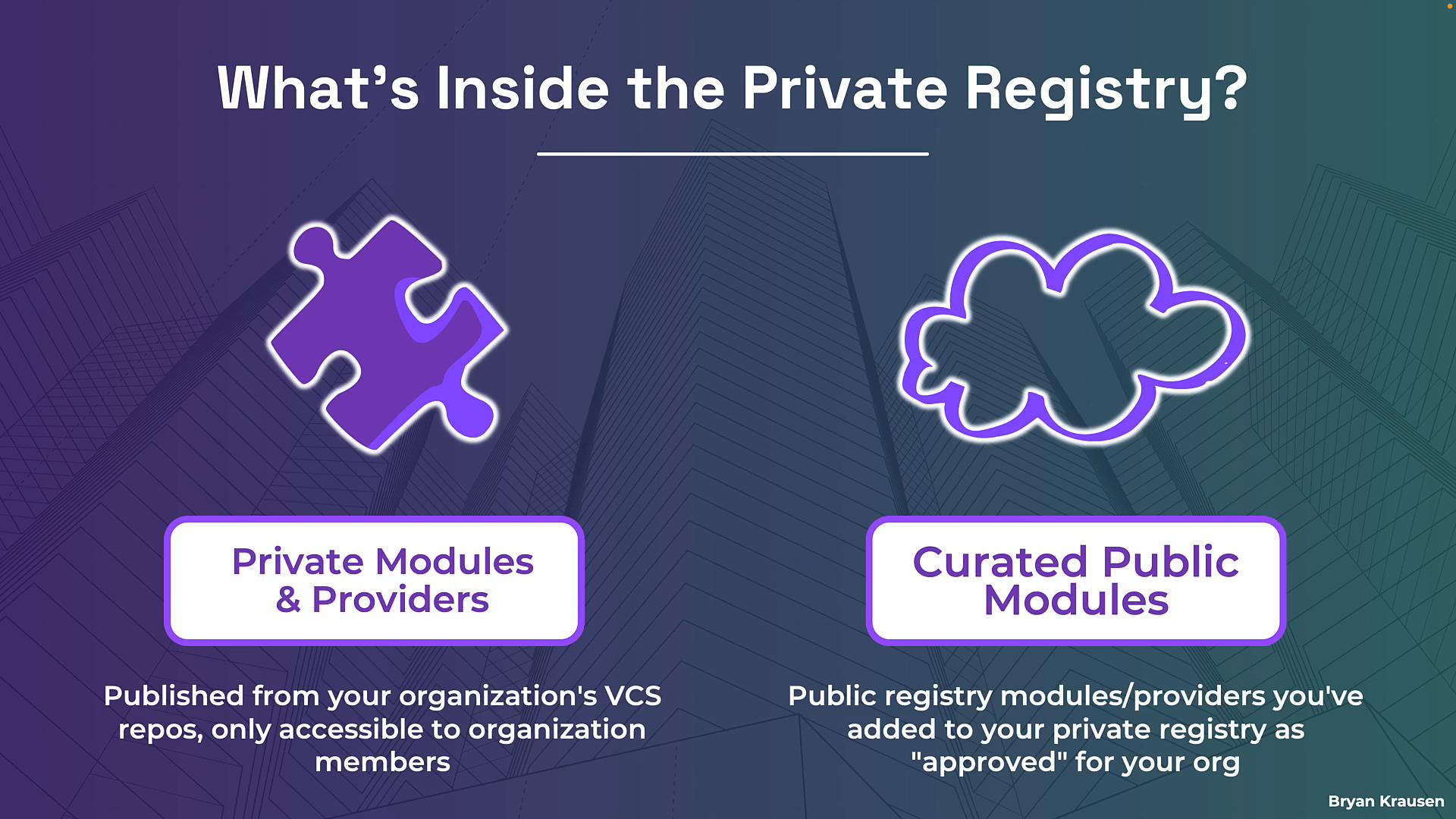
Two primary categories appear in a private registry:- Private modules and providers: Published from your organization’s connected VCS repositories and accessible only to members of the organization. These are your internal infrastructure patterns and policies.
- Curated public modules: Pointers to vetted modules and providers from the public Terraform Registry. These are not copies; they are links that let teams view approved public modules alongside your private catalog, creating a single source of truth.
How modules get into the private registry
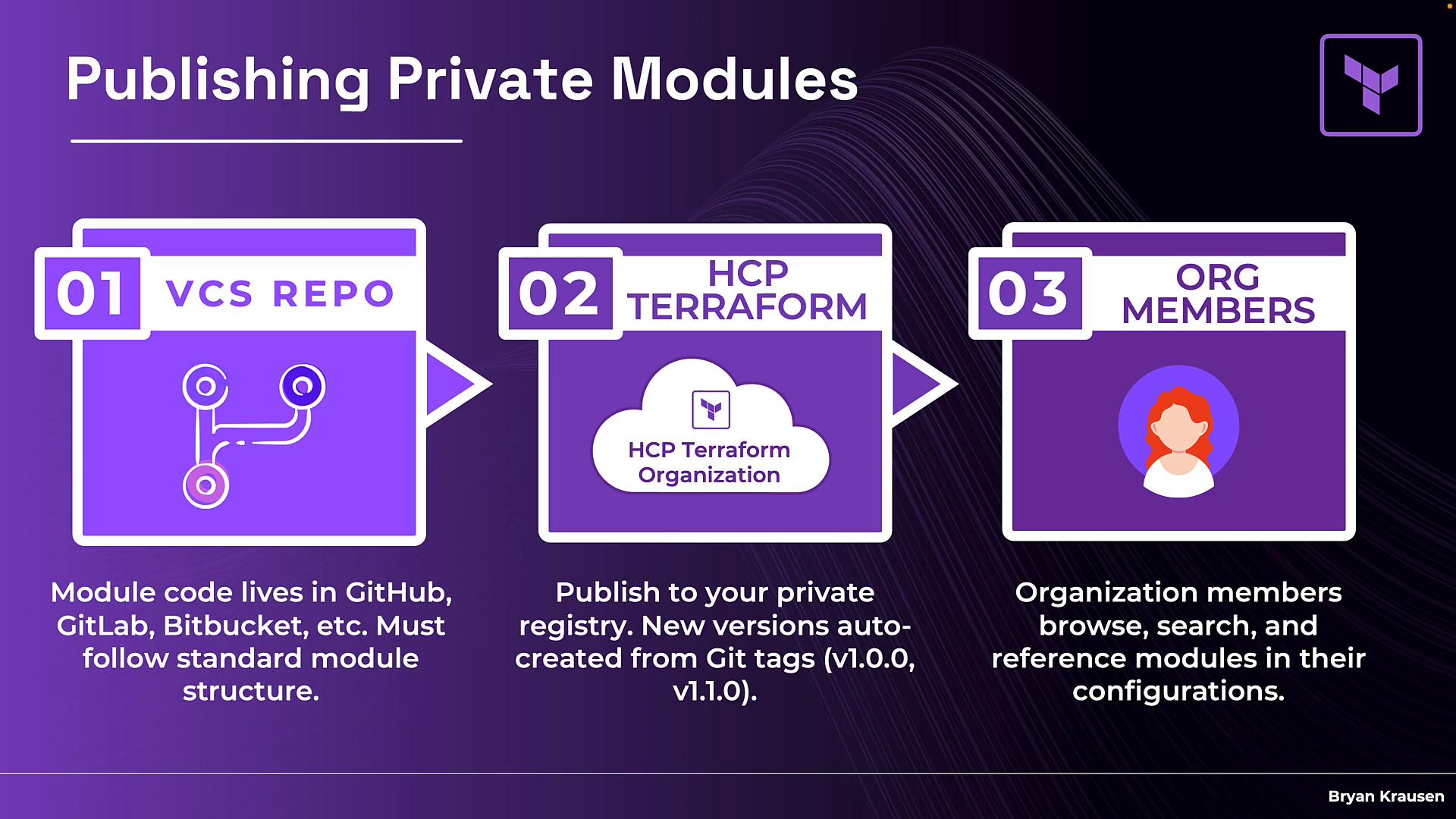
Publishing to the private registry follows a simple three-step workflow:- Keep your module code in a connected VCS repository (GitHub, GitLab, Bitbucket, Azure DevOps, etc.). Follow Terraform’s module structure and best practices.
- Connect that repository to your HCP Terraform private registry. HCP Terraform imports the module metadata and generates docs.
- Create new versions by pushing git tags that follow semantic versioning (for example
v1.0.0). The registry automatically creates versioned releases that organization members can browse and consume.
Referencing a private module in configuration
Private modules use a registry source address that instructs Terraform to fetch them from your private registry instead of the public registry. The typical format is:app.terraform.io, Terraform directs the request to the private registry in your HCP Terraform organization. Everything else behaves the same as with public registry modules: Terraform downloads the module, variables are passed in, and the module is included in the plan and apply operations.
When you push a Git tag that follows semantic versioning (for example
v1.0.0), the private registry automatically creates a new version. Teams can pin to specific versions or use version constraints just like with the public registry.Key takeaways
- The HCP Terraform Private Registry lets you share modules and providers privately within your organization.
- You can surface vetted public modules alongside your private modules to create a single, curated catalog for teams.
- Private modules are published from connected VCS repositories and are automatically versioned via semantic git tags.
- The source format begins with
app.terraform.io, followed by your organization, module, and provider — this tells Terraform to use your private registry. - Viewing the registry is available to organization members; publishing requires the Manage Private Registry permission.
Links and references
- HCP Terraform Private Registry docs: https://www.terraform.io/docs/cloud/registry/index.html
- Terraform Registry (public): https://registry.terraform.io/
- GitHub: https://github.com/
- GitLab: https://gitlab.com/
- Bitbucket: https://bitbucket.org/
- Azure DevOps: https://dev.azure.com/