

- Exposed state can lead to credential compromise, privilege escalation, and data breaches.
- State files are frequently shared between users, CI systems, and cloud providers — protecting access is essential.
- Production infrastructure requires central, auditable, and encrypted state storage.
- Terraform does not encrypt state files automatically; state is stored as raw JSON unless you configure a secure backend.
- Anyone who can read the state file can discover sensitive values.
- Protecting state storage and access is critical for secure infrastructure management.
- Local state lives on your workstation: it’s easy to accidentally commit to Git, hard to share securely, and lacks centralized access controls or audit logging.
- Local files do not provide server-side encryption, locking, or IAM integration.
Do not commit state files (for example
terraform.tfstate) or crash backups to version control. If local state contains secrets, a repository push can lead to immediate exposure.- Encryption at rest (SSE-S3, SSE-KMS, customer-managed keys).
- Access control via IAM/RBAC and the ability to separate read vs write rights.
- State locking to prevent concurrent applies and state corruption.
- Centralized audit logging (e.g., AWS CloudTrail) for visibility and incident response.
Notes on encryption, KMS and locking
encrypt = trueenables S3 server-side encryption with SSE-S3 (AES-256). See AWS S3 encryption: https://docs.aws.amazon.com/AmazonS3/latest/userguide/UsingEncryption.html- Providing
kms_key_idswitches to SSE-KMS. SSE-KMS gives you additional controls (key rotation, IAM grants) and better auditability. For production workloads, prefer SSE-KMS with a customer-managed key: https://aws.amazon.com/kms/ - State locking with S3 requires a DynamoDB table. Terraform acquires a lock in the table during operations to prevent concurrent
applyorplan -refreshraces that can corrupt state. See Amazon DynamoDB: https://aws.amazon.com/dynamodb/ - When you add or change a backend,
terraform initwill prompt to migrate local state to the new remote backend. Seeterraform initdocs: https://developer.hashicorp.com/terraform/cli/commands/init
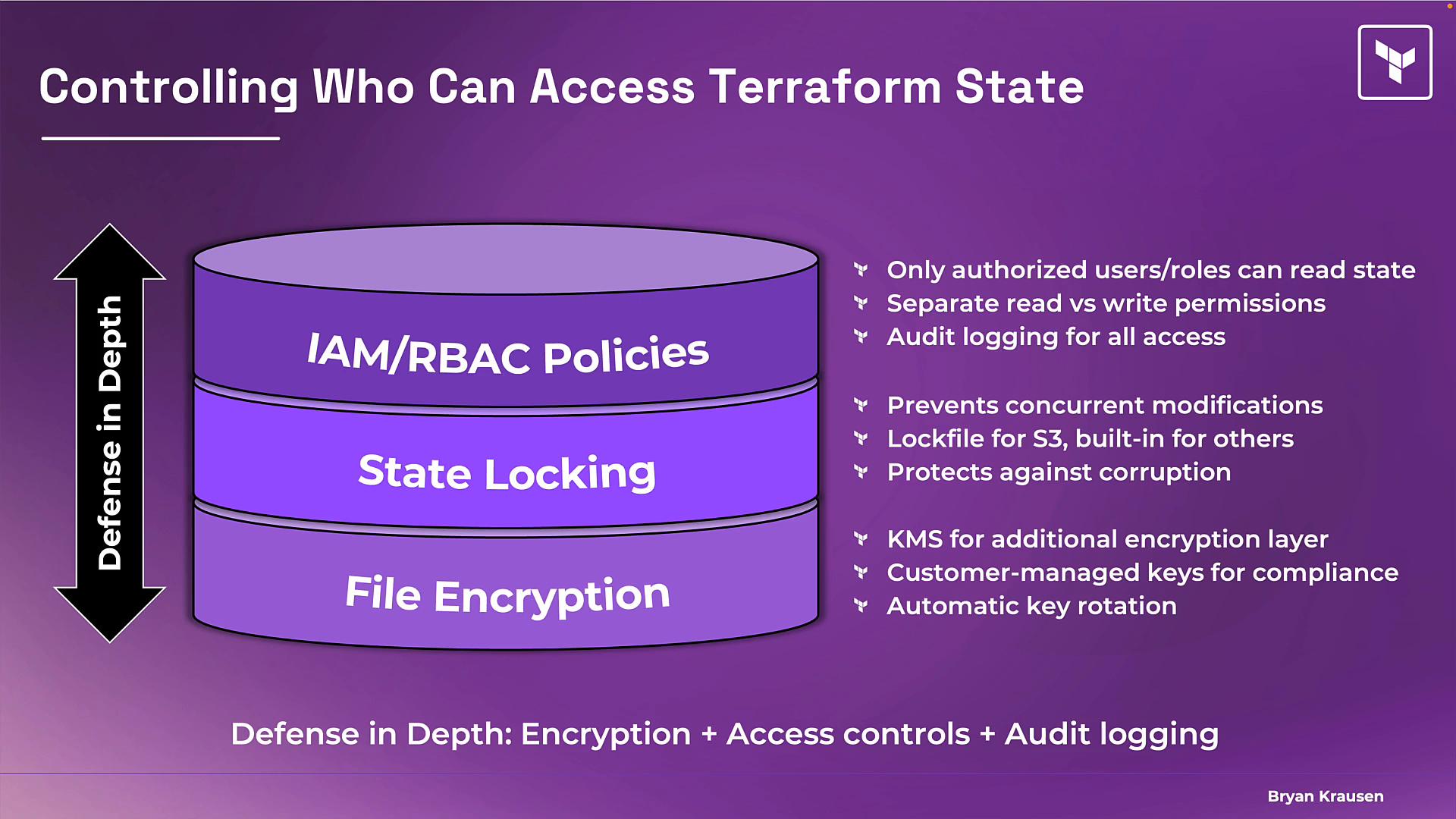
- File encryption (at rest): protects data in storage so it’s unreadable without keys.
- State locking: avoids concurrent operations that could corrupt state.
- IAM / RBAC policies: limit who and what can read or write state; consider separating read and write roles (e.g., developers read, CI/CD writes).
- Audit logging: enable provider logs (e.g., AWS CloudTrail) so you can track who accessed state and when.
For new projects, configure encrypted remote state and locking from the start. If you have existing local state,
terraform init can migrate it to the remote backend when you add a backend configuration.- Minimize storing secrets in outputs. Use provider-specific secure storage or secret managers where possible.
- Consider using Terraform Cloud or an enterprise backend that offers built-in state encryption, RBAC, and audit logging if you need managed controls.
- Regularly rotate keys and credentials referenced by resources in state.
- Review and tighten IAM policies that control access to the backend (S3/GCS/Azure Blob) and KMS keys.
- Amazon S3: https://aws.amazon.com/s3/
- AWS KMS: https://aws.amazon.com/kms/
- Amazon DynamoDB: https://aws.amazon.com/dynamodb/
- AWS CloudTrail: https://aws.amazon.com/cloudtrail/
- Azure Storage: https://azure.microsoft.com/en-us/products/storage/
- Google Cloud Storage: https://cloud.google.com/storage
- HashiCorp Terraform Cloud: https://www.hashicorp.com/products/terraform-cloud