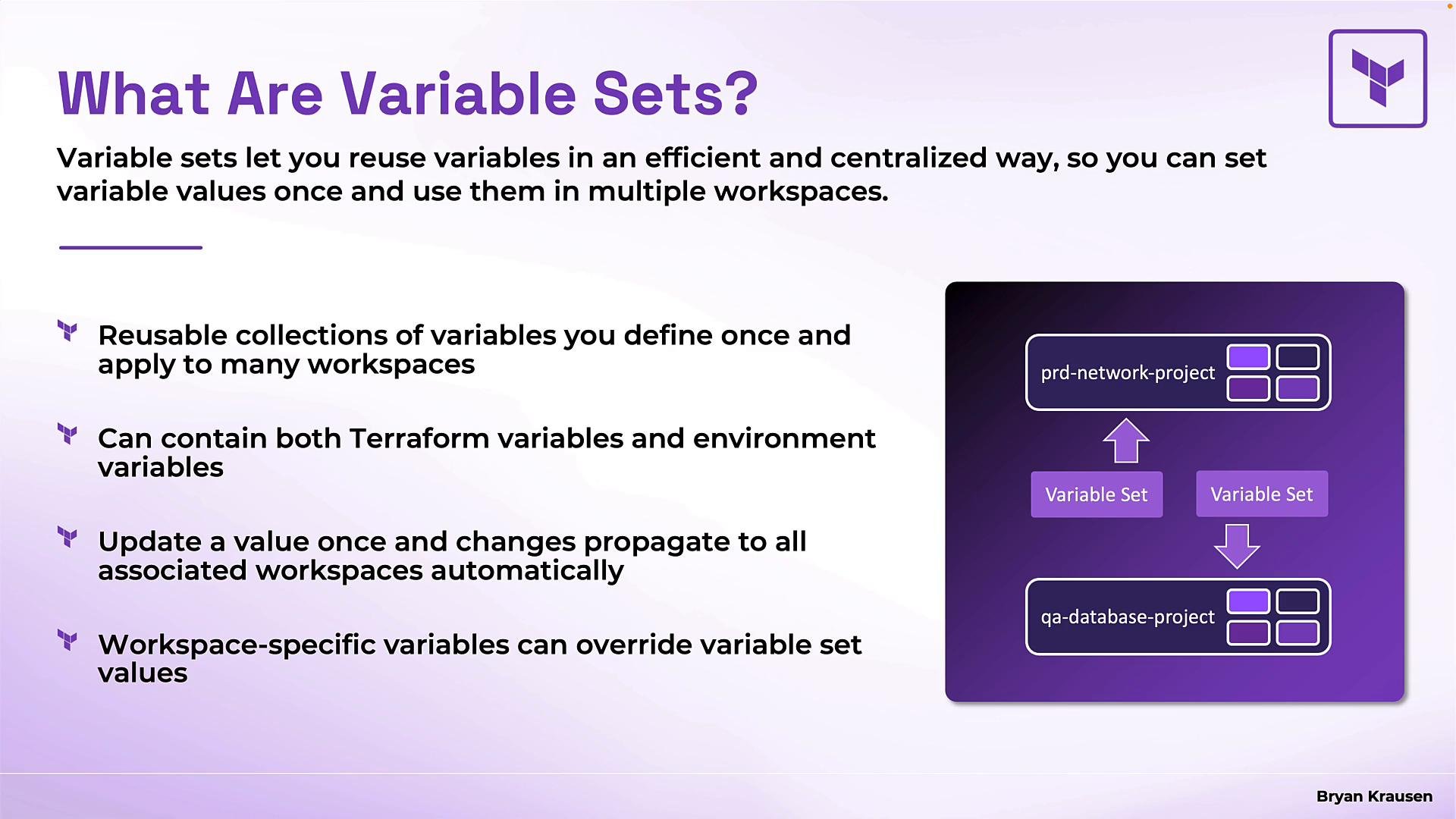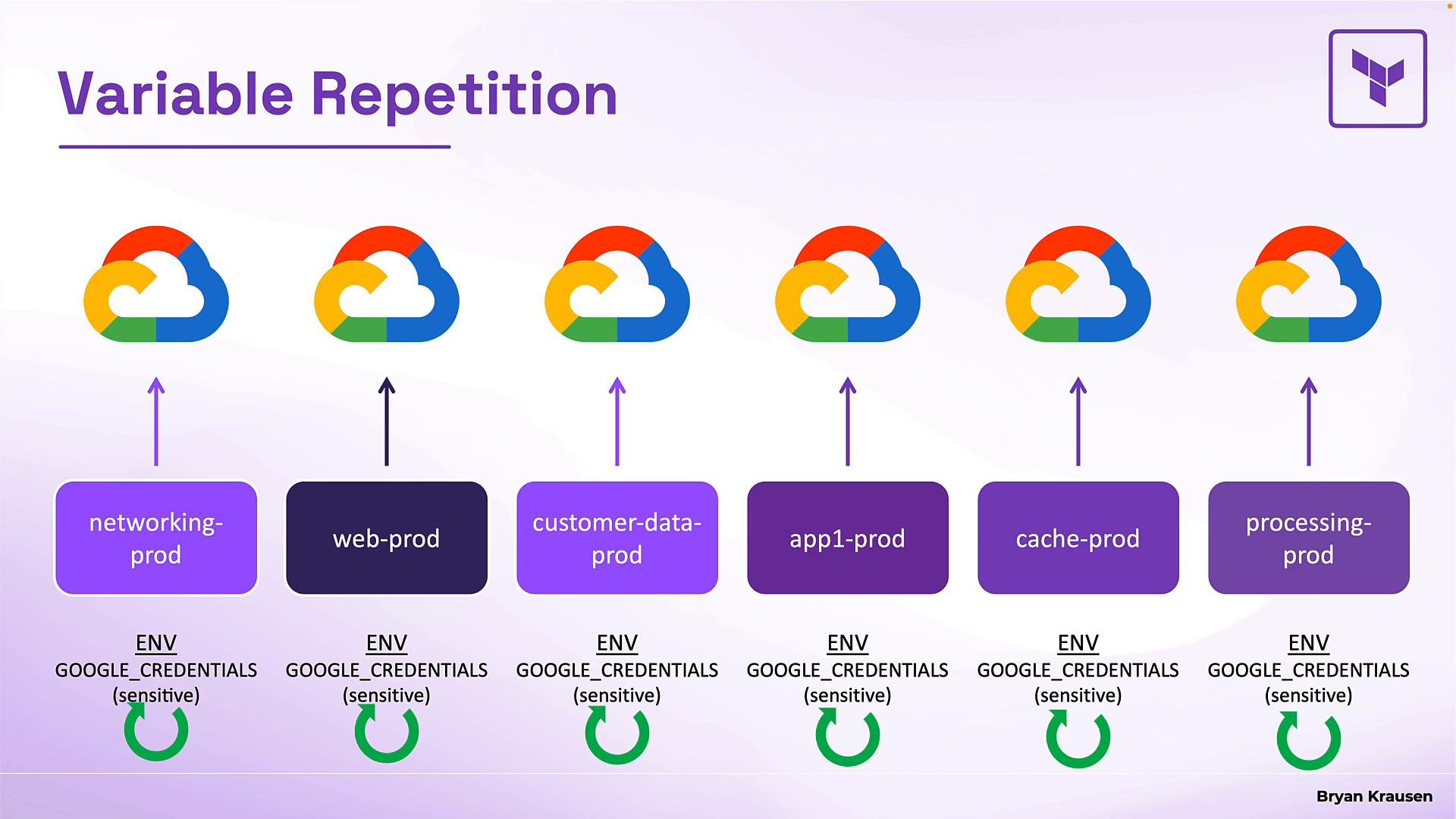
Projects let you organize workspaces; variable sets provide the same convenience for variables. A variable set is a named, reusable collection of Terraform input variables and environment variables that you can apply to multiple workspaces or projects. This avoids repetitive edits and helps you rotate or update credentials centrally. Consider a typical scenario: six production workspaces — networking, web, customer-data, app-one, caching, and processing — all deploy to Google Cloud Platform (GCP). Each workspace needs the same GCP credentials. Without variable sets you’d add the same sensitive environment variable to each workspace individually — six separate edits. If credentials expire or are rotated, you’d have to repeat that work across each workspace. Variable sets solve this by centralizing variables so a single update propagates to all linked workspaces.
The image is an infographic titled "Organize Your Variables," displaying four variable sets: Production Cloud, Database Settings, VM-Size, and Audit Configs, each linked to various projects and workspaces. It visually demonstrates how these variables are organized and applied to different environments or projects.
Key best practices
  • Create variable sets focused on a single concern — do not combine unrelated variables in one giant set.
  • Use descriptive names (for example, Production Cloud, Database Settings, VM-Size, Audit Configs) so teams understand intent and scope.
  • Prefer project-scoped sets for team credentials and global sets only for organization-wide defaults (audit settings, compliance tags).
Examples of common variable sets:
Variable setPurpose
Production CloudCloud credentials (client ID, client secret, region)
Database SettingsDefault DB read/write capacity, connection settings
VM-SizeInstance sizing standards for QA, Test, Production
Audit ConfigsCentralized logging path and rotation settings
How these are applied
  • A variable set can be applied to individual workspaces, to all workspaces within specific projects, or globally across the organization.
  • In the infographic above, Production Cloud is applied to several workspaces (networking, web, app-one, caching). Database Settings applies to two projects (QA DB and Test DB), so every current and future workspace in those projects inherits those settings. VM-Size targets six specific workspaces, and Audit Configs is applied globally.
Benefits
  • One place to update or rotate credentials.
  • Consistent settings across many workspaces.
  • Workspace-specific variables still allowed to override set values when necessary.
What variable sets provide (summary)
FeatureDetails
Reusable collectionsDefine once, apply to multiple workspaces or projects
Mixed variable typesCan include Terraform input variables and environment variables in the same set
Automatic propagationUpdating a value in a variable set propagates to all associated workspaces
Local overridesWorkspace-specific variables can override variable set values (subject to priority rules below)
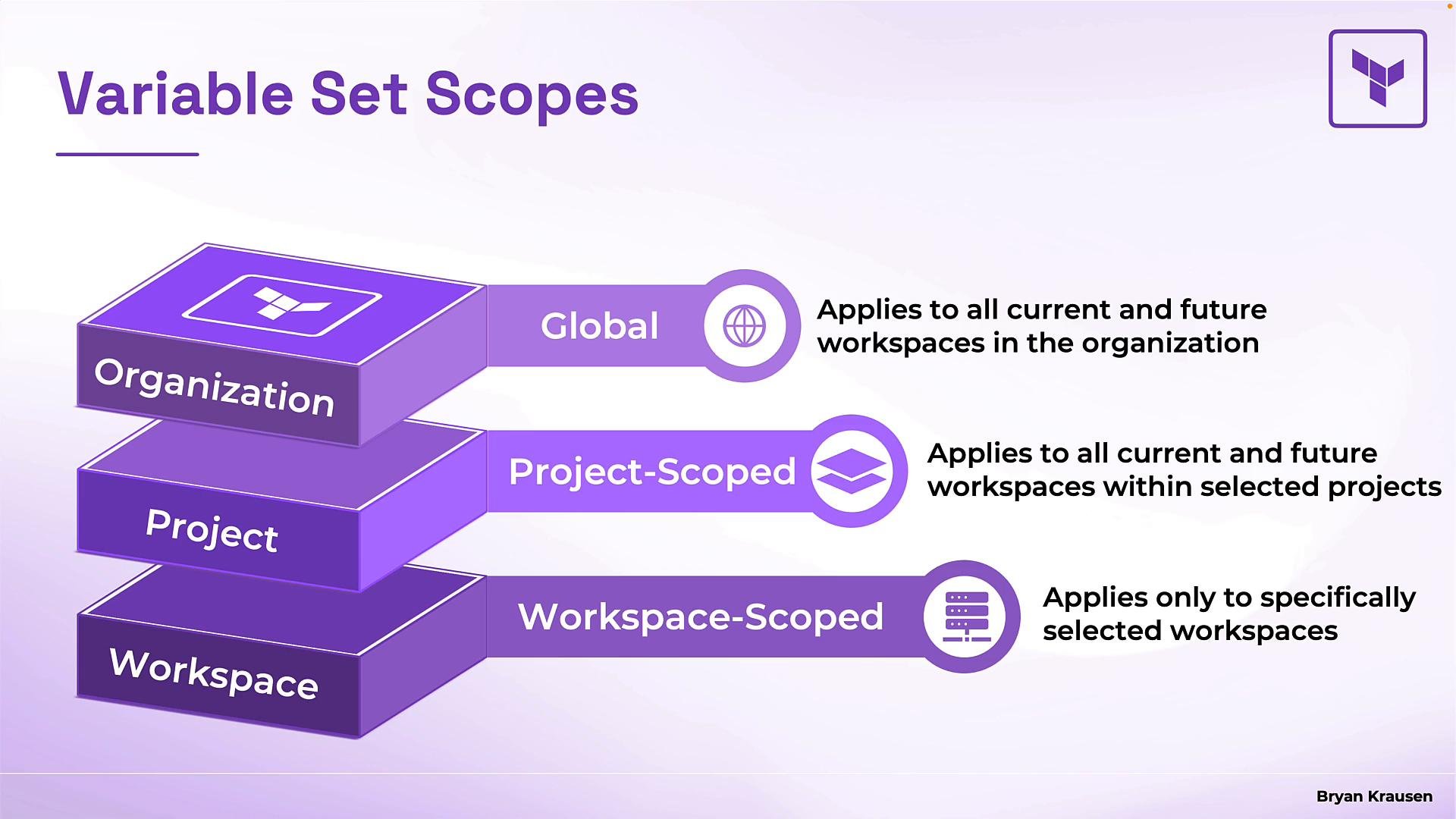
Scopes Variable sets map to the organization hierarchy. There are three scopes:
ScopeApplies toTypical use
GlobalAll current and future workspaces in the organizationOrganization-wide defaults (audit settings, compliance tags)
Project-scopedAll current and future workspaces within a selected projectTeam-level credentials and defaults
Workspace-scopedSpecific workspaces you selectShared settings for a subset of workspaces that aren’t in one project
The image illustrates variable set scopes in an organization, showing three levels: Global for all workspaces, Project-Scoped for selected projects, and Workspace-Scoped for specific workspaces.
Variable precedence and conflict resolution When a workspace receives variables from multiple sources, these rules determine which value is used. Example: a variable set defines default database capacity settings:
db_write_capacity = 1
db_read_capacity  = 1
If that set is applied to three workspaces, all three inherit those defaults. If one workspace needs a higher read capacity (for a reporting app), add a workspace-specific variable:
db_read_capacity = 10
Result:
  • The workspace with the workspace-specific variable uses db_read_capacity = 10.
  • The other two workspaces continue to use db_read_capacity = 1.
  • db_write_capacity remains 1 everywhere since no overrides exist.
Rule to remember: a workspace-specific variable normally overrides values from applied variable sets. Additional precedence rules
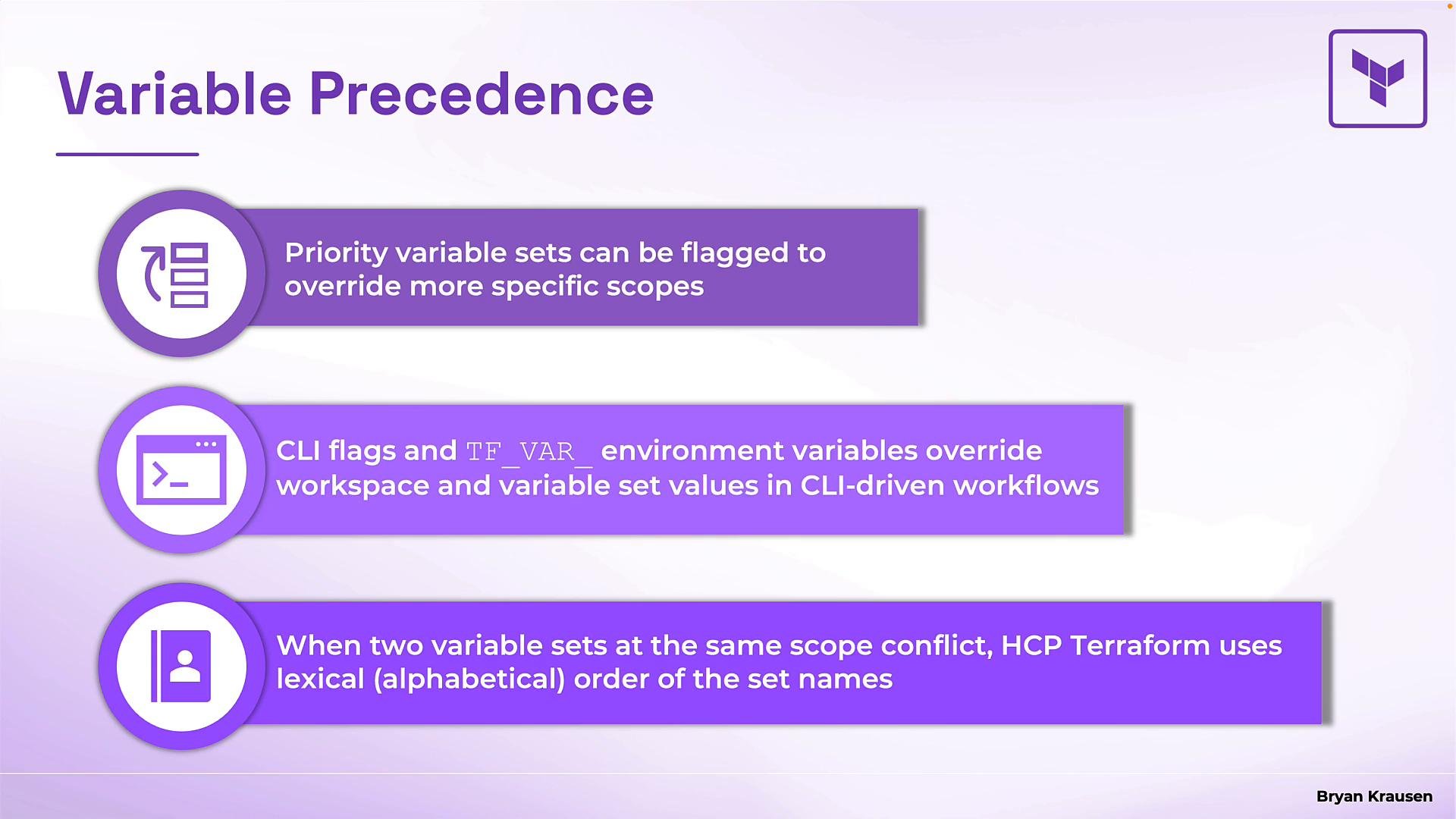
  • Priority variable sets: You can mark a variable set as a priority set. A priority set’s values override more specific scopes, including workspace-specific variables. This is an admin enforcement mechanism for organization-wide policies or required credentials.
Use priority variable sets carefully: they override workspace-specific variables and can prevent teams from using local overrides when necessary.
  • CLI and environment overrides: When you supply values directly at runtime they override both workspace and variable set values. These include:
    • -var and -var-file command-line flags
    • Environment variables prefixed with TF_VAR_ (for example TF_VAR_db_read_capacity=10)
  • Conflicts between variable sets at the same scope: If two variable sets at the same scope define the same variable key and both apply to a workspace, HCP Terraform resolves the conflict using alphabetical order of the variable set names. For example, A-settings overrides B-settings if both define the same key. The system uses lexical order only — not most-recent-edit or size.
The image outlines the precedence of variable sets, describing how priority flags, CLI flags, environment variables, and lexical order affect their override rules in workflows.
Precedence summary (most to least specific)
  1. CLI-provided variables (-var, -var-file) and TF_VAR_ environment variables
  2. Priority variable sets (admin-enforced)
  3. Workspace-specific variables
  4. Project/global variable sets
  • If multiple variable sets at the same scope conflict, alphabetical set name order wins
Recap and next steps
  • Variable sets centralize and reuse variables across workspaces and projects.
  • Scopes: Global, Project, Workspace — choose the right scope for credentials vs. organization defaults.
  • Precedence: know the override order and use priority sets sparingly.
Try it hands-on: create variable sets and experiment with scope and overrides in HCP Terraform to see how scoping and precedence behave in your environment. Links and references

Watch Video