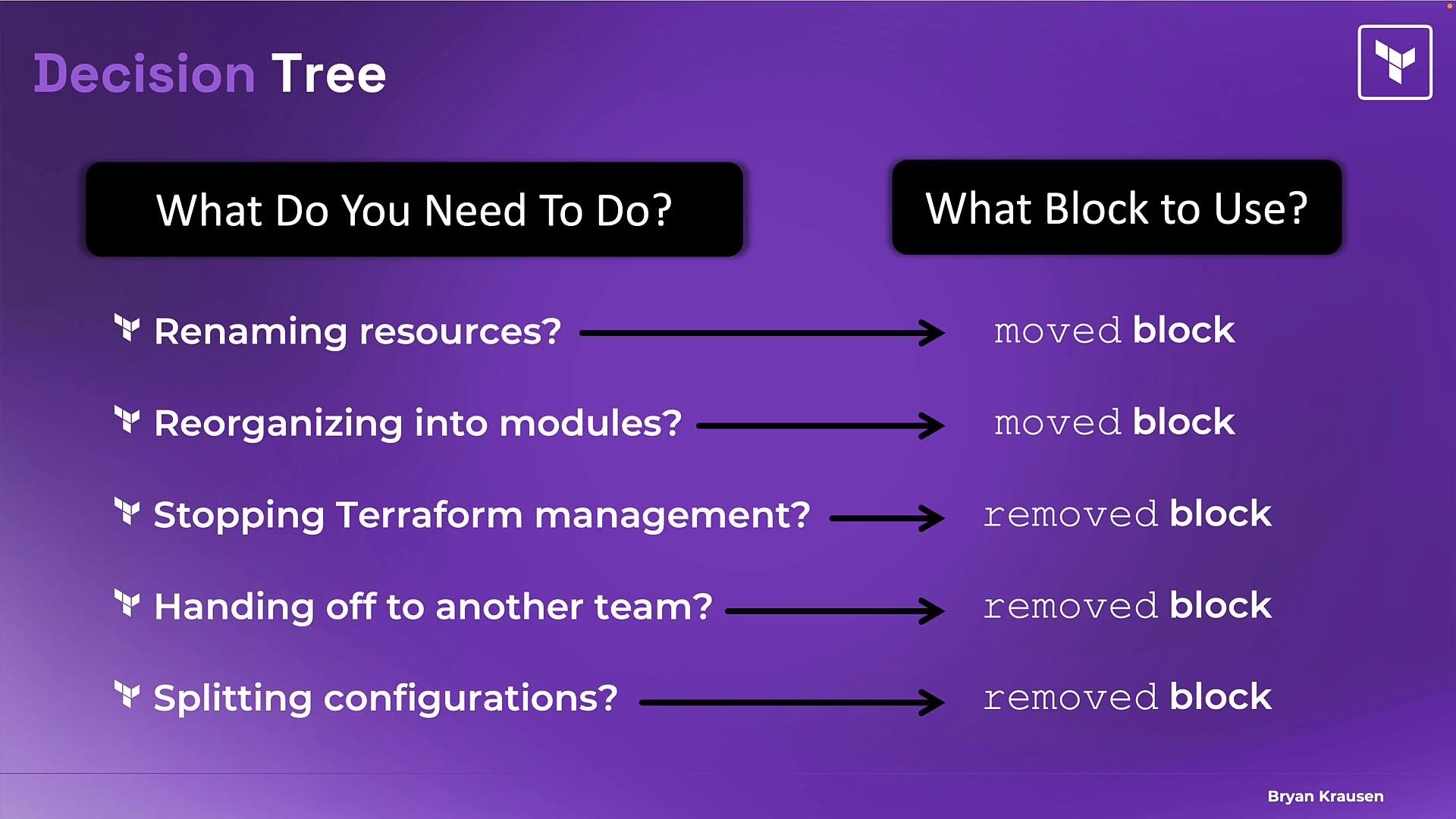
removed block to stop Terraform from tracking resources in state without destroying the actual infrastructure. This pattern is useful when you need Terraform to “forget” a resource (for example, handing it off to another team or switching to manual management) but you must not delete the underlying resource.
Example scenario
You manage two Cloud SQL instances with Terraform in production. Here are the original resource blocks:
terraform plan to show a destroy for the now-absent resources — which would delete months of production data. The removed block prevents that by updating state while leaving the real infrastructure intact.
What the removed block does
- Removes the resource from the Terraform state so Terraform no longer tracks or manages it.
- Does not destroy the actual infrastructure when used correctly.
- Acts as temporary scaffolding to update state safely; after the state change, you can delete the
removedblock from your configuration.
lifecycle { prevent_destroy = true }.
Example removed block
Below is an example removed block for each database we want Terraform to forget. The lifecycle setting prevents Terraform from destroying the resource during the state update, ensuring the database remains intact while Terraform stops tracking it:
resource blocks from your Terraform configuration before running terraform plan / terraform apply with removed blocks present. If a removed block and its corresponding resource definition both exist in your configuration, Terraform will detect the conflict and refuse the state update.
Always back up your state file (for example, export a copy of your Terraform Cloud workspace state or copy your local state file) before manipulating state with
removed blocks.removed
- Add a
removedblock for every resource you want Terraform to stop managing. Includelifecycle { prevent_destroy = true }if you want to explicitly prevent accidental destroys while you update state. - Delete or comment out the corresponding
resourceblocks from your Terraform configuration. - Run
terraform planto validate the plan and ensure Terraform will perform a state-only update (no destroy). - Run
terraform applyto update the state. Terraform will remove those resources from state and will not destroy the underlying infrastructure. - After confirming the state is updated and you no longer need Terraform to reference the resource, remove the
removedblocks from your configuration (they are temporary scaffolding).
moved vs removed
Real-world use cases for
removed
- Handing off a shared networking resource to another team: remove it from your state and let the other team import it into theirs.
- Breaking a monolithic Terraform project into smaller projects: remove resources from one state and import them into another workspace.
- Migrating away from another IaC tool (for example, AWS CloudFormation → Terraform): you may choose to stop management in the source tool, import into Terraform, and then remove the old tool’s management.
- Always back up state before performing state manipulation.
- Test the process in a non-production workspace or with a copy of your state file first.
- Use
lifecycle { prevent_destroy = true }in theremovedblock (as shown) to avoid accidental destruction while applying state changes. - Confirm team ownership and import requirements before removing resources from state to prevent orphaned infrastructure that no one manages.
- Terraform CLI - state commands
- Terraform documentation - resource addressing and moving resources
- AWS CloudFormation