

Prerequisites
- Terraform installed (1.x or later recommended).
- AWS credentials configured for the account that owns the target S3 bucket.
- An S3 bucket created to hold Terraform state and appropriate permissions (PutObject, GetObject, ListBucket).
- Working Terraform configuration with a local state (no active
terraform { backend ... }block).
Example: Resources Managed Locally
Here is a simple example of Terraform resources that might currently be tracked by a local state:Step 1 — Add (or enable) a backend configuration
If your working directory does not currently have an active backend block (it may be commented out), add or uncomment the backend configuration that points to your S3 bucket. Example (commented version shown first for context):Step 2 — Initialize and migrate the state
Runterraform init with the -migrate-state flag to initialize the backend and instruct Terraform to migrate any existing local state to the newly configured backend.
If you want to continue managing the same resources with Terraform, answer
yes to copy your existing local state to the S3 backend. Choose no only if you intentionally want to start with an empty remote state.yes, Terraform configures the backend and copies the state. You should see output similar to the following:
Step 3 — Verify the migration
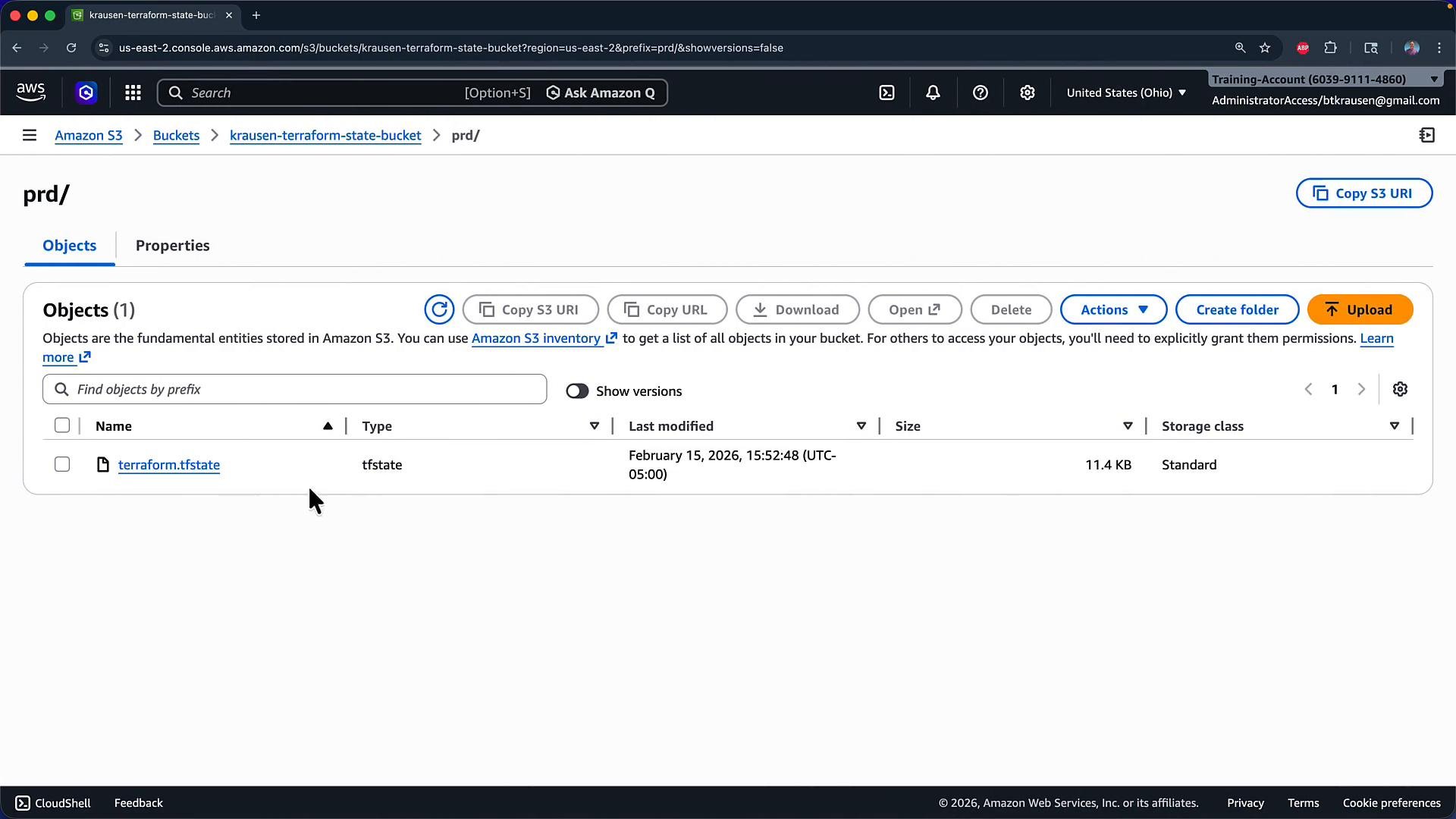
After the migration completes, verify that your S3 bucket contains the state object at the path specified by thekey (for example prd/terraform.tfstate). If the S3 backend previously had no state, Terraform creates the object during the copy.
Below is a screenshot showing the prd/terraform.tfstate object in the S3 console after migration.
Migrating back to the local backend
If you later decide to move state back from S3 to local, reverse the change: comment out (or remove) the backend configuration and re-runterraform init -migrate-state. Example of commenting the block:
terraform.tfstate file. Note that Terraform copies state content to the currently configured backend; it does not automatically delete the source object (the S3 object remains unless you remove it manually).
Be careful when migrating state: copying state into a new backend replaces the destination backend’s state (if any) with the source state’s content. Make backups if you are unsure and ensure access controls are correct for remote state files because they can contain sensitive data.
Example: Truncated state file JSON
A portion of a Terraform state file (truncated for brevity):Quick reference: Commands and common actions
Summary
To migrate Terraform state between backends:- Add or modify the
terraform { backend "..." { } }block in your configuration. - Run
terraform init -migrate-stateto initialize the backend and copy state. - Confirm at the prompt whether to copy existing state to the destination backend.
- Verify the state object exists in the remote backend (S3) or locally depending on the destination.