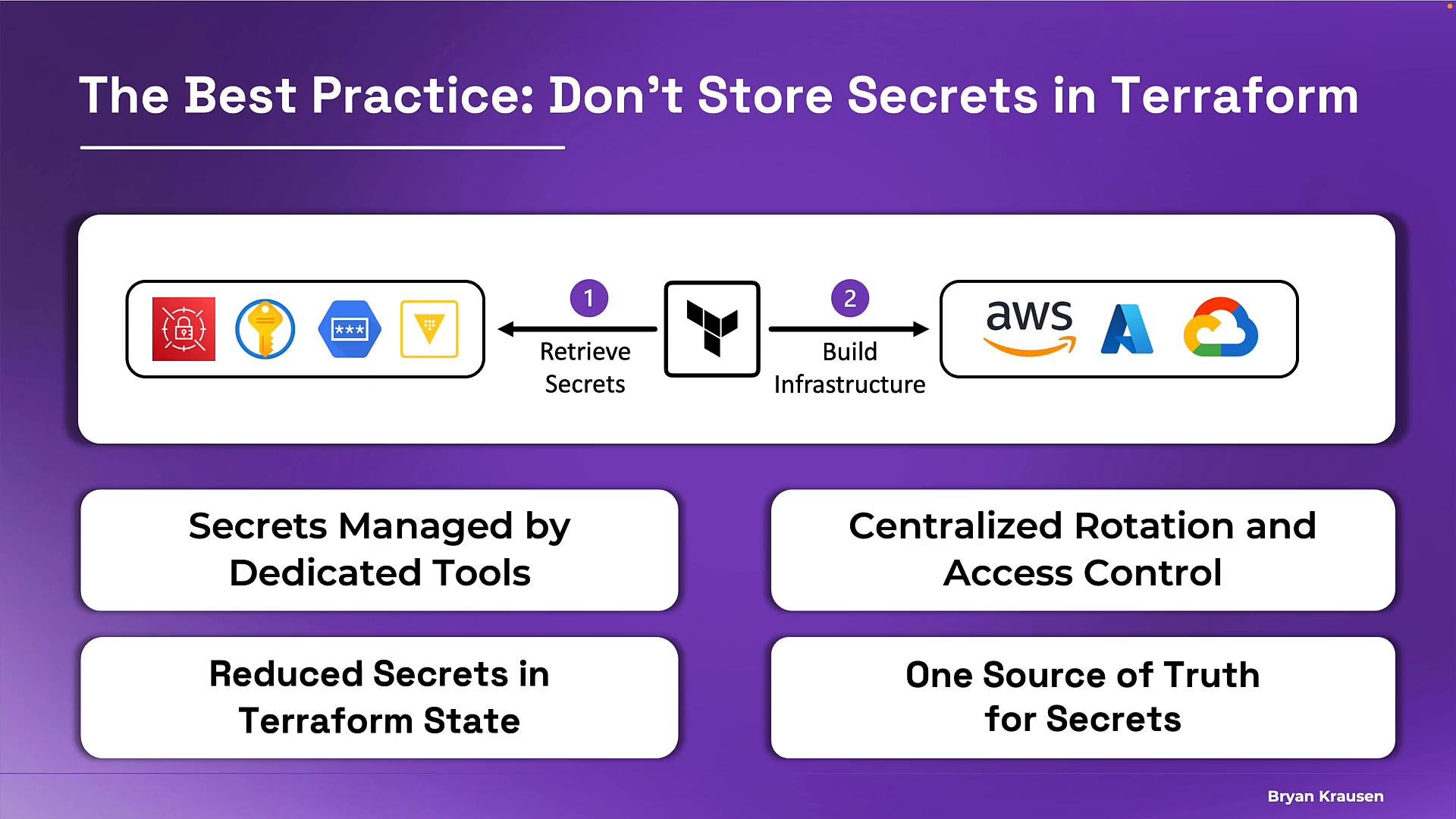
- Store and rotate secrets in a secrets manager.
- Retrieve secrets at runtime (during
terraform plan/terraform apply) using provider-specific data sources. - Use the retrieved values when provisioning infrastructure.
.tf and .tfvars files and centralizes management and auditing of sensitive values.
Benefits of using an external secrets manager:
- Purpose-built secret handling (rotation, audit logging, encryption).
- Centralized rotation and access control: rotating a credential in the vault makes the new value available to all consumers.
- Reduced secrets in Terraform source files and fewer credentials checked into version control.
- A single source of truth for sensitive values across systems.
- Terraform evaluates data sources during
terraform planandterraform apply, so it queries the secrets manager at runtime and retrieves the secret value. - The secret value never appears in your
.tffiles or Git—only a reference to the secrets manager path is stored in code. - Note that the secret value can still end up in Terraform state after resource creation. Protect your state by using encrypted remote backends (e.g., S3 with bucket encryption + KMS, Terraform Cloud/Enterprise) and by restricting access.
Ensure the Terraform execution identity has permissions to read secrets from your secrets manager (for AWS, e.g.,
secretsmanager:GetSecretValue). Configure least-privilege IAM policies for CI runners and developer machines.- Use the provider integration for the secrets tool (Azure Key Vault, Google Secret Manager, HashiCorp Vault).
- Read the secret using a data source or the provider-specific mechanism at plan/apply time.
- Inject the returned secret value into the resource configuration.
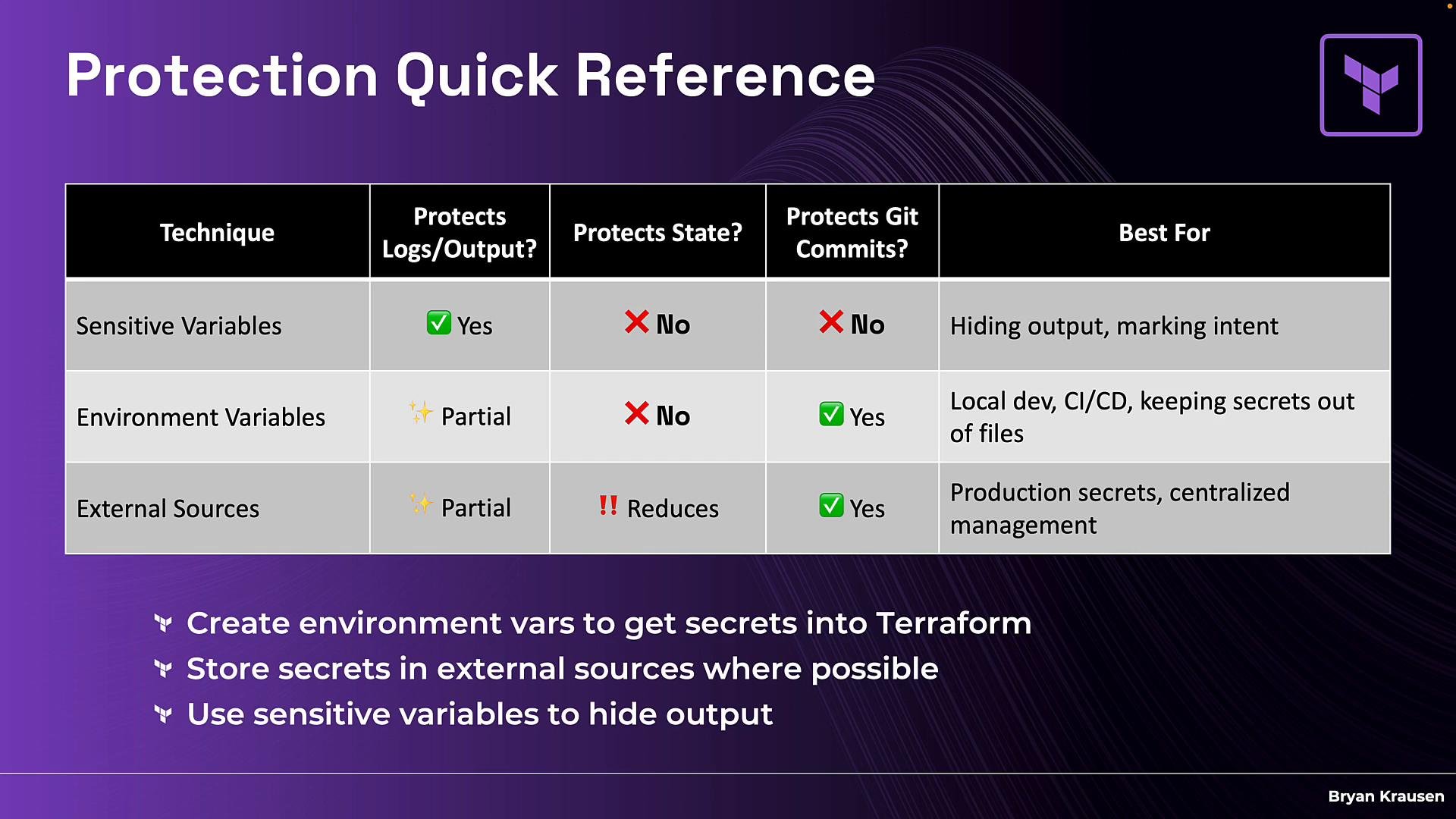
Recommended defense-in-depth pattern:
- Use environment variables to inject secrets during CI/CD or local runs (keeps secrets out of source files).
- Store production secrets in an external secrets manager for centralized rotation, audit, and access control.
- Mark Terraform variables with
sensitive = trueto reduce accidental exposure in console output.
- Protecting secrets at the input layer using
sensitivevariables. - Avoiding secrets in version control by using environment variables for injection.
- Integrating Terraform with external secrets managers for secure, production-grade secret handling.