

- An AWS account with permissions to manage S3, DynamoDB, and KMS (if you enable KMS).
- Terraform installed locally.
- Credentials available to Terraform (environment variables, AWS CLI profile, or an assumed role).
main.tf) in your working directory.
- Create an S3 bucket to hold the state (enable versioning and encryption).
- Optionally create a DynamoDB table for state locking.
- Add an S3 backend block to your Terraform configuration.
- Run
terraform initto initialize the remote backend. - Apply your configuration; Terraform will store state in S3.
- Bucket versioning enabled (for state history and rollbacks).
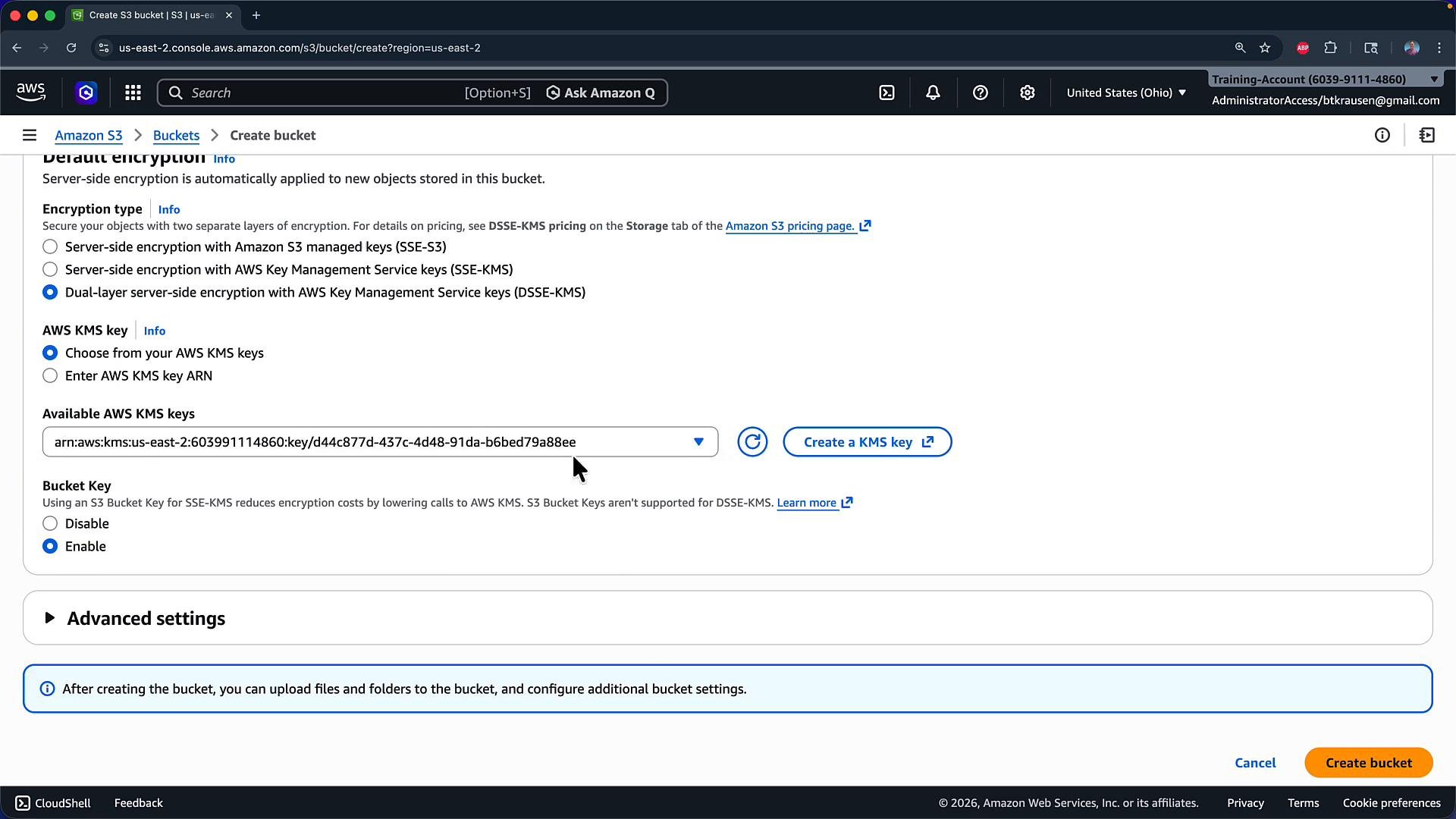
- Server-side encryption enabled (SSE-S3 or SSE-KMS). SSE-KMS is recommended when you need fine-grained key control and auditing.
- Block public access enabled.
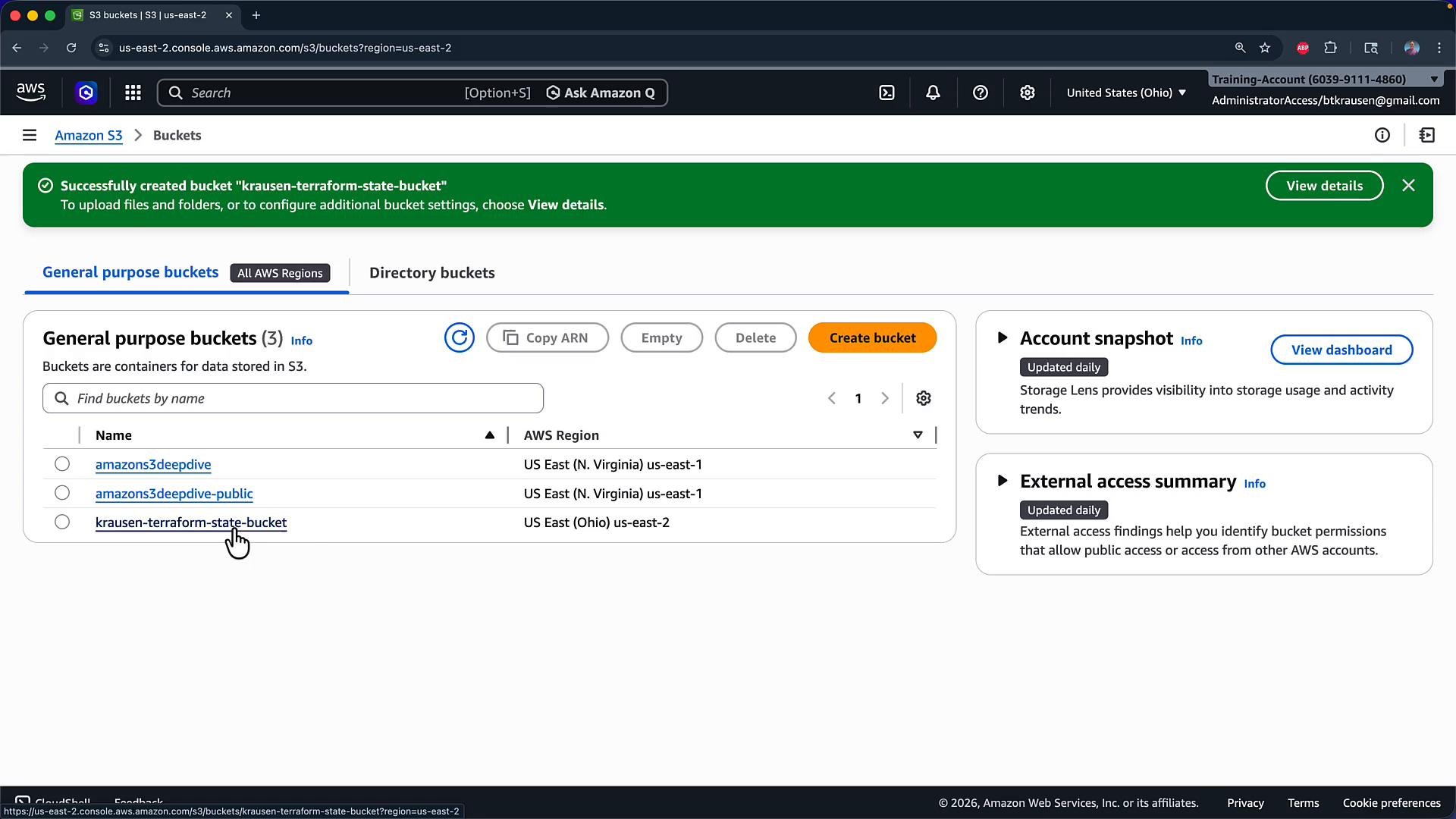
krausen-terraform-state-bucket in us-east-2, enabled versioning, and enabled server-side encryption with KMS and the bucket key.
LockID (string). Terraform uses this table to acquire locks while modifying state.
Example AWS CLI command to create the table:
terraform.tf (or add to an existing .tf file) and add a terraform block that configures the s3 backend. Provide the bucket name, an object key (path inside the bucket), the region, and optionally the dynamodb_table for locking and encrypt/kms_key_id options.
Step 3 — Initialize the backend
After saving the backend block, run
terraform init in your working directory. Terraform will configure the backend, download provider plugins, and create the lock file .terraform.lock.hcl.
Example terraform init output:
You must authenticate Terraform so it can access the S3 bucket (and the DynamoDB table, if used). Options include environment variables, a credential/profile configured in the AWS CLI, or an assumed role. Choose the authentication method that fits your environment and ensure credentials are available before running
terraform init or terraform apply.terraform fmt to format your .tf files before applying.
Step 4 — Apply your configuration
When you run terraform apply (for example with -auto-approve), Terraform creates resources in your AWS account and writes the state file to the configured S3 key.
Example apply output:
terraform.tfstate file — the state is stored remotely at prd/terraform.tfstate inside krausen-terraform-state-bucket. With S3 versioning enabled, each state update becomes a new version; you can use S3 versioning to roll back to previous state versions if necessary.
Best practices summary
- Use a dedicated, versioned, and encrypted S3 bucket for Terraform state.
- Use DynamoDB for state locking when multiple users or CI pipelines interact with the same state.
- Restrict access to the state bucket and KMS key using IAM policies.
- Keep
.terraform.lock.hclin version control, but do not check in sensitive state data (remote backends keep this out of your repo). - Consider separating environments via different state keys or buckets (e.g.,
dev/terraform.tfstate,prd/terraform.tfstate).
- Terraform backend docs: https://developer.hashicorp.com/terraform/language/settings/backends
- S3 backend details: https://developer.hashicorp.com/terraform/language/settings/backends/s3
- State locking docs: https://developer.hashicorp.com/terraform/language/state/locking
- AWS S3 documentation: https://docs.aws.amazon.com/s3/index.html
- AWS DynamoDB documentation: https://docs.aws.amazon.com/amazondynamodb/latest/developerguide/Welcome.html