

dev/, qa/, and prod/ folders — quickly becomes hard to maintain and error-prone.
Solution: Terraform workspaces let you keep one set of configuration files and create multiple named workspaces. Each workspace maintains its own state, so you can manage separate environments without duplicating code.
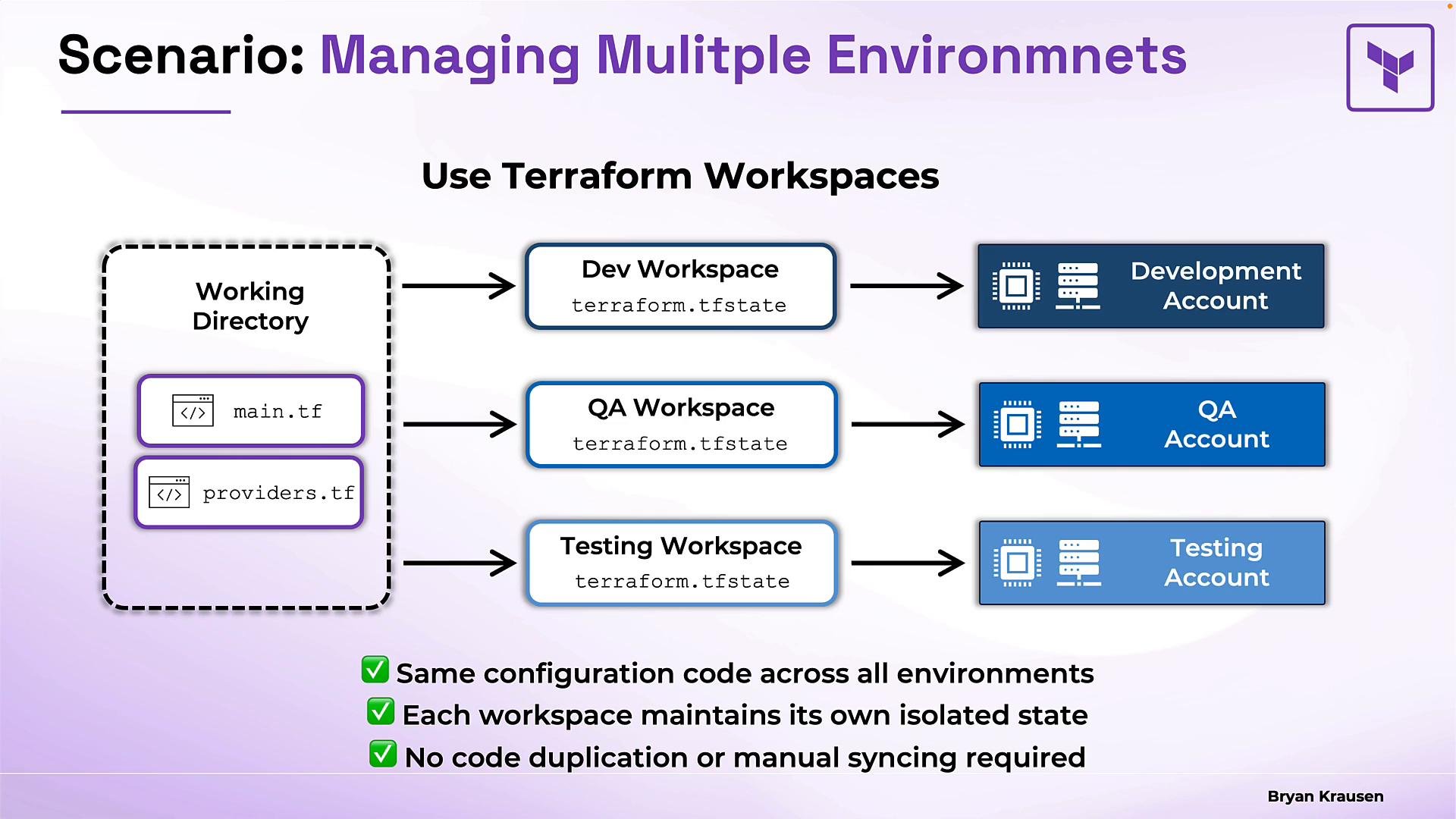
- A workspace is a named container for a separate instance of your Terraform state.
- Each workspace stores its own state; when you switch to a workspace, Terraform reads and writes that workspace’s state.
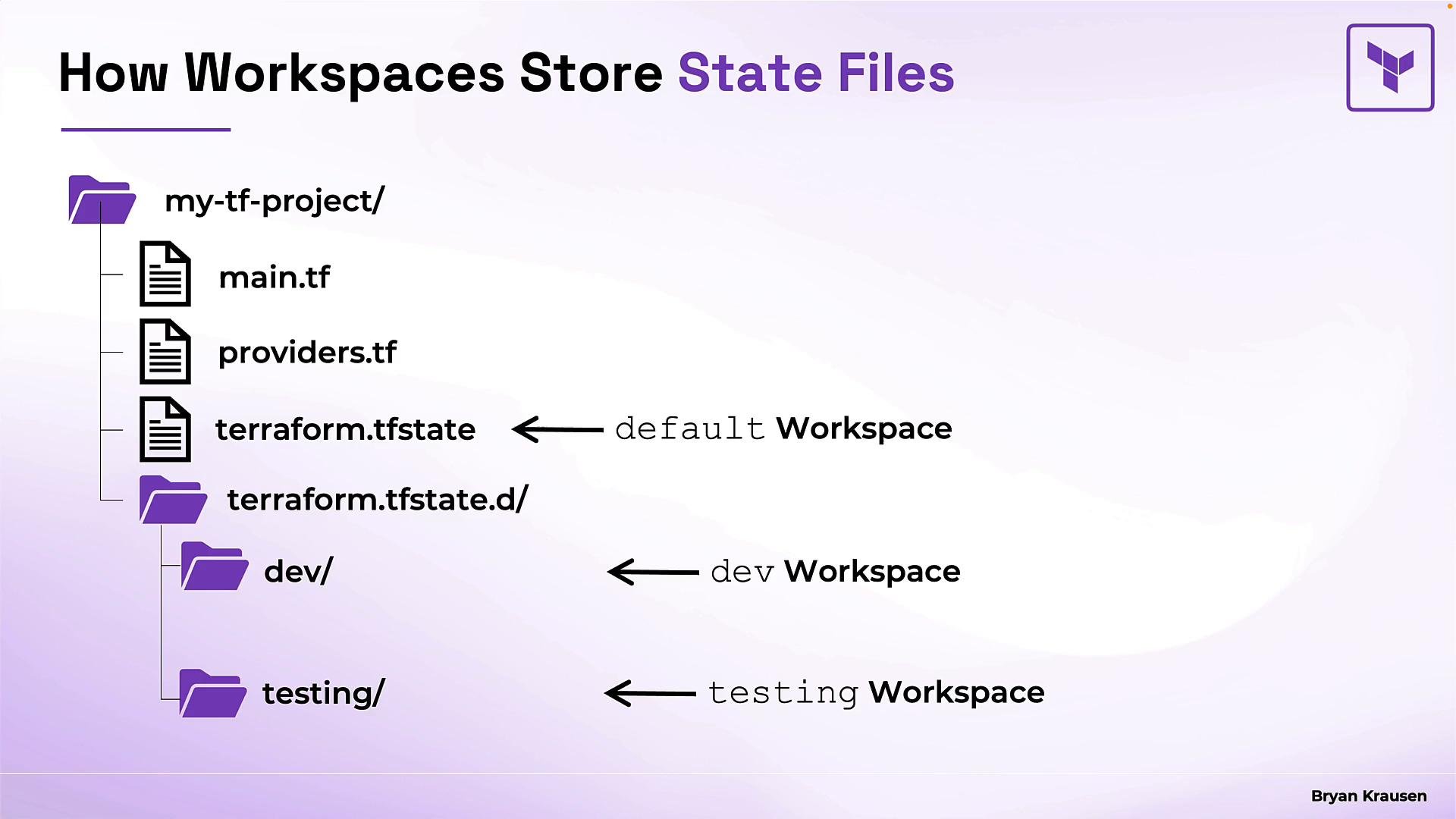
- Every Terraform project begins in the
defaultworkspace (created automatically when you runterraform init).
- The
defaultworkspace state is stored asterraform.tfstatein the project root. - Additional workspaces are stored under
terraform.tfstate.d/, with one subdirectory per workspace containing aterraform.tfstatefile.
terraform.tfstate.d/ locally.
terraform workspace subcommands to manage CLI workspaces. The table below summarizes the most common operations.
Example session:
- You cannot delete the
defaultworkspace. - You cannot delete the workspace you’re currently using; switch to another workspace first (for example
default).
You cannot delete the workspace you are currently using. Switch to another workspace (for example
default) before attempting to delete a workspace.When you see
workspace, check context: is it a CLI workspace (managed with terraform workspace ...) or an HCP/Terraform Enterprise workspace (a cloud-hosted workspace with VCS integration, runs, variables, and team controls)? They solve different problems.- Use workspaces for simple environment separation where state isolation is sufficient and configuration remains the same.
- For different cloud accounts, regions, or provider credentials per environment, combine workspaces with provider aliasing, environment-specific variables, or a different backend configuration — otherwise you might unintentionally create resources in the same account.
- Consider using a remote backend (S3, GCS, Azure Blob, or Terraform Cloud) for team collaboration and centralized state storage.
- Treat workspaces as state isolation only — not a replacement for full environment separation if your environments need differing configurations or access controls.
- Official Terraform CLI docs: https://www.terraform.io/cli/commands/workspace
- Terraform Cloud / Enterprise: https://learn.kodekloud.com/user/courses/hashicorp-terraform-cloud
- Terraform workspaces let you manage multiple environments (each with its own isolated state) from a single configuration directory, removing the need for duplicate configuration files.
- Every project starts in the
defaultworkspace; additional workspaces store state underterraform.tfstate.d/when using the local backend (remote backends vary). - Manage workspaces with
terraform workspace list,new,select,show, anddelete. - Remember the distinction between CLI workspaces and HCP/Terraform Enterprise workspaces — they are different tools for different use cases.