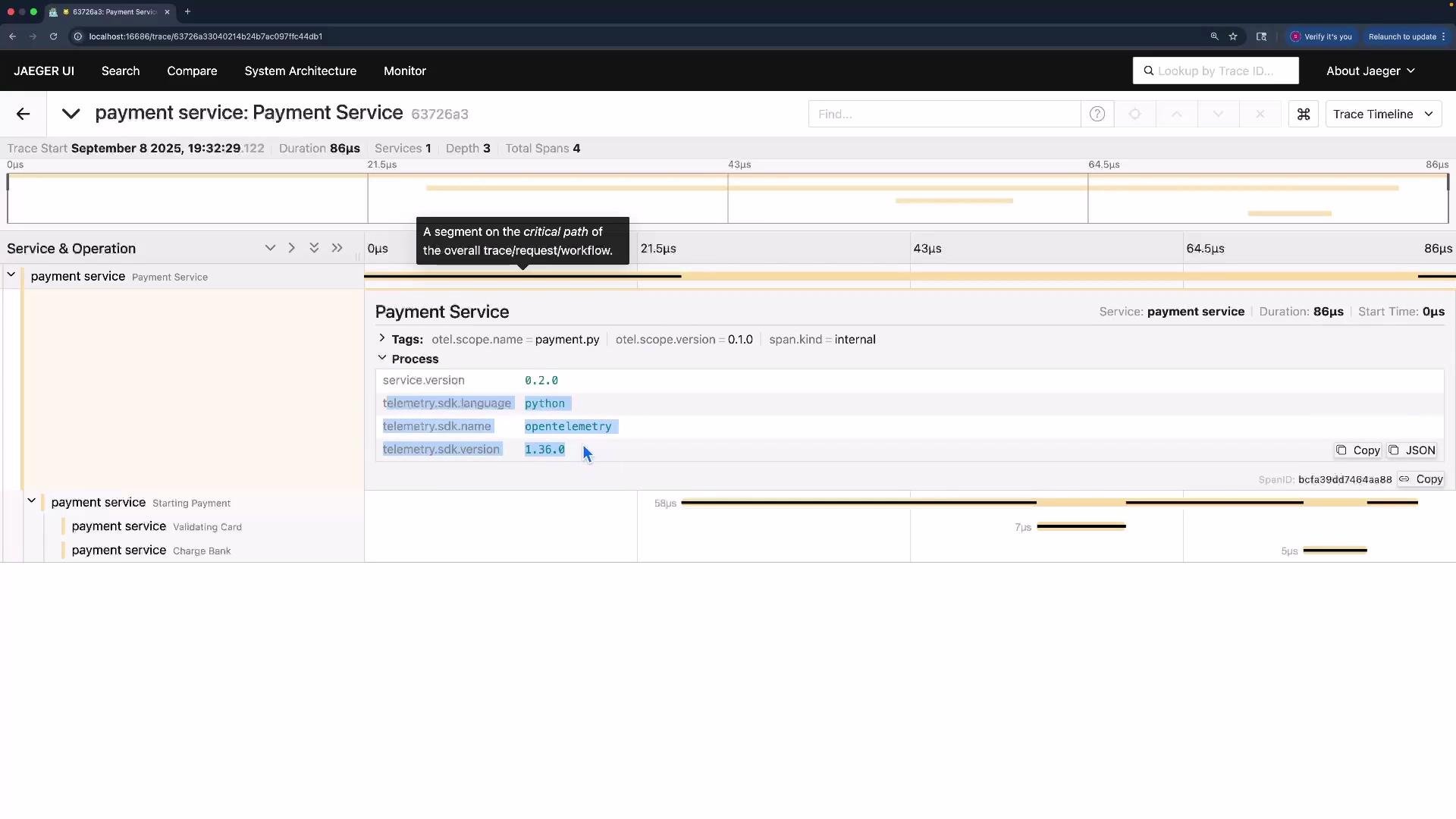
unknown_service, which makes it difficult to identify which application produced them. The fix is to configure resource attributes. Resource attributes are an immutable set of key/value pairs that describe the entity producing telemetry (for example, service name, service version, host, and environment). When set correctly, observability backends such as Jaeger and Tempo can surface and filter traces by these attributes.
Dependencies used in this demo:
- Import
Resourcefromopentelemetry.sdk.resources. - Create a
Resourceinstance with semantic keys such asservice.nameandservice.version. - Pass the
Resourceto theTracerProviderso spans inherit the resource metadata.
- Use standard semantic keys (for example,
service.name,service.version) so observability backends can detect and display them. - Prefer attributes that describe the resource (the entity producing telemetry), not attributes that belong on individual spans.
- Add other resource attributes as needed (for example:
host.name,host.ip,deployment.environment) to support searching and filtering.
Before configuring resource attributes, traces appeared as
unknown_service in Jaeger (screenshot below). After adding the Resource to the tracer and rerunning the script, the CLI output remains the same but spans include the resource attributes (service name, service.version), and Jaeger now lists the correct service.
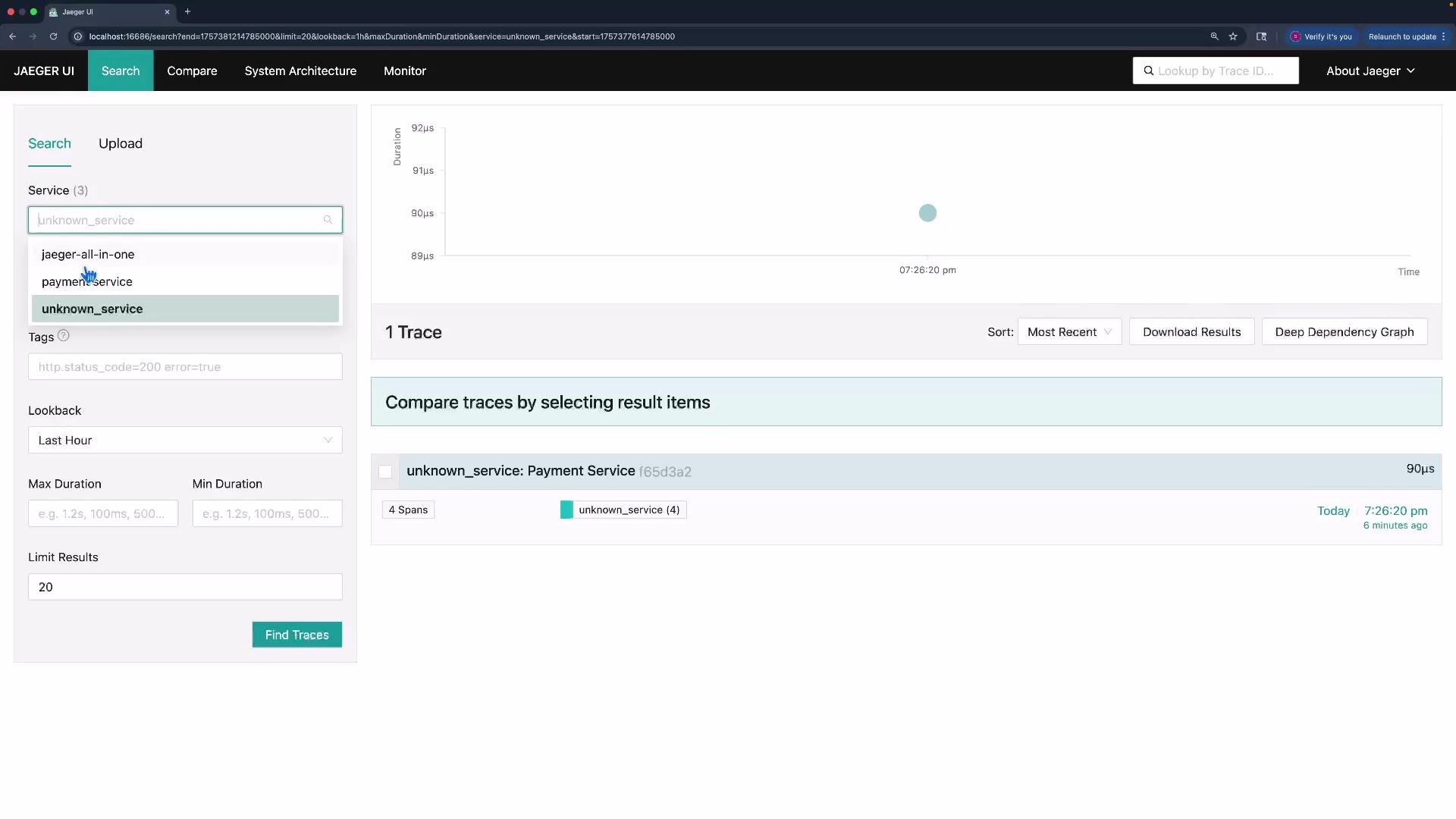
payment-service) in the service list, making it much easier to find and analyze relevant traces.
Resource attributes are intended to describe the entity producing telemetry and are treated as immutable metadata for that entity. Use standard keys (for example,
service.name, service.version) to maximize interoperability with observability backends.