

- all — global rules applied to every signal type
- resources — resource-level attributes shared across signals
- spans — span-level attributes (with optional span-name filters)
- span_events — events that occur within spans (exceptions, logs)
- metrics — metric names, metric attributes, and splitting metrics by attribute values
- logs — log record attributes
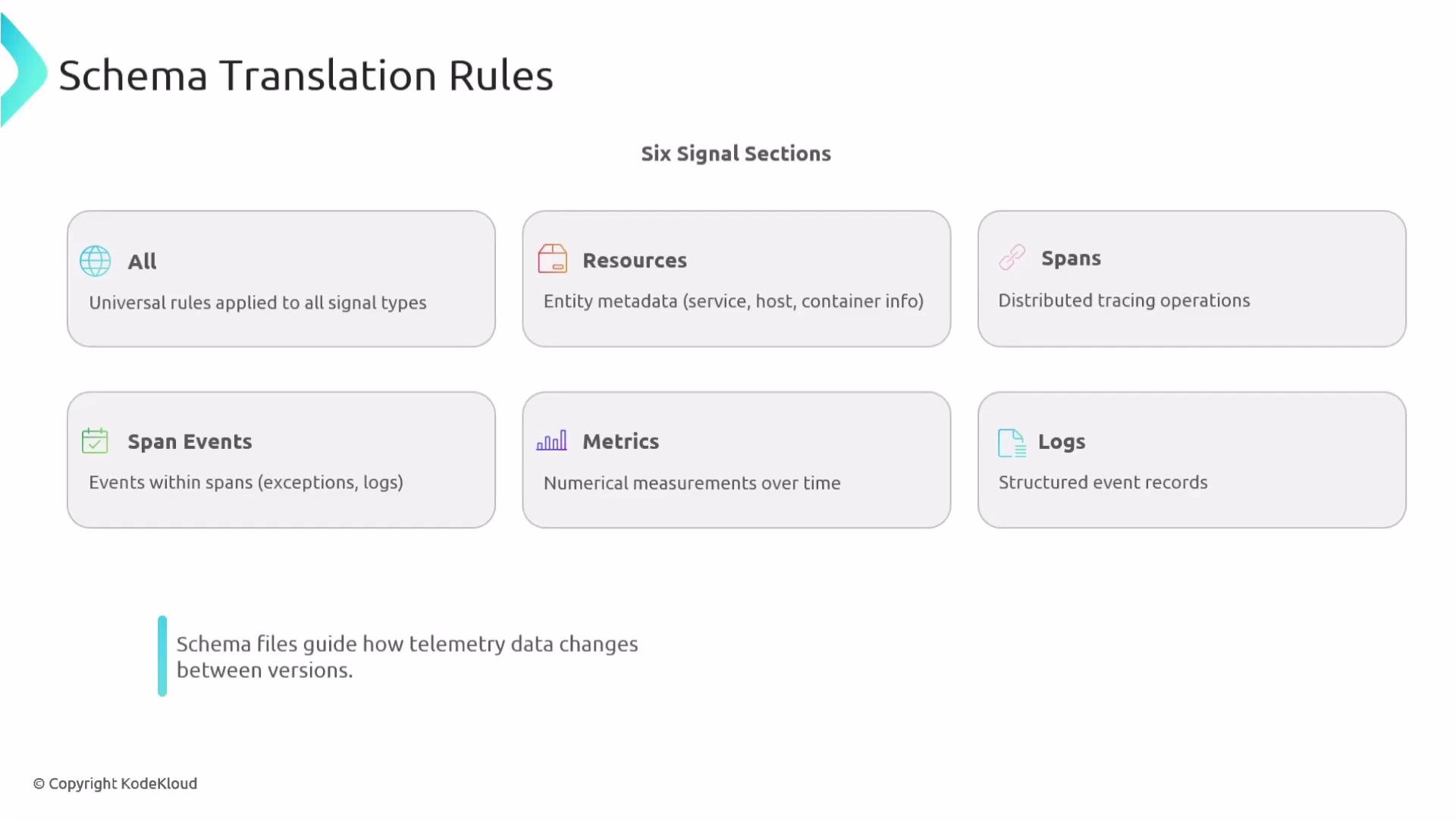
Schema translation rules live under version blocks. Each version contains signal-specific sections. Start with
all for global normalizations, then add targeted rules per signal. Test changes in staging since transforms are applied in a fixed order and are often non-commutative.Quick reference table
Execution order (important)
Transforms execute in this fixed sequence:all(applies to every signal type)- Signal-specific sections:
spansruns beforespan_eventsresources,metrics, andlogsrun afteralland effectively in parallel relative to each other
all runs first, any subsequent transformations must reference attribute names as transformed by all.
all — Global transformations
Run once per version as a first pass for broad renames or normalizations that should apply to every signal (resources, spans, metrics, logs). Useful for standardizing vendor or SDK attribute names. Example: Global attribute renamesresources — Resource attribute rules
Use this section for attributes attached to resources (shared metadata across multiple signals). Typical uses include standardizing cloud or SDK-provided resource keys. Example: Resource attribute renamesspans — Span-level transformations
Span rules apply to attributes recorded on spans. You can scope operations to specific span names usingapply_to_spans. If apply_to_spans is omitted, the change applies to all spans.
Example: Rename span attributes (with optional span-name filter)
span_events — Events inside spans
Span events are timestamped records inside spans (exceptions, logs, custom events). Supported operations include renaming event names and renaming event attributes. Bothapply_to_spans and apply_to_events can be used to scope a change; if omitted, changes apply broadly.
Example span event JSON (a span with an exception event)
metrics — Metric transformations and splitting
Metrics support renaming metric identifiers (rename_metrics), renaming metric attributes (rename_attributes with apply_to_metrics filter), and splitting a metric into multiple metrics based on an attribute (split).
Example: Rename metric names and metric attributes
split transforms a metric with an attribute (e.g., direction=in) into separate metrics (e.g., system.paging.operations.in), simplifying queries and aggregation.
logs — Log record attribute rules
Target log record attributes only. Common uses: standardizing executable names, severity fields, and message/body fields. Example: Rename log attributesOrdering pitfalls and best practices
Transforms are not generally commutative. Renaming or removing an attribute that a later transform depends on (for example, asplit by that attribute) will break the later transform. Always reason about dependencies and ordering when composing changes.
Order matters: if you rename or remove an attribute that a later transform depends on (for example
split), the later transform will fail because the attribute is missing. Apply split (or other operations that depend on original attributes) before renames that remove or change those attributes.direction renamed before split)
split (or other dependent transforms) while the original attribute exists, then rename or remove attributes afterwards.
Upgrading schema versions
- Apply schema upgrades sequentially (for example: 1.0 → 1.1 → 1.2). Do not skip intermediate versions.
- Many transforms depend on prior state; apply each version’s rules in order to guarantee reproducibility.
- When refactoring a large set of attributes, consider a multi-step upgrade plan:
- Add new attributes or split metrics without removing originals.
- Migrate consumers (dashboards, alerts) to new names.
- Remove old attributes in a subsequent version.
Summary / Checklist
- Use
allfor global, first-pass normalizations. - Use signal-specific sections to refine or add targeted transformations.
- Scope changes with
apply_to_spans,apply_to_metrics, andapply_to_events. - Remember fixed execution order:
all→ signal sections (spans before span_events). - Apply schema upgrades sequentially and test each version in staging.
- OpenTelemetry Specification
- Refer to your vendor/collector docs for implementation details and supported operations.