

- You can generate an OpenAPI specification from an existing API configured in API Gateway.
- You can import a pre-existing OpenAPI specification to automatically create a new REST API in API Gateway.
Generating an OpenAPI Specification from an Existing API
If you already have an API configured in API Gateway, you can generate an OpenAPI specification from it. Start by navigating to the API’s stage (for example, the “dev” stage).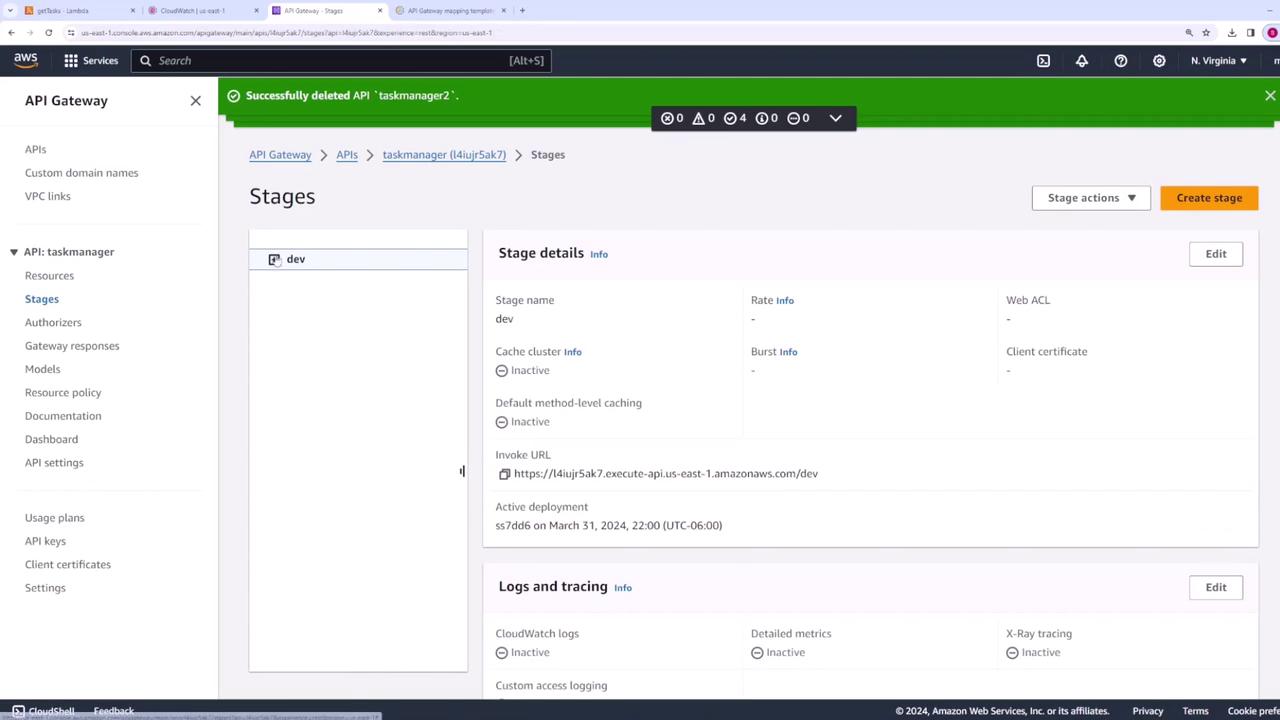
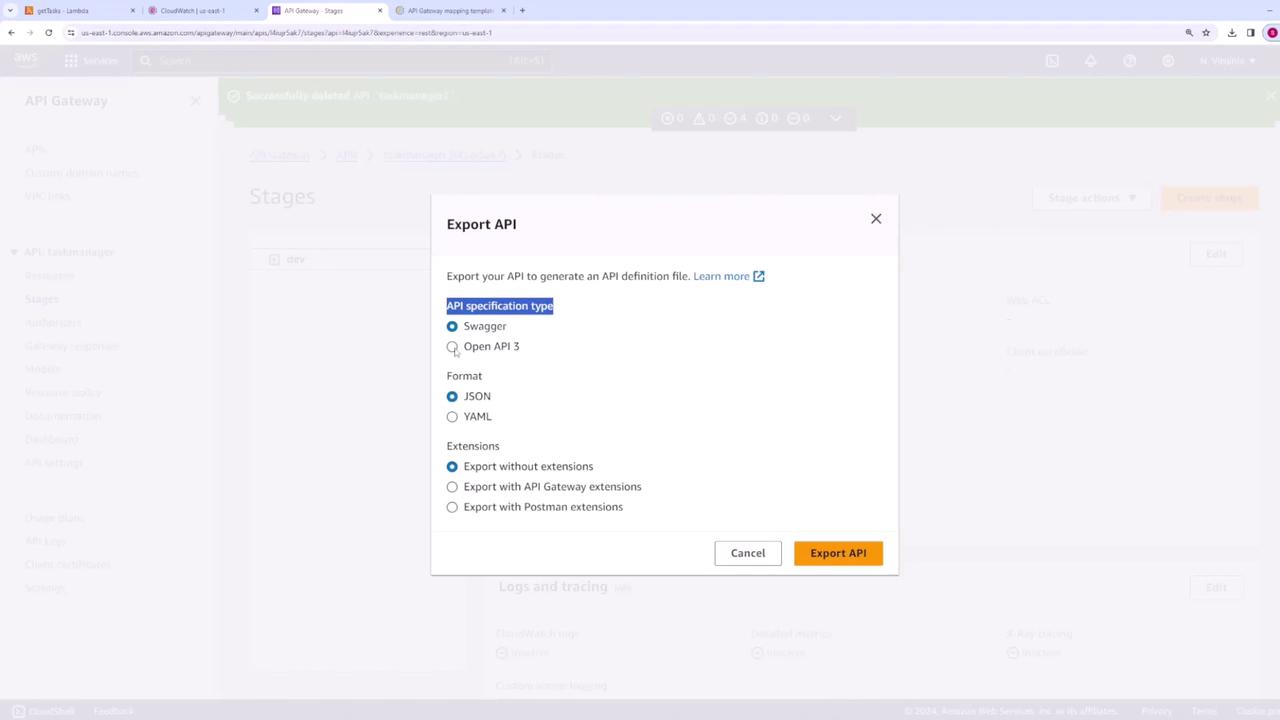
Make sure to save your changes after modifying the OpenAPI specification.
Importing an OpenAPI Specification into API Gateway
To create a new API in API Gateway using your updated specification, import the OpenAPI file. This feature is particularly useful when you want to convert an existing API from another platform into an API Gateway configuration. When you import the OpenAPI spec, API Gateway reads the file and automatically creates the API resources and methods. The configuration might resemble the example below: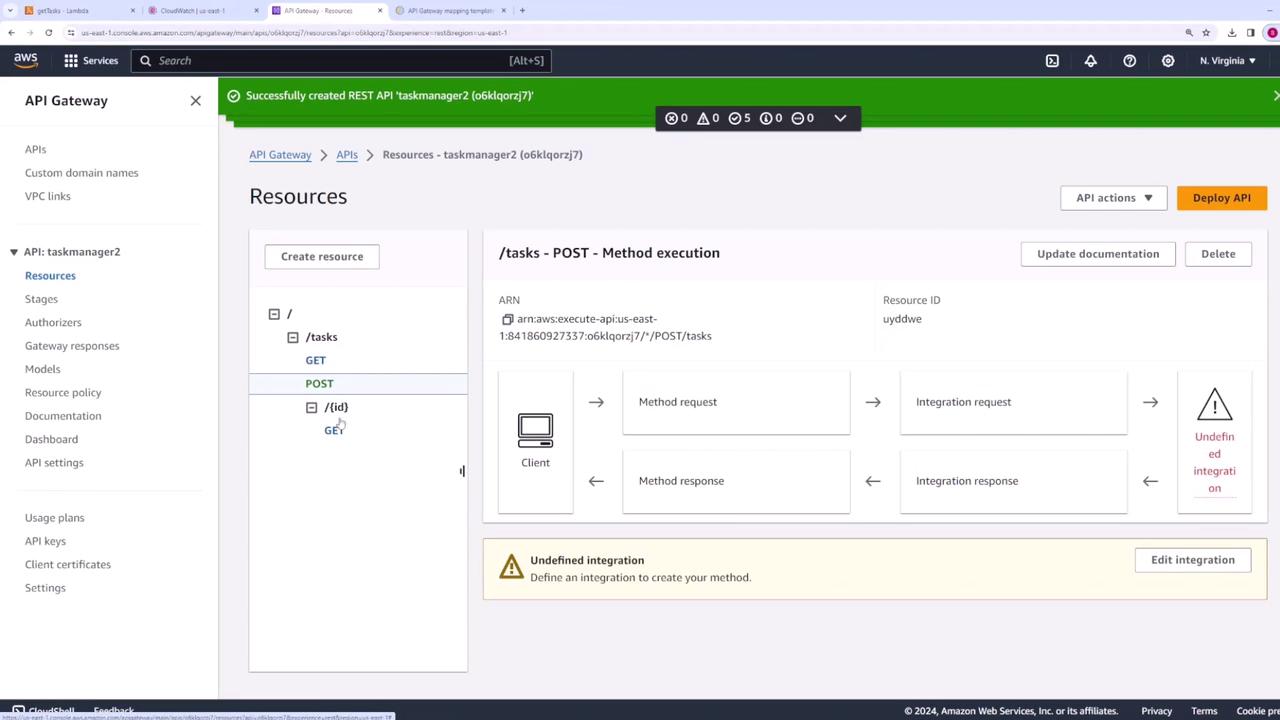
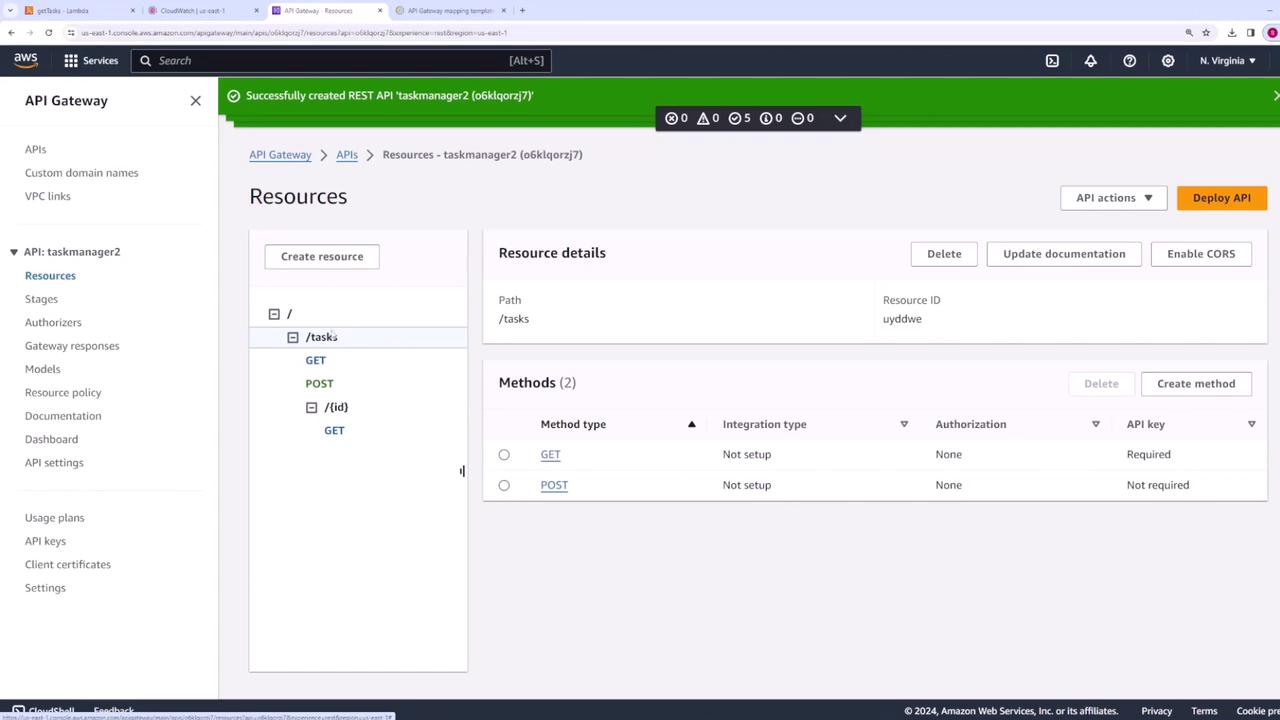
Pay close attention to integration settings. Some configurations imported from other platforms might need manual adjustments in API Gateway.
Generating an SDK
In addition to managing API configurations, API Gateway allows you to generate an SDK for your APIs. To generate an SDK for the API (for example, taskmanager), return to the stages section in API Gateway and follow the instructions to produce an SDK. This SDK helps your clients quickly integrate with your API on their desired platforms.In summary, this guide explained how to:
- Generate an OpenAPI specification from an existing API.
- Modify the specification for your own requirements.
- Import the modified specification to create a new API in API Gateway.
- Optionally generate an SDK for enhanced client integration.