Default Behavior Overview
Begin by navigating to the behaviors section of your CloudFront distribution. Initially, you will see a single behavior that was automatically created when you set up the distribution. This behavior acts as a default or catch-all configuration—any request that doesn’t match a more specific behavior (if defined) will follow this configuration. Click on Edit to inspect the configuration details. For the default catch-all behavior, CloudFront uses an Amazon S3 bucket as its origin.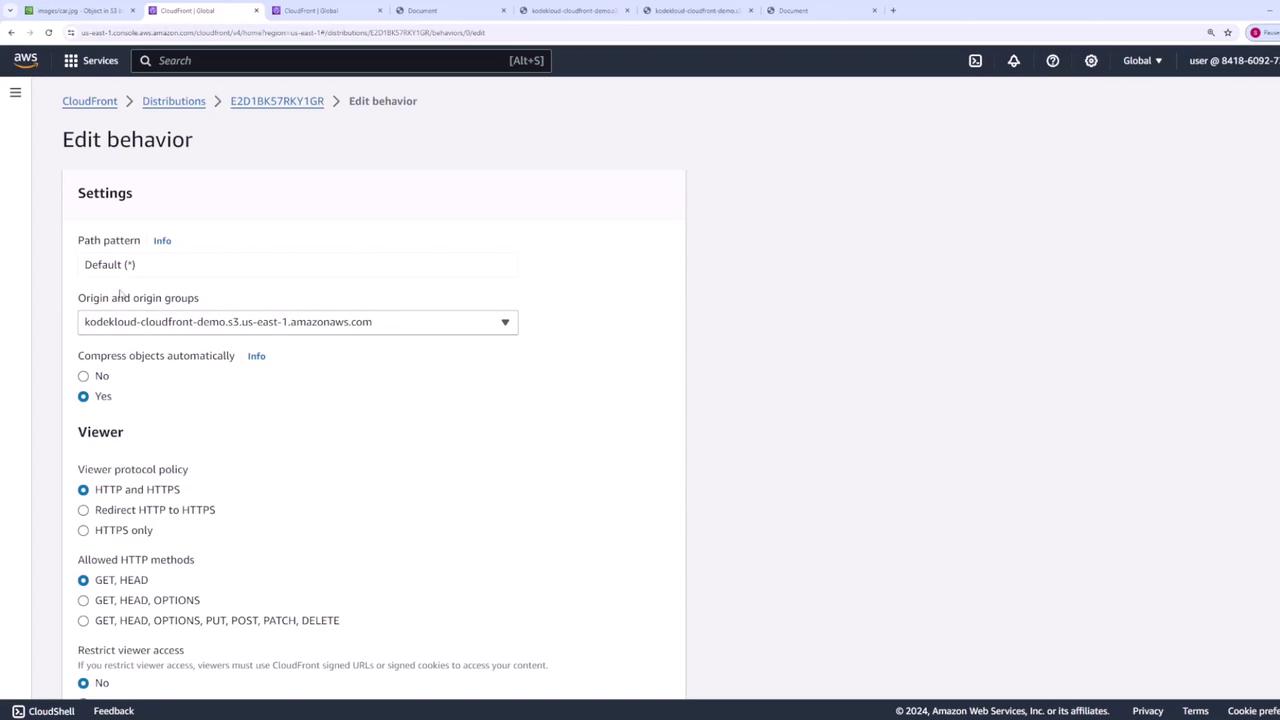
- Minimum TTL: Set to 1 second.
- Default TTL: Configured at 24 hours.
- Maximum TTL: Defined as per the policy details (refer to the image for specifics).
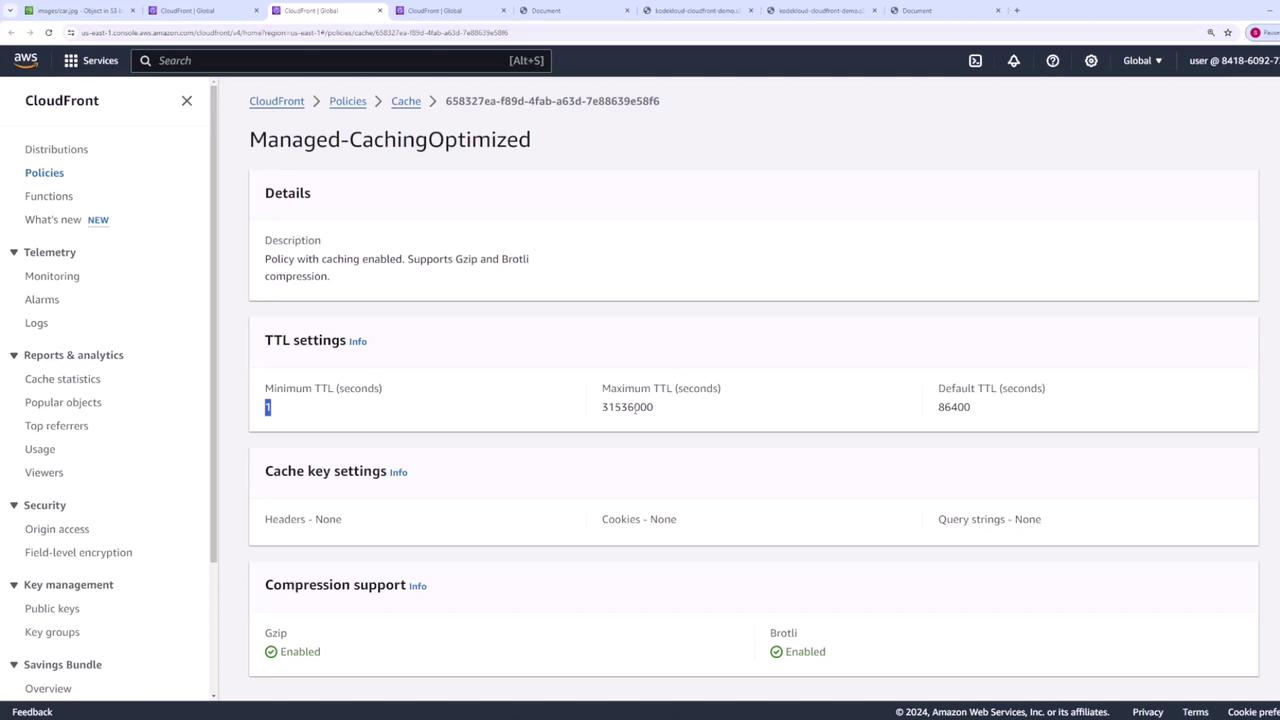
If you need to customize your caching behavior, you can create your own cache policy by returning to this section and selecting Create Cache Policy.
Customizing Cache Policies and Origin Request Settings
When creating a custom cache policy, you can define a policy name, set desired TTL values, and specify which request elements (cache keys) should be included. For instance, you might choose to add headers like Authorization or Host as cache keys, or include specific query strings (e.g., for sorting or filtering on a shopping website) or cookies.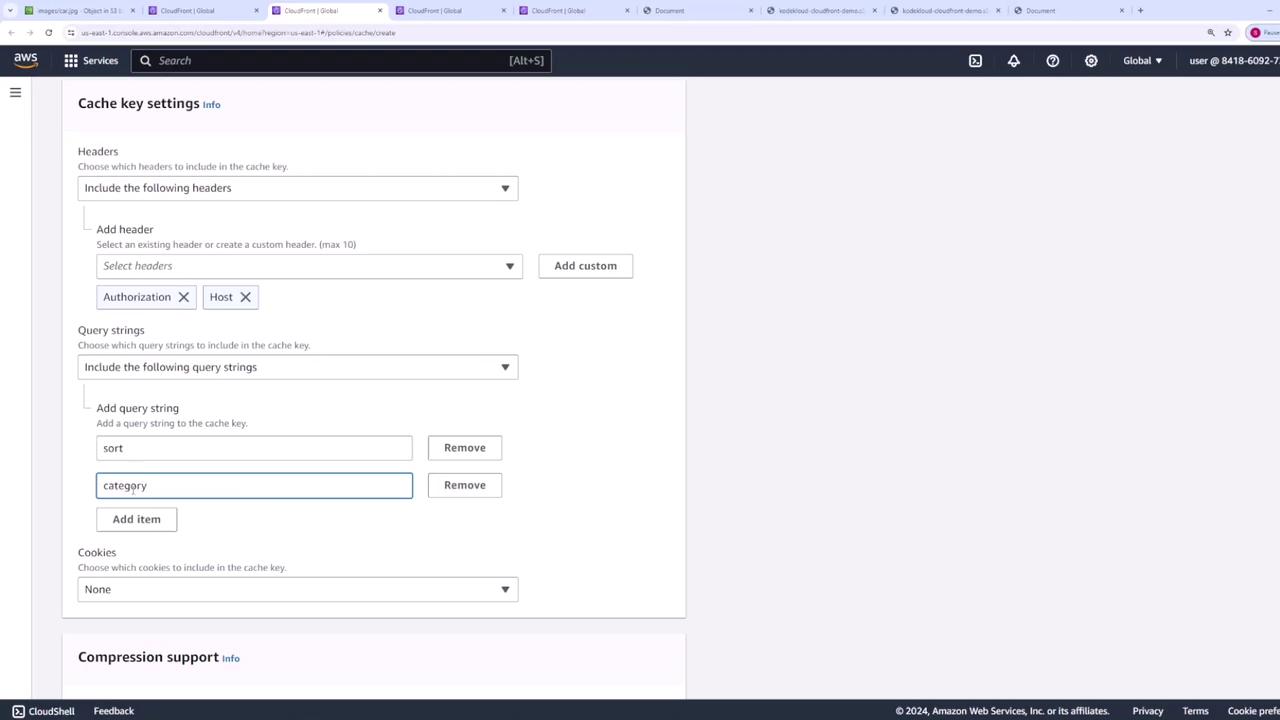
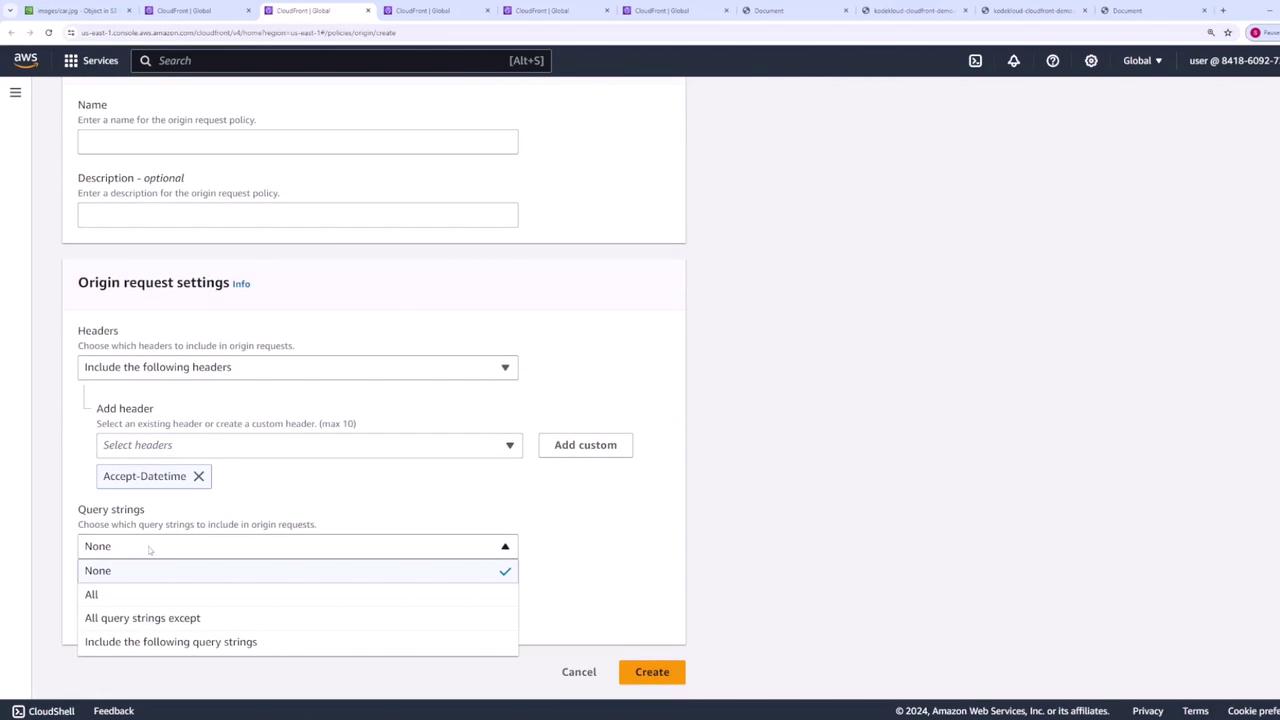
Ensure that your origin request policy forwards only the necessary information; unnecessary data may lead to increased latency or security risks.
Creating a New Behavior
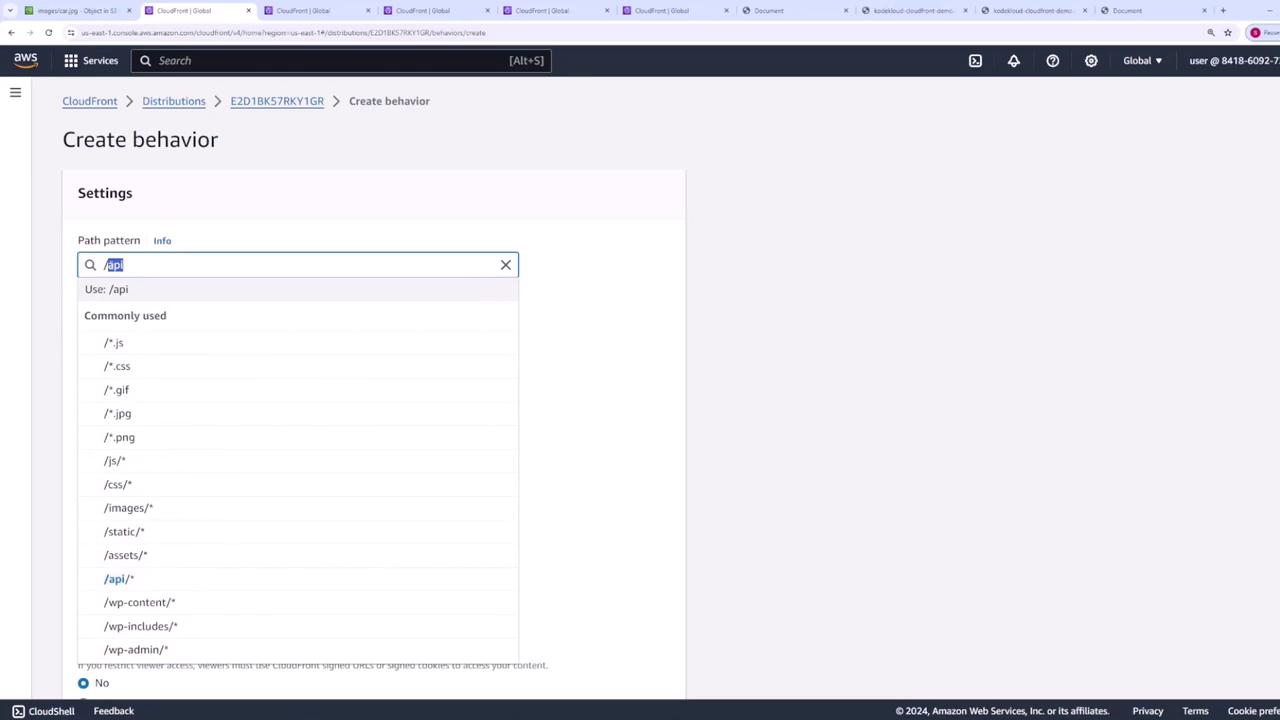
Beyond the default behavior, you can add new behaviors to manage different types of requests. To do this, click on Create Behavior. You must specify a path pattern which determines the requests that will follow this behavior. For example, if your application handles API requests on the “/api” path, you can create a behavior for “/api” so that all matching requests are directed to a specific origin. Similarly, you might create different behaviors for images or other assets to assign unique cache keys, origin request policies, and TTL configurations based on specific needs.