

Installing the AWS SDK for DynamoDB
The first step is to install the DynamoDB client library. For Node.js, use npm:Initializing the DynamoDB Client
Once the library is installed, import the necessary modules and create an instance of the DynamoDB client. Remember to provide your AWS region and credentials.Never hardcode your credentials in production applications. Use environment variables or secure secrets management instead.
Retrieving an Item from the DynamoDB Table
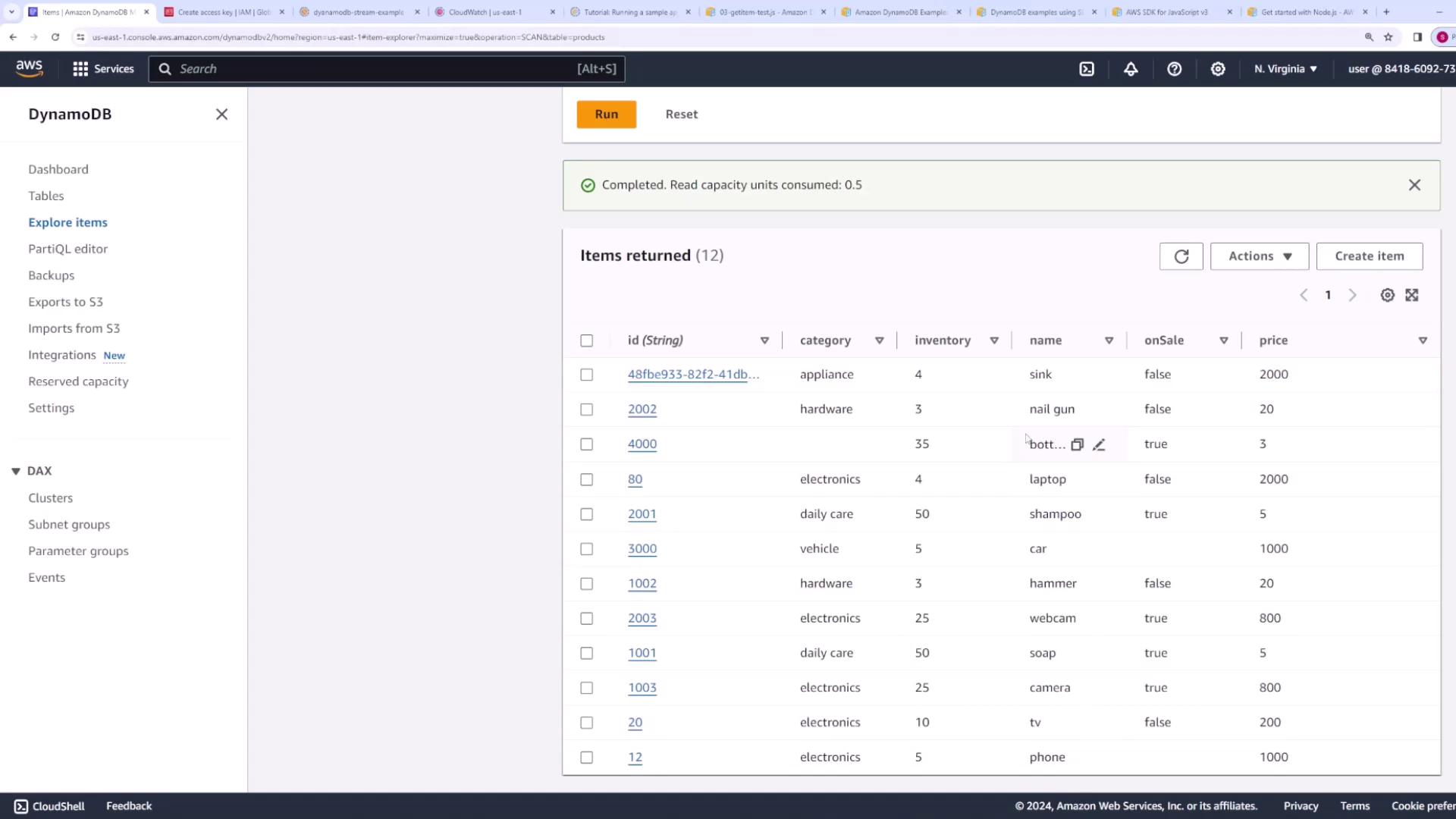
Assume you have a DynamoDB table namedproducts that stores items with attributes such as ID (string), category (string), inventory (number), name (string), price (number), and onSale (Boolean). To retrieve an item—for example, an item with an ID of “80”—use the GetItem command.
Adding an Item with the PutItem Command
To add an item to your DynamoDB table, import thePutItemCommand and define an object representing the new item. The following example demonstrates how to add a new product with an ID of “3000”.
Introducing the DynamoDB Document Client
The DynamoDB Document Client offers a higher-level abstraction, allowing you to work with native JavaScript types without explicitly specifying data types (such as{ S: "value" } or { N: "value" }). First, install the additional library:
Retrieving an Item Using the Document Client
For a more streamlined retrieval process, use theGetCommand from the Document Client library. This method allows you to avoid manual type conversion:
new keyword, ensure that your instantiation of the Document Client is correct.
Adding an Item Using the Document Client
To insert an item using native JavaScript data types, import thePutCommand and format your item accordingly:
Bulk Operations with the Batch Write Command
When you need to handle multiple items simultaneously, the Batch Write command is a convenient option.Preparing Items for a Batch Write
Begin by defining an array of JavaScript objects that represent the items to insert. Then, convert each object into the required format by mapping it to an object with aPutRequest property:
Executing the Batch Write
With your items prepared, import theBatchWriteCommand from the Document Client library and execute the command:
UnprocessedItems object:
Conclusion
In this article, we demonstrated how to:- Install and set up the AWS SDK for DynamoDB.
- Retrieve items using the low-level
GetItemCommand. - Insert new items using the
PutItemCommand. - Leverage the higher-level DynamoDB Document Client to work with native JavaScript types.
- Perform bulk write operations using the
BatchWriteCommand.