Accessing AWS Route 53
First, log in to the AWS Management Console and search for “Route 53.” Open the service and navigate to the Domains section, then click on Register Domain. If you haven’t registered any domains before, you will see an empty list: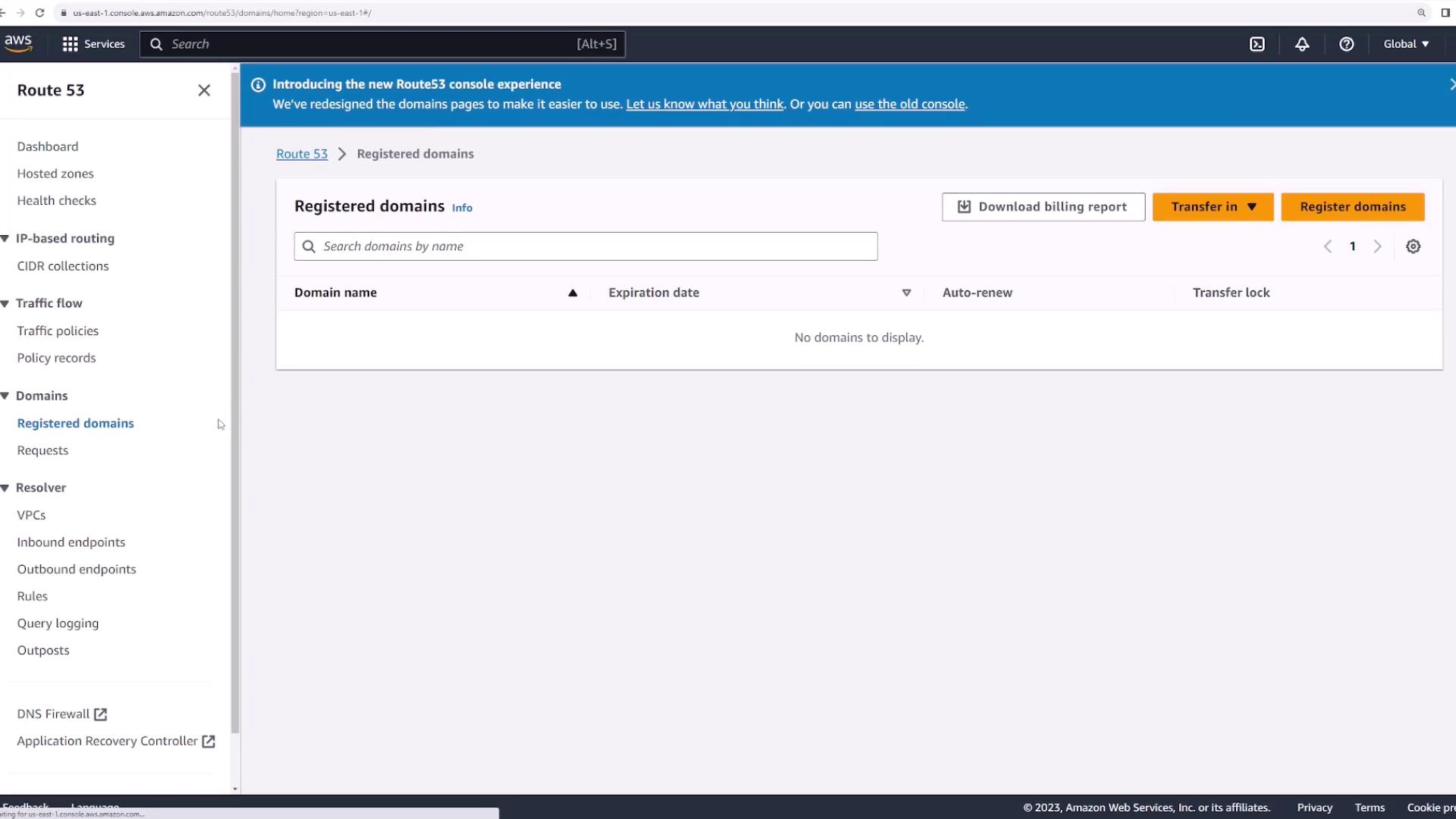
- Transfer an Existing Domain: Migrate a domain registered with a third-party provider.
- Register a New Domain: Create a new registration directly within AWS.
Registering a New Domain
To register a new domain, start by checking its availability. For the demo, we will use a sample domain name such as “kodeklouddemo123.com.” When you search for this name, AWS Route 53 displays pricing options. For example, the .com domain might be available for $13 per year, with additional alternatives like a .link version. Select “kodeklouddemo123.com” and click Proceed to checkout.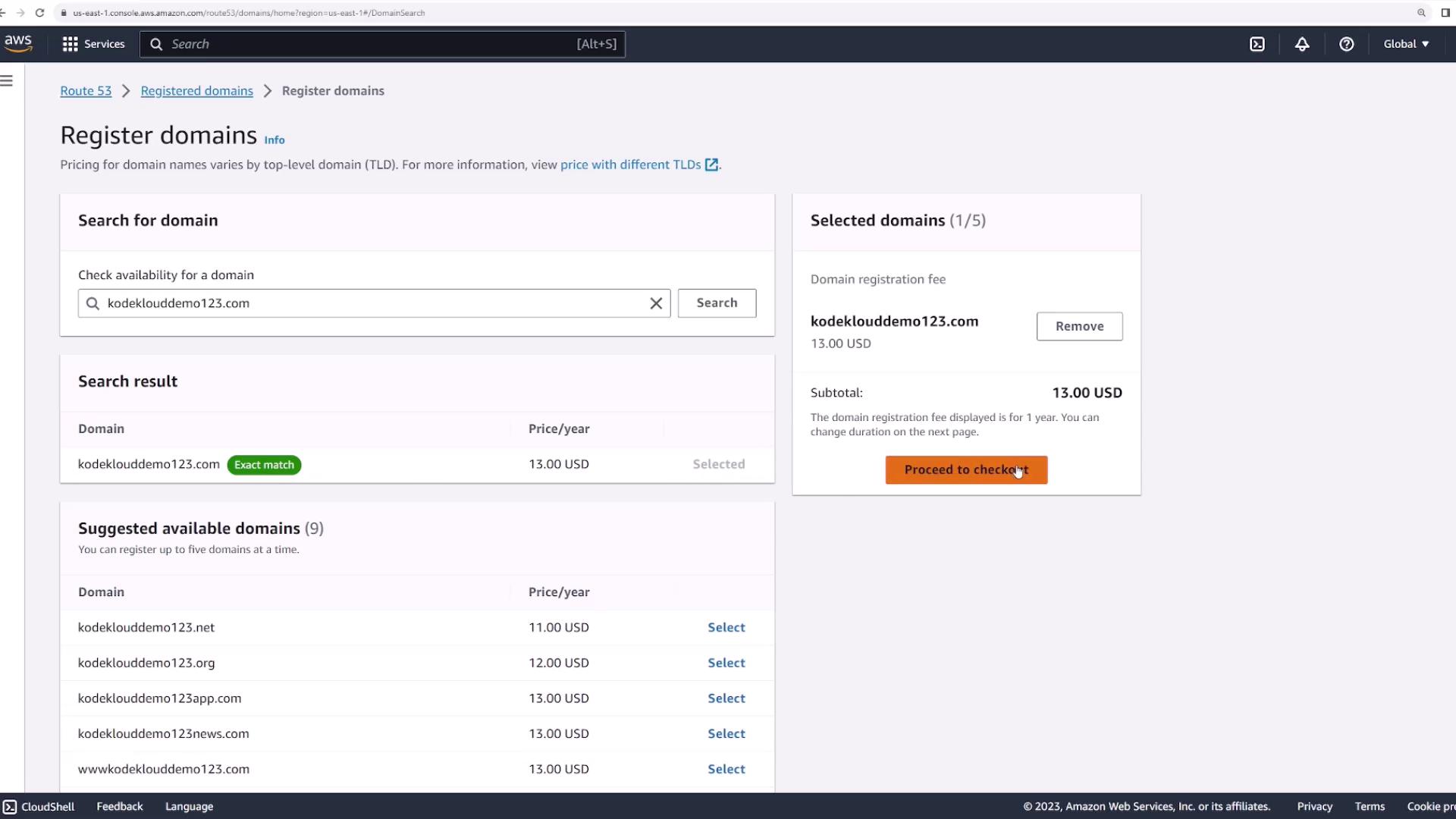
It is recommended to keep auto-renew enabled to avoid potential downtime due to missed renewals.
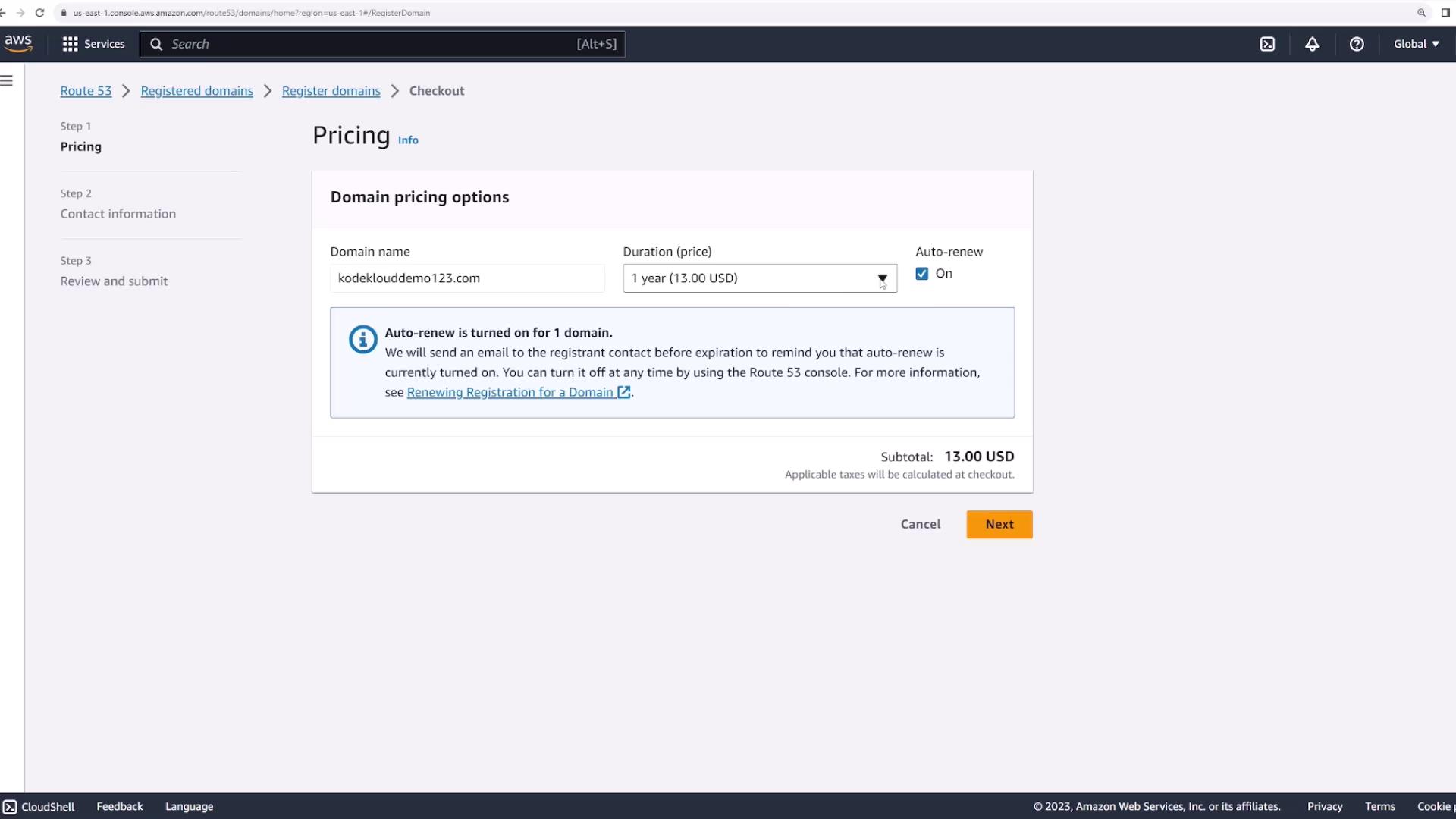
Providing Contact Information
After setting your renewal preferences, enter the required contact information and enable privacy protection to secure your data. Review the registration summary, which shows any applicable management fees. Note that when you register a domain using Route 53, an associated hosted zone is automatically created (this may incur a small additional charge).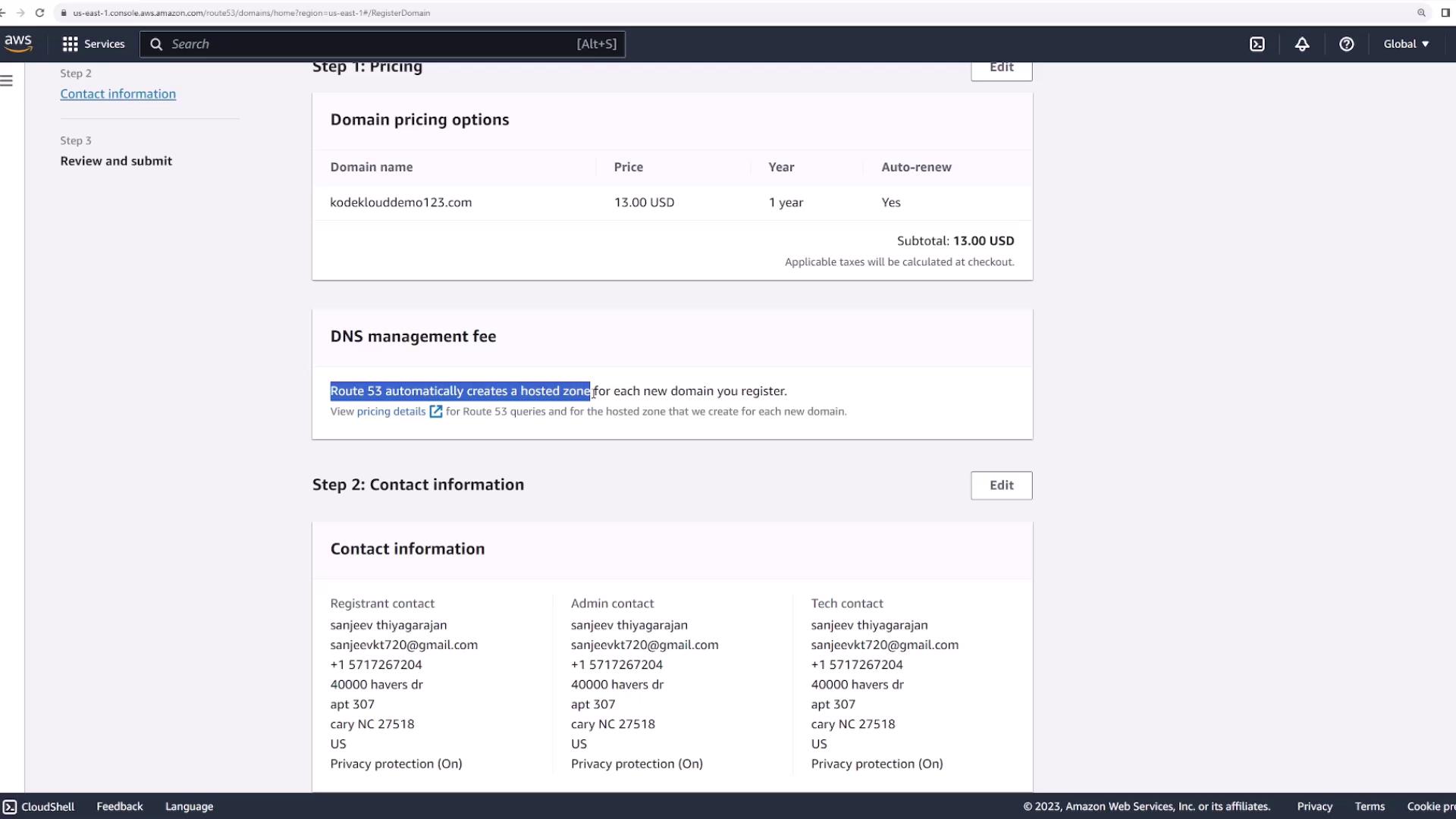
Managing Hosted Zones and DNS Records
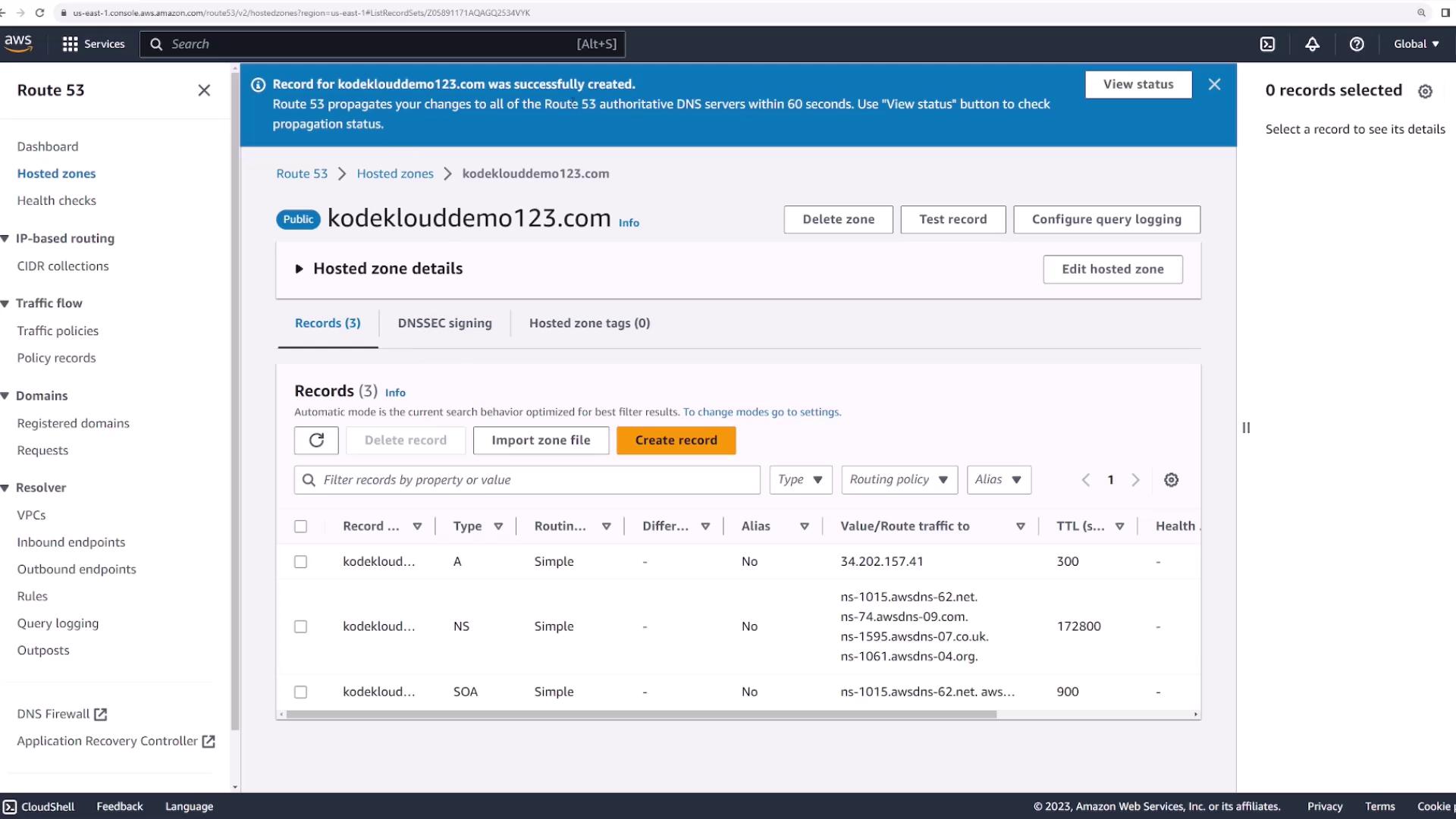
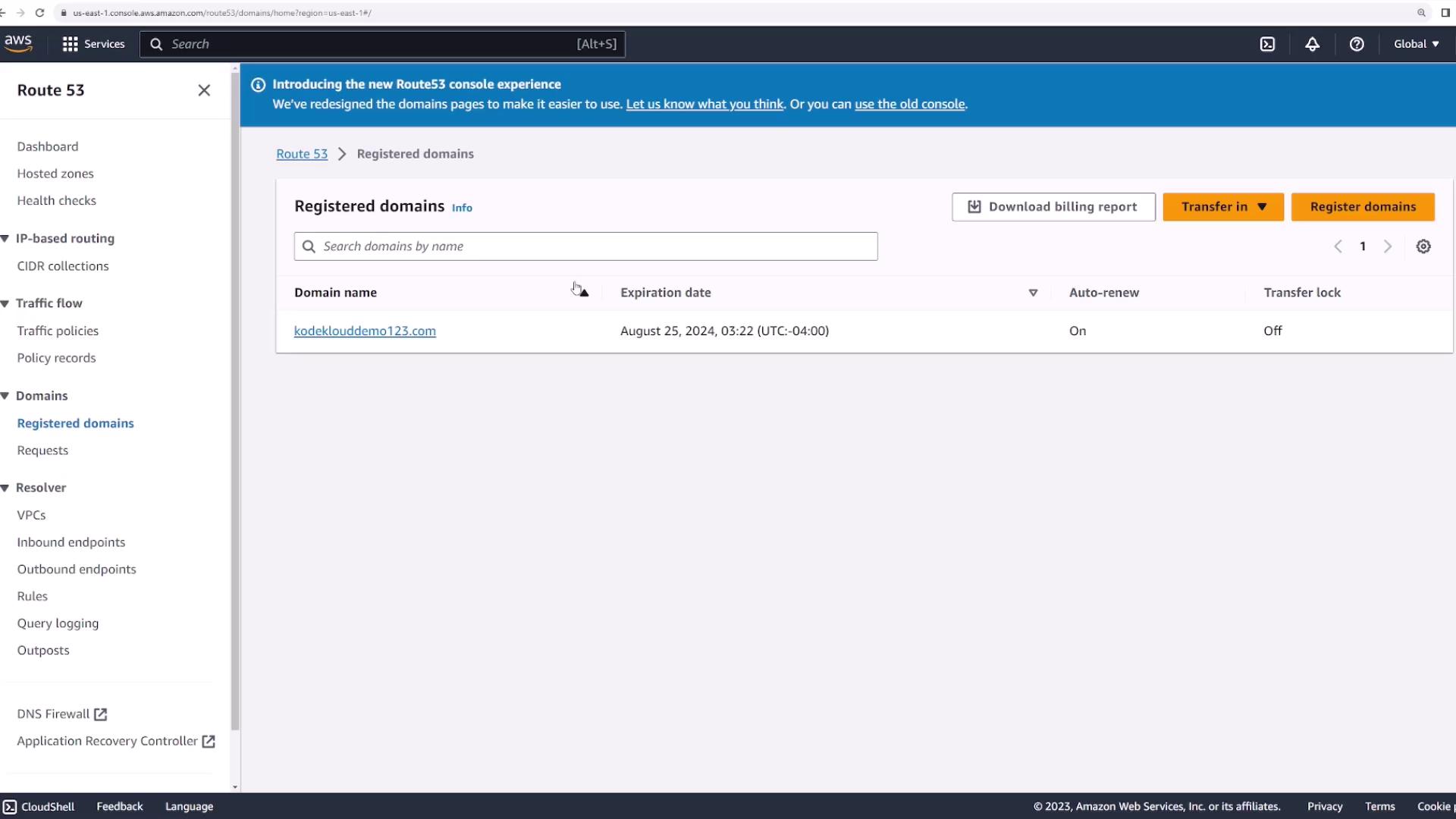
Click on your registered domain in the Route 53 console for additional details, including registration/expiration dates, contact information, and the four name servers allocated for your hosted zone. AWS automatically creates a hosted zone for your domain, which stores all associated DNS records. Navigate to the Hosted zones section, and you will see a hosted zone for “kodeklouddemo123.com.” Clicking on the hosted zone reveals the name servers and other DNS record details: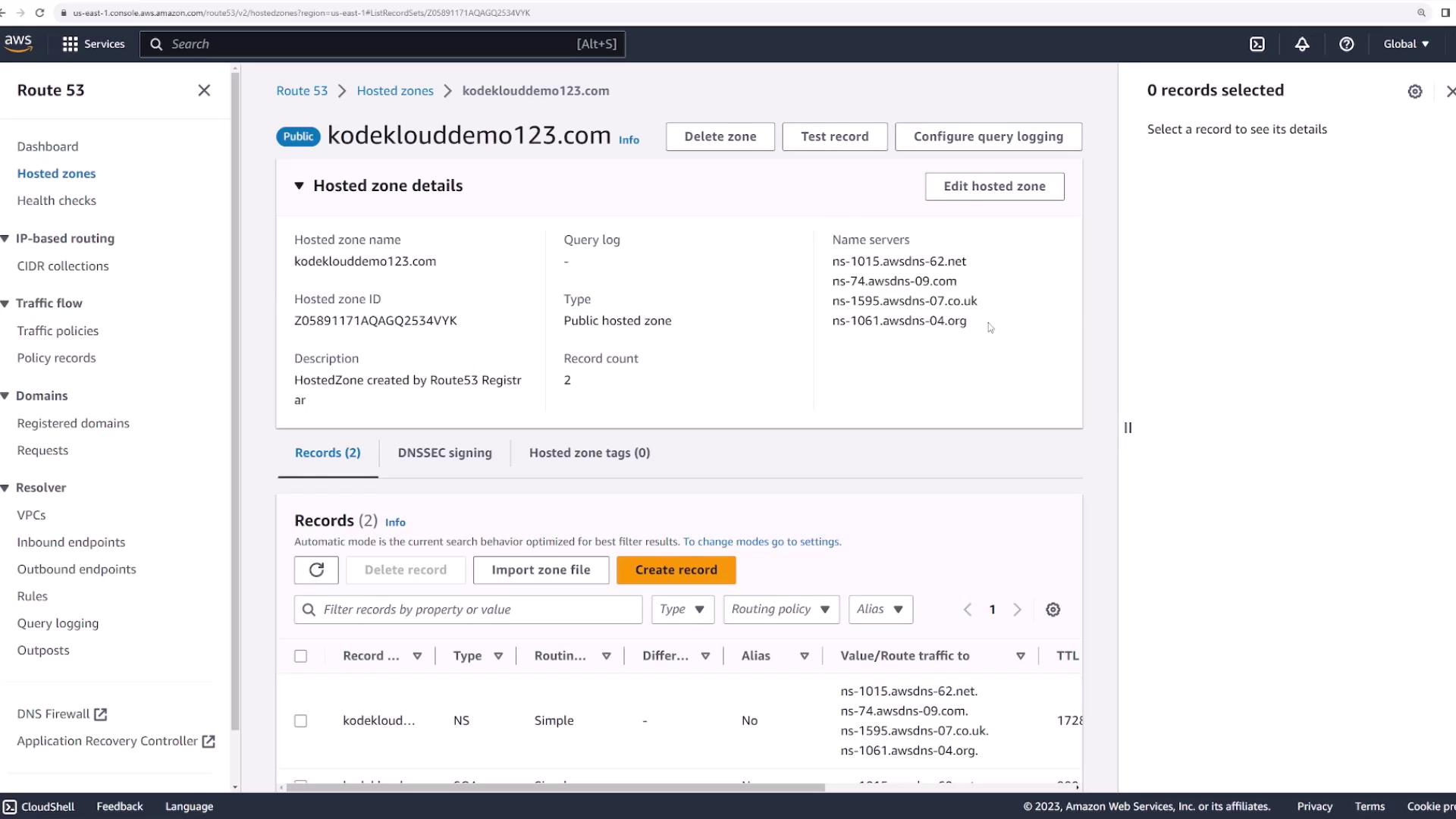
Creating DNS Records
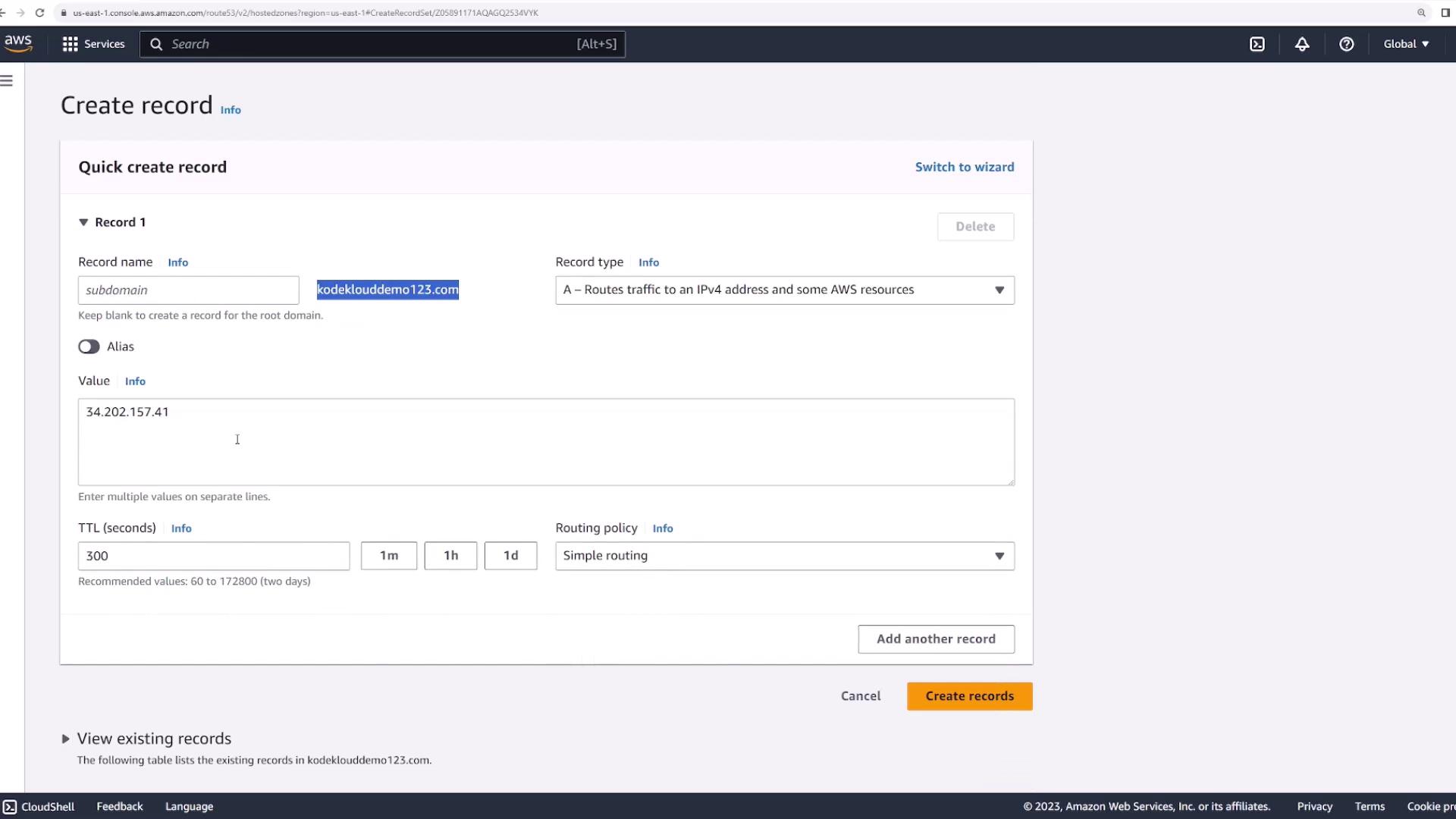
AWS automatically sets up basic DNS records in the hosted zone. To add a new record, click the Create records button. For example, to map your domain or subdomain to a web server’s IP address, you can create an A (Address) record.- Root Domain: Leave the record name empty (or use ”@”) to point “kodeklouddemo123.com” to your web server.
- Subdomain: Enter a value like “www” to map “www.kodeklouddemo123.com” to the IP.