

In this guide, we’ll demonstrate how to work with AWS X-Ray to gain insights into your application’s performance. In this demo, an already deployed application is instrumented with X-Ray libraries to collect and send traces to AWS X-Ray. Although instrumenting the application is beyond the scope of this guide, our focus lies in interpreting the traces displayed in the X-Ray console and understanding the segments that compose each trace.Documentation Index
Fetch the complete documentation index at: https://notes.kodekloud.com/llms.txt
Use this file to discover all available pages before exploring further.
Navigating the X-Ray Service
Begin by searching for X-Ray in the AWS Management Console. This action navigates you directly to the X-Ray service page within CloudWatch. Here, you’ll find sections dedicated to both the X-Ray service map and traces.The Service Map
The service map provides a diagrammatic view of all the components within your application. For instance, consider the following flow:- A client (user or frontend application) sends a request to the scorekeeping application deployed on an ECS container.
- The ECS container interacts with multiple components, including a scorekeep notification SNS topic and several DynamoDB tables (handling state, session, each move, and game representation).
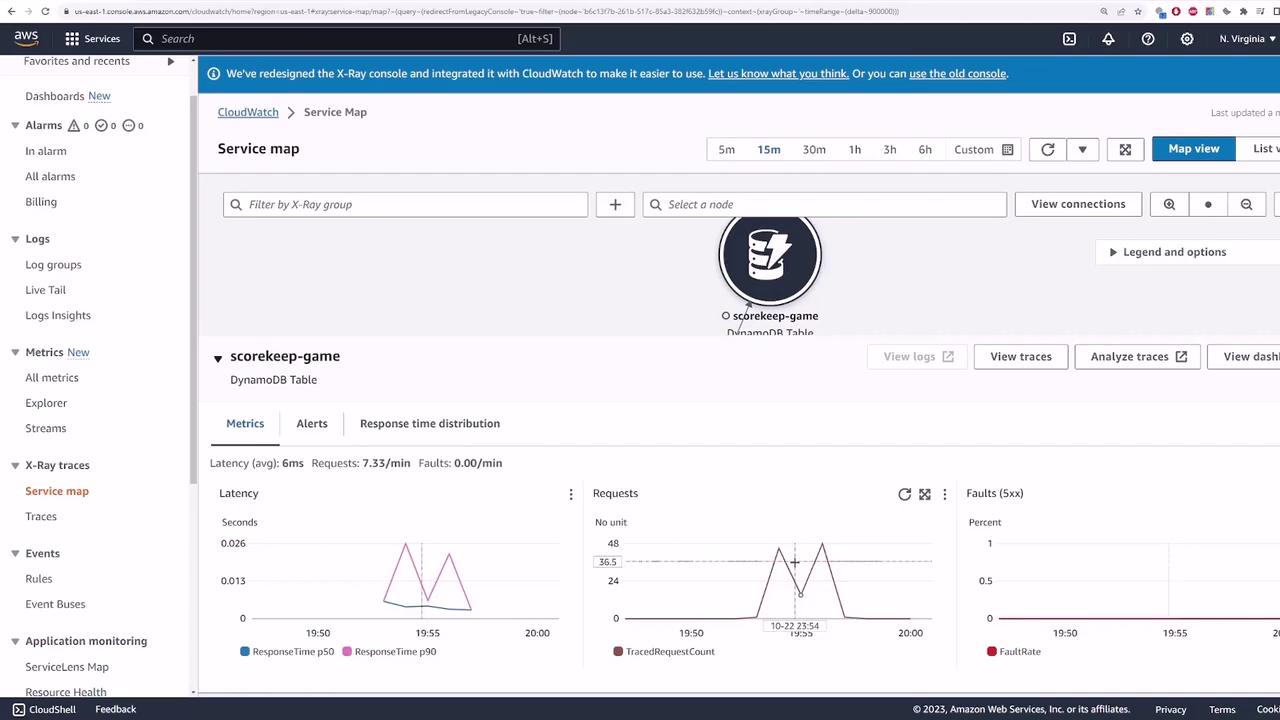
Tracing a Node
By selecting a node, you will see key metrics for that component, which include:- Latency
- Number of requests
- Total faults (e.g., 500 status codes)
- Alerts and response time distributions
Analyzing Trace Details
When you select an individual trace, the console displays all the segments making up that trace. For example, a simple trace might reveal that:- The trace reaches the ECS container.
- The container sends a request to the scorekeep game table.
- A “get item” operation is performed on the DynamoDB table.
- Several “get item” requests to various DynamoDB tables.
- An SNS notification operation.
- Other actions that cumulatively define the overall request processing time.
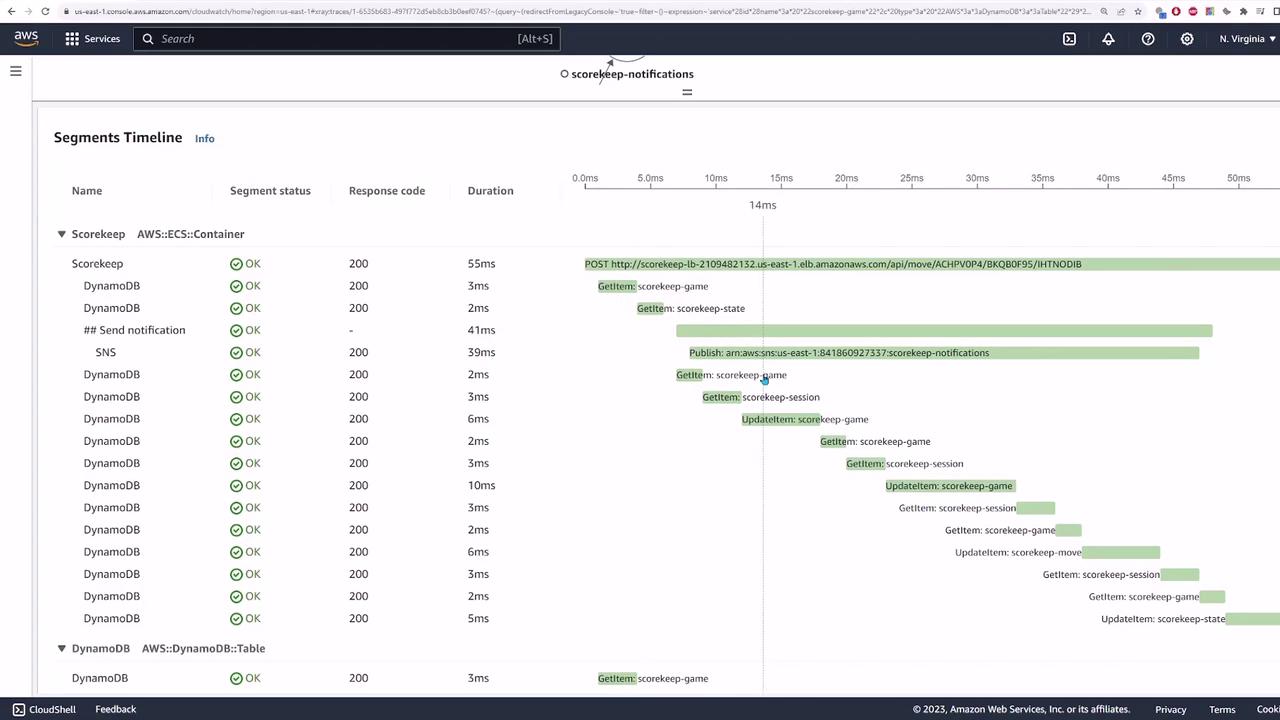
Always compare the duration of segments to quickly identify operations that may be slowing down your application.
Identifying Failures
If you encounter a fault, such as a 500 error, inspect the related segment to diagnose the issue. The error might be linked to a specific operation within the ECS container when processing a request. By drilling down into the trace, you can view details such as response codes and time spent in that segment, helping you determine the precise cause of the error.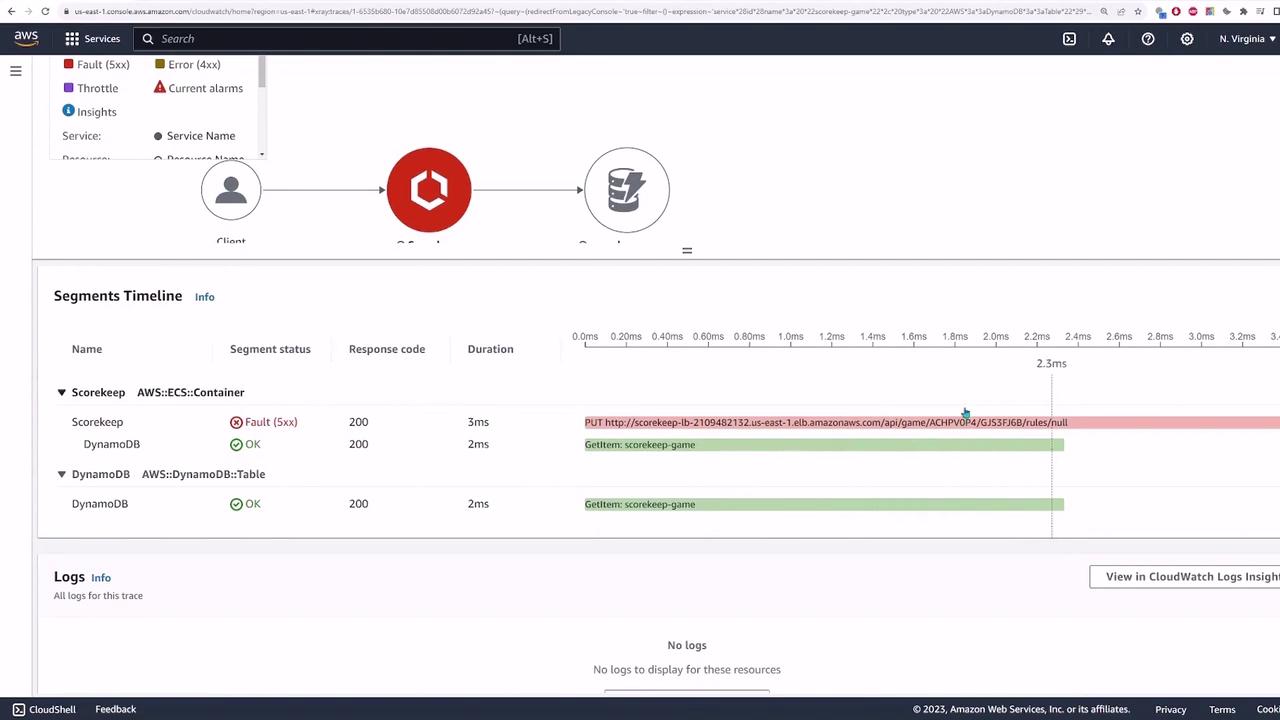
Combining Multiple Queries
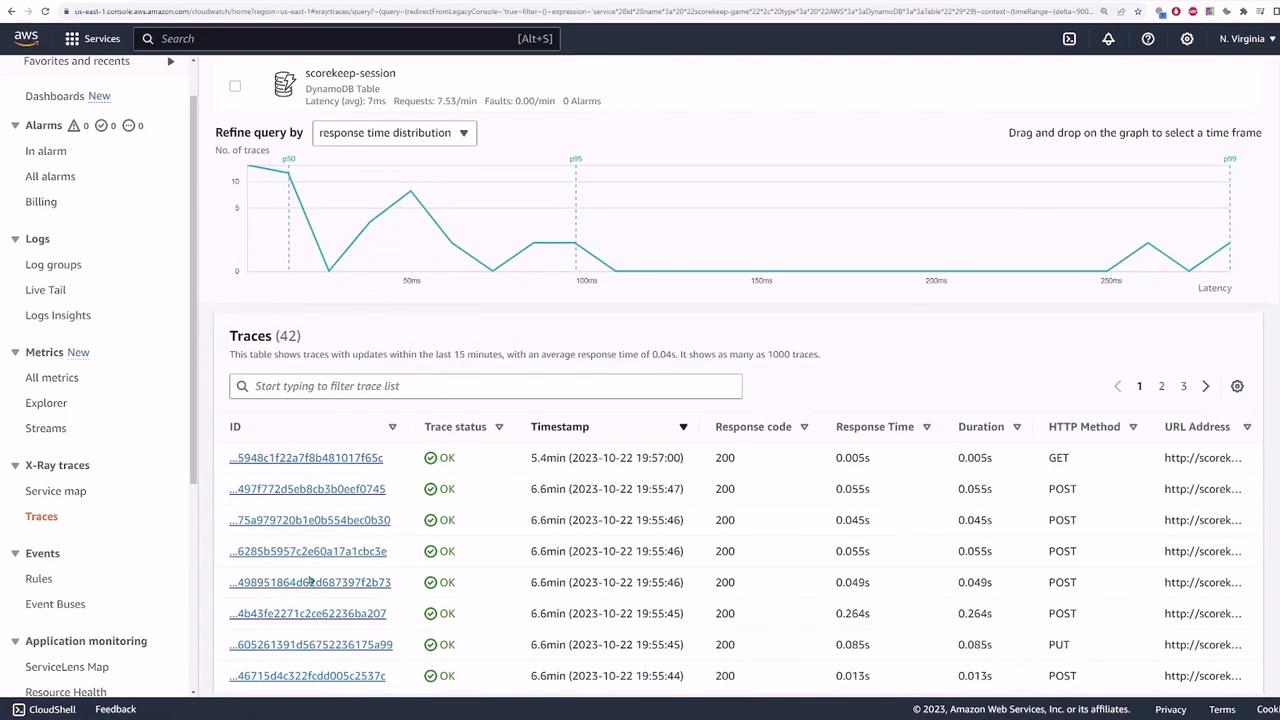
Back on the traces page, you have the option to further refine your query. For example, if you wish to view traces that involve both the SNS topic and the scorekeep game, you can add those filters and run the query. This might return, for instance, 43 traces. The resulting graph will display response time distributions alongside the individual traces collected during the selected timeframe.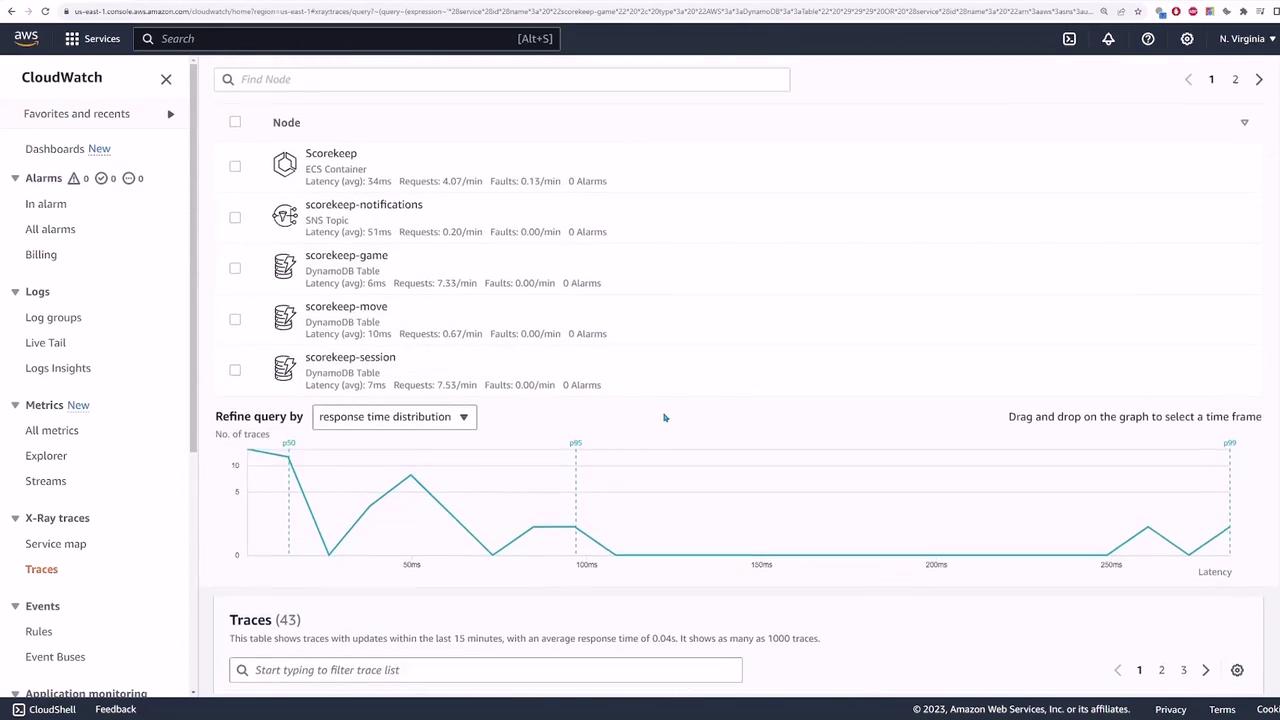
Summary
AWS X-Ray is an essential tracing tool designed to help you understand the lifecycle of a request through your application. By instrumenting your application with X-Ray, you can swiftly identify the components responsible for latency or errors, making performance troubleshooting more efficient.We hope you found this guide informative and useful. For more tips on monitoring and observability with AWS, explore our related resources and documentation.