This article explains how to configure AWS Lambda functions to operate within a VPC for secure access to private resources.
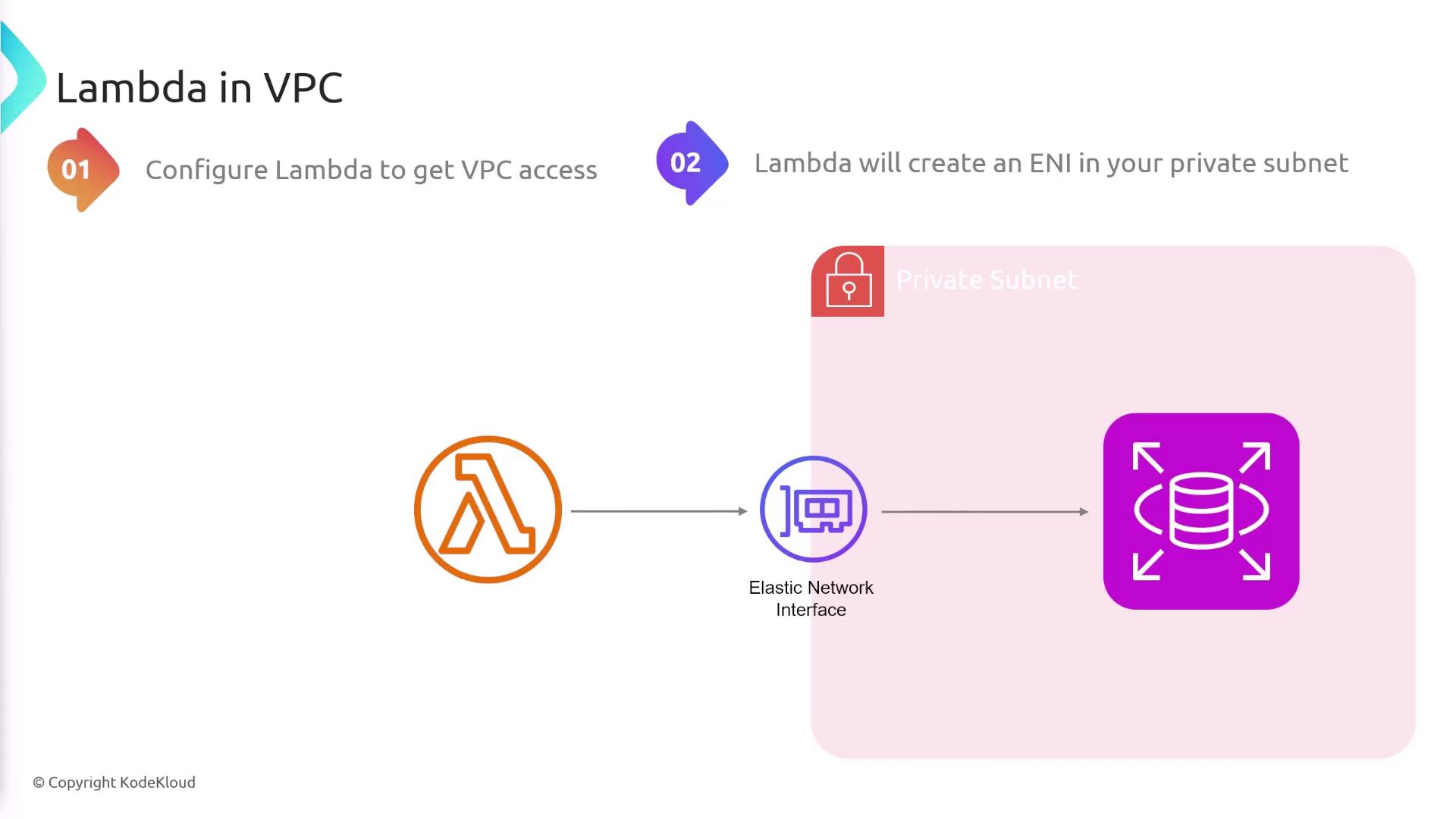
In this lesson, we explore how to enable networking for AWS Lambda functions by configuring them to operate within a Virtual Private Cloud (VPC). This configuration is essential when your Lambda functions need to interact with resources that reside in private subnets, such as RDS instances or other internal services.By default, a deployed Lambda function has access to the internet. However, it cannot directly connect to resources within your VPC. To allow a Lambda function to communicate with these internal resources, you must configure it to run inside your VPC. When you do so, AWS Lambda provisions an Elastic Network Interface (ENI) within your specified private subnet. This ENI acts as a bridge between the Lambda function and the private resources in your VPC.
Before enabling VPC access, ensure that AWS Lambda is granted the necessary permissions to create and manage ENIs within your VPC.
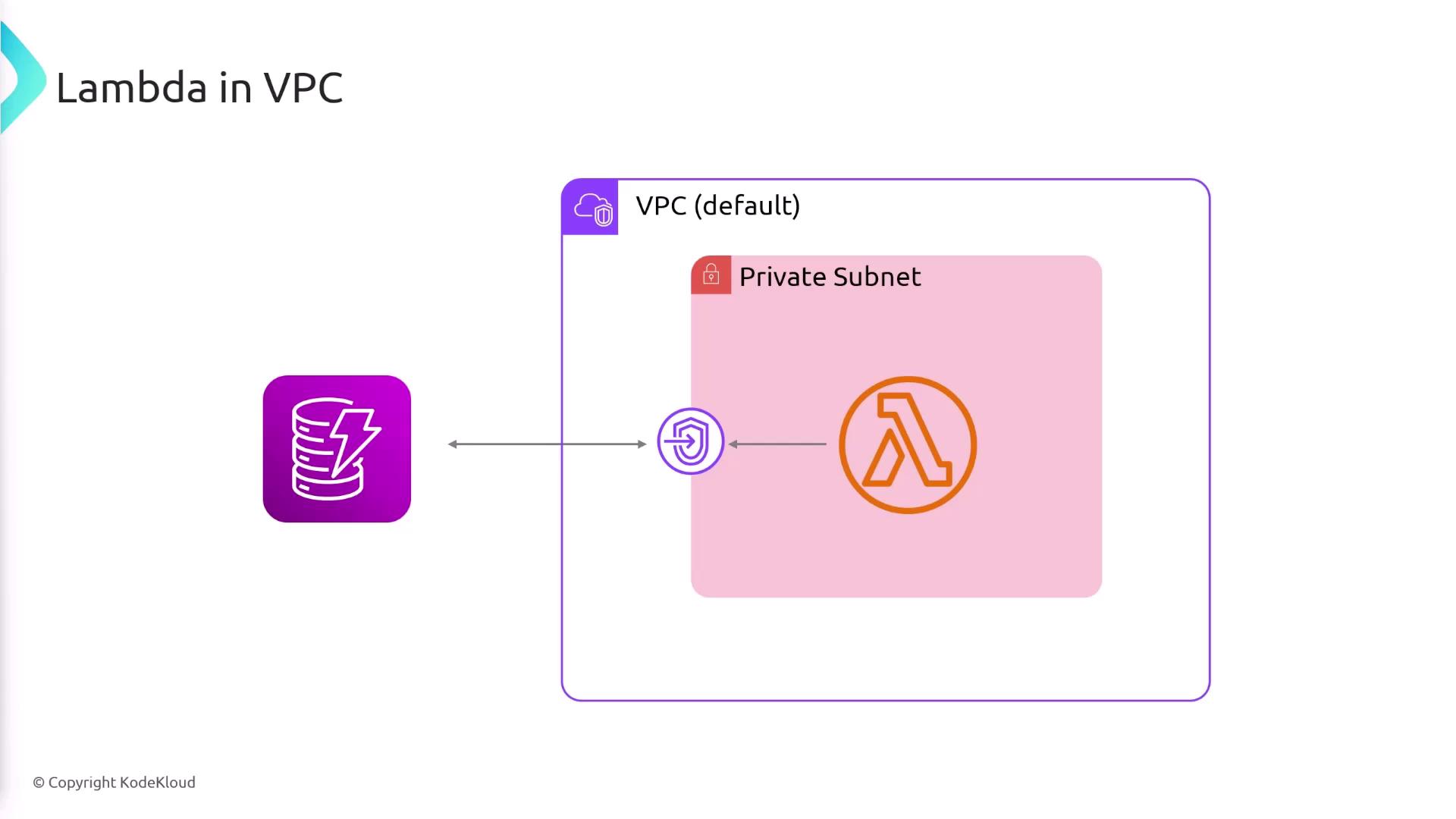
Once the permissions and configurations are set, your Lambda function will be able to access resources in your VPC’s private subnets. However, one important consideration is that when a Lambda function runs within a VPC, it loses its default internet access. This loss occurs because the function now relies solely on the VPC’s network configuration.To restore internet connectivity for your Lambda function while it operates in the VPC, you have two primary options:
Configure a NAT Gateway:
A NAT Gateway enables your Lambda function to access the internet while still operating within the secure confines of your VPC.
Set Up a VPC Endpoint:
If your Lambda function only requires access to specific AWS services that are typically available via the internet, you can create a VPC endpoint. This establishes a private connection to the desired AWS service, eliminating the need for a NAT Gateway.
When running a Lambda function within a VPC, remember that it loses default internet access. Plan your network configurations accordingly and ensure a NAT Gateway or VPC endpoint is in place if external connectivity is required.
Default Behavior: Lambda functions have internet access but cannot reach resources in private subnets.
VPC Configuration: Running a Lambda function within a VPC creates an ENI in a private subnet, allowing access to internal resources.
Internet Access Restoration: Use a NAT Gateway for full internet access or set up a VPC endpoint for targeted access to specific AWS services.
By understanding and correctly implementing these networking configurations, you can optimize your Lambda functions to securely interact with both private and public resources.For further reading on AWS Lambda VPC configurations, consider visiting the AWS Lambda Developer Guide.