Key Features of Elastic Load Balancers
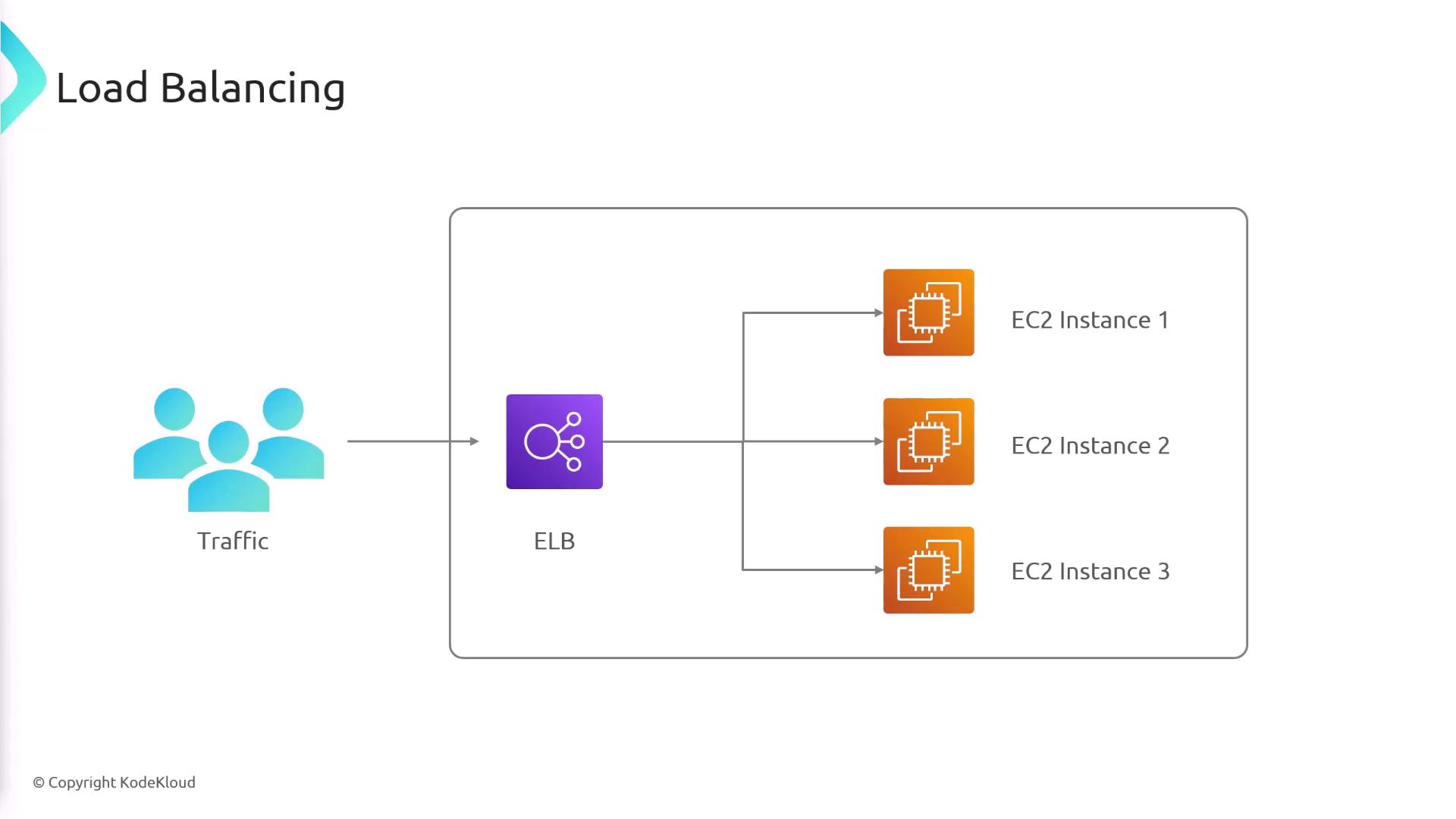
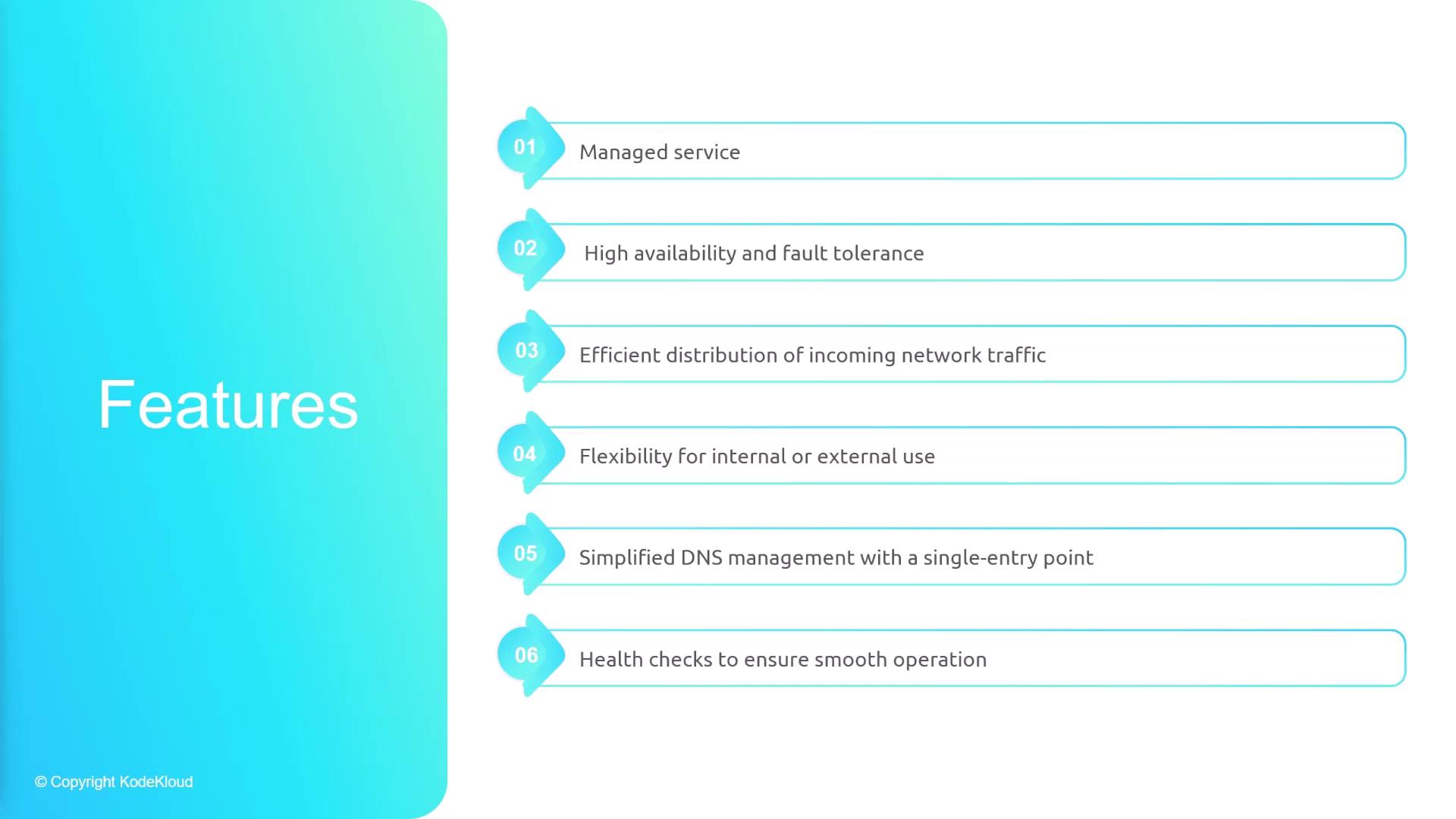
Elastic Load Balancers are a fully managed service from AWS, meaning that AWS takes care of the underlying hardware, networking, and software. Your primary task is to set the operating rules. The main features include:-
High Availability and Fault Tolerance
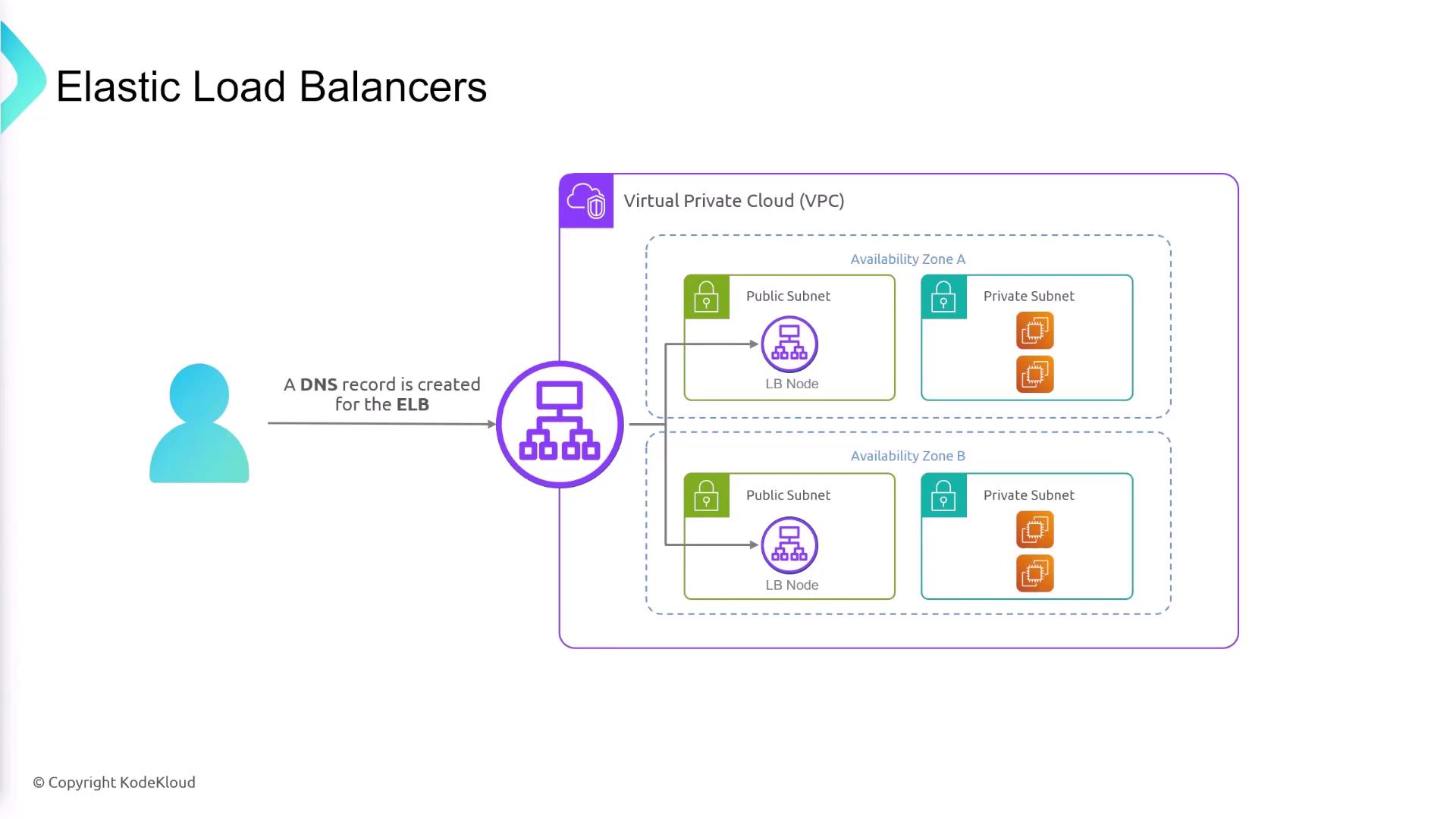
ELBs distribute traffic both across servers and multiple Availability Zones (AZs). If one AZ encounters an issue, the load balancer routes traffic to healthy instances in other zones—thus preventing any single server from becoming overwhelmed. -
Public vs. Private Deployment
Configure your load balancer to be public (accessible via the internet) or private (restricted to internal use). This flexibility allows you to tailor the load balancer to your security requirements. -
Simplified DNS Management
Each ELB gets a DNS entry that remains constant even when the underlying IP addresses change. This eliminates the need to update DNS records frequently. -
Health Checks
ELBs perform periodic health checks using HTTP, HTTPS, or TCP protocols on specified ports. If a server fails these checks, it is temporarily taken out of the rotation until it recovers.
Availability Zones and Load Balancer Deployment
Elastic Load Balancers support multi-AZ deployments. When creating an ELB, you select the Availability Zones and subnets where it will reside. Note that these subnets are for deploying the load balancer nodes, not necessarily for placing your EC2 instances. For example, you might deploy load balancer nodes in public subnets that route traffic to EC2 instances located in private subnets within the same AZ.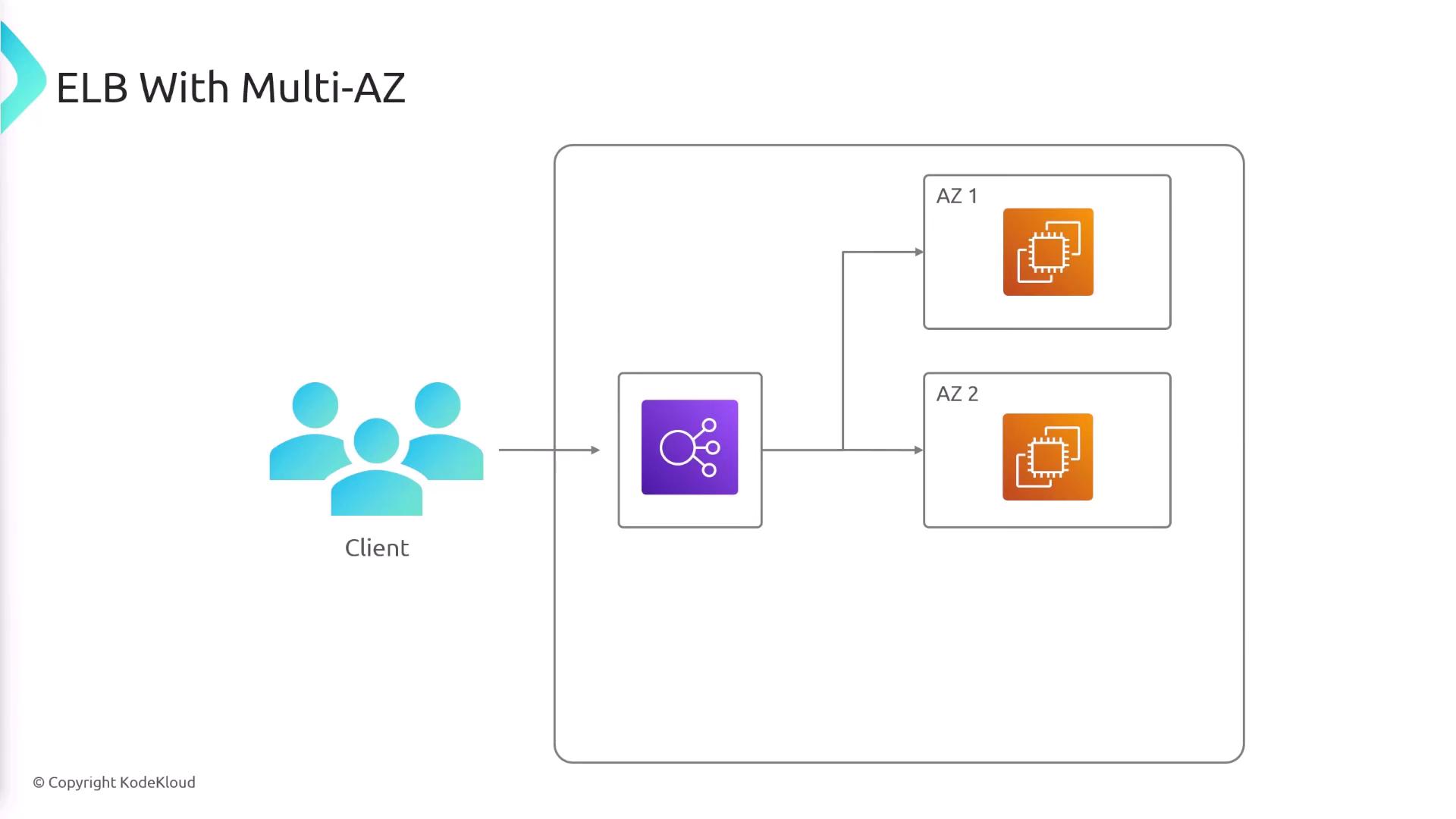
Cross-Zone Load Balancing
Cross-zone load balancing is essential for managing traffic distribution across Availability Zones. Consider a scenario where one AZ has two instances while another has only one. Without cross-zone balancing, the single instance might receive an excessive amount of traffic relative to its capacity. Enabling cross-zone load balancing ensures that traffic is evenly distributed across all instances, regardless of the number of instances in each AZ. This feature is enabled by default.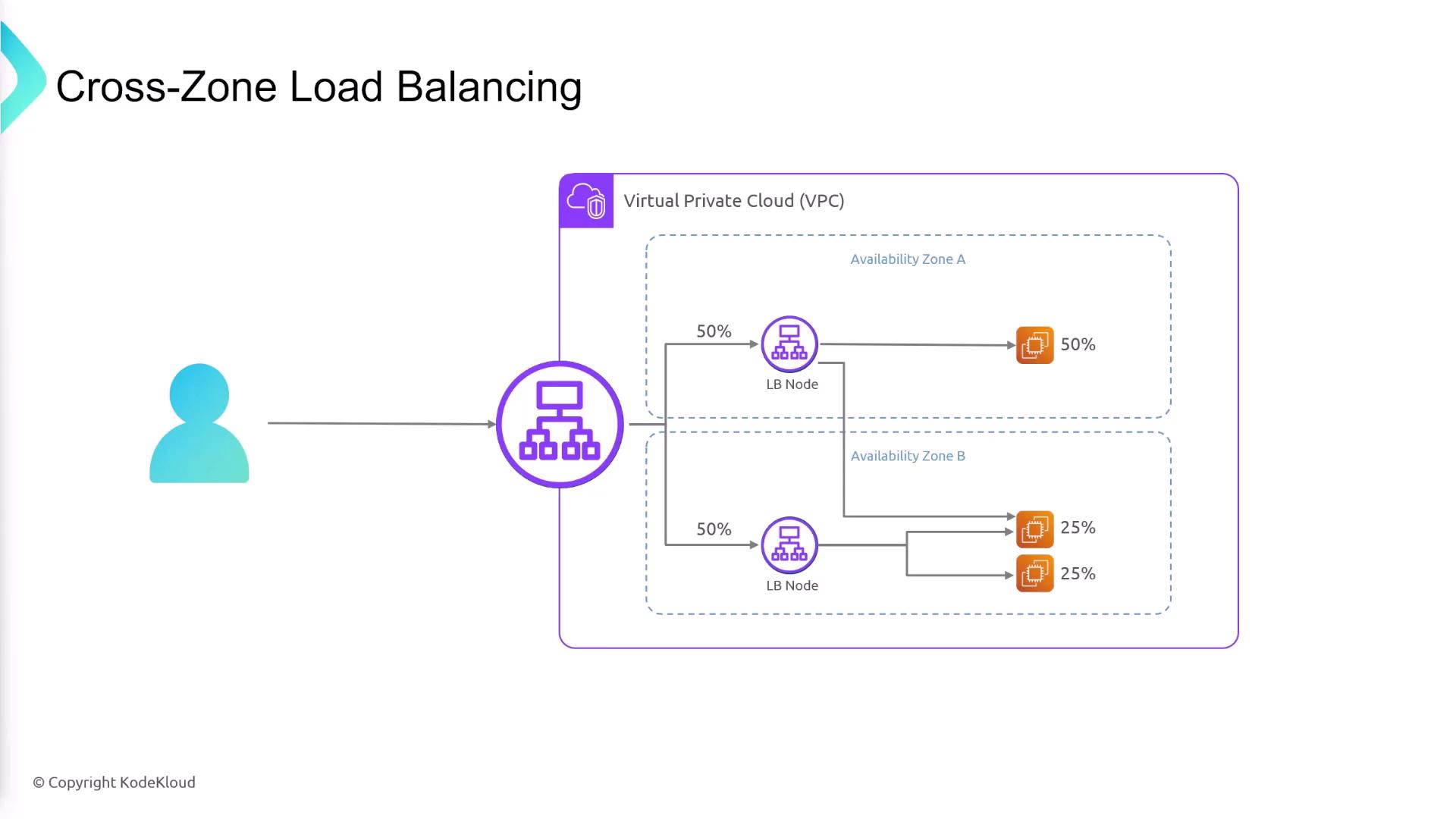
Public and Private Load Balancers
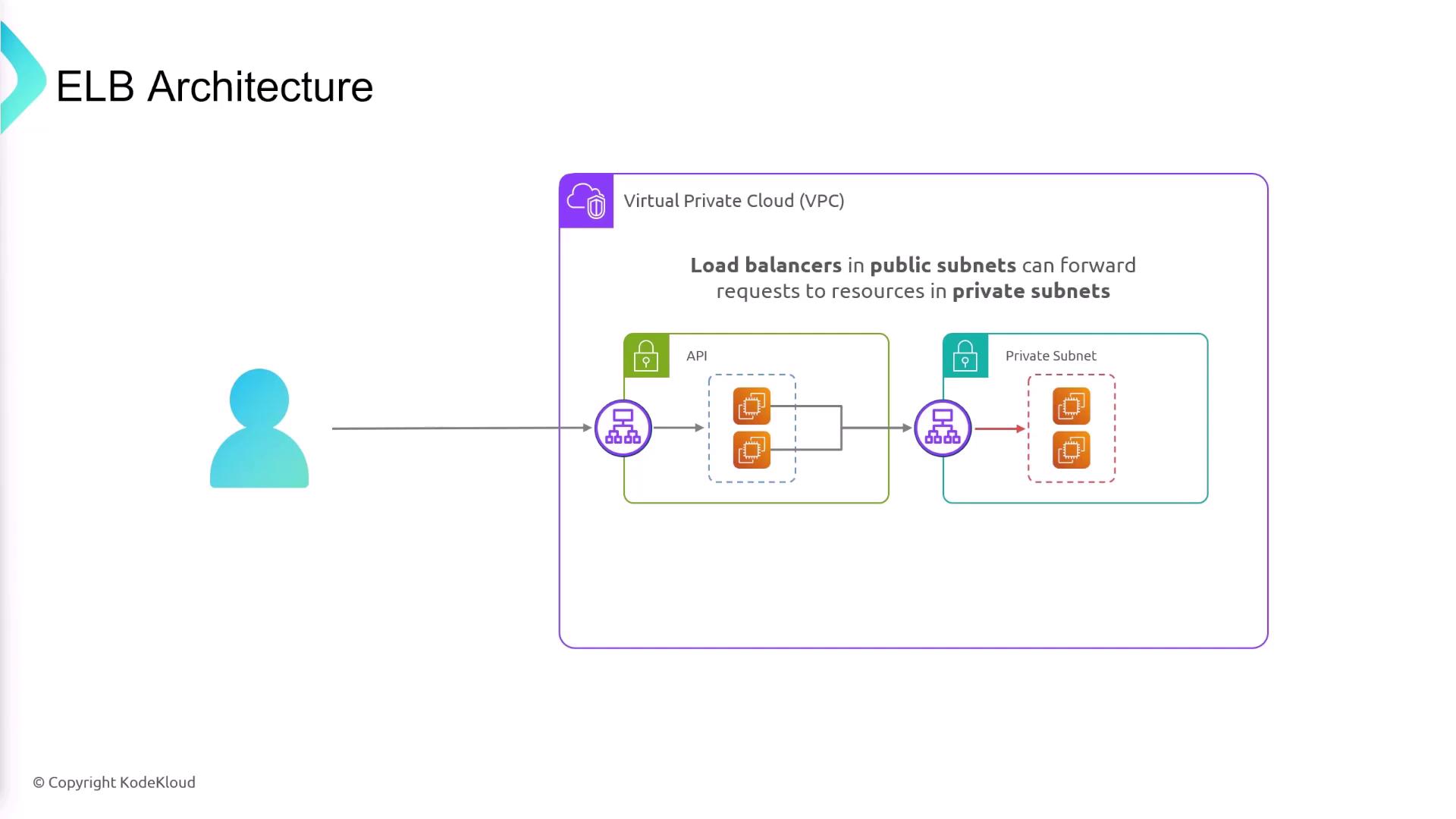
The subnet selected for your ELB determines whether it is public or private:- Public Load Balancer: Deployed in a public subnet to handle internet traffic.
- Private Load Balancer: Deployed in a private subnet to manage internal traffic.
- An API layer (frontend) in a public subnet behind a public load balancer.
- A backend database in a private subnet, accessible only through secure channels.
Target Groups and Listener Rules
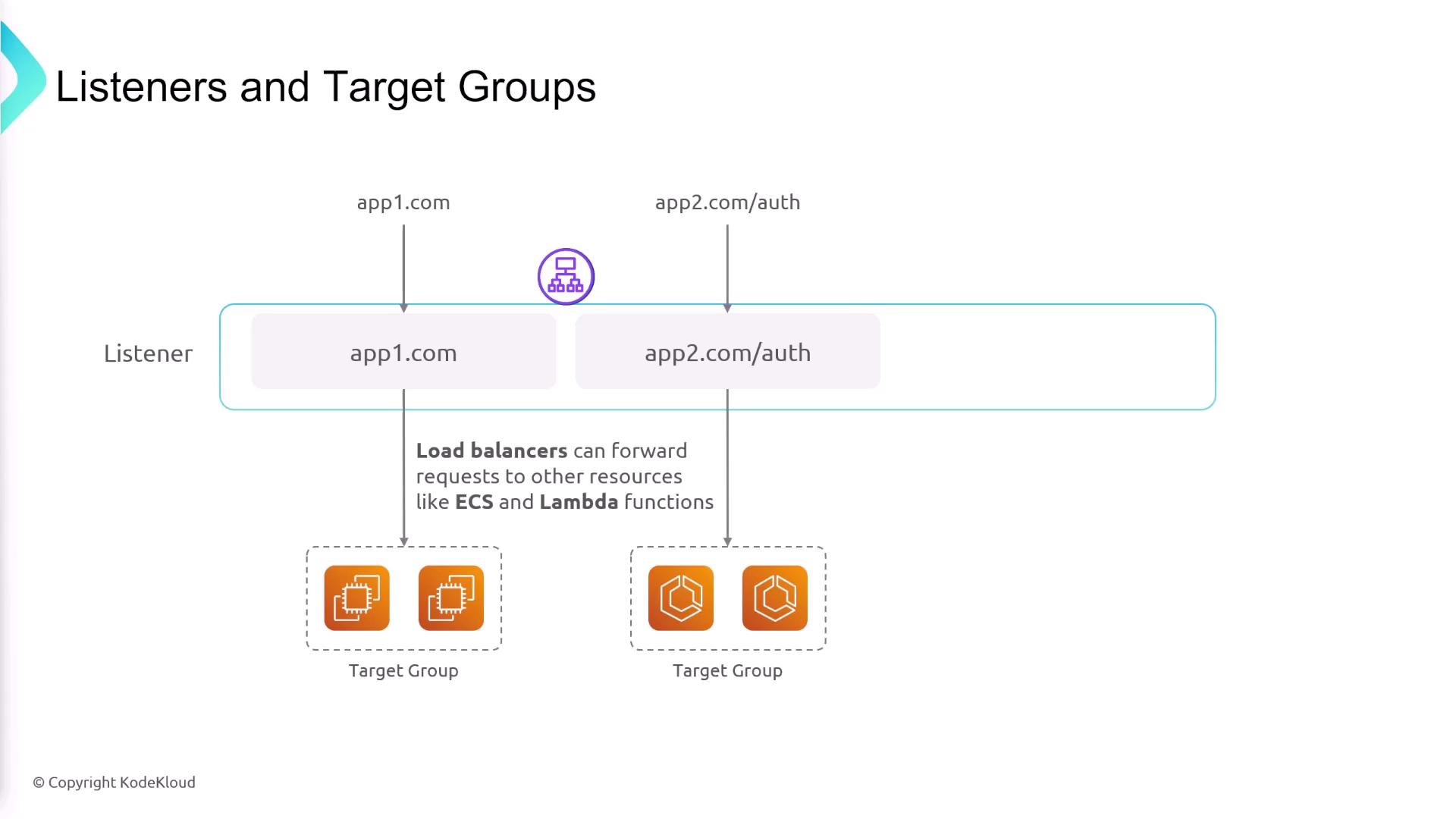
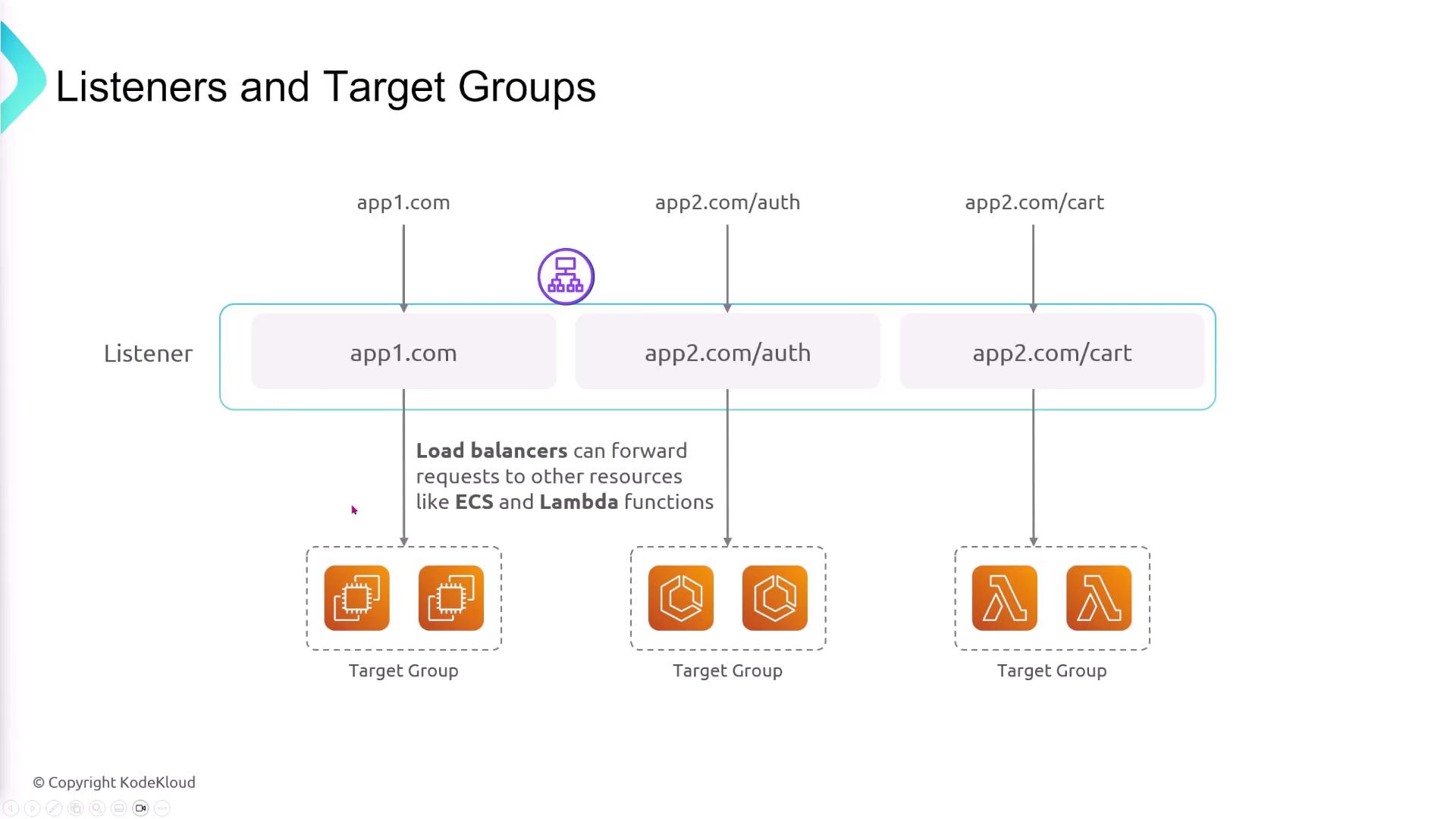
Target groups are collections of resources (like EC2 instances) that receive traffic for specific applications. After creating target groups for different services, you define listener rules on the ELB to route requests based on criteria such as hostname or URL path. For instance:- Requests for “appone.com” are forwarded to Target Group A.
- Requests for “apptwo.com” with the URL path “/auth” are routed to Target Group B.
Health Checks and Target Registration
After registering your targets with a target group, configure health checks to continuously monitor their performance. The ELB sends periodic health check requests via HTTP, HTTPS, or TCP. If a target does not return the expected response, it is marked as unhealthy and removed from the traffic routing until it passes health checks again.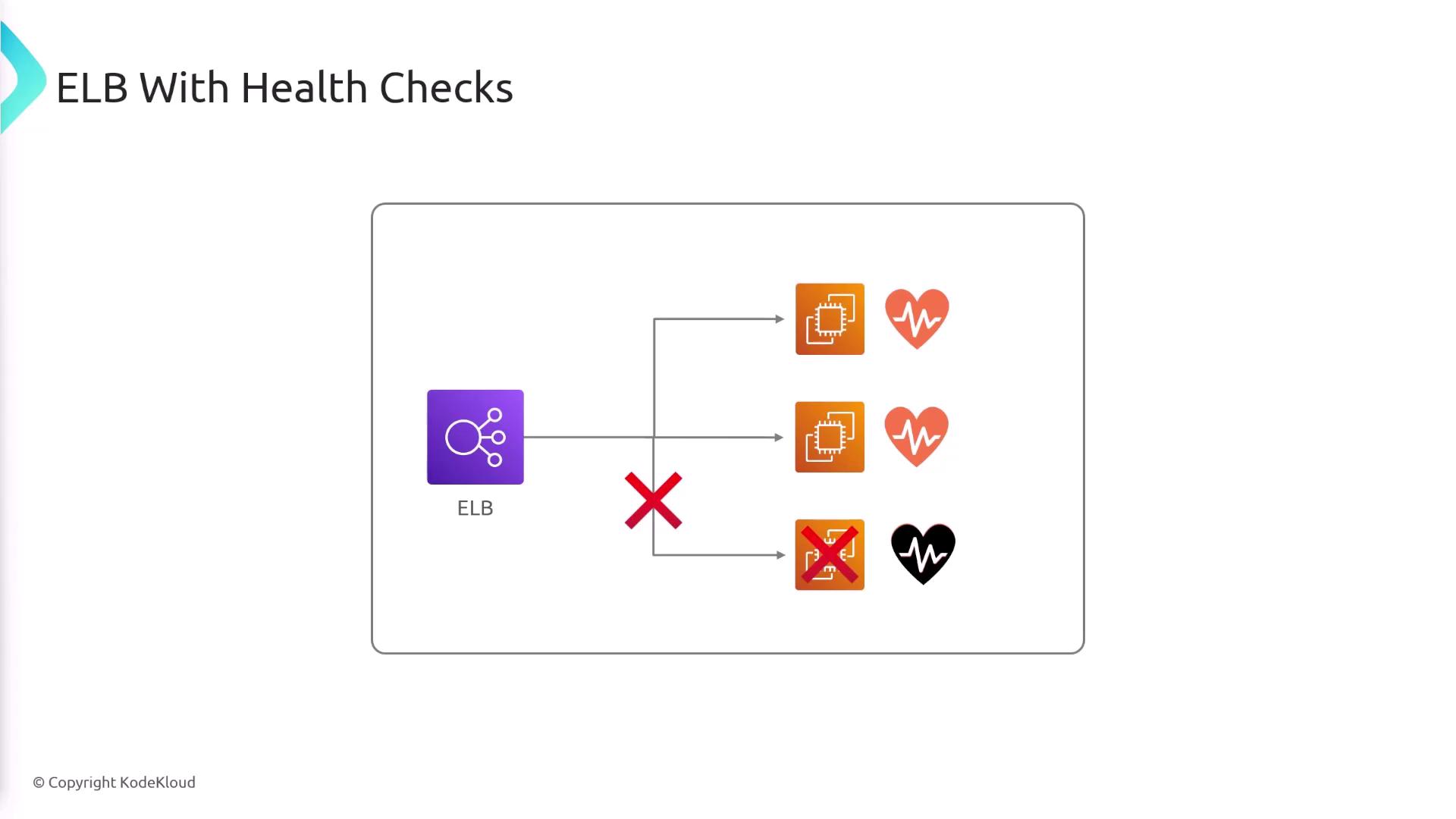
Connection Draining
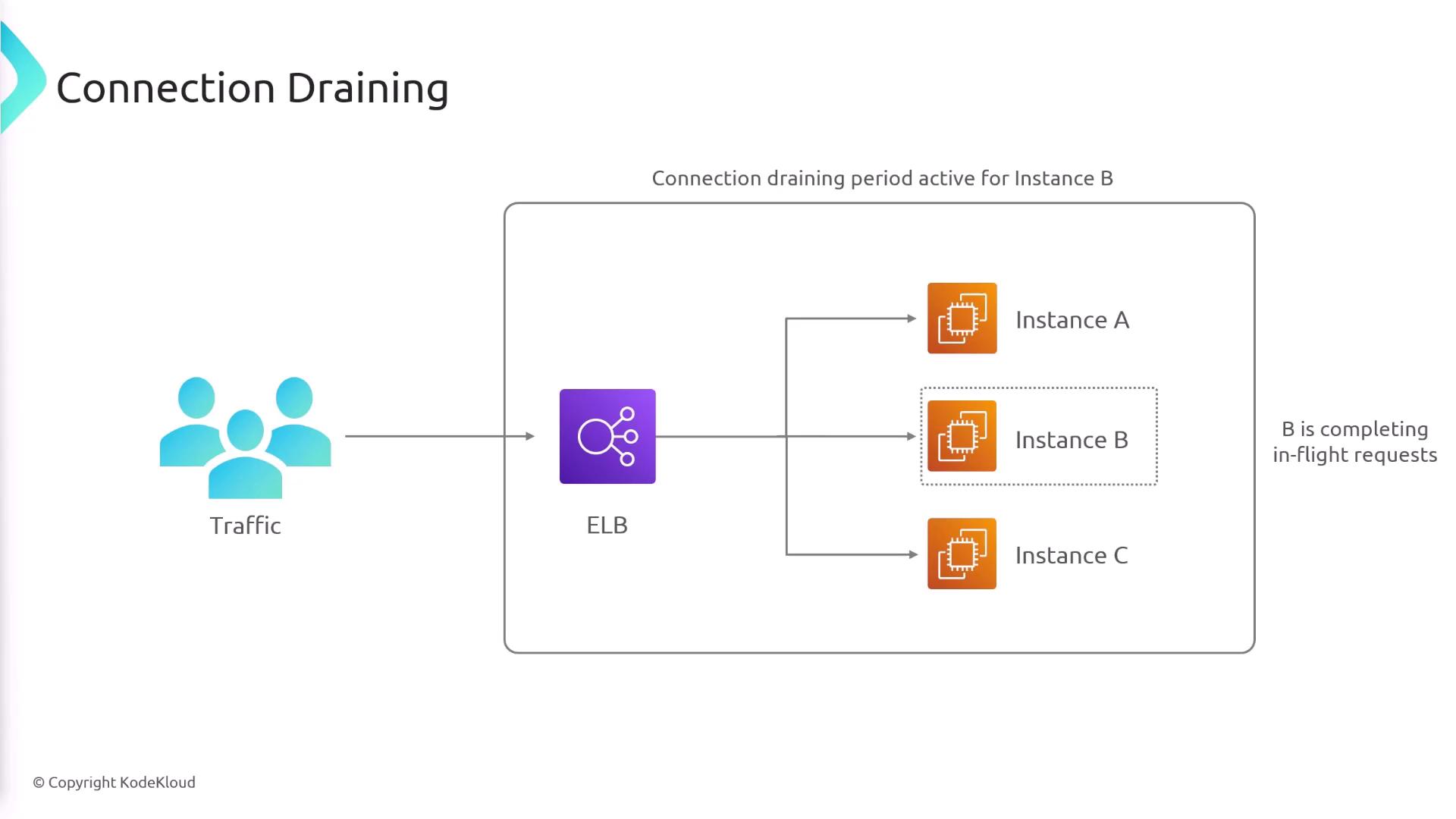
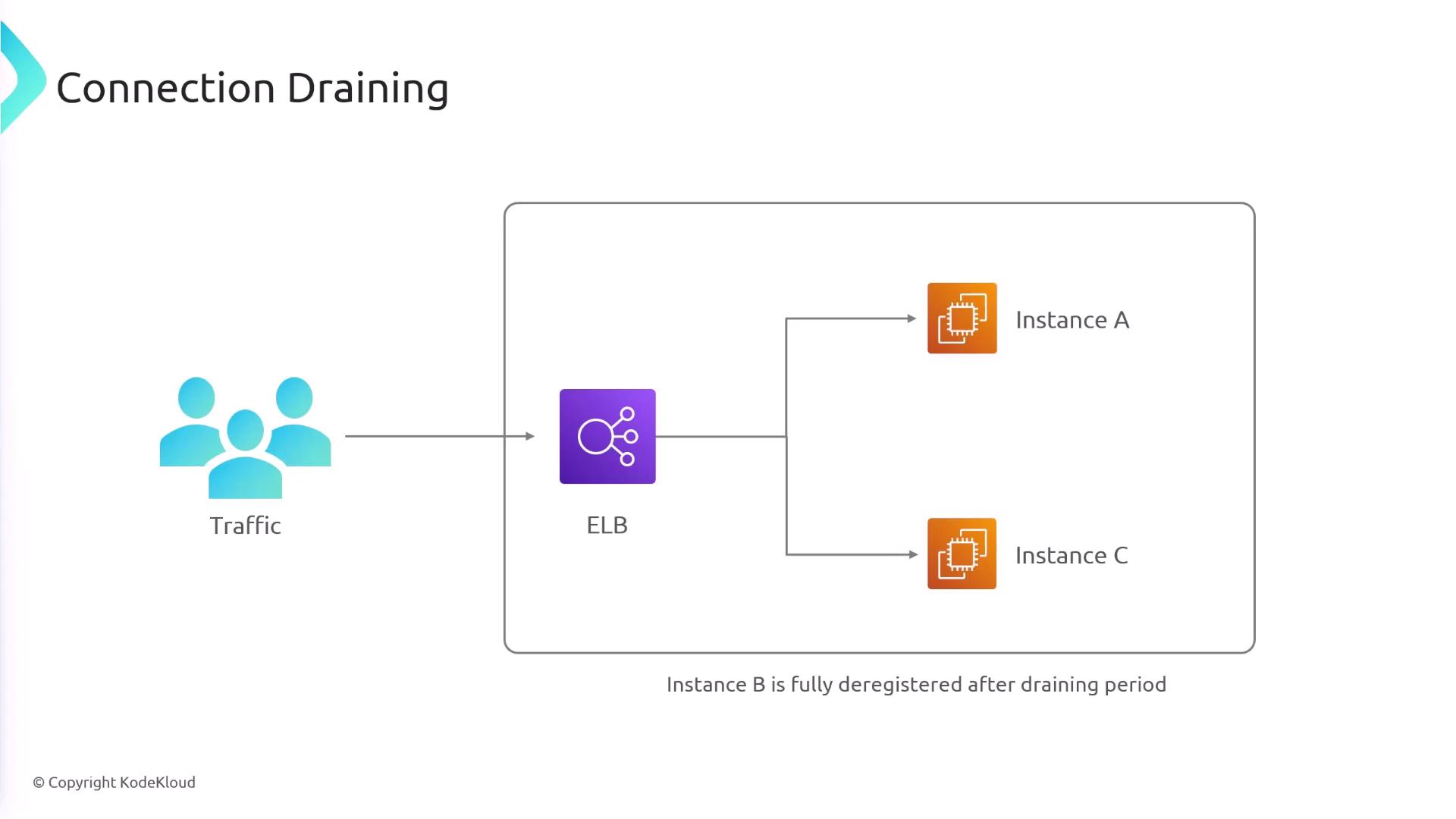
Connection draining enables you to gracefully deregister targets from the ELB. For example, if an EC2 instance needs to be removed (manually or due to failing health checks), connection draining ensures that existing connections are allowed to complete before deregistration occurs. During this period, no new requests are sent to the draining instance.Connection draining helps maintain session integrity during scaling events and minimizes the impact of instance deregistration on end users.
Types of Elastic Load Balancers
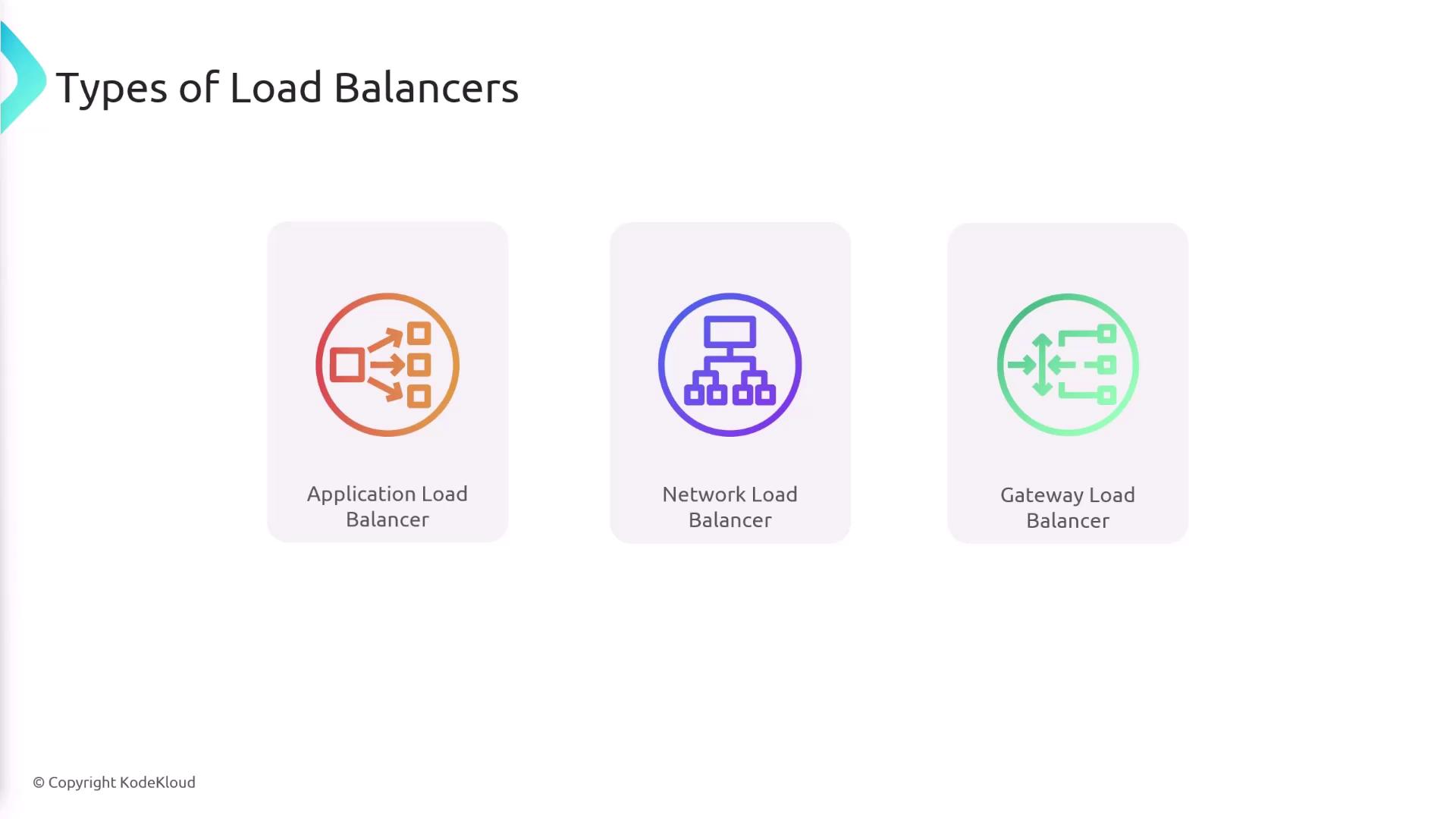
AWS offers three main types of load balancers, each designed for specific use cases:- Application Load Balancer (ALB):
Optimized for HTTP and HTTPS traffic with advanced routing capabilities. - Network Load Balancer (NLB):
Ideal for handling TCP traffic with low latency and high performance. - Gateway Load Balancer:
Provides a single entry point for routing traffic to a fleet of third-party virtual appliances.
Summary
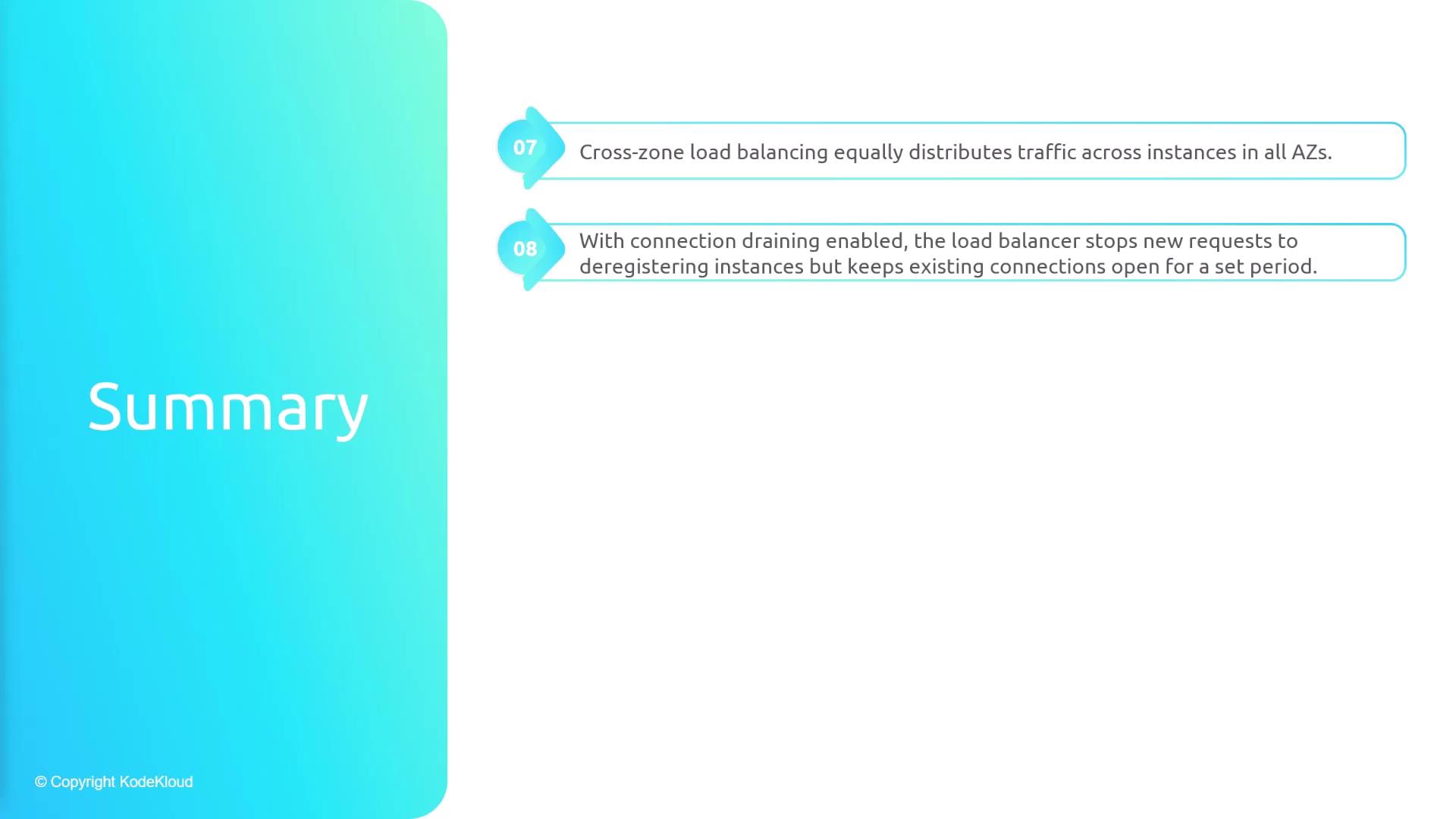
- ELBs efficiently distribute incoming traffic across multiple servers using a single DNS entry, while supporting various backend platforms such as EC2, Lambda, ECS, and IP addresses.
- They are designed for high availability, offering multi-AZ deployments and the option for public or private configurations.
- Target groups serve as logical links between the ELB and backend resources, with health checks ensuring that traffic is only routed to healthy instances.
- Listeners and listener rules determine how incoming requests are processed and directed.
- Cross-zone load balancing promotes an even traffic distribution, independent of the number of instances in each Availability Zone.
- Connection draining allows for the graceful removal of targets, ensuring that existing connections are not abruptly severed.
- AWS provides three distinct load balancer types—Application, Network, and Gateway—to suit a variety of application requirements.