

Step 1: Create the Lambda Function
Begin by creating your Lambda function. For this demonstration, we’ll name the function “VPC demo”. By default, Lambda functions run in an environment that provides internet access. This initial setup allows you to later integrate VPC connectivity without impacting the function’s execution.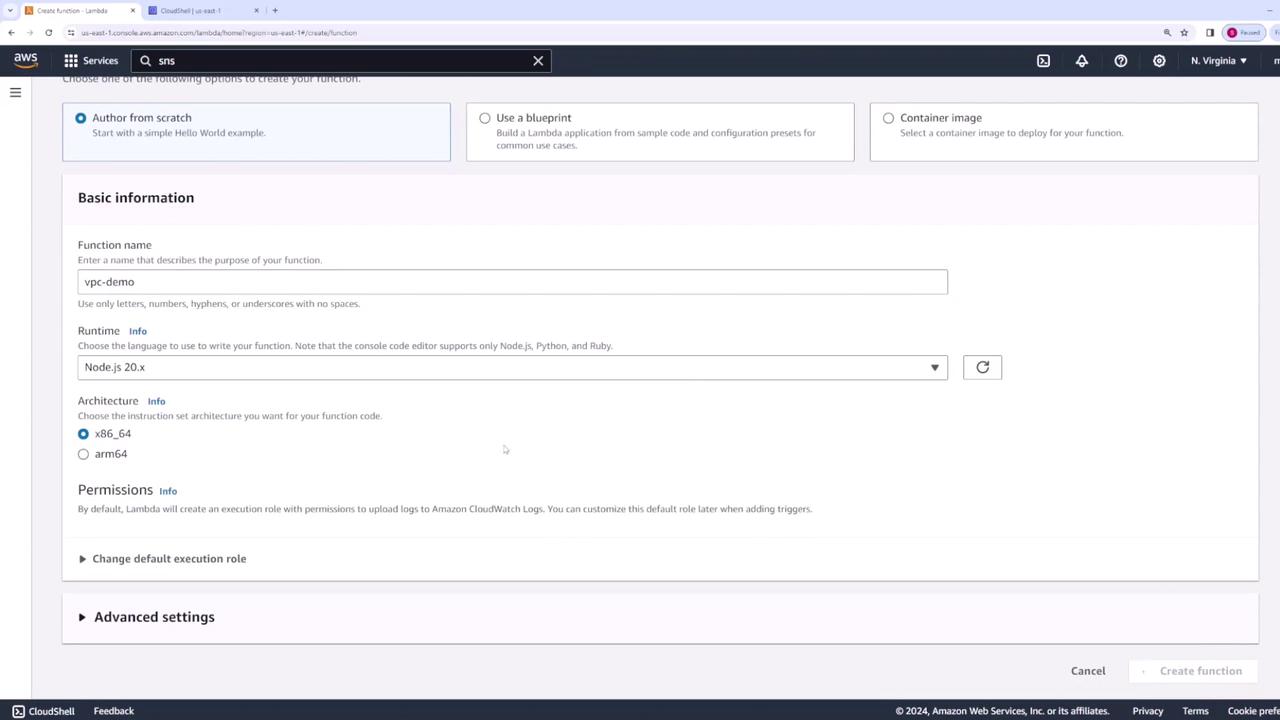
Step 2: Configure VPC Settings
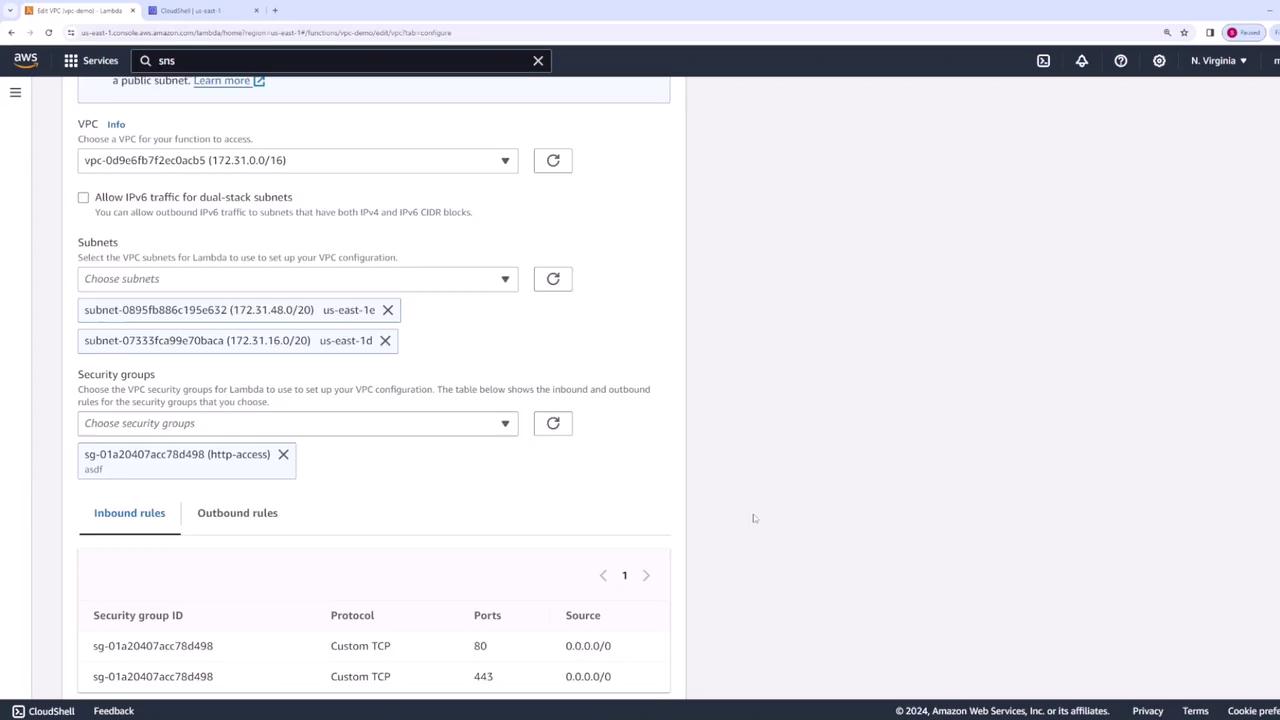
To connect your Lambda function to internal resources within your VPC, navigate to the function’s configuration tab and locate the VPC settings. Click “Edit” and then choose the desired VPC—using the default VPC is a convenient option. Select two subnets and assign a security group that allows the necessary traffic for your application.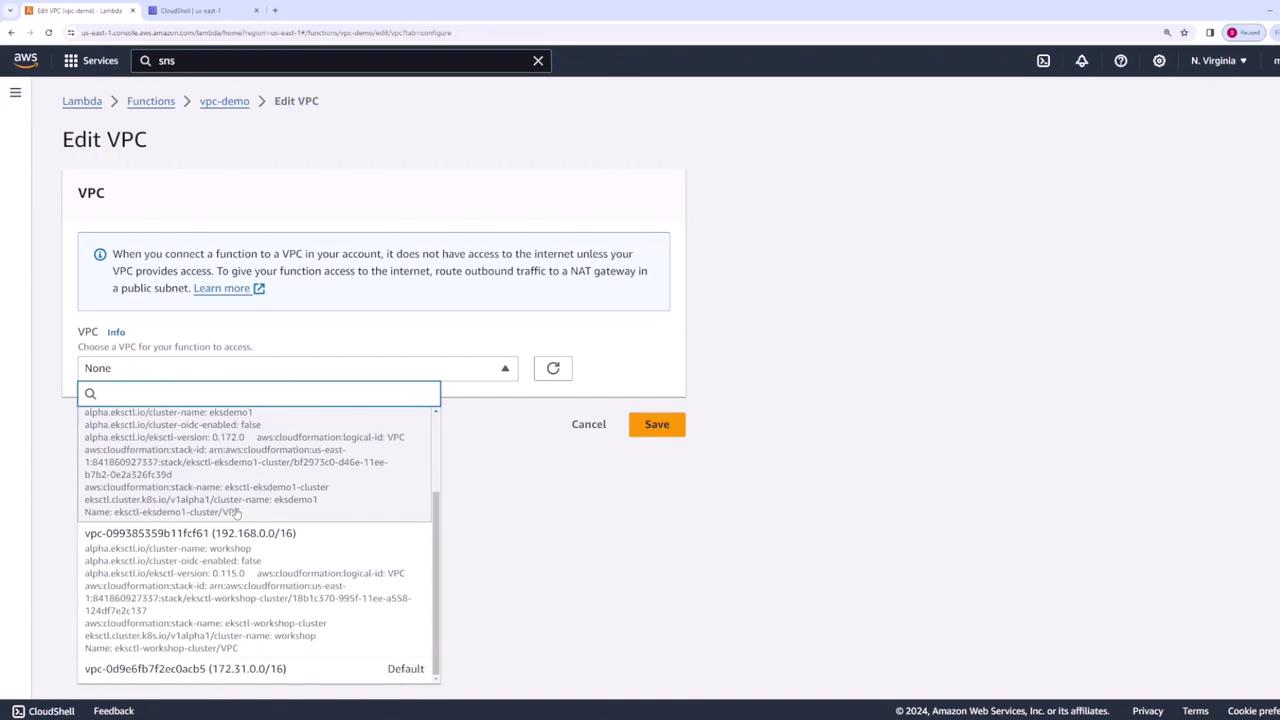
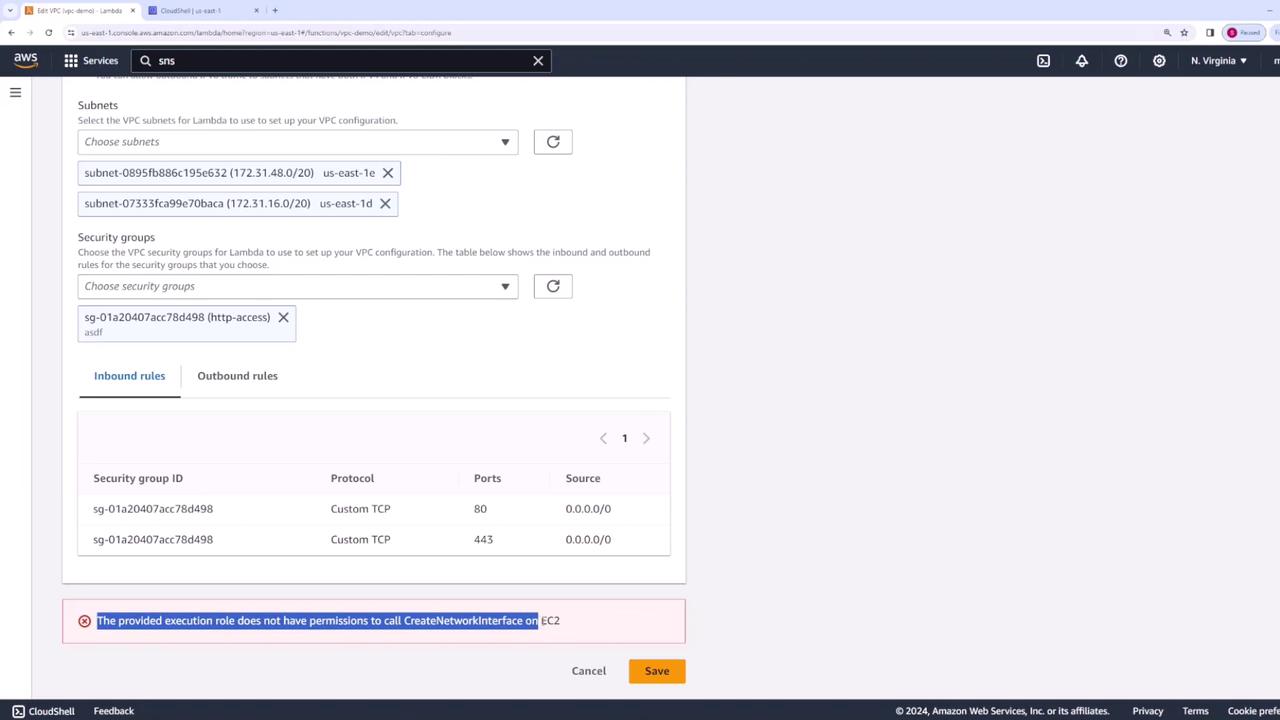
If you encounter the
CreateNetworkInterface error, it indicates that your Lambda function’s execution role lacks the required permissions. Proceed to Step 3 to resolve this issue.Step 3: Update Execution Role Permissions
When a Lambda function is deployed within a VPC, it must have permissions to create network interfaces and perform other network-related actions. To fix the error, update the Lambda function’s execution role to include the necessary permissions. Follow these steps:- Go to the Permissions tab in your Lambda function’s configuration.
- Locate the VPC execution role.
- Attach a policy that grants the following permissions:
- logs:CreateLogGroup
- logs:CreateLogStream
- logs:PutLogEvents
- ec2:CreateNetworkInterface
- ec2:DescribeNetworkInterfaces
- ec2:DescribeSubnets
- ec2:DeleteNetworkInterface
- ec2:AssignPrivateIpAddresses
- ec2:UnassignPrivateIpAddresses
Step 4: Verify the Configuration
After saving the configuration, review the VPC settings in your Lambda function. Verify that the selected VPC, configured subnets, and chosen security group (along with its rules) correctly reflect your intended setup.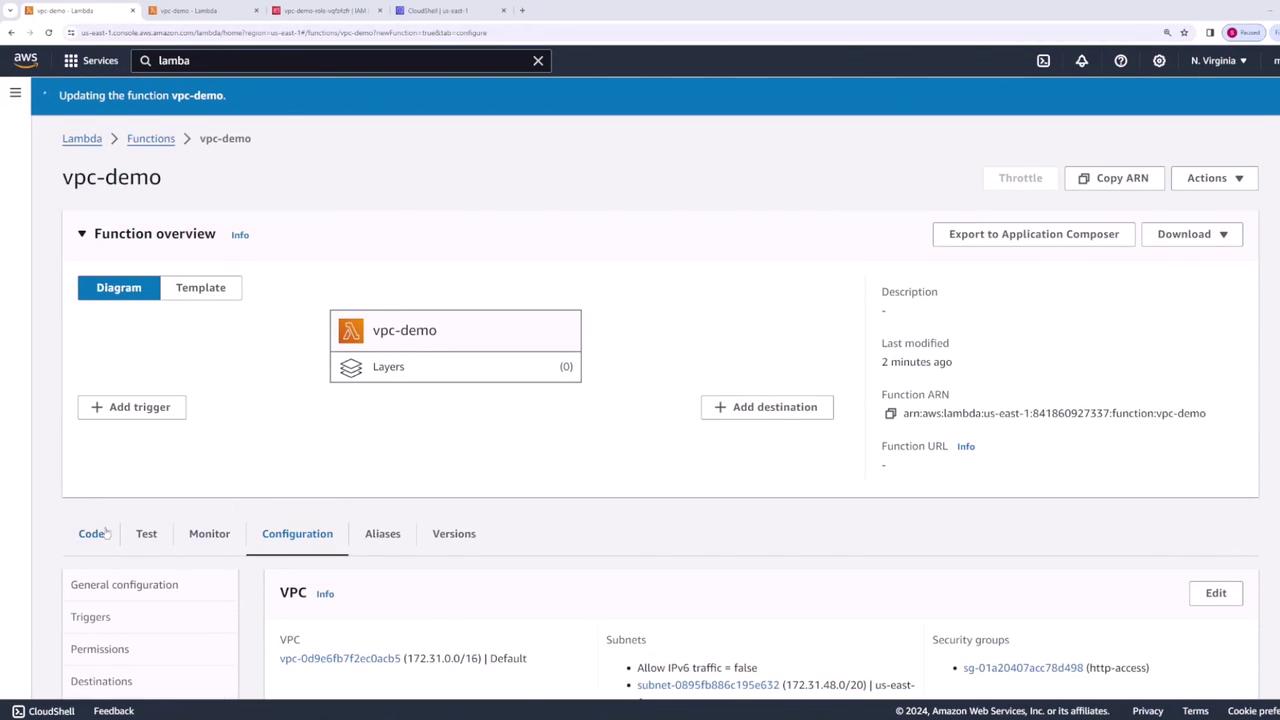
Step 5: Test and Validate Network Interfaces
To ensure that your Lambda function is successfully connected to the VPC, run a test to confirm that your code executes as expected. Then, proceed to the EC2 console and inspect the network interfaces. You should observe one or more network interfaces associated with your Lambda function in the default VPC.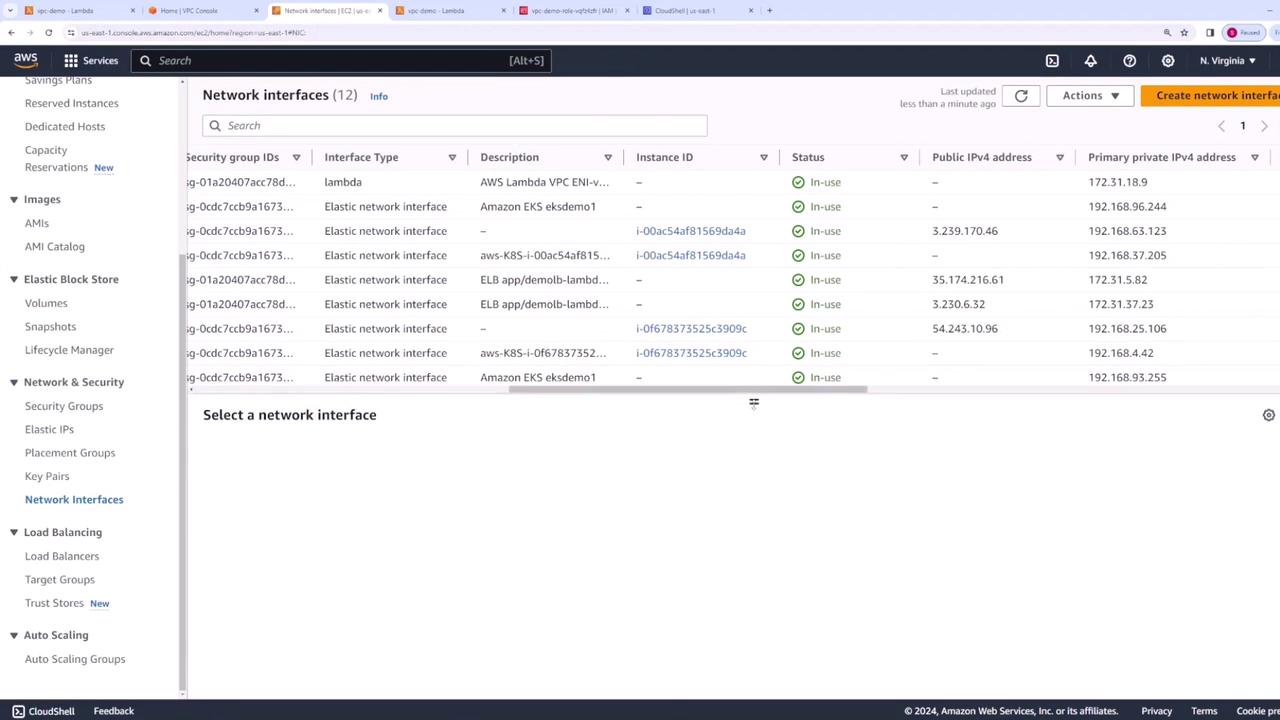
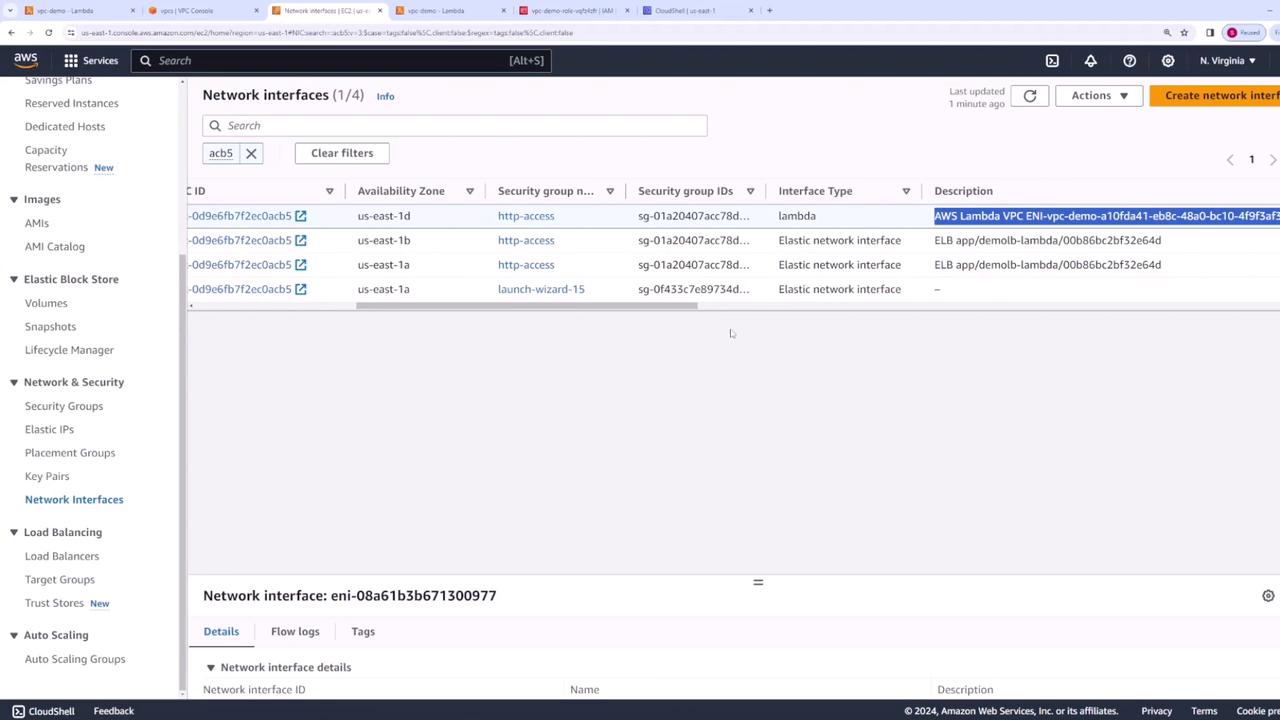
By following these steps and ensuring your execution role has the proper permissions, you can leverage the benefits of VPC integration for enhanced security and controlled network access in your AWS environment.