

Lambda Invocation Modes
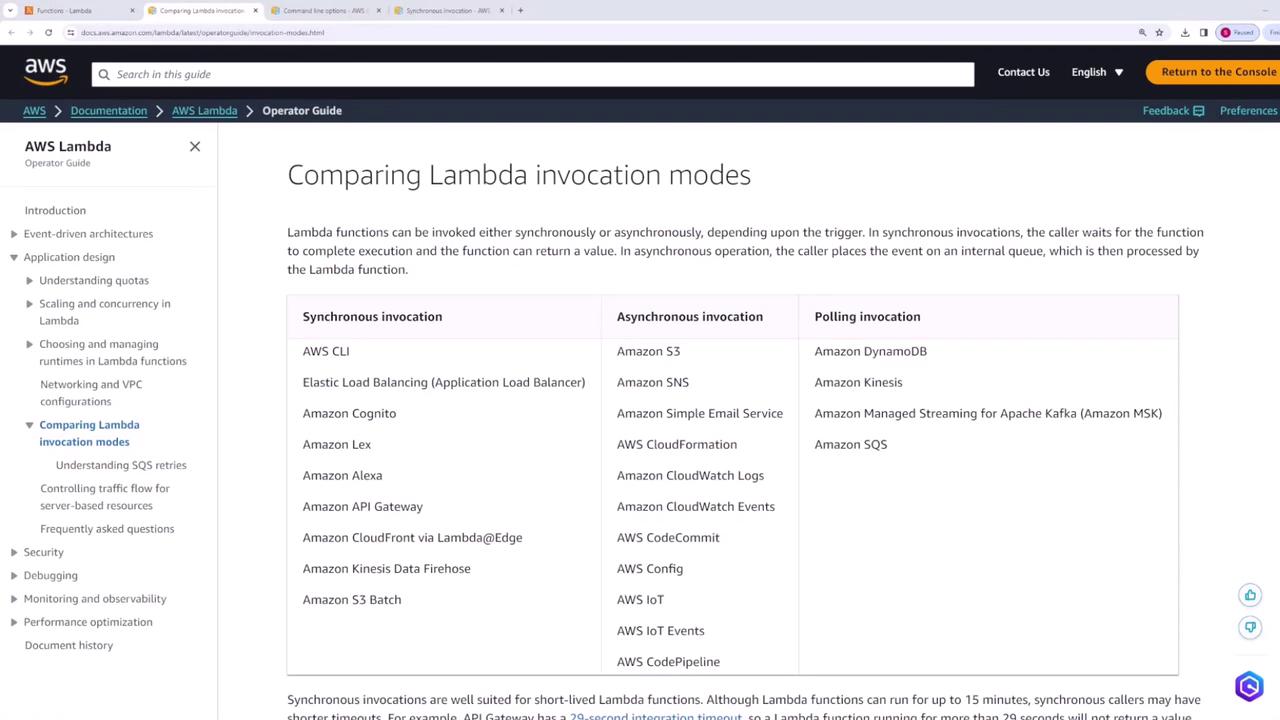
Before diving into the CLI commands, it’s important to understand the two primary invocation modes for Lambda functions:- Synchronous: The function returns an immediate response, making it ideal when a load balancer or API Gateway invokes your Lambda.
- Asynchronous: The function is executed in the background, which is suitable for processing events from sources like SQS.
Creating and Deploying a Lambda Function
Let’s begin by creating a Lambda function. For demonstration purposes, we will name the functionlambdaDemo and use the default settings. The function logs the incoming event and returns it as the response.
Below is the final version of our handler code:
Listing Lambda Functions
You can list all Lambda functions in a specific region using the AWS CLI. For example, to list functions in the US East (N. Virginia) region, run the following command:Invoking the Lambda Function Synchronously
Invoking your Lambda function synchronously returns an immediate response. Use the command below to invokelambdaDemo with a JSON payload that serves as the event object:
response.json. To inspect its contents, execute:
The synchronous invocation returns both the status code and the response body directly.
Invoking the Lambda Function Asynchronously
For asynchronous invocation, add the--invocation-type Event flag. In this mode, the function’s response is not returned directly; instead, a status code is provided to indicate that the request was accepted.
Run the following command:
response.json. To check the results of the function, review the associated CloudWatch logs.
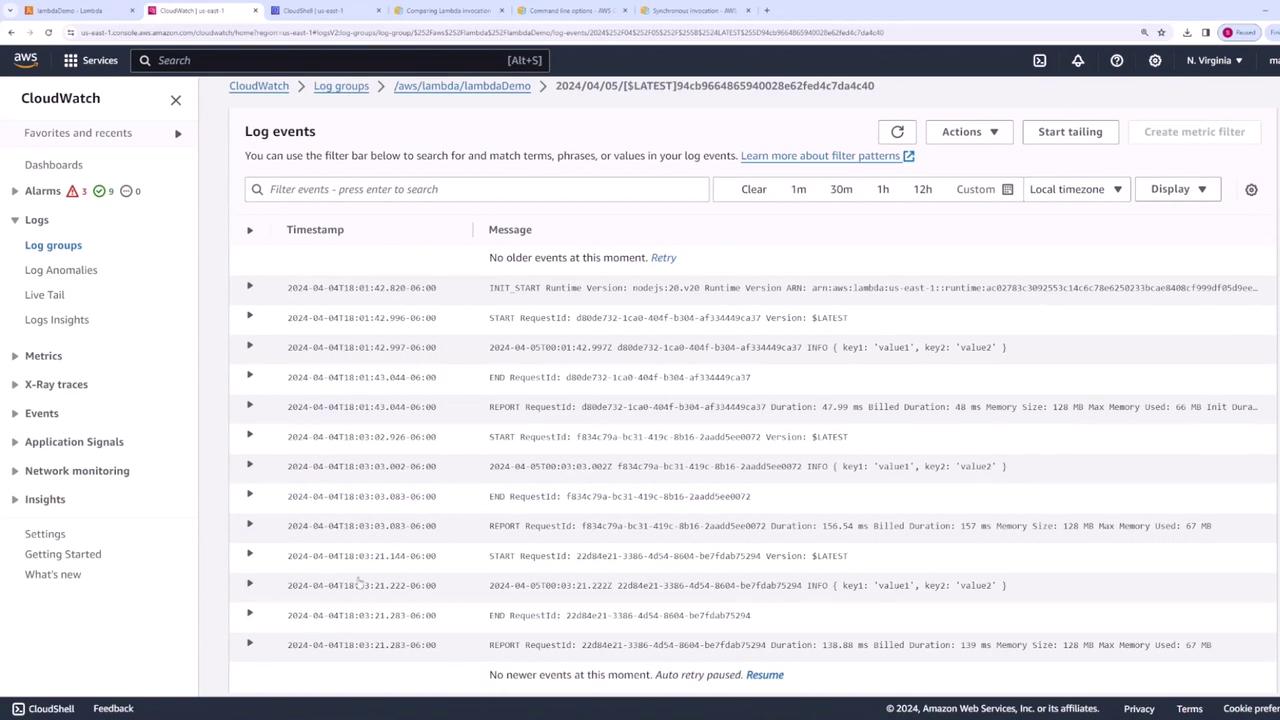
When invoking functions asynchronously, ensure you monitor CloudWatch logs to verify execution and troubleshoot issues.
Summary
In this lesson, you’ve learned how to:- List Lambda functions in a specific AWS region.
- Create and deploy a Lambda function that logs and returns the event object.
- Invoke the Lambda function synchronously to immediately receive a response.
- Invoke the Lambda function asynchronously and use CloudWatch logs to track outputs.