

Creating Parameters
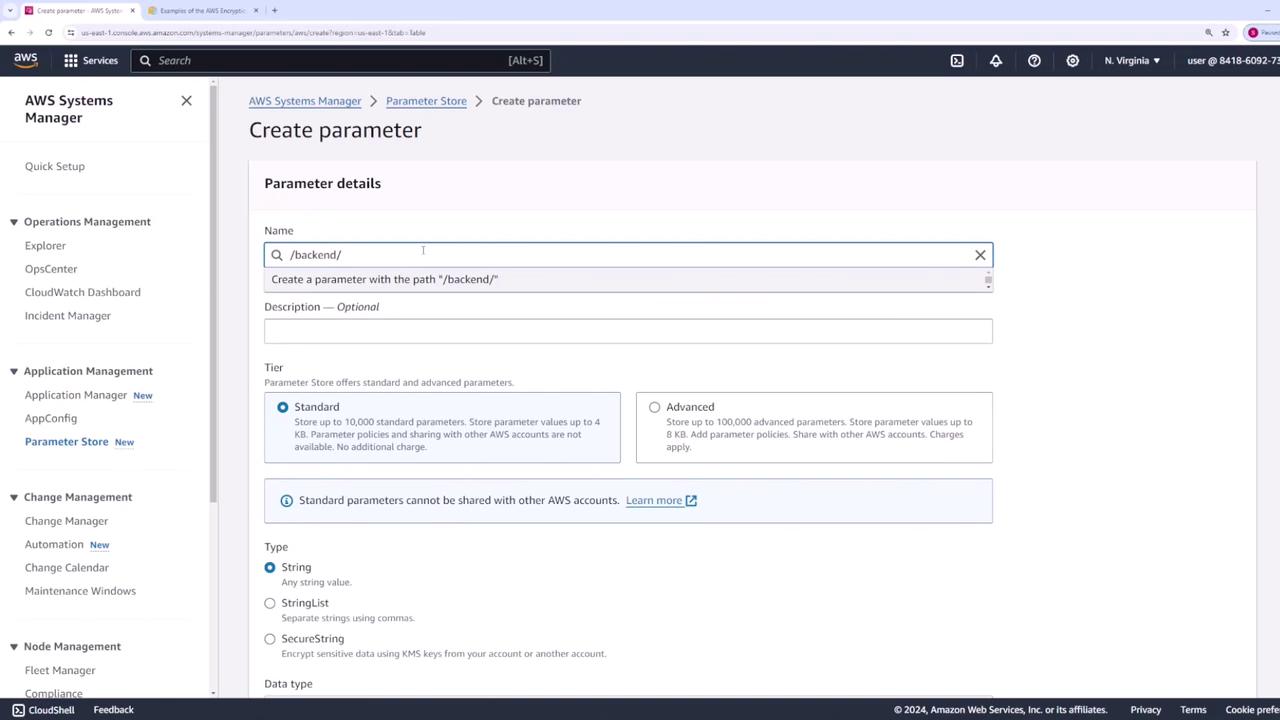
Parameters in the Parameter Store are organized using a tree-like structure, similar to directories or URLs. This structure allows you to group related settings by service or environment. For example, parameters for the back-end team in a development environment can use the path/backend/dev. For database credentials, consider using paths like /backend/dev/db/username and /backend/dev/db/password.
Creating the Username Parameter
To create a username parameter:- In the Parameter Store section, click on Create parameter.
- Enter the parameter path, e.g.,
/backend/dev/db/username. - Optionally, add a description.
- Select the tier (choose Standard for this demo).
- Choose the parameter type. Select String.
- Provide the value (for example,
user123). - Optionally, add tags.
- Click Create parameter.
Creating the Password Parameter
To securely store a password:- Click Create parameter again.
- Use the same base path and change the final segment to
password(e.g.,/backend/dev/db/password). - Since this parameter contains sensitive data, select the SecureString type. Choose the AWS managed KMS key for encryption.
- Set the value (for example,
password123-dev). - Click Create parameter.

Creating Additional Parameters for the Prod Environment
For production, create similar parameters:- Create a parameter for the production username (e.g.,
/backend/prod/db/username) using the String type. - Create a parameter for the production password (e.g.,
/backend/prod/db/password) as a SecureString using the AWS managed key.
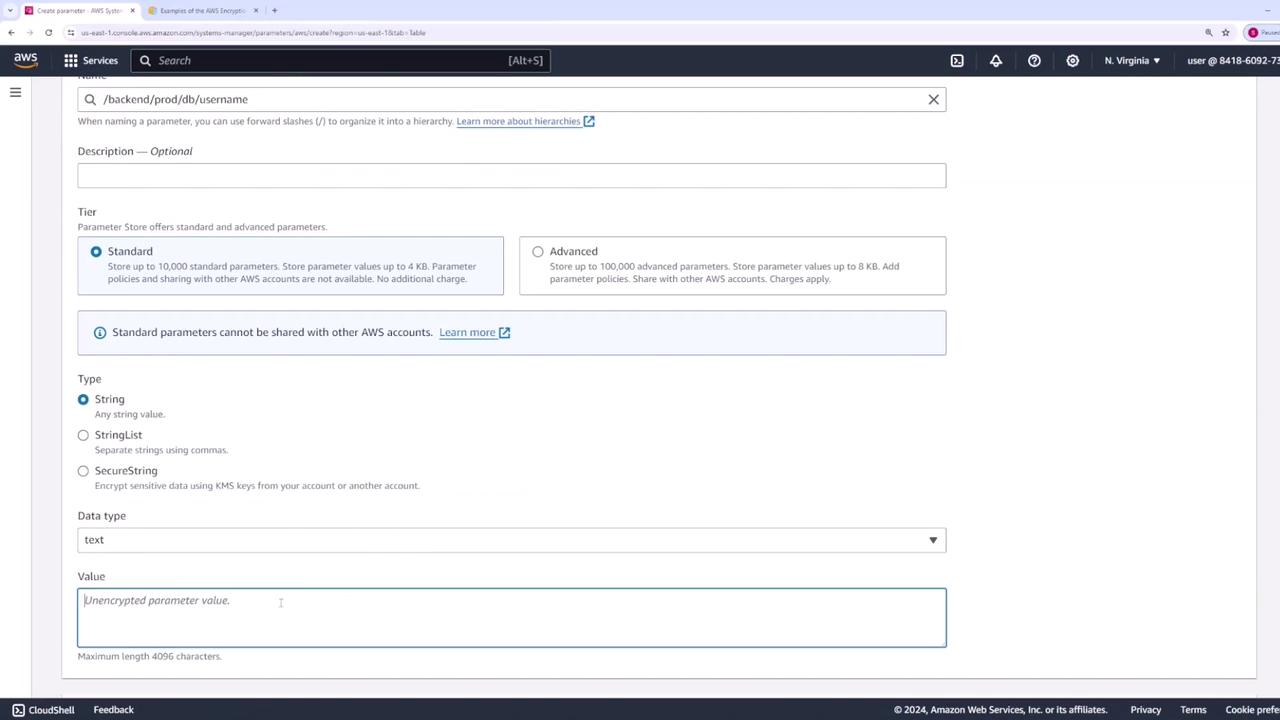
/backend and restrict development and production teams to /backend/dev and /backend/prod respectively.
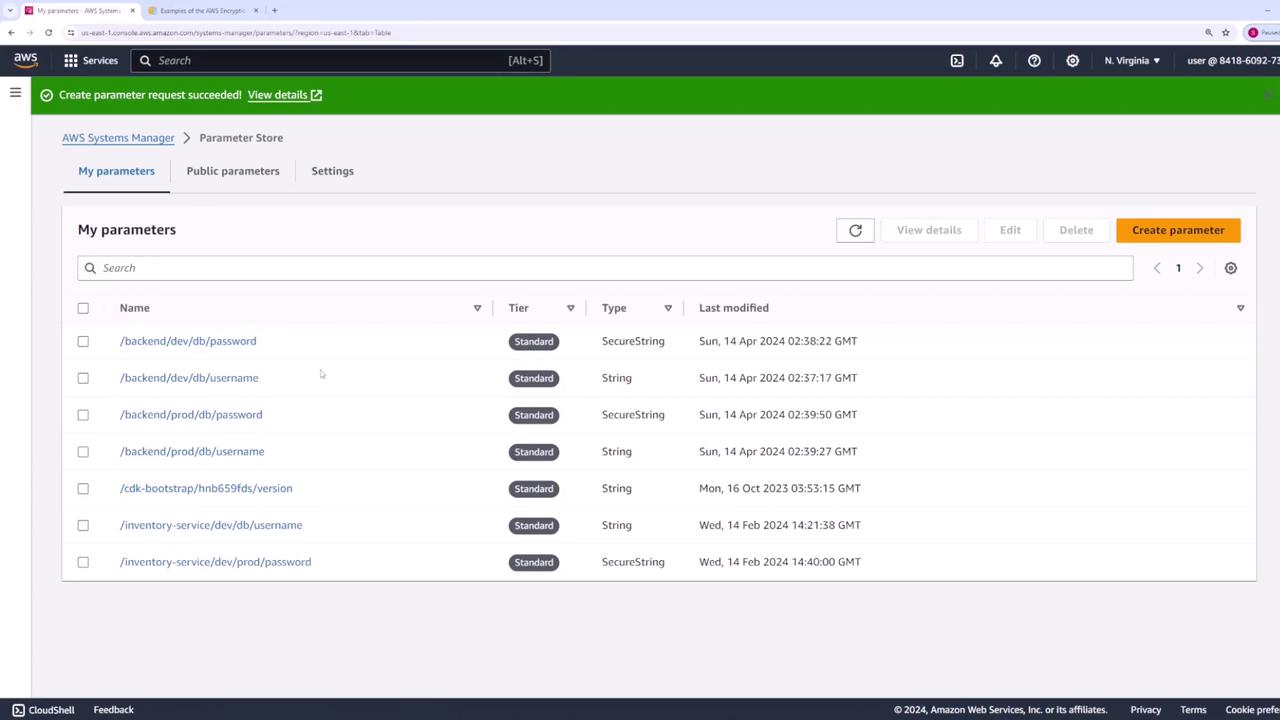
Retrieving Parameters Using the AWS CLI
After creating your parameters, you can retrieve them via the AWS CLI.Retrieve Specific Parameters
To fetch specific parameters (e.g., the username and password for development), run:The username is returned as plain text, while the password remains encrypted.
--with-decryption flag:
Retrieve Parameters Recursively by Path
To retrieve all parameters under a common path (e.g.,/backend), you can use:
--recursive flag:
--with-decryption if you require decrypted secure strings:
Retrieving Parameters Using the AWS SDK
Using the AWS SDK enables you to programmatically retrieve parameters from your applications. Below is an example using Node.js.Setup with Node.js
-
Install the AWS SDK SSM client library:
-
Import the required modules and configure the client:
Retrieving a Specific Parameter
To fetch a specific parameter (such as/backend/dev/db/username), use the following code:
Retrieving Parameters by Path Using the SDK
To fetch all parameters under a given path recursively with decryption enabled:Always ensure that you enforce the principle of least privilege when configuring IAM policies for Parameter Store access.
By following this guide, you can efficiently group, store, and retrieve configuration parameters using both the AWS CLI and SDK, ensuring secure and centralized management of your application secrets and settings. For more details, refer to the official AWS Systems Manager Documentation.