

1. Create a private bucket
I created a new S3 bucket using the console with all default settings and left Block all public access enabled. With this configuration the bucket and its objects are accessible only to the AWS account root user and to IAM principals that have explicit permissions.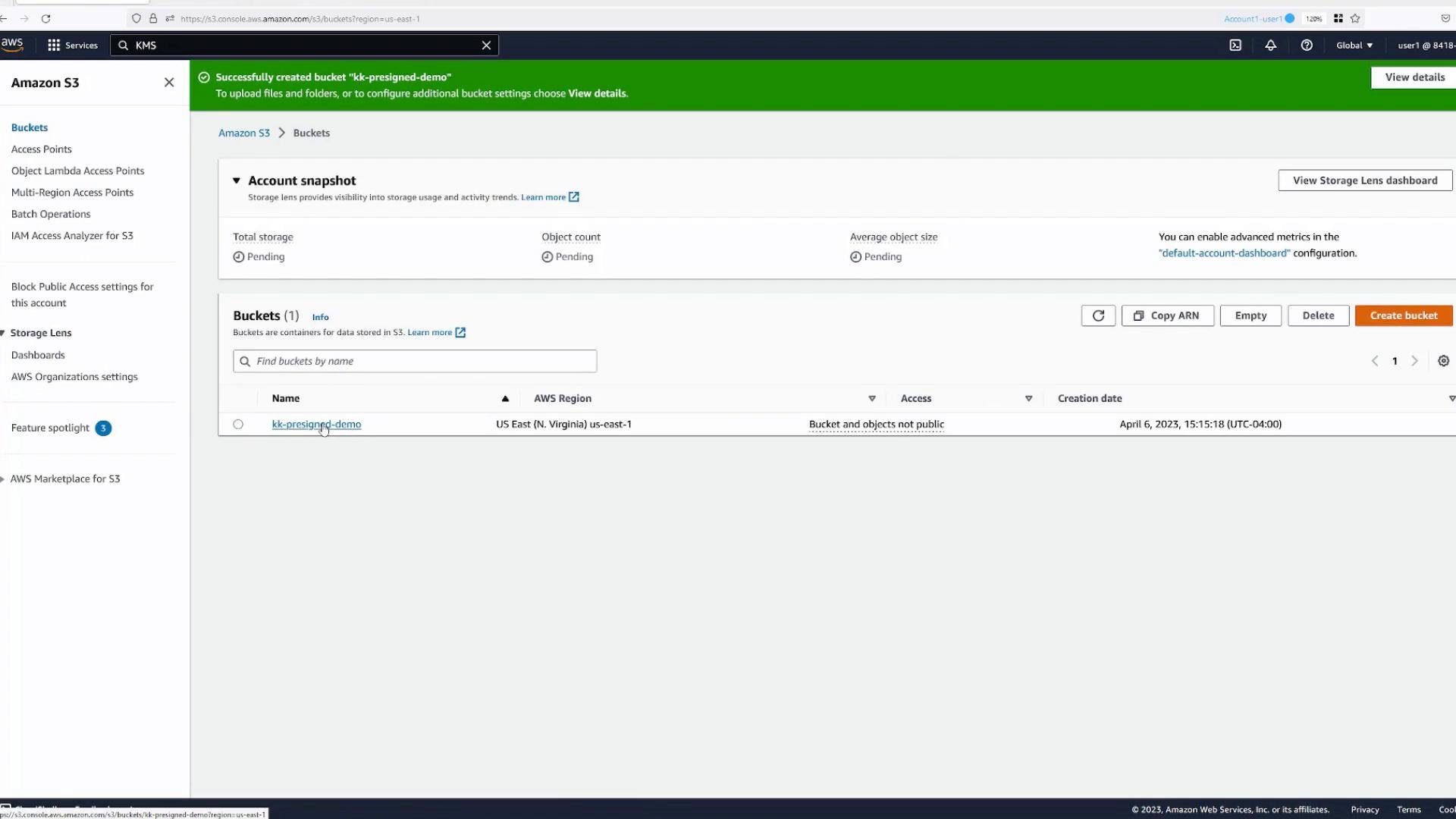
2. Upload an object and observe default access
I uploaded an object (boat.jpg) into the bucket. As an authenticated user in this account I can open the object in the console and view it. Unauthenticated or anonymous users will receive Access Denied because the bucket blocks public access and there is no bucket policy permitting anonymous reads. If I need to grant temporary access to someone who does not have an AWS account, I can create a pre-signed URL for that object.3. Generate a pre-signed URL from the console
From the object details page select the “Share with a pre-signed URL” option, pick an expiration (for example, 30 minutes), and generate the URL. The console copies the pre-signed URL to your clipboard.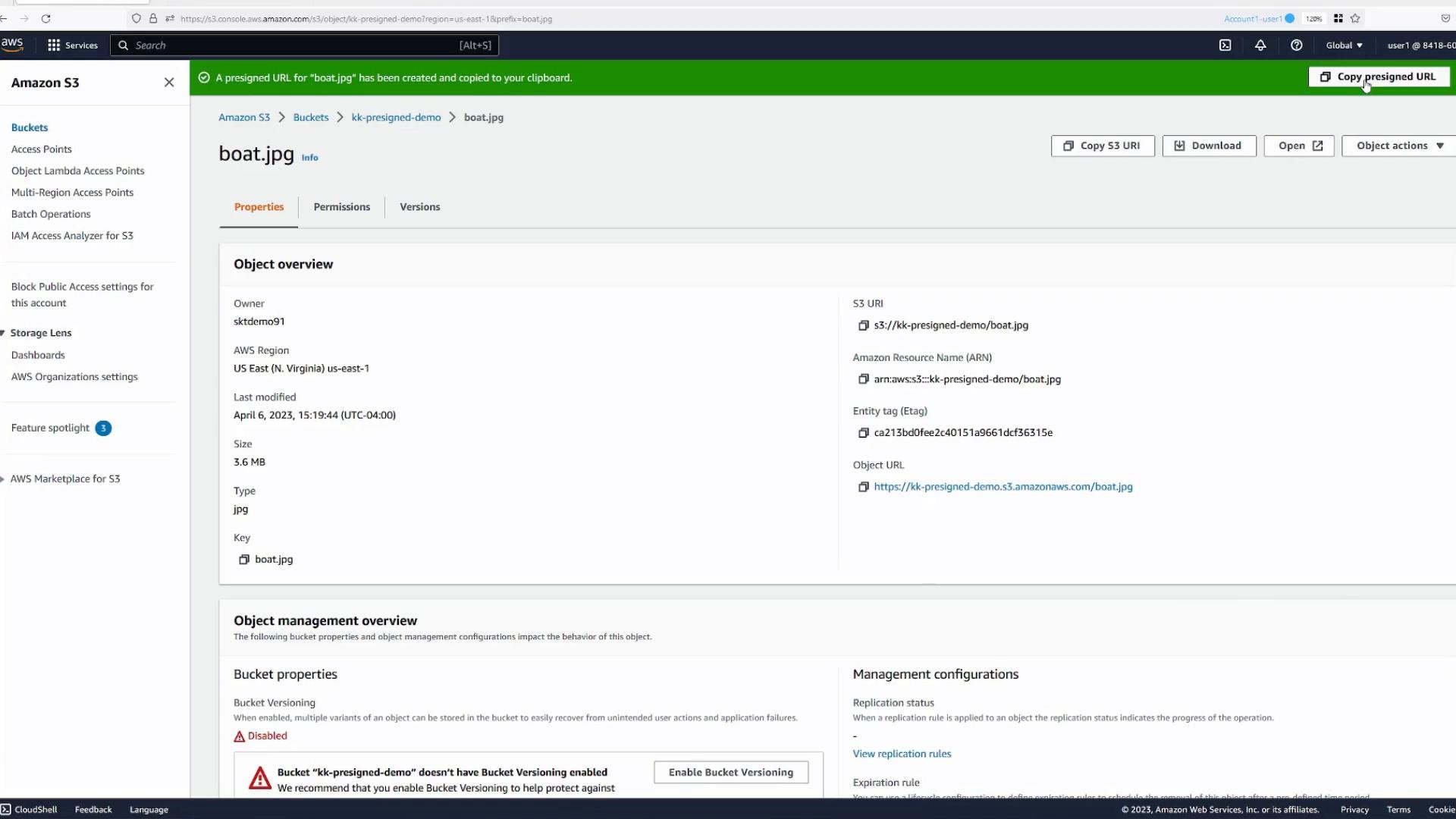
Object identifiers used in this demo
4. Inspect a different IAM principal (user2)
Next I opened the IAM console to inspect another user in the account,user2, and to show the permissions attached to that user.
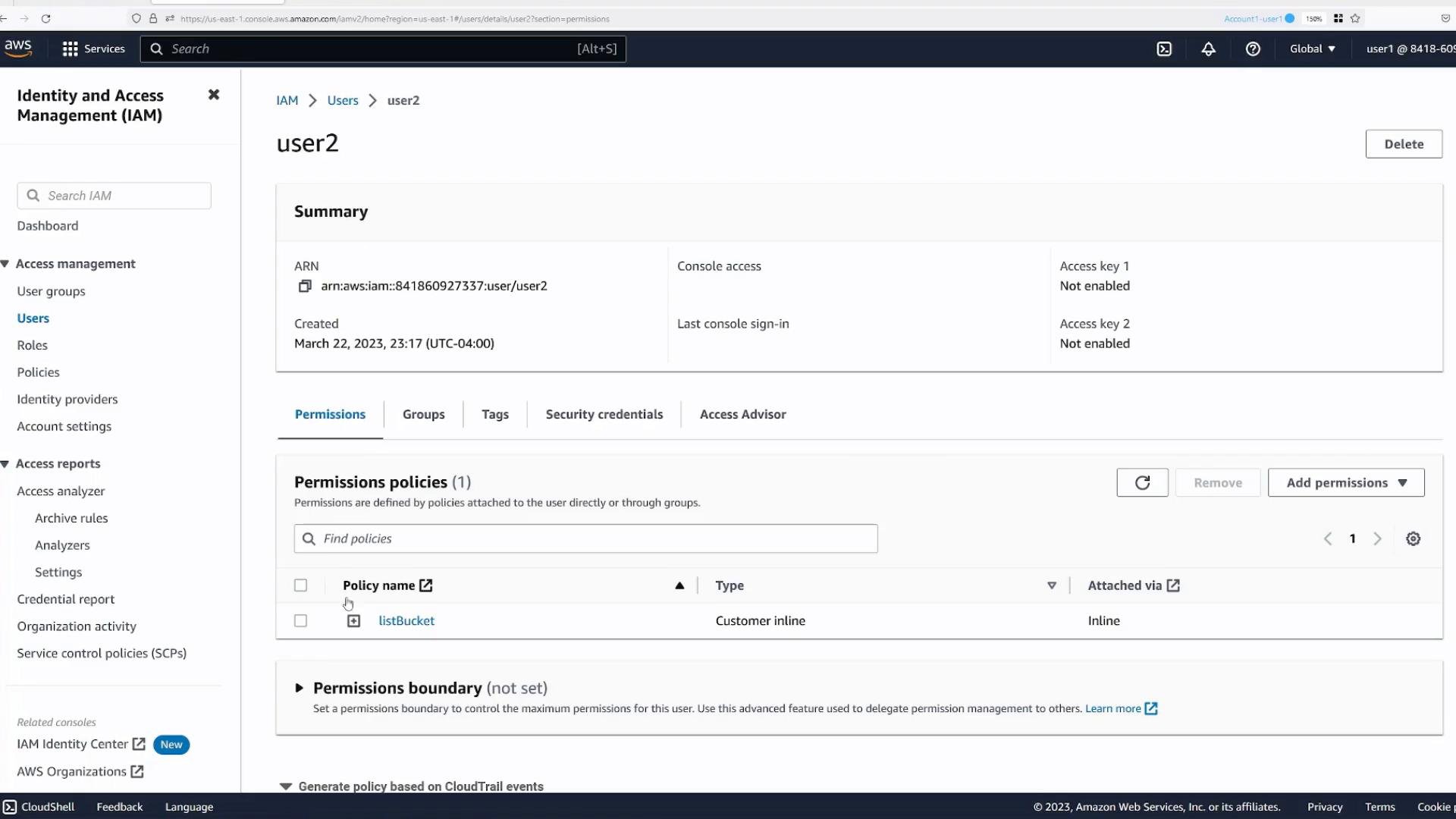
s3:GetObject, attempting to view the object produces Access Denied:
A pre-signed URL grants the bearer the permissions of the AWS principal who generated the URL. It does not grant additional permissions. The URL allows requests to act as that principal for the specified operation and time window — but only if that principal already has the necessary permissions.
5. What happens when a restricted principal creates a pre-signed URL?
To demonstrate the principle above: user2 can use the console to generate a pre-signed URL for the object and copy it. However, because user2 does not have permission tos3:GetObject, any public or anonymous user who tries to use that pre-signed URL will also receive Access Denied. The pre-signed URL triggers a request that is evaluated against user2’s permissions — it does not elevate privileges.
A public user accessing the URL created by user2 will see:
Do not share pre-signed URLs longer than necessary. Anyone with the URL can access the object until it expires. If a principal with broad permissions generates a long-lived pre-signed URL, that URL effectively extends those permissions to anyone who holds it.
Summary
- Pre-signed URLs provide temporary, shareable access to specific S3 objects without changing bucket ACLs or bucket policies.
- The URL conveys the permissions of the principal who created it — it does not add privileges.
- Generate pre-signed URLs from the console for quick sharing or programmatically for integration using the AWS SDKs or AWS CLI.
- AWS: Share an S3 object using a pre-signed URL — https://docs.aws.amazon.com/AmazonS3/latest/userguide/ShareObjectPreSignedURL.html
- AWS SDKs and Tools — https://aws.amazon.com/tools/
- AWS CLI — https://aws.amazon.com/cli/