

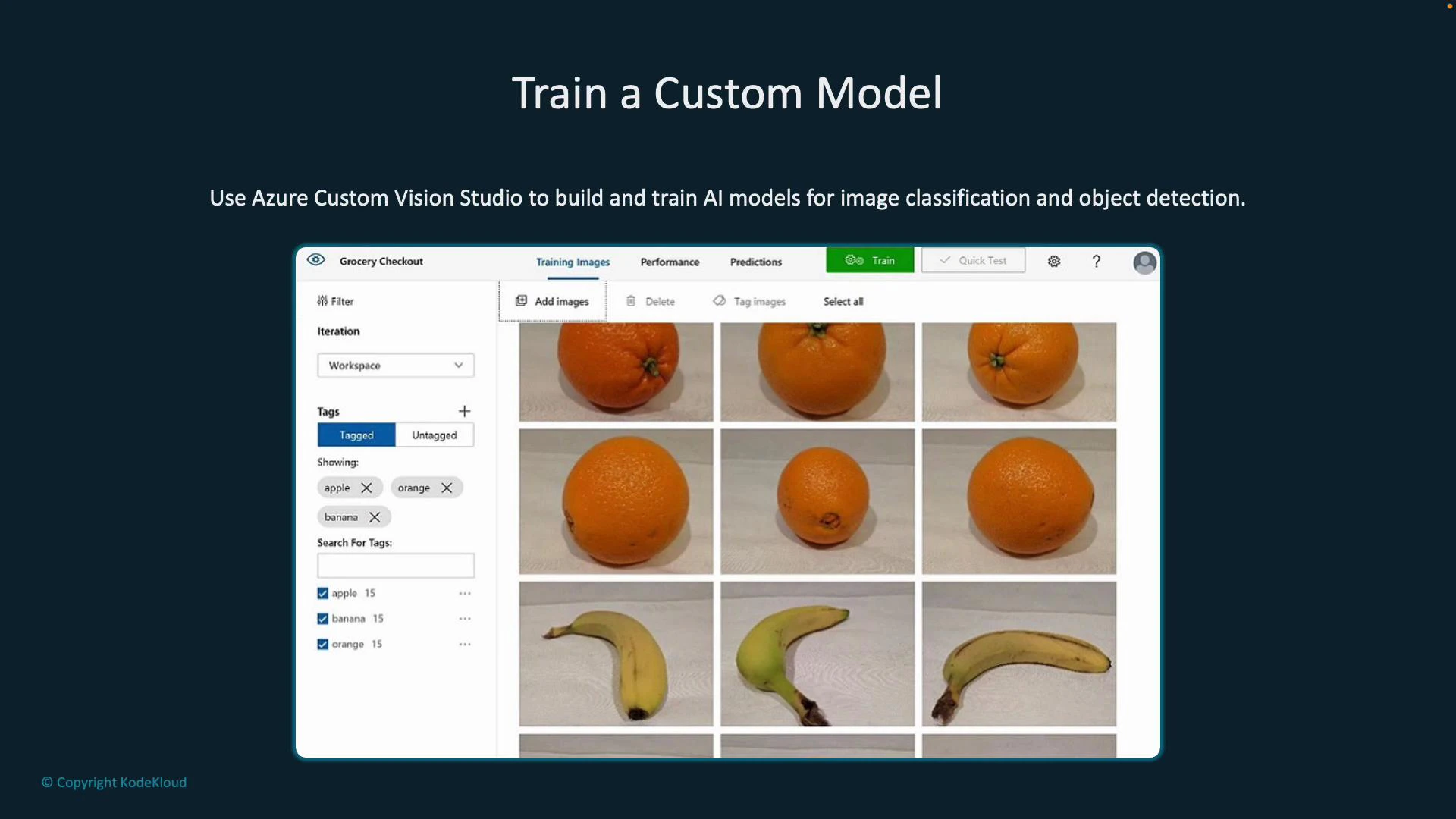
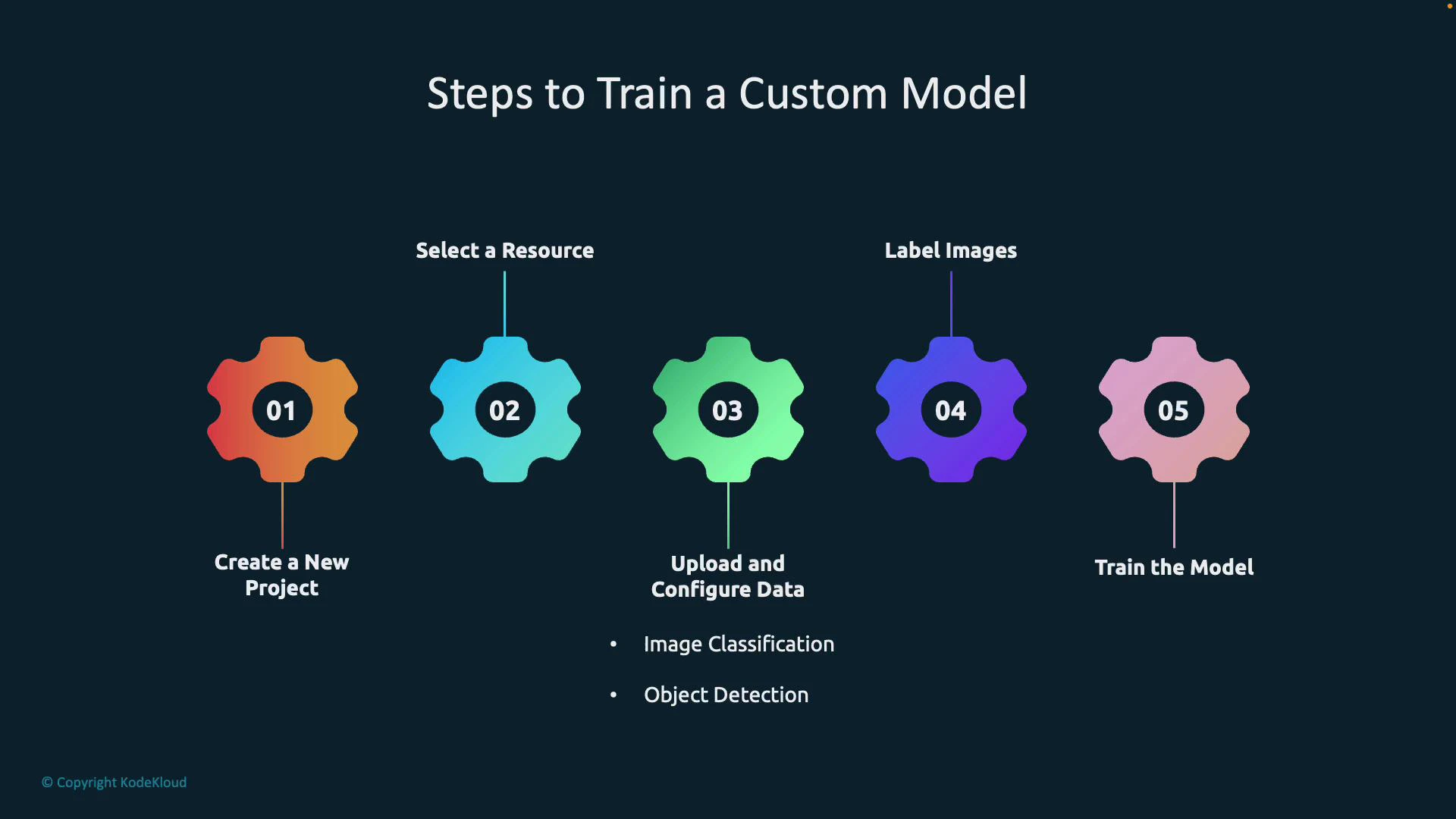
End-to-end workflow (high level)
Benefits of using Custom Vision Studio:
- Visual, user-friendly tooling for labeling and training (no deep ML expertise required).
- Domain-specific optimizations (Food, Retail, Landmarks, etc.) that can influence model architecture.
- Iterative improvement: add more labeled images and retrain to increase accuracy.
Create a Custom Vision resource in Azure
Create a Custom Vision resource in the Azure portal. You can enable both training and prediction on the same resource or separate them into training and prediction resources depending on your security and billing needs. Pick a subscription, resource group, region, and pricing tier (there is a free tier for testing).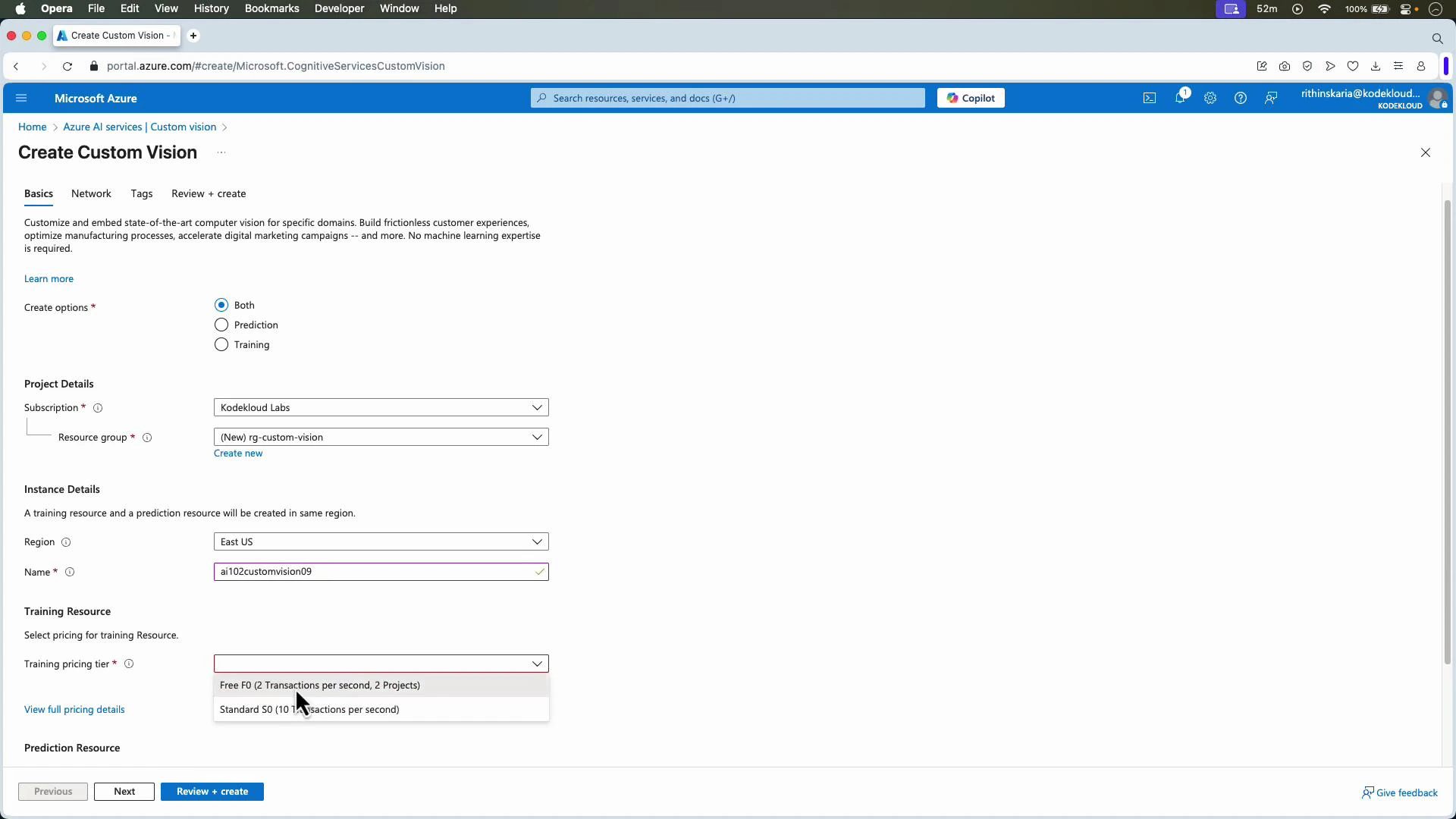
Create a project in the Custom Vision web app
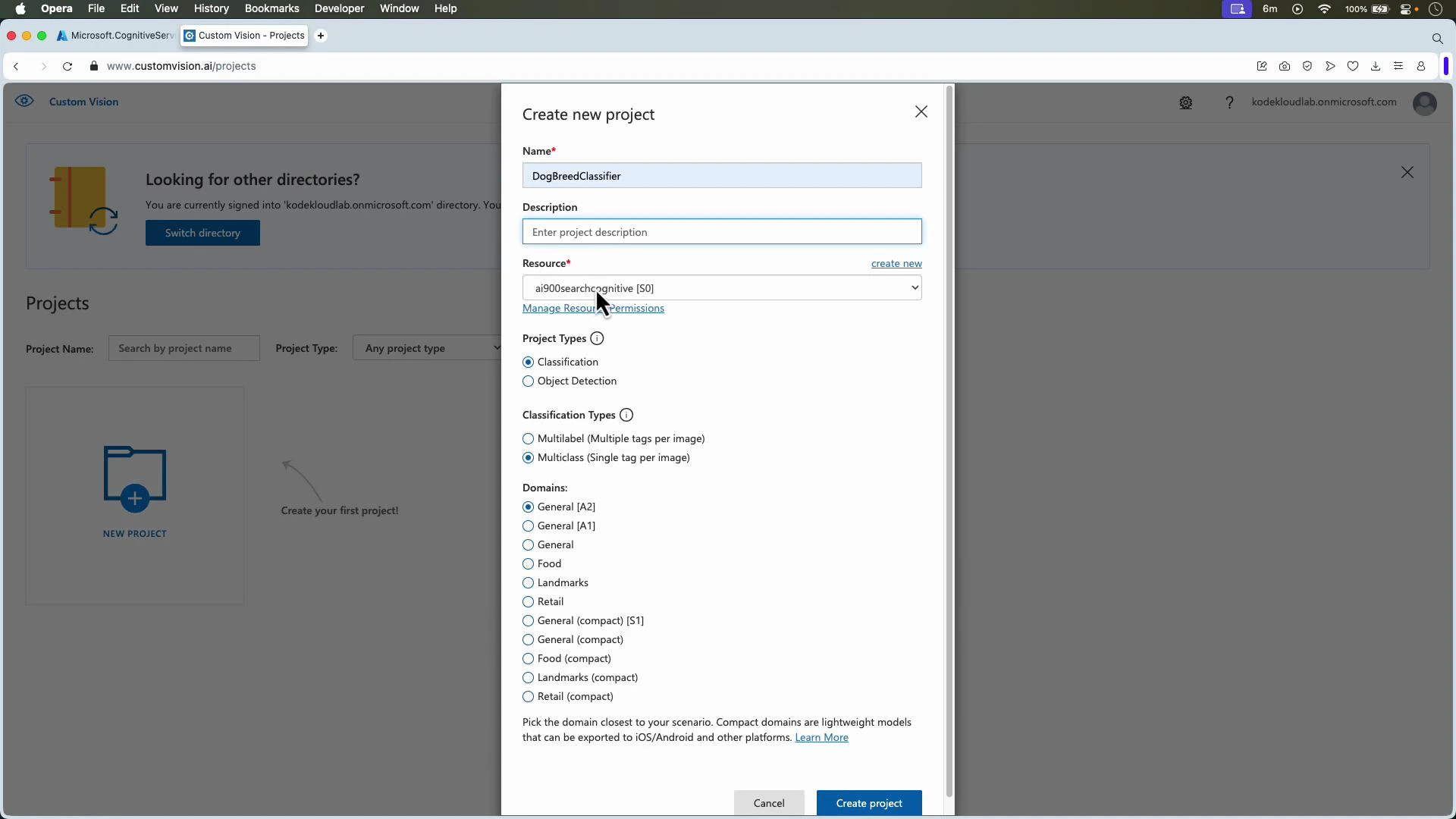
Open the Custom Vision web app (https://www.customvision.ai/) and create a new project. Provide a name and optional description, select the linked resource, then choose:- Project type:
- Classification — whole-image labels (Multiclass: one tag per image; Multilabel: multiple tags per image).
- Object detection — localize objects with bounding boxes and return tag predictions.
- Domain — e.g., General, Food, Retail, Landmarks. Domains may optimize architecture or export options.
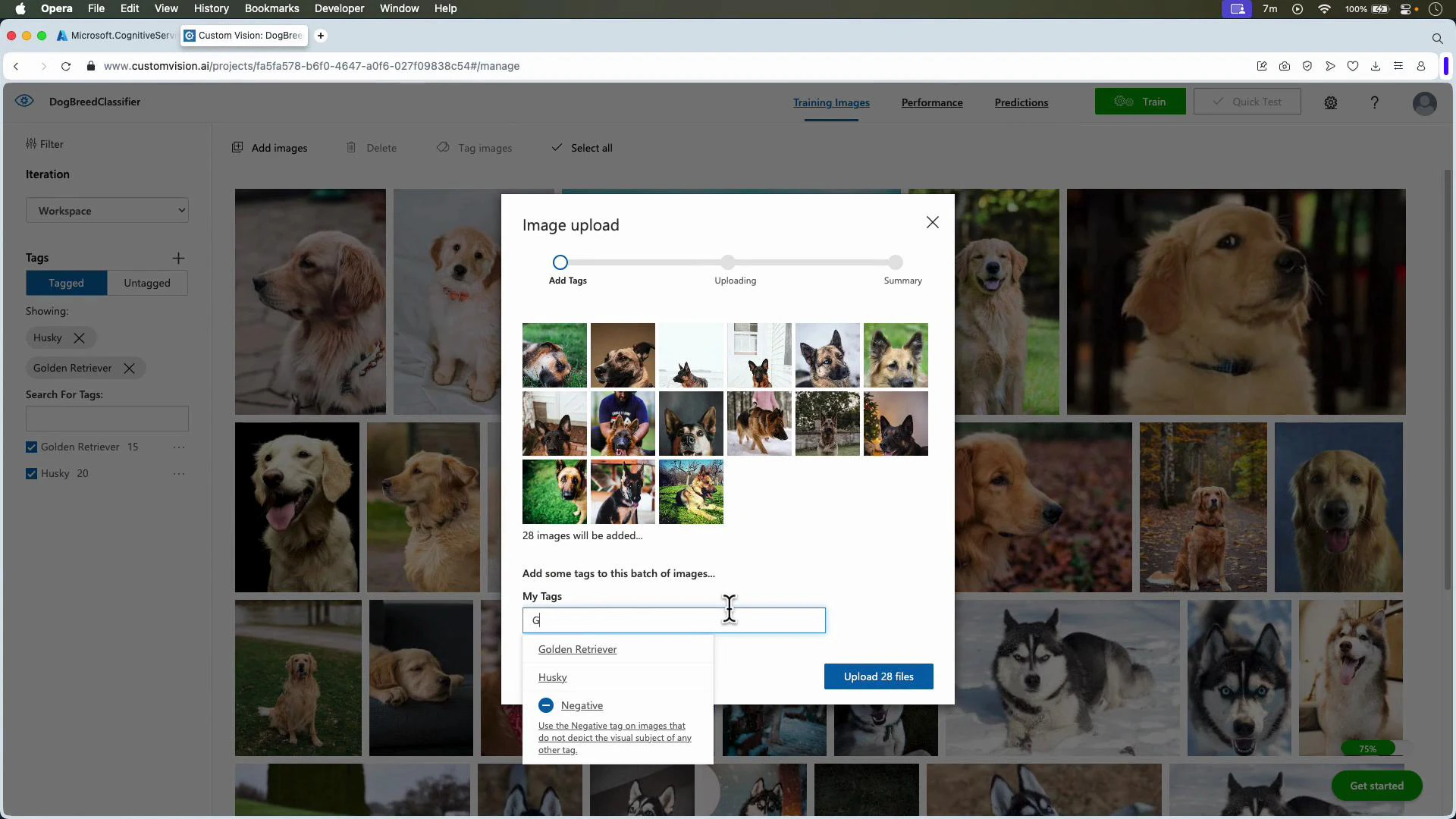
Upload and label images
- For classification: upload images and assign a single (or multiple for multilabel) tag per image.
- For object detection: upload images, create tags, then draw tight bounding boxes around each object instance and assign the correct tag.
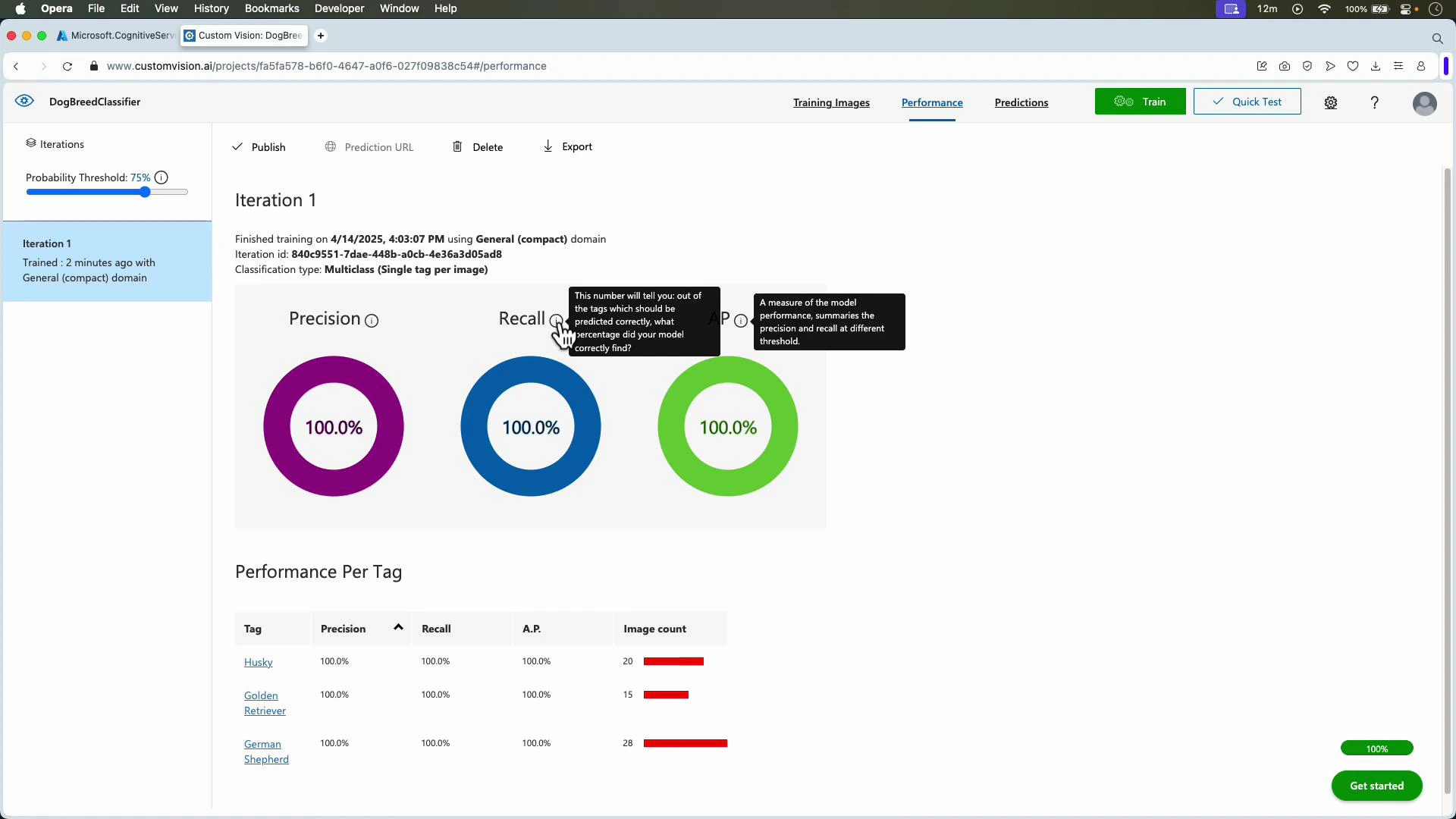
Evaluation metrics (what they mean)
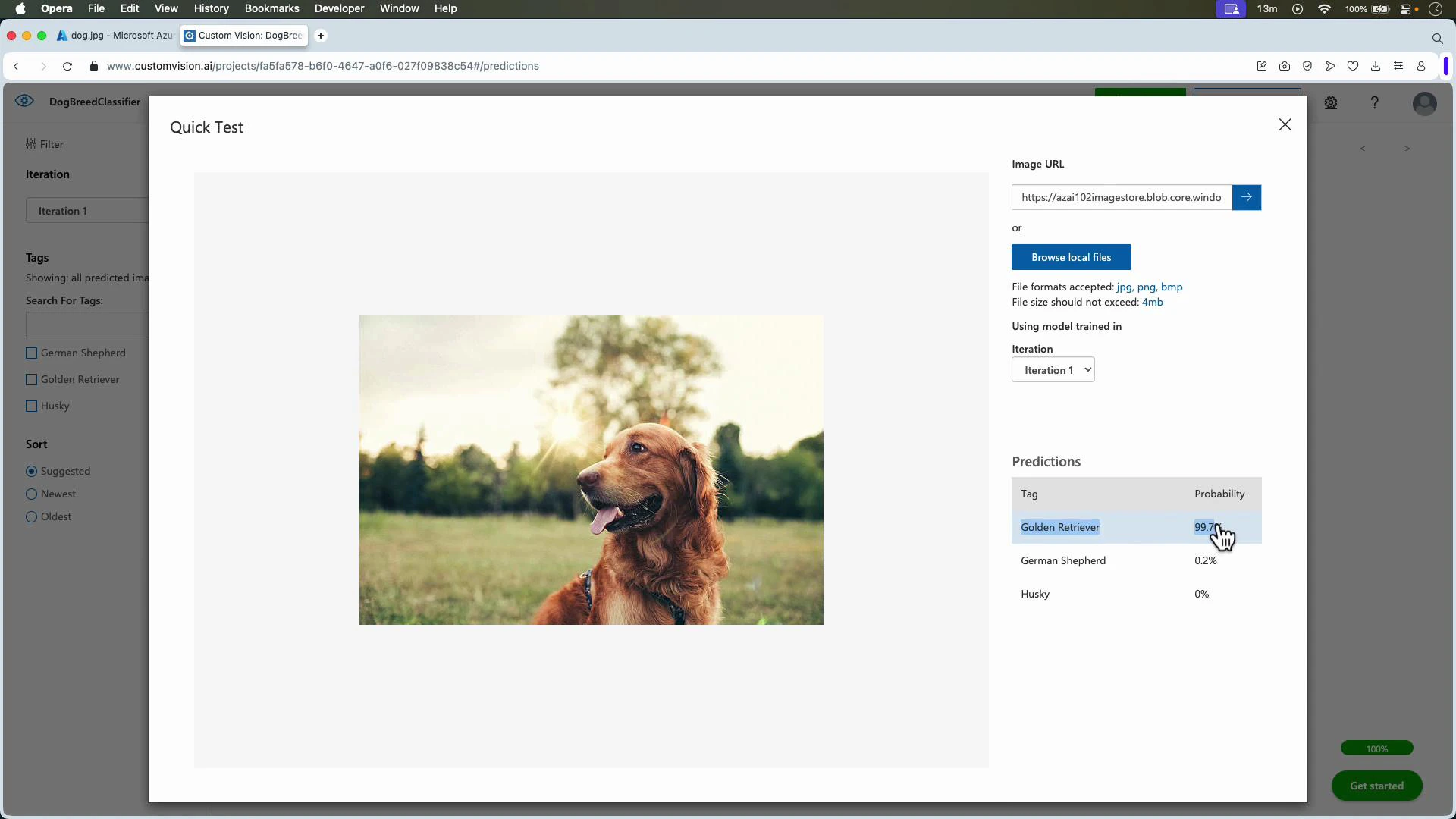
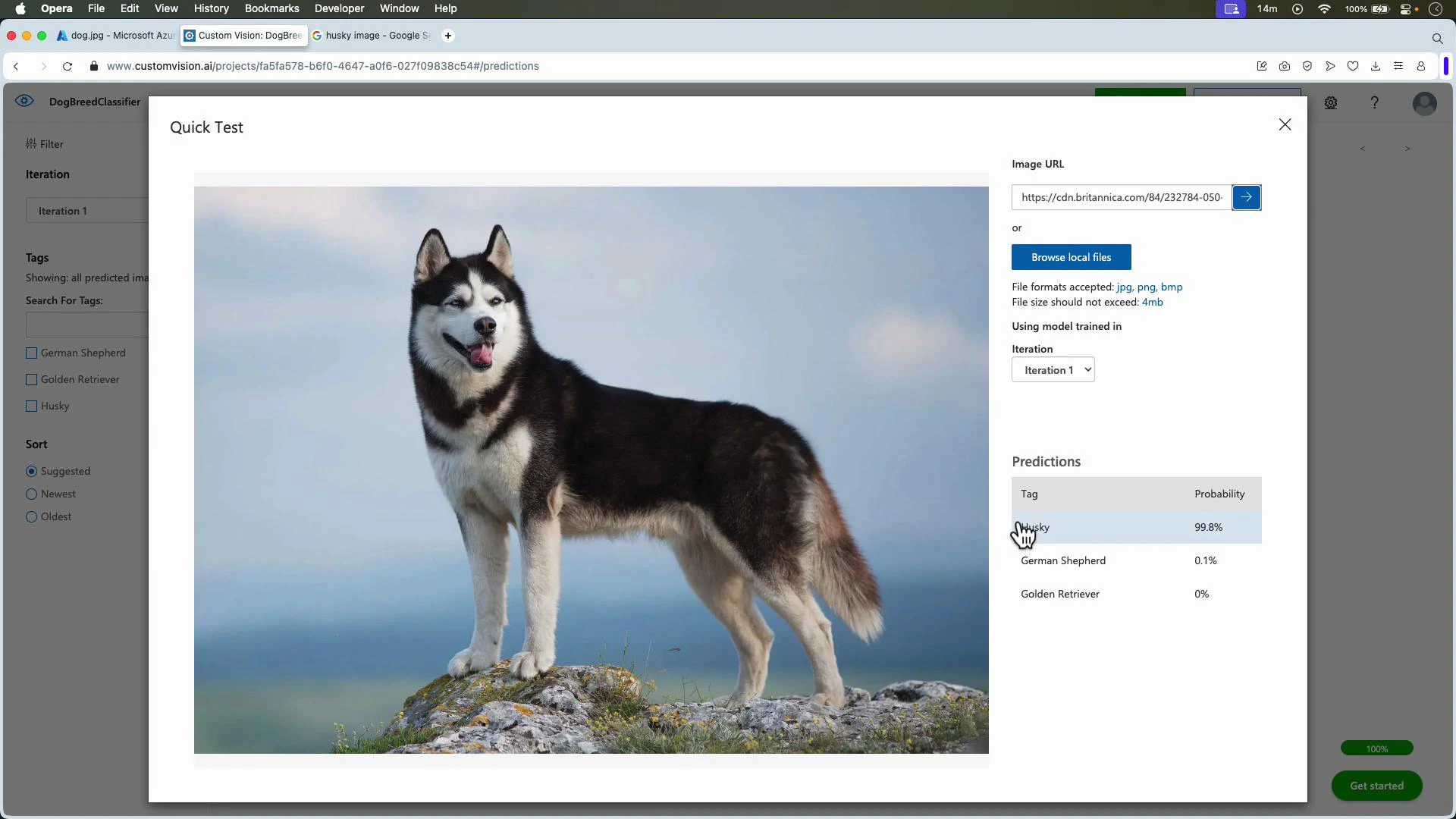
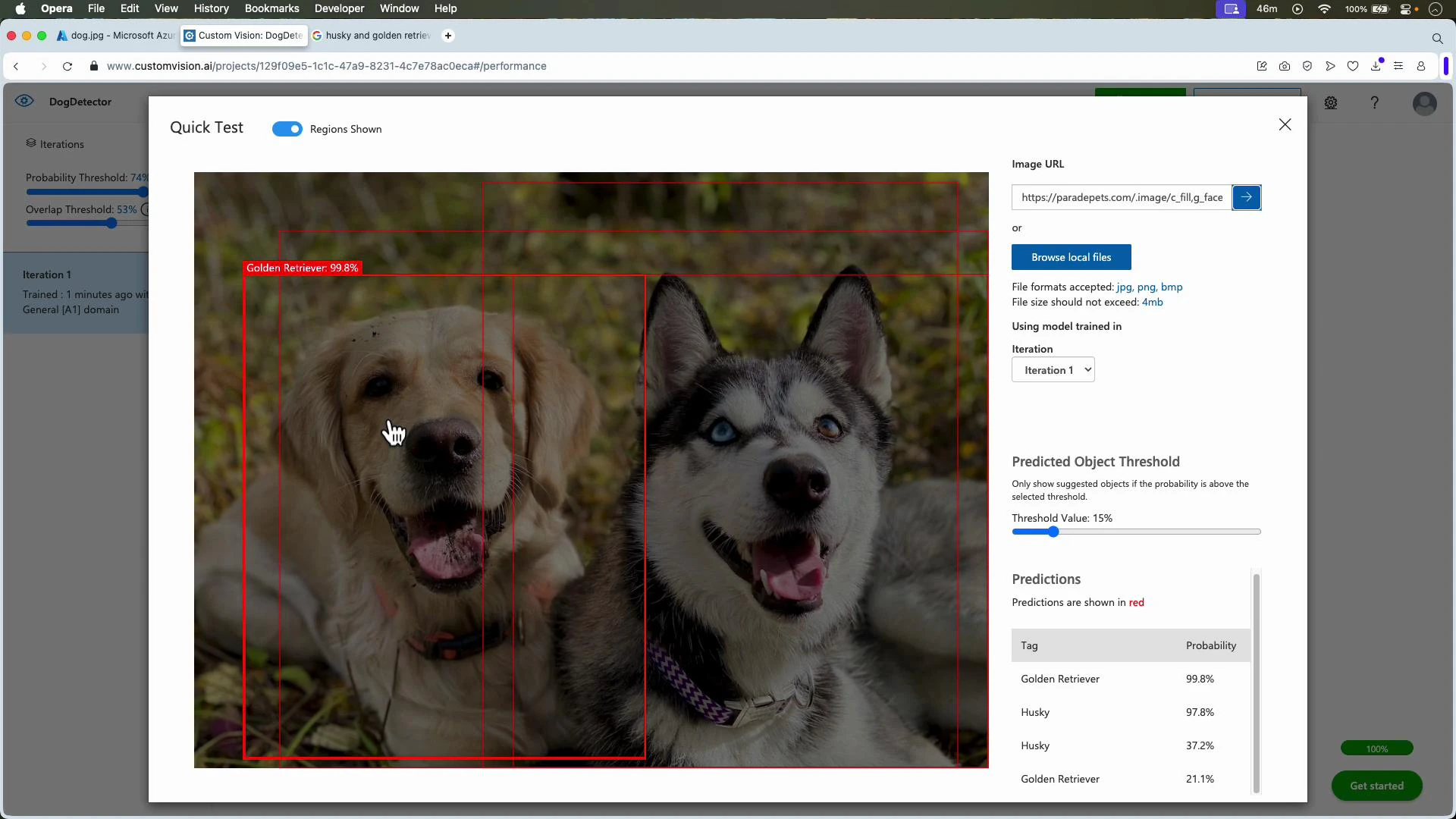
After training, use Quick Test or the Predictions API to test on images held out from training.
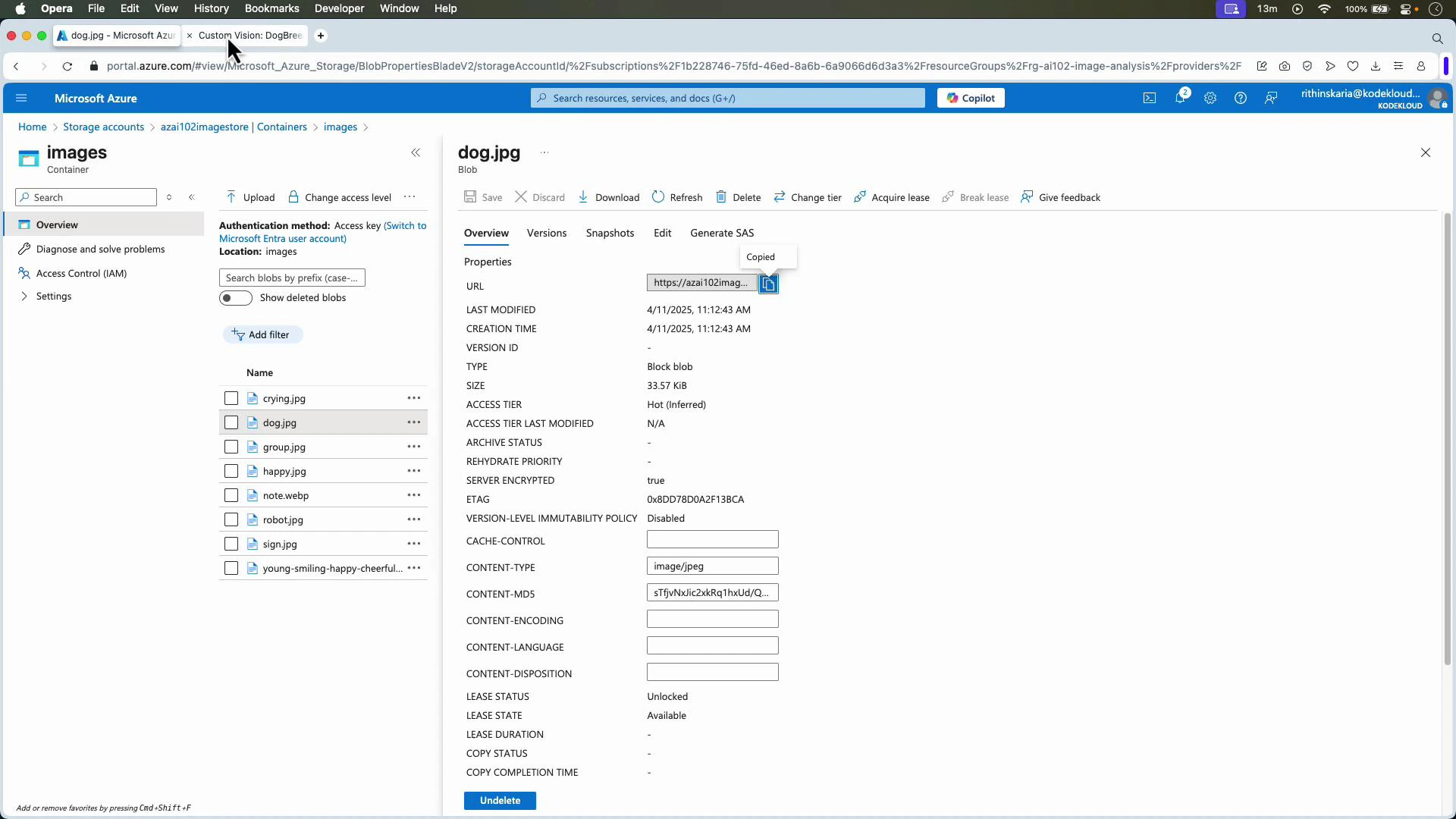
Testing with images stored in Azure Storage
You can test images stored in Azure Blob Storage by copying the blob URL (make it public or use a SAS token) and pasting it into Quick Test or sending it via the Predictions API.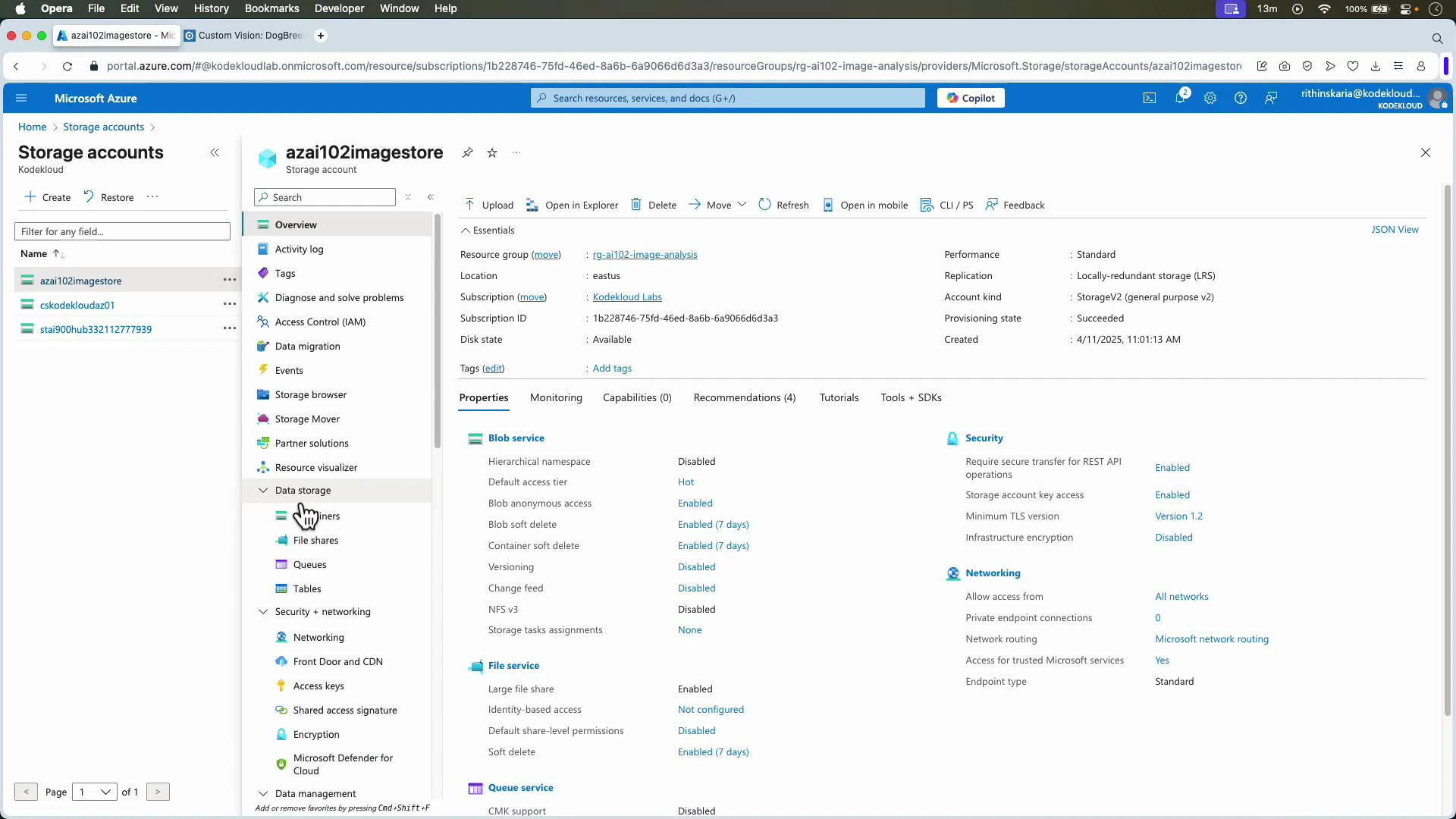
Object detection: annotate, train, and evaluate
Object detection projects return both labels and bounding boxes. Workflow:- Create an object detection project (e.g., DogDetector).
- Upload images.
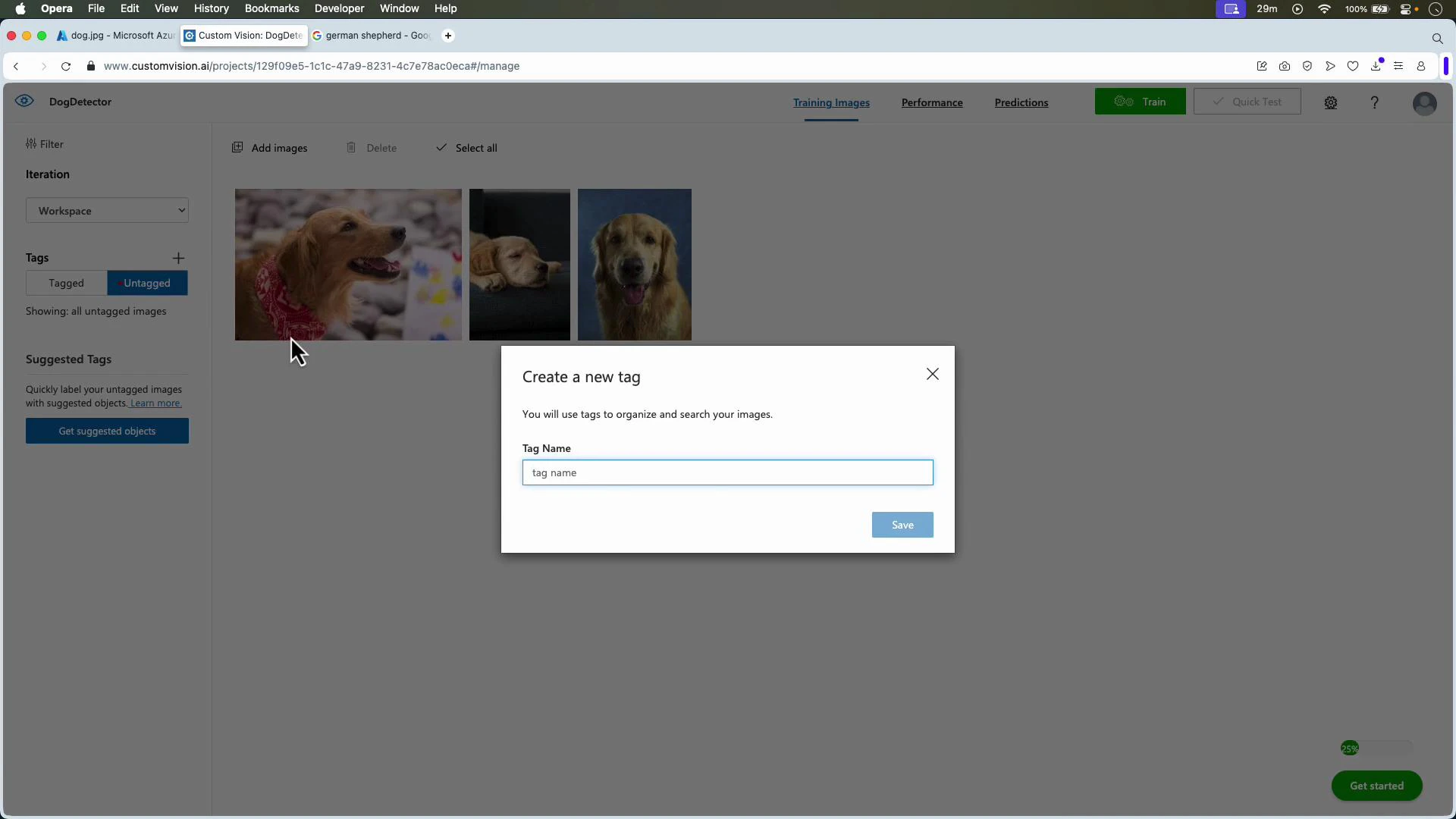
- Create tags (e.g., Golden Retriever, Husky).
- Select images, draw bounding boxes for each instance, and assign tags.
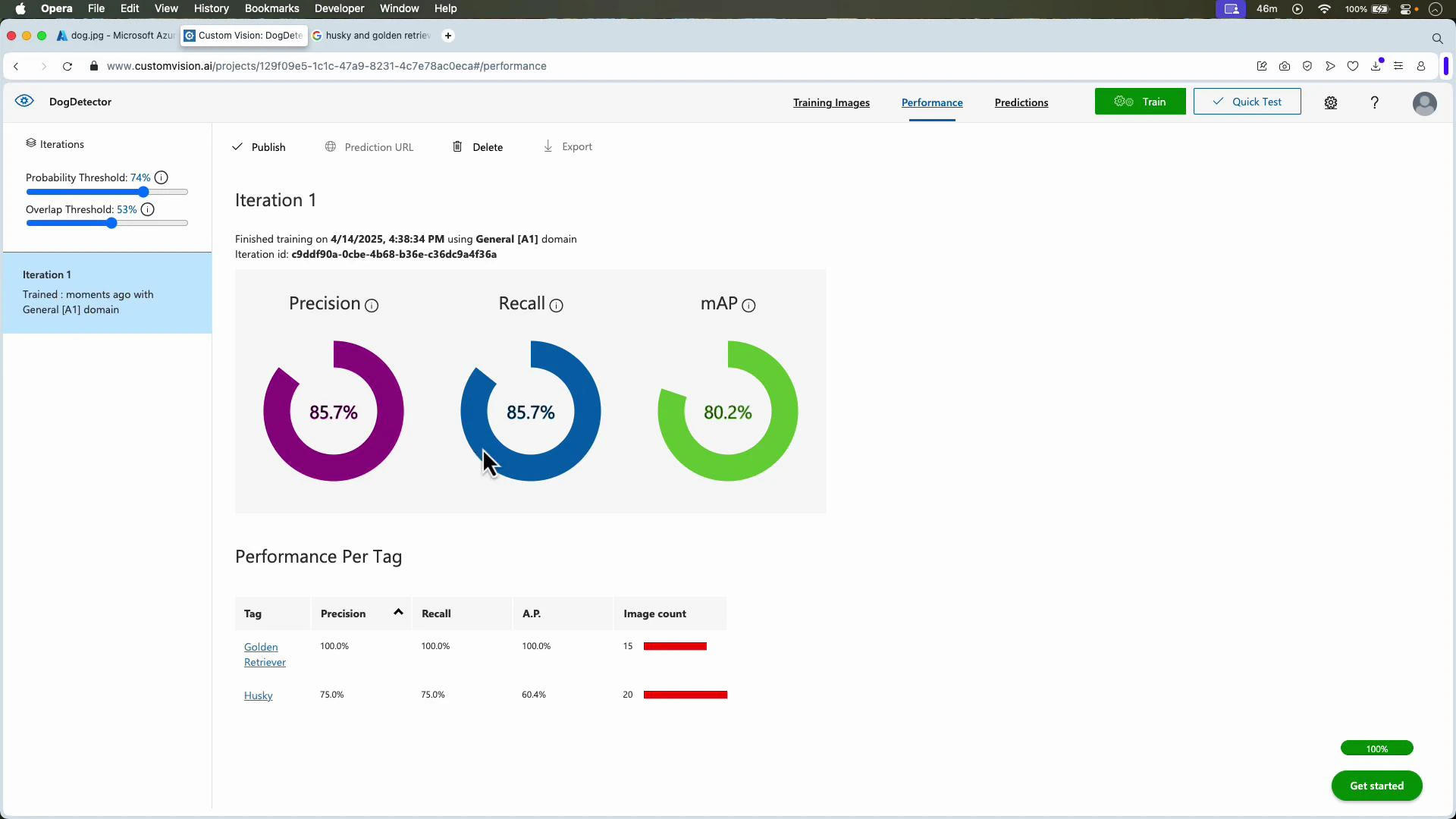
- Train and review metrics (Precision, Recall, mAP).
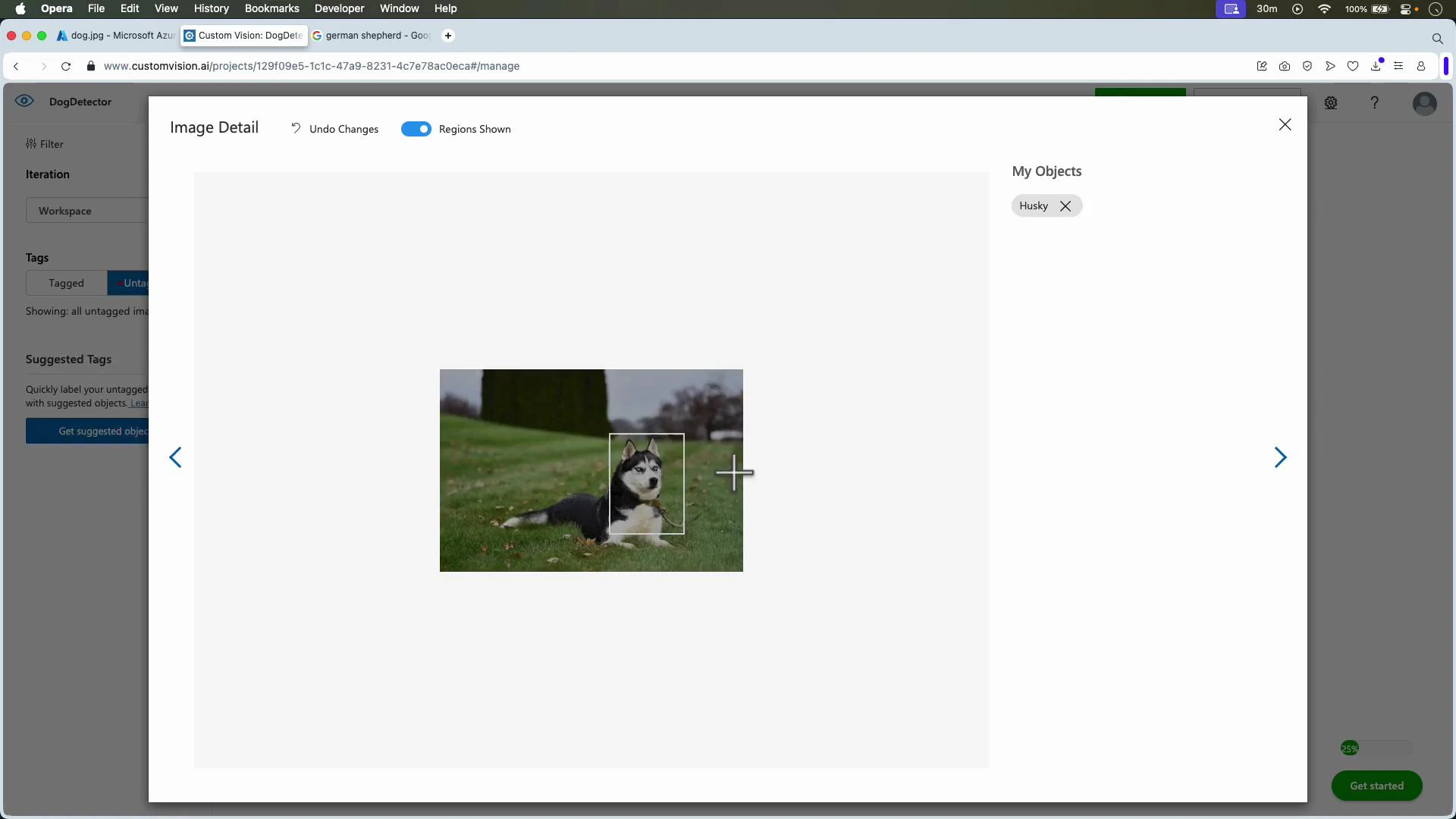
For object detection, Custom Vision recommends a minimum of ~15 images per tag to start achieving reasonable results. More images, varied scenes, and tightly drawn bounding boxes significantly improve robustness and reduce false positives/negatives.
- Add images that increase variation (lighting, scale, occlusion, orientation).
- Correct and tighten bounding boxes.
- Increase labeled instances per tag and retrain.
Publish for production
When satisfied with an iteration, publish it to create a prediction endpoint and obtain keys/credentials. Use the SDK or REST Prediction API to integrate the model into web, mobile, or backend systems. API & SDK references:- Predictions API: https://learn.microsoft.com/azure/cognitive-services/custom-vision-service/
- Custom Vision documentation: https://learn.microsoft.com/azure/cognitive-services/custom-vision-service/
Summary
- Use Custom Vision Studio to create classification or object detection projects, upload and tag images, train iterations, evaluate precision/recall/mAP, and test with Quick Test.
- Publish trained iterations to obtain prediction endpoints for programmatic integration.
- Improve models iteratively—collect diverse labeled data, correct annotations, and retrain to improve real-world performance.