

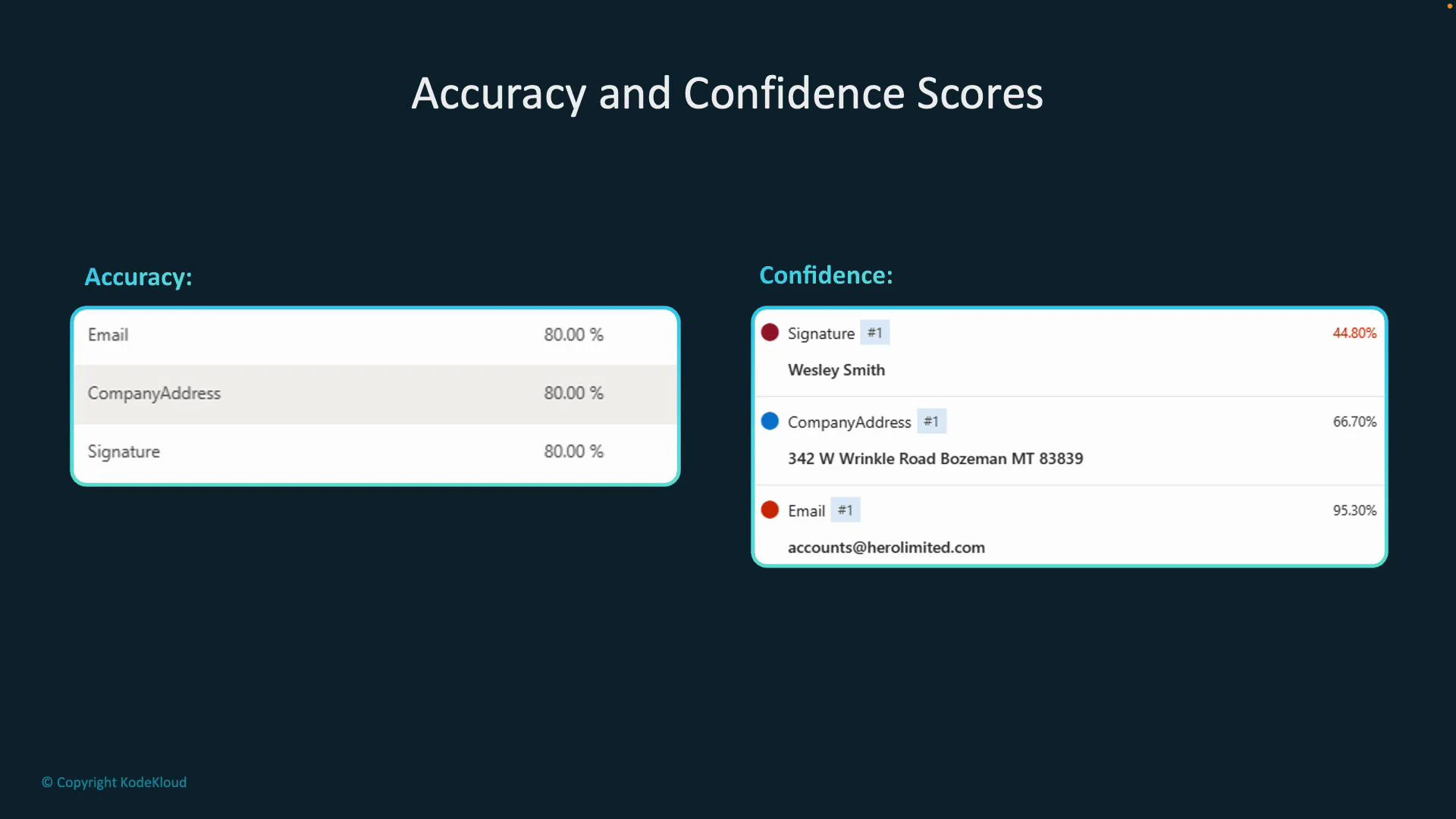
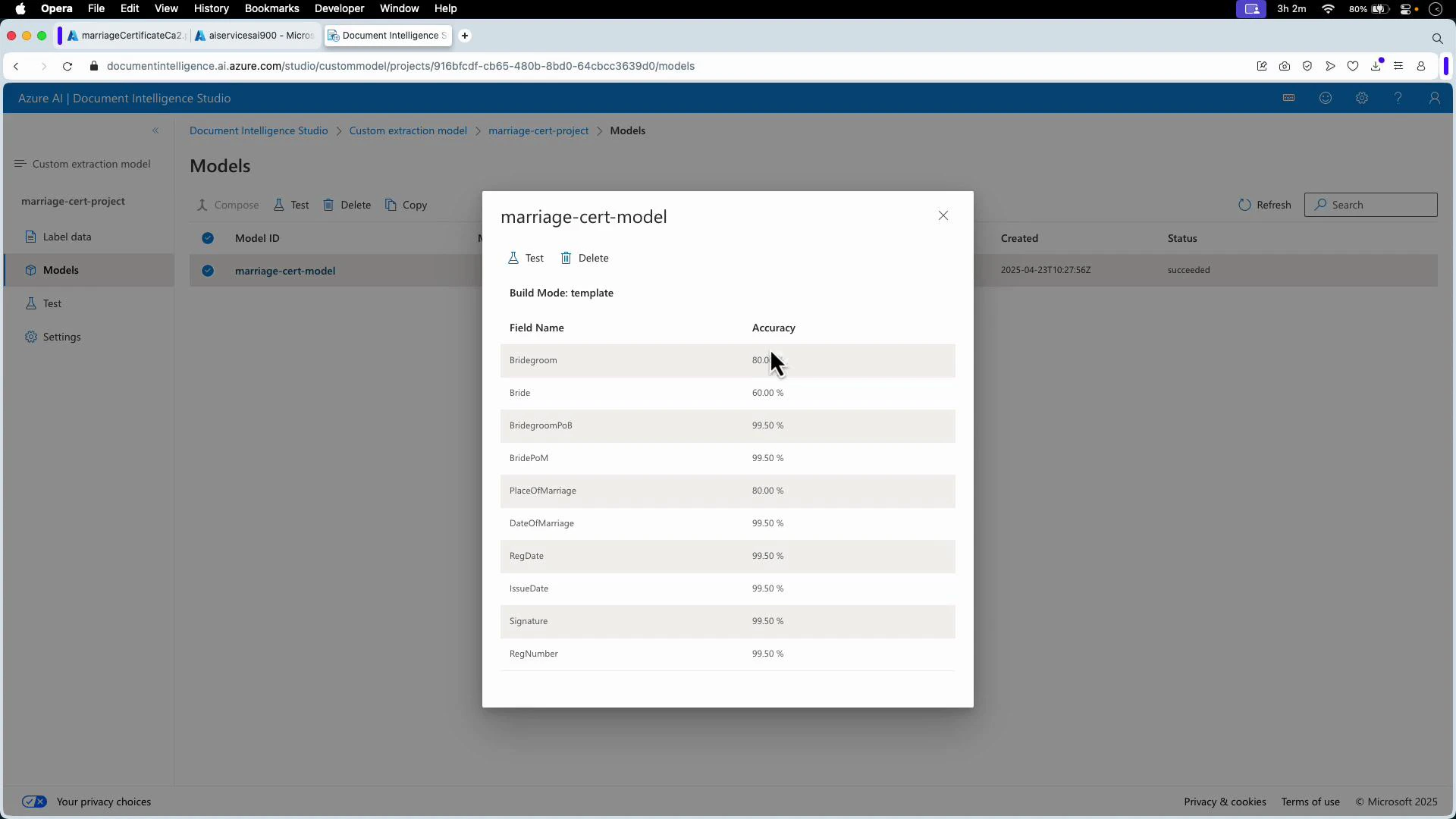
- Estimated accuracy: an overall, per-field metric that predicts how well the model will perform on unseen documents. It’s computed by comparing the model’s predictions against labeled ground-truth examples during training and evaluation. Use it to select and compare models before wide deployment.
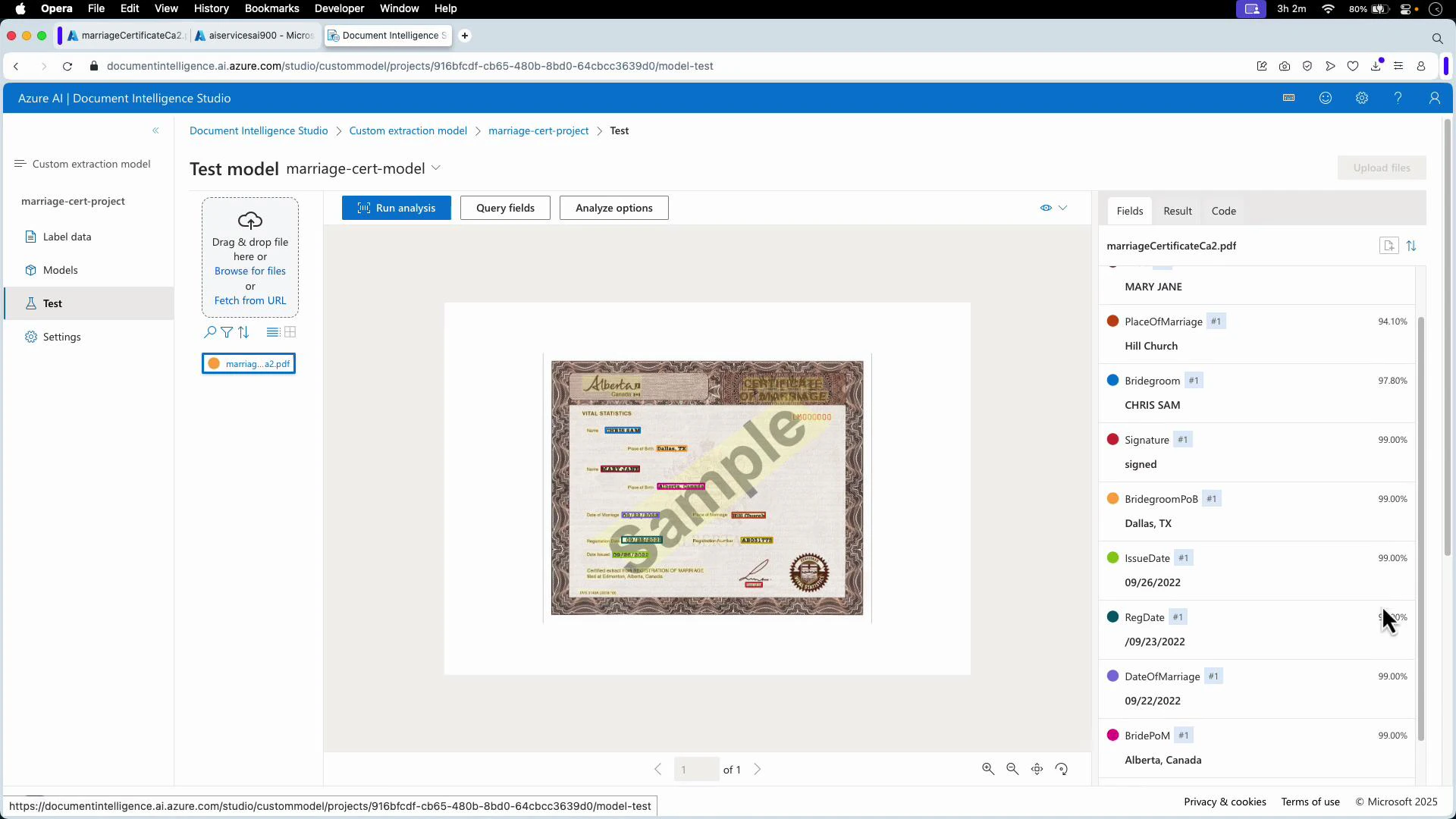
- Confidence: a per-prediction score returned with every extracted field in an inference response. Confidence indicates how certain the model is about a specific extraction and can be used to decide whether to accept, reject, or escalate an extraction for human review.
- Model-level estimated accuracy: open Document Intelligence Studio and view the model overview. The per-field accuracy scores are derived from labeled evaluation data.
- Per-document confidence scores: run the model in the Test/Analyze view. The results pane lists each extracted field together with its confidence for that specific document.
Practical guidance
Use estimated accuracy to evaluate and select models. Use per-prediction confidence to decide whether to accept an extraction automatically, reject it, or route it for human verification. Common patterns include rejecting or flagging extractions below a confidence threshold (for example, under ~70%), or sending them to an operator for review.
Do not rely only on estimated accuracy when operating in production—accuracy represents average behavior across a dataset and may not reflect edge cases in your live documents. Always combine accuracy assessments with runtime confidence checks and periodic real-world validation.
- Confidence values are returned in the inference response payload. Use them in your application logic to implement gating, human-in-the-loop workflows, or automated acceptance rules.
- Inspect models and run tests in Document Intelligence Studio:
- Document Intelligence Studio: https://learn.microsoft.com/azure/applied-ai-services/document-intelligence/studio/
- Analyze documents API docs: https://learn.microsoft.com/azure/applied-ai-services/document-intelligence/how-to/analyze-documents
- Estimated accuracy is a per-field score from labeled evaluation data and predicts expected model performance on unseen documents.
- Confidence is a per-prediction score returned with inference responses indicating certainty for each extraction.
- Use both metrics together: estimated accuracy to assess model fitness and confidence to drive runtime decisions such as automated acceptance, rejection, or escalation to human review.