

- Turn unstructured content (PDFs, images, scanned docs) into searchable insights.
- Use AI skills to extract language, text from images, key phrases, and named entities.
- Support rich search experiences: full-text search, filters, facets, and entity-based queries.
Input document example
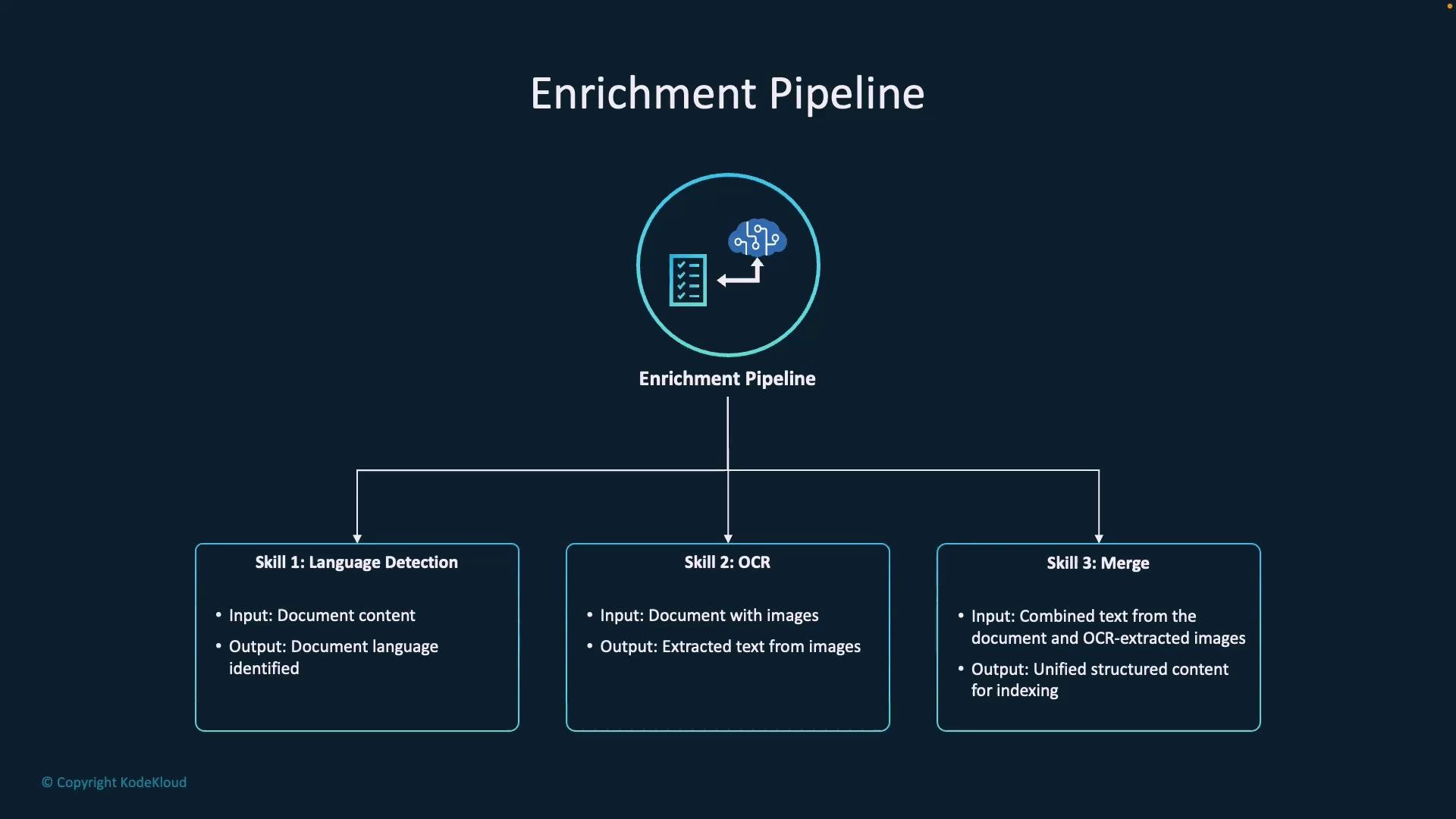
Before enrichment, documents generally arrive as JSON with metadata, a content field, and an images array. The indexer processes this JSON as the pipeline input:
-
Language detection reads the
contentand writes a language code:- output:
"language": "en"
- output:
-
OCR scans each image in the
imagesarray and populates thetextfield per image:images[0].text = "Scanned text extracted from image"
-
The merge skill concatenates the original
contentand the OCR-extracted texts into one unified field suitable for indexing:- output:
"merged_text": "Full structured text including OCR-extracted data"
- output:
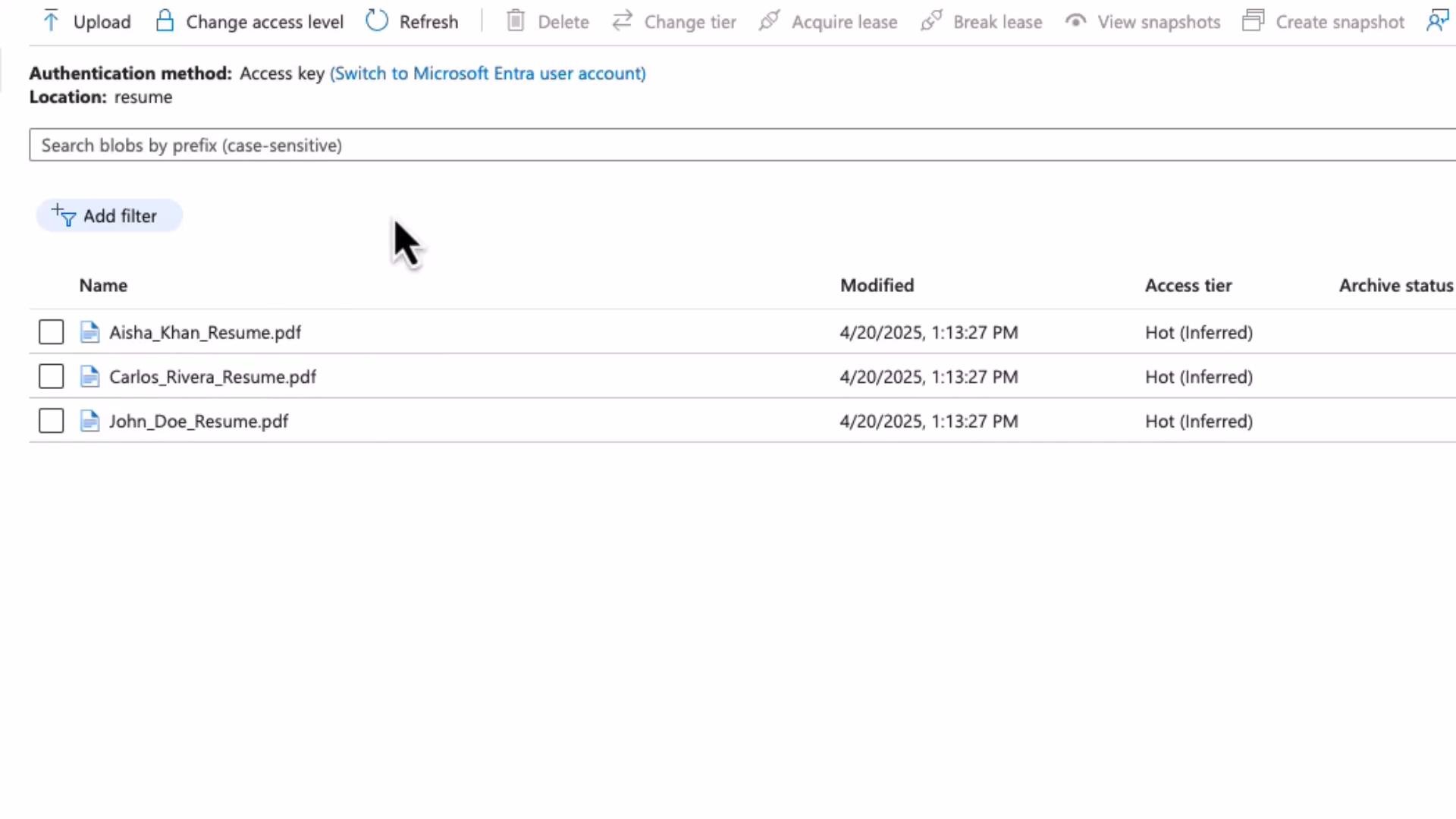
- Store files in Azure Blob Storage
Example: aresumecontainer containing PDF resumes (source for the indexer).
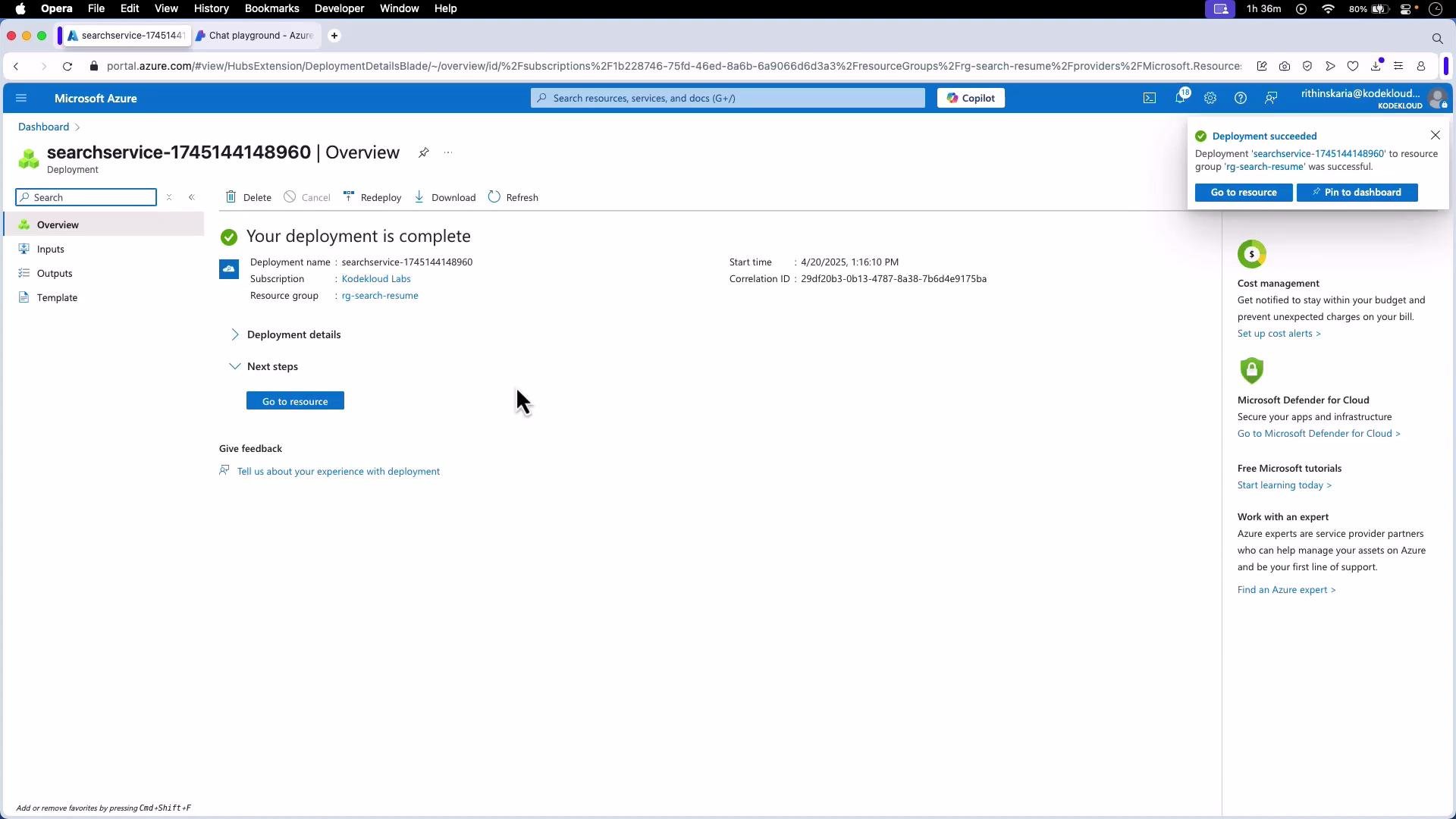
- Create an Azure Cognitive Search service
Deploy an Azure Cognitive Search (AI Search) resource in your subscription and open the resource.
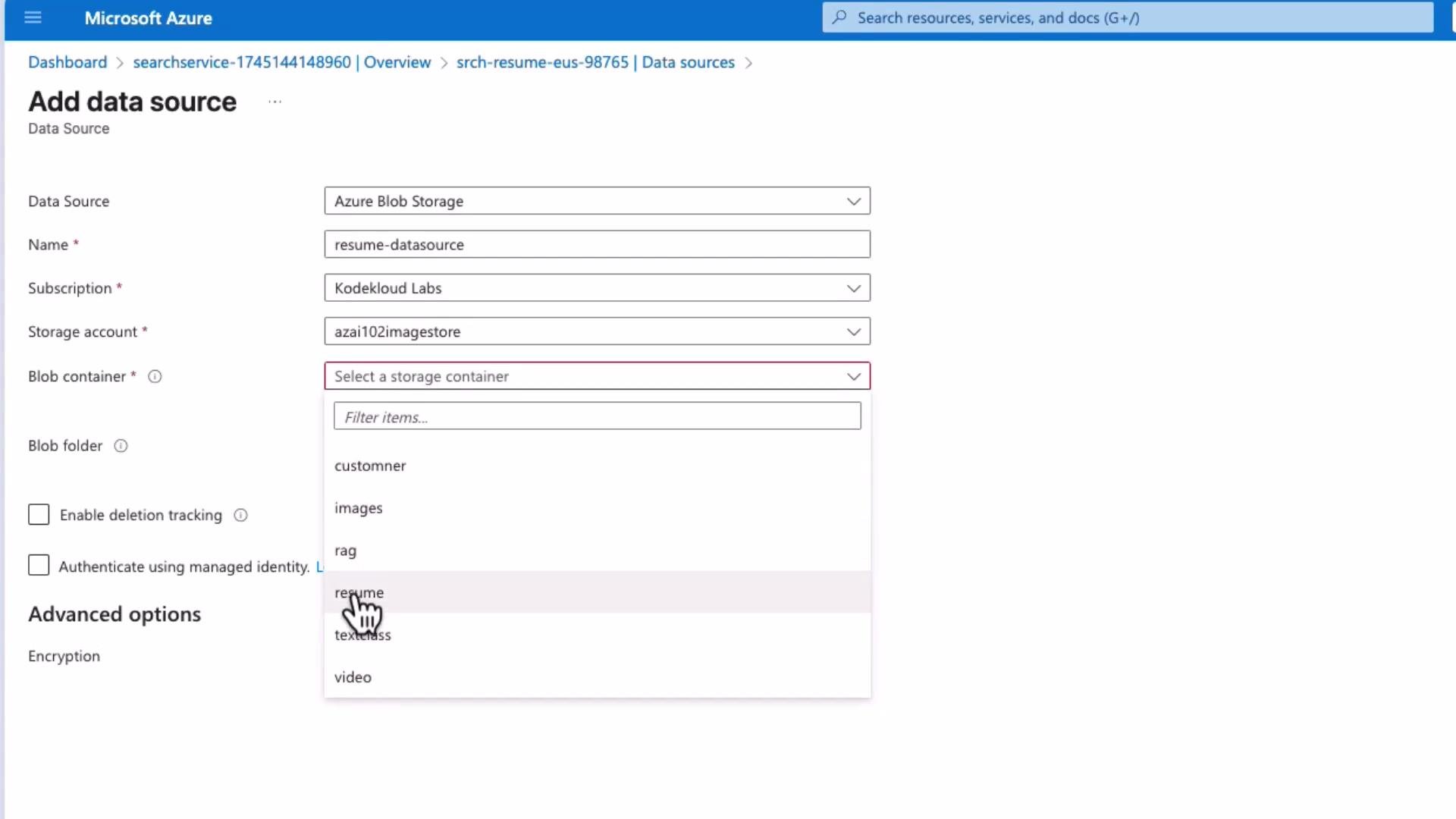
- Add a data source that points to your Blob Storage container
Configure the data source to point to the container (e.g.,resume). Optionally enable deletion detection to reflect deleted blobs in the index.
You must connect an AI resource to enable AI enrichment skills. This can be an Azure Cognitive Services resource or Azure OpenAI. Provide that cognitive service when creating the skillset so skills like OCR, key-phrase extraction, and entity recognition run correctly.
- Create a skillset (AI skills)
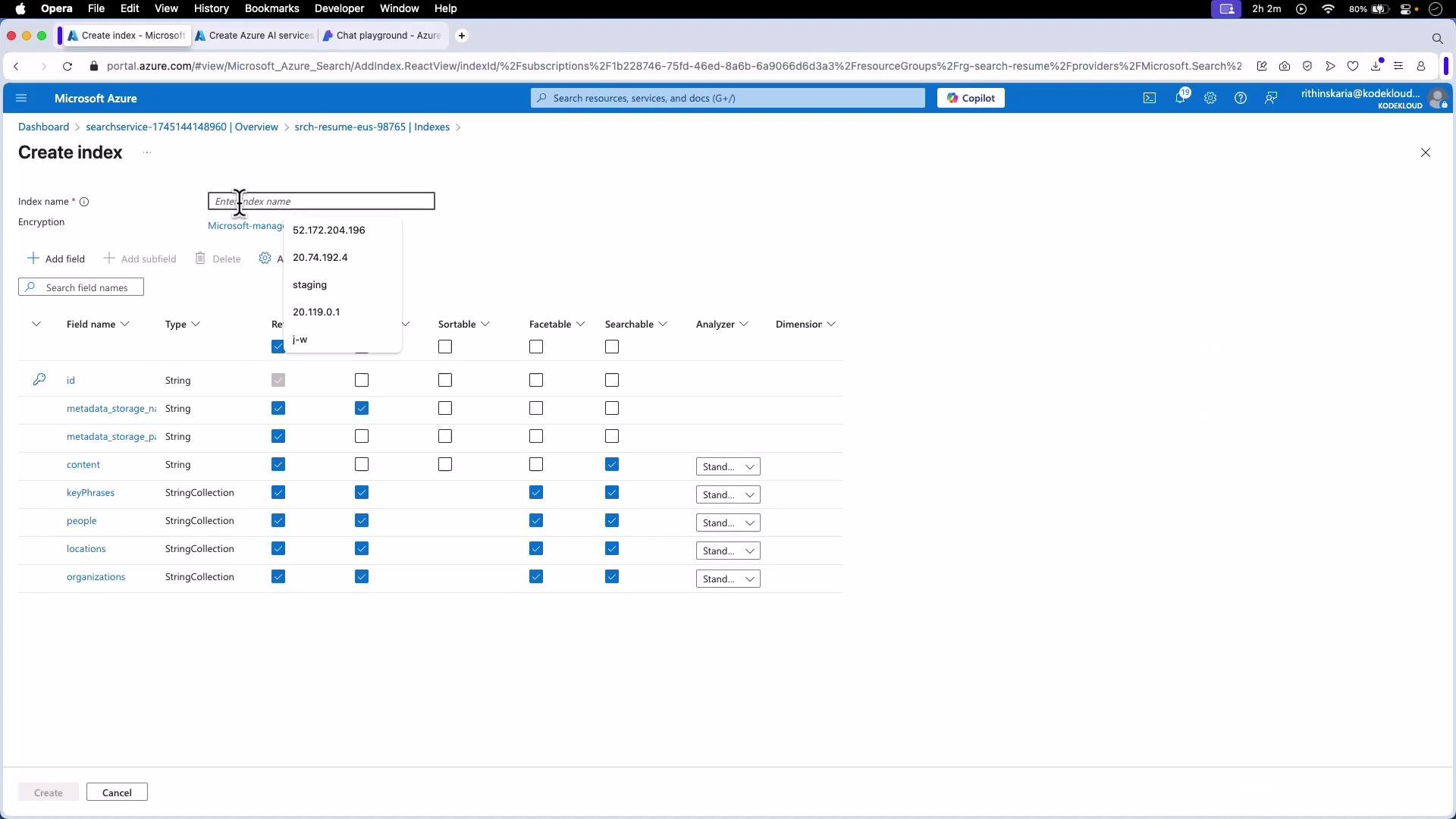
- Create an index (define schema)
- id (key)
- metadata_storage_name (string; retrievable, filterable)
- metadata_storage_path (string; retrievable)
- document_text (string; searchable, retrievable)
- keyPhrases (collection(string); searchable, filterable, facetable, retrievable)
- people, locations, organizations (collection(string); searchable, filterable, facetable, retrievable)
- Create an indexer (connect data source, skillset, and index)
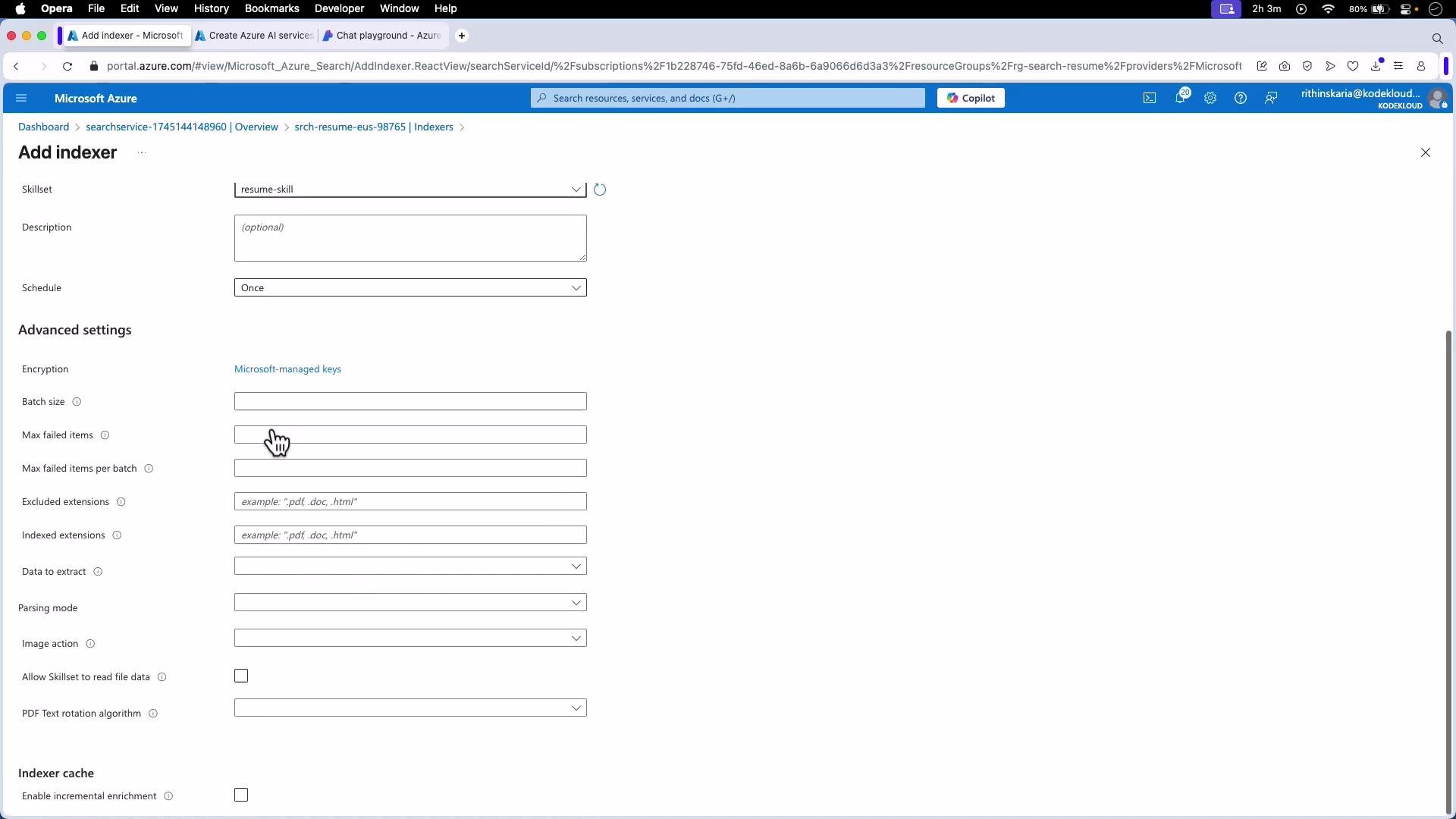
- Schedule (continuous or cron)
- Parsing mode (default vs. try-legacy)
- Allowed/excluded file extensions
- Batch size and retry settings
- Image action (if OCR is required)
- Run the indexer and monitor results
- Full-text search: keyword queries on
document_textreturn relevance-ranked matches. - Filters & facets: narrow results by
locations,people, orkeyPhrases(e.g., filter by location = “Dubai”). - Skill-driven search: search the
keyPhrasescollection to locate candidates with specific skills like “Python” or “DevOps”.
- The enrichment pipeline converts raw files (including scanned images) into structured, searchable documents by chaining AI skills (OCR, language detection, key-phrase extraction, entity recognition, merge).
- Portal sequence: create a data source → create/connect a Cognitive Services or Azure OpenAI resource → create a skillset → create an index → create an indexer → run and monitor the indexer.
- Index design matters: choose correct analyzers and field attributes (searchable/filterable/facetable) to support the queries your application requires.
- Extendability: add custom skills, translation, or additional classification/NER skills to meet specialized requirements.
- Azure Cognitive Search (AI Search) documentation
- Azure Blob Storage documentation
- Azure Cognitive Services documentation
- Azure OpenAI documentation